
Challenge Overview
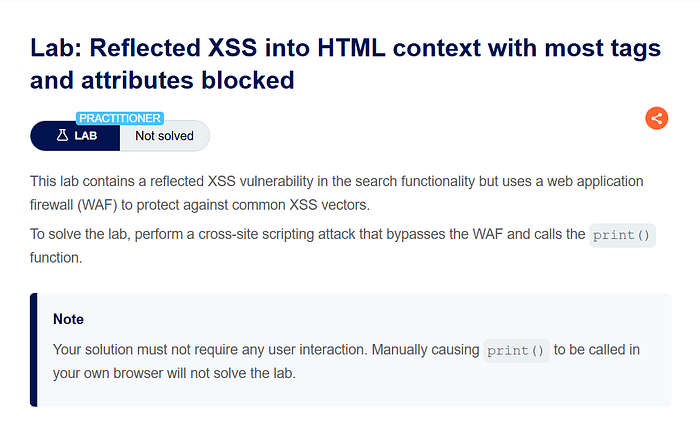
This lab demonstrates a reflected Cross-Site Scripting (XSS) vulnerability in the search functionality of a web application that is protected by a Web Application Firewall (WAF). The WAF blocks most common HTML tags and attributes that are typically used for XSS attacks.
Even though strong filtering is applied, the application still reflects user input directly into the HTML response. Because the input is inserted into the page without proper output encoding, it is possible to find alternative HTML elements and event attributes that bypass the WAF restrictions.
The objective of the lab is to bypass the WAF protections and execute the JavaScript function print() without requiring any user interaction.
Step-by-Step Solution
Step 1 — Exploring the Search Functionality
After opening the lab, I first explored the application and observed the search feature.
To understand how the application handles user input, I searched for a simple value:
hello
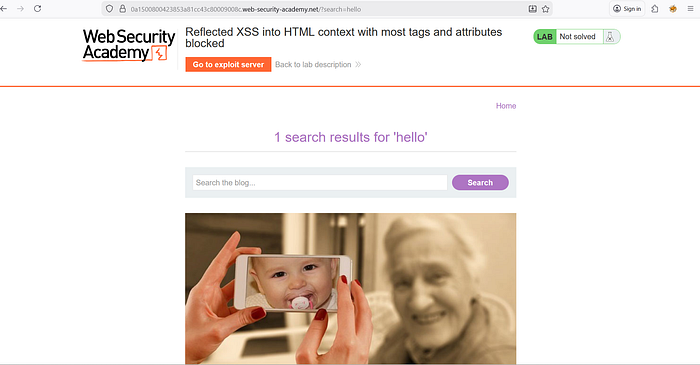
I then inspected the page using Developer Tools to see how the search value appeared in the DOM. This confirmed that the search parameter was reflected in the HTML response.
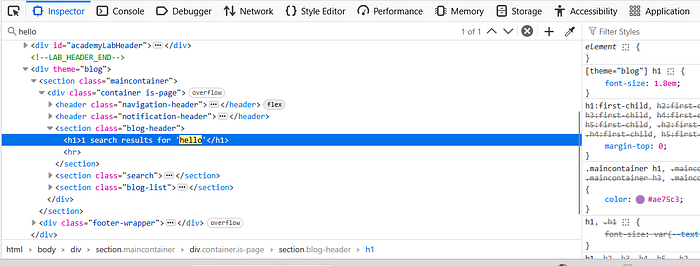
Since the lab description mentioned that a WAF was in place, I expected common XSS payloads to be blocked.
Step 2 — Testing Basic XSS Payloads
I attempted a common payload:
The application responded with an error indicating that the tag was not allowed.

This confirmed that the WAF was actively blocking common XSS vectors such as <script> tags.
At this point, manually guessing allowed tags would be inefficient, so I decided to use Burp Suite Intruder to systematically test which tags were permitted.
Step 3 — Identifying Allowed HTML Tags
I intercepted the search request using Burp Suite and sent it to Intruder.
The request looked similar to:
GET /?search=%3Cscript%3E HTTP/1.1
I replaced the tag portion with a payload marker and used the list of HTML tags from the PortSwigger XSS Cheat Sheet as the wordlist.
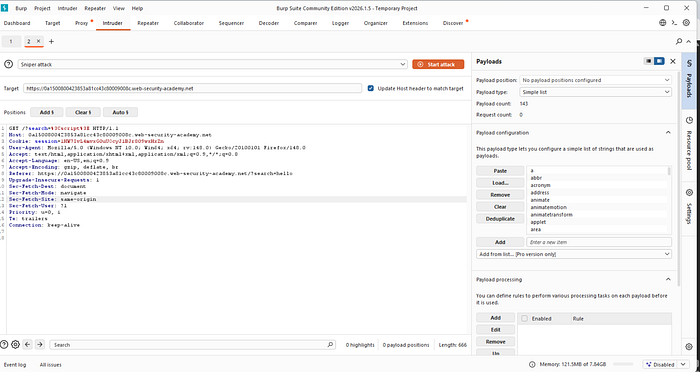
Using Sniper attack mode, I launched the attack to test each tag.
During the scan, I observed that:
• Most responses returned HTTP 400 • One tag returned HTTP 200
The allowed tag turned out to be:
This indicated that the WAF allowed the <body> tag.

Step 4 — Testing Event Attributes
Since the <body> tag was allowed, the next step was to determine which event attributes were also permitted.
I again used Burp Intruder and modified the request to include an attribute placeholder:
GET /?search=<body a=1> HTTP/1.1
Then I replaced the attribute with different event handlers from the XSS cheat sheet.
Several events returned HTTP 200, but most of them required user interaction.
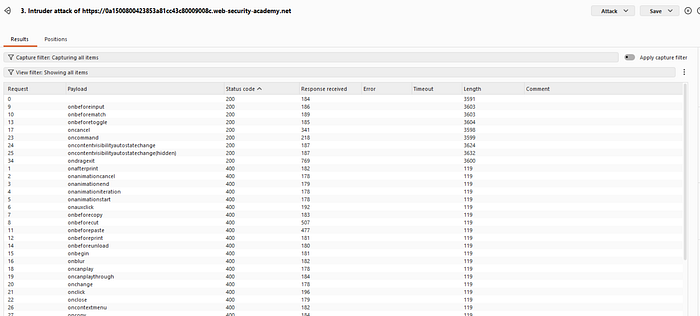
The event handler that worked without interaction was:
onresize
Step 5 — Crafting the Working Payload
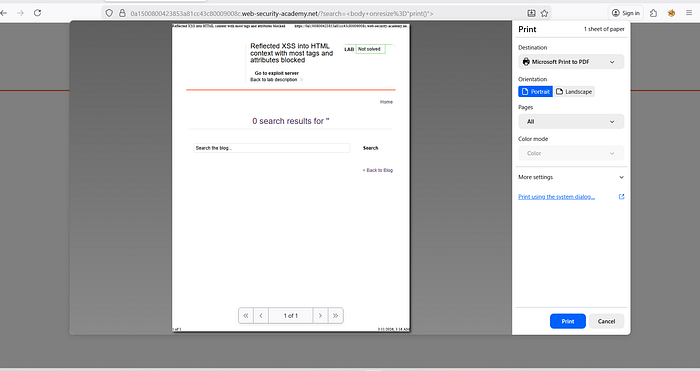
Using the allowed tag and event handler, I constructed the payload:
When tested manually, this successfully triggered the print dialog.
However, the lab required the exploit to execute automatically without manual interaction.
Step 6 — Using the Exploit Server
The lab provided an Exploit Server to deliver the attack.
First, I copied the vulnerable URL containing the payload.
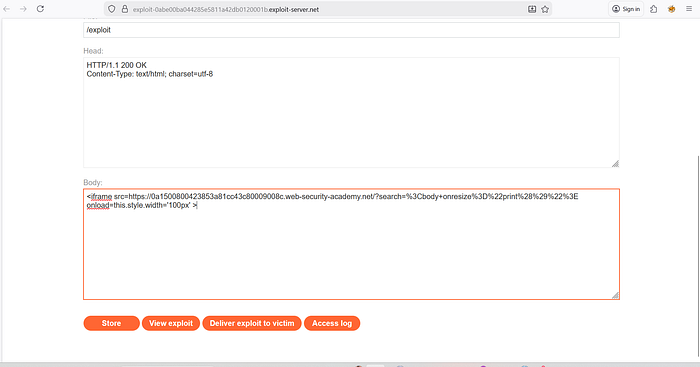
Then I created the following exploit page:
Explanation of the exploit:
- The iframe loads the vulnerable page containing the payload.
- The iframe's
onloadevent modifies its width. - Changing the frame size triggers the
onresizeevent. - The
onresizeevent executesprint()automatically.
After verifying the exploit using View Exploit, the print dialog appeared.
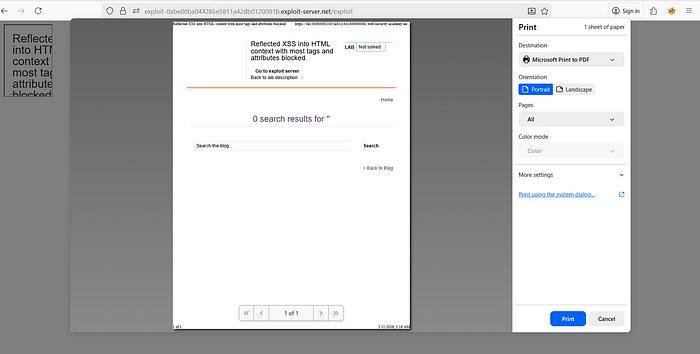
Finally, I clicked Deliver to Victim, which solved the lab.

How and Why This Attack Works
The vulnerability exists because the application reflects user input directly into the HTML page without proper output encoding.
Although the WAF blocks common XSS payloads such as <script> tags, it does not block every possible HTML element and attribute combination.
The <body> tag is allowed, and the onresize event handler can execute JavaScript. When the page is resized, the print() function runs.
By embedding the page inside an iframe and programmatically changing its width, the resize event is triggered automatically. This allows the attack to execute without requiring user interaction.
This demonstrates that WAF filtering alone is not sufficient protection against XSS attacks.
Impact
If this vulnerability existed in a real-world application, an attacker could:
• Execute arbitrary JavaScript in the victim's browser • Steal session cookies • Perform actions on behalf of authenticated users • Inject malicious scripts into trusted pages • Deliver phishing or malware attacks
Since the exploit can execute automatically without user interaction, it significantly increases the likelihood of successful exploitation.
Mitigation
To prevent this vulnerability, developers should implement the following security measures:
- Apply proper context-aware output encoding for all user input before inserting it into HTML.
- Avoid relying solely on WAF filtering to prevent XSS. WAFs should only be an additional defense layer.
- Implement strict input validation and sanitization for HTML elements and attributes.
- Deploy a strong Content Security Policy (CSP) to restrict the execution of inline scripts and event handlers.
- Use secure templating frameworks that automatically escape user-controlled content.
Proper output encoding combined with secure development practices is the most effective defense against reflected XSS vulnerabilities.
📬 Stay Connected
If you found this helpful and want to learn more about web security and hands-on labs, feel free to follow me for upcoming write-ups and practical cybersecurity content.
✍️ Follow me for more cybersecurity write-ups 🔗 LinkedIn — codermayank 📸 Instagram — @mayhack_
I've already published several XSS lab write-ups, and more labs will be uploaded soon. Stay tuned for upcoming posts covering additional PortSwigger labs and web security concepts.