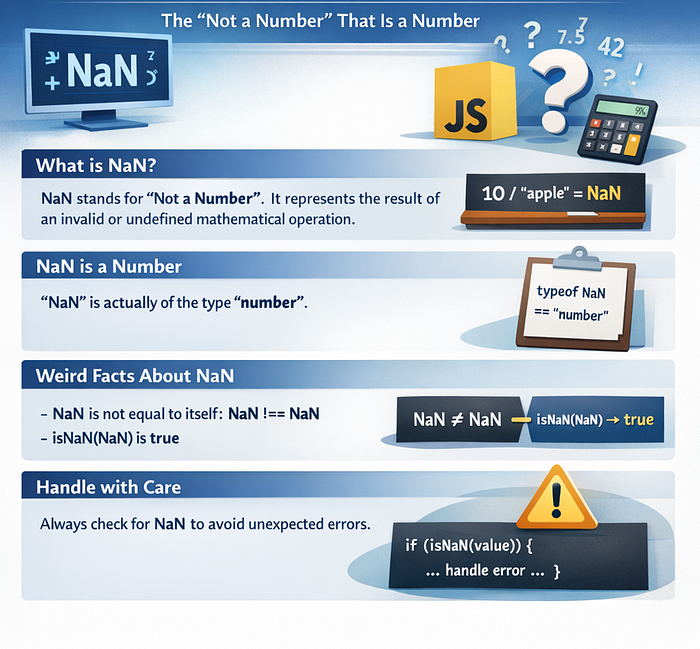

JavaScript has many quirks that can confuse developers, but few are as paradoxical as NaN. Despite its name meaning "Not a Number," NaN is actually of type number. Let's dive deep into this peculiar property and learn how to work with it effectively.
What is NaN?
NaN is a special numeric value in JavaScript that represents an undefined or unrepresentable mathematical result. It's a property of the global object and stands for "Not a Number."
console.log(typeof NaN); // "number"Yes, you read that correctly. The type of "Not a Number" is number. This is one of JavaScript's infamous quirks that catches many developers off guard.
How NaN is Created
NaN typically appears when a mathematical operation fails to produce a meaningful numeric result. Here are common scenarios:
1. Invalid Mathematical Operations
const result1 = 0 / 0;           // NaN
const result2 = Math.sqrt(-1);   // NaN
const result3 = Infinity - Infinity; // NaN
2. Failed Type Conversions
const result4 = Number("hello");  // NaN
const result5 = parseInt("abc");  // NaN
const result6 = parseFloat("xyz"); // NaN
3. Operations with NaN
Any arithmetic operation involving NaN produces NaN:
const result7 = NaN + 5;    // NaN
const result8 = NaN * 2;    // NaN
const result9 = NaN / 10;   // NaN
4. Undefined Mathematical Results
const result10 = Math.log(-1);  // NaN
const result11 = Math.acos(2);  // NaN (arccos domain is [-1, 1])
The Unique Behavior of NaN
NaN has some unusual characteristics that make it unique among JavaScript values:
NaN is Not Equal to Itself
This is perhaps the most surprising feature of NaN:
console.log(NaN === NaN);  // false
console.log(NaN == NaN);   // false
This behavior follows the IEEE 754 floating-point standard. Because NaN represents an undefined result, comparing two undefined results doesn't guarantee they're the same undefined result.
NaN in Comparisons
All comparison operations with NaN return false:
console.log(NaN > 5);   // false
console.log(NaN < 5);   // false
console.log(NaN >= 5);  // false
console.log(NaN <= 5);  // false
How to Check for NaN
Since NaN doesn't equal itself, you can't use equality operators to check for it. JavaScript provides specific methods for this purpose:
1. isNaN() Function
The global isNaN() function checks if a value is NaN, but with a twist—it coerces the value to a number first:
console.log(isNaN(NaN));        // true
console.log(isNaN("hello"));    // true (coerced to NaN)
console.log(isNaN(123));        // false
console.log(isNaN("123"));      // false (coerced to 123)
console.log(isNaN(undefined));  // true (coerced to NaN)
console.log(isNaN({}));         // true (coerced to NaN)
The problem with isNaN() is that it can give false positives because it attempts to convert non-numeric values to numbers first.
2. Number.isNaN() Method (Recommended)
ES6 introduced Number.isNaN(), which is more reliable because it doesn't perform type coercion:
console.log(Number.isNaN(NaN));        // true
console.log(Number.isNaN("hello"));    // false (no coercion)
console.log(Number.isNaN(123));        // false
console.log(Number.isNaN("123"));      // false
console.log(Number.isNaN(undefined));  // false
Best Practice: Always use Number.isNaN() instead of isNaN() for accurate NaN detection.
3. Self-Comparison Trick
Since NaN is the only value in JavaScript that's not equal to itself, you can use this property:
function isValueNaN(value) {
  return value !== value;
}
console.log(isValueNaN(NaN));  // true
console.log(isValueNaN(123));  // false
While clever, this approach is less readable than Number.isNaN().
Practical Examples and Use Cases
Example 1: Safe Division Function
function safeDivide(a, b) {
  const result = a / b;

  if (Number.isNaN(result)) {
    return "Invalid operation";
  }

  if (!isFinite(result)) {
    return "Infinity";
  }

  return result;
}
console.log(safeDivide(10, 2));   // 5
console.log(safeDivide(0, 0));    // "Invalid operation"
console.log(safeDivide(10, 0));   // "Infinity"
Example 2: Validating User Input
function validateNumericInput(input) {
  const num = Number(input);

  if (Number.isNaN(num)) {
    return {
      valid: false,
      error: "Please enter a valid number"
    };
  }

  return {
    valid: true,
    value: num
  };
}
console.log(validateNumericInput("123"));    // { valid: true, value: 123 }
console.log(validateNumericInput("hello"));  // { valid: false, error: "..." }
Example 3: Array Operations
const numbers = [1, 2, NaN, 4, 5, NaN, 7];
// Filter out NaN values
const validNumbers = numbers.filter(n => !Number.isNaN(n));
console.log(validNumbers); // [1, 2, 4, 5, 7]
// Count NaN values
const nanCount = numbers.filter(n => Number.isNaN(n)).length;
console.log(nanCount); // 2
// Check if array contains NaN
const hasNaN = numbers.some(n => Number.isNaN(n));
console.log(hasNaN); // true
Common Pitfalls and How to Avoid Them
Pitfall 1: Using isNaN() Instead of Number.isNaN()
// Bad
if (isNaN(userInput)) {
  // This might trigger for non-numeric strings
}
// Good
if (Number.isNaN(Number(userInput))) {
  // Only triggers for actual NaN values
}
Pitfall 2: Direct Equality Comparison
// Bad
if (result === NaN) {
  // This will never be true!
}
// Good
if (Number.isNaN(result)) {
  // Correct way to check
}
Pitfall 3: Ignoring NaN in Calculations
// Bad - NaN propagates through calculations
const values = [1, 2, NaN, 4];
const sum = values.reduce((acc, val) => acc + val, 0);
console.log(sum); // NaN
// Good - Filter NaN values first
const safeSum = values
  .filter(val => !Number.isNaN(val))
  .reduce((acc, val) => acc + val, 0);
console.log(safeSum); // 7
Advanced Concepts
NaN in Object Properties
const obj = {
  a: NaN,
  b: NaN
};
console.log(obj.a === obj.b); // false (NaN !== NaN)
console.log(Number.isNaN(obj.a)); // true
NaN in JSON
When serializing to JSON, NaN becomes null:
const data = { value: NaN };
const json = JSON.stringify(data);
console.log(json); // {"value":null}
const parsed = JSON.parse(json);
console.log(parsed.value); // null (not NaN!)
This is important when working with APIs and data persistence.
NaN in Sorting
NaN values can cause issues when sorting arrays:
const arr = [3, 1, NaN, 2];
arr.sort((a, b) => a - b);
console.log(arr); // Order with NaN is unpredictable
// Better approach
arr.sort((a, b) => {
  if (Number.isNaN(a)) return 1;
  if (Number.isNaN(b)) return -1;
  return a - b;
});
Conclusion
While NaN may seem confusing at first, understanding its behavior is crucial for writing robust JavaScript code. Remember these key points:
NaNrepresents failed numeric operations or conversions- It's of type
numberdespite its name - It's the only value in JavaScript not equal to itself
- Always use
Number.isNaN()for reliable NaN checking - Be cautious of type coercion with the global
isNaN()function - Handle NaN values explicitly in calculations and validations
By mastering NaN, you'll write more predictable code and avoid subtle bugs that can arise from unexpected numeric operations.
Have you encountered interesting NaN-related bugs in your projects? Share your experiences in the comments below!