

So Lets Start Our First Learning Path In TryHackMe, Which Is Pre-Security Roadmap Which Has Many Modules Which Covers All Basics About Security And Networking And Other Valuable Terms Needed For Cybersecurity.
Introduction
Room Number: 1
Learning Path(s): Introduction to Cyber Security | Pre Security
Difficulty: Easy
1: Offensive Security Intro
This Is The First Section Of This (Pre-Security) Learning Path: —
TASK 1: What Is Offensive Security ?—
"To outsmart a hacker, you need to think like one."
This is the core of "Offensive Security." It involves breaking into computer systems, exploiting software bugs, and finding loopholes in applications to gain unauthorized access. The goal is to understand hacker tactics and enhance our system defences.
In Simple — Jo Hackers Apne Hi System To Penetrate Karte Hein Taaki Uski Security Check Karsaken, Wo Real Hackers Jaise Poora Software/System Exploit Check Karte Hein Aur Backend Team Ko Batate Hein Ki Konse Bugs Hein Jisko Exploit Kiya Jaa Sakta Hai.
TASK 2: Hacking Your First Machine —
In this task, we are supposed to hack a fake bank site and perform a transfer between accounts, in the simulated environment. And TryHackMe guides us rightfully for this too.
For this task, we first will be using a tool present already in Kali Linux/Parrot OS named as "GoBuster" from the terminal in order to find the hidden website pages.
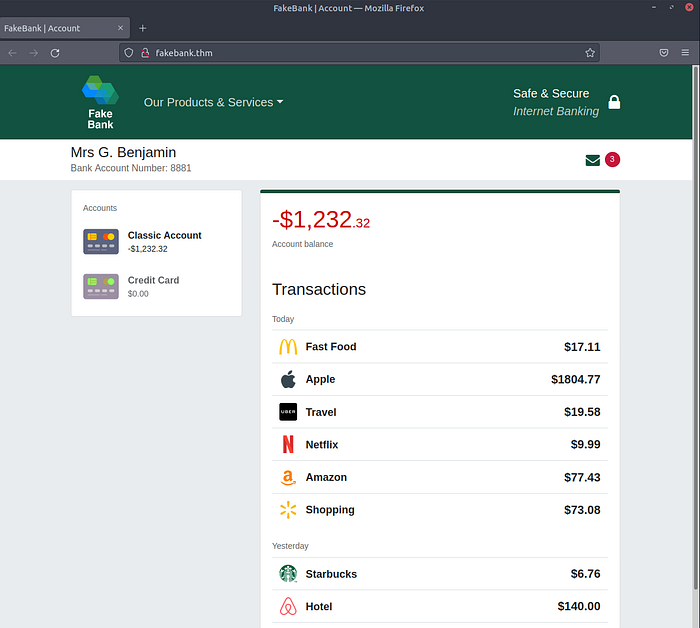
- Once we'll start the machine, we'll be welcomed by this screen.
- Open terminal from the right side of the machine and type in command: "gobuster -u http://fakebank.thm -w wordlist.txt dir" in the terminal and hit "Enter".
- "gobuster" — Name of Command-Line Application or Utility we are using to brute-force the website and find out its hidden web-pages.
- "-u" — Tag being used to set "http://fakebank.com" as target for the utility.
- "-w" — Tag being used to set "wordlist.txt" as wordlist for the utility.
- "dir" — stands for "directory". Directory in Linux is same as Folder in Windows.
Tag — All the characters or words before which we have "-", are called as tags in the command. Tags are usually used to provide arguments to the utility. Please note, every utility has different tags and every tag has different purposes. You can get a list of these tags for each utility by providing command "[Utility name] -h" in the terminal where "-h" usually stands for "help".
Wordlist — Wordlist is literally a list of words. Wordlists are usually used in scenarios where we have multiple possible options and the only option to get right answers is hit-and-trial method. A few scenarios can be brute-forcing a password, brute-forcing the directory (as in this task), dictionary attack, etc. Like rockyou.txt is a famous wordlist for password cracking. It comes with many other wordlists, built-in in Kali Linux.
gobuster -u http://fakebank.thm -w wordlist.txt dir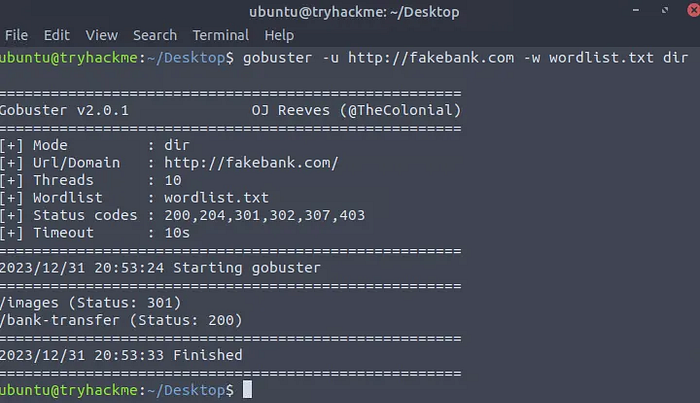
- Execution of command shows we got two web-pages in the result of the operation we just performed i.e. /images and /bank-transfer. Let's hop over these newly discovered web-pages by entering there URLs in the browser of the machine.
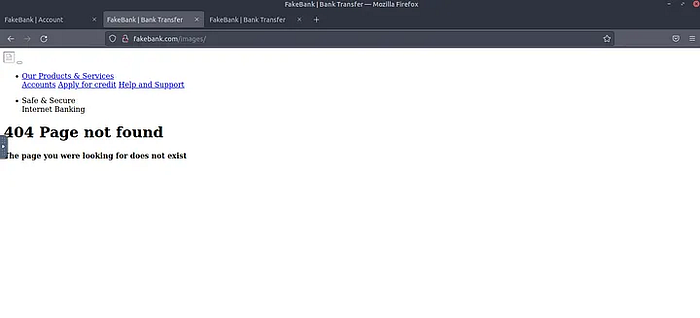
- http://fakebank.thm/images doesn't seem to be of our use at the moment.
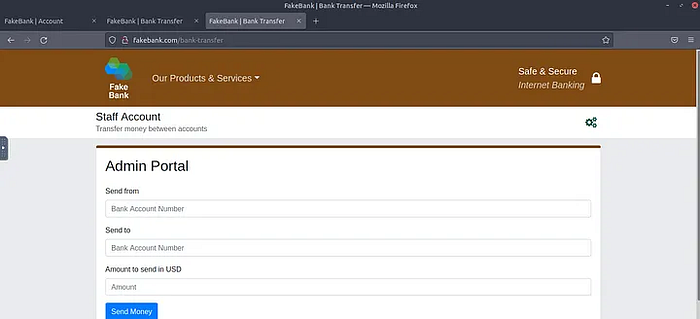
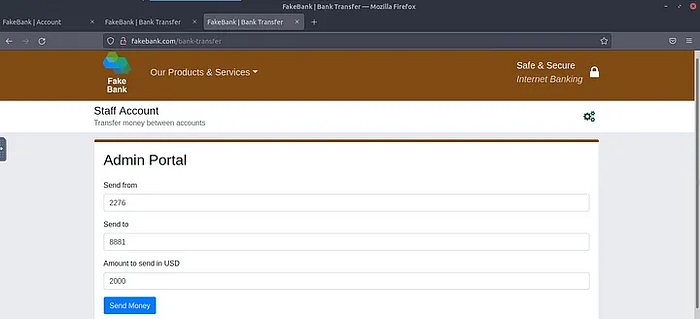
- Whereas http://fakebank.com/bank-transfer hosts the "Admin Portal" for the bank site. This can be used to transfer the amount from one account to another. As we are tasked to transfer $2000 from the bank account 2276, to our account (account number 8881), thus this page would be of our ultimate use.
- Fill in the details as required by the task and click over "Send Money".
- Once you'll hit "Send Money", you'll be shown "Success, transfer complete" message with the particular details of the transaction you just performed.
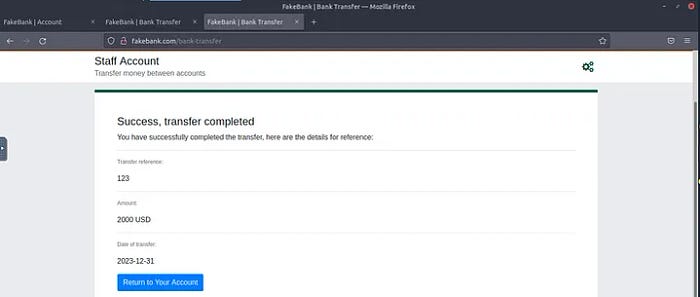
- Hit "Return to Your Account" to find the answer of the first question in this task i.e. BANK-HACKED.
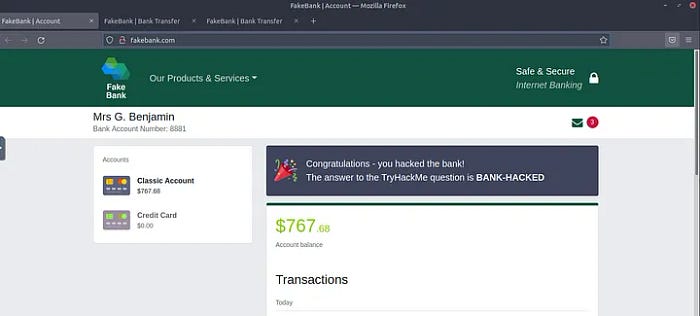
Flag: BANK-HACKED
Reason: Process explained above.
- If you were a penetration-tester or security consultant, this is an exercise you'd perform for companies to test for vulnerabilities in their web applications; find hidden pages to investigate for vulnerabilities.
No answer needed, just hit "Completed"
- Terminate the machine by clicking the red "Terminate" button at the top of the page.
No answer needed, just hit "Completed"
TASK 3: Careers In Cyber Security ? —
In this task, we are being introduced to a few offensive security roles i.e. Penetration Tester, Red Teamer and Security Engineer.
- Read the above, and continue with the next room!
No answer needed, just hit "Completed"
Conclusion
Today, we hacked into our first website (legally in a safe environment) and experienced an ethical hacker's job.
Signing Off for today!
#tryhackme #cybersecurity #ethicalhacking #infosec #pentesting
Nih4l Sh3ll — Ambitious Student, Nothing Much..🙃😌