
PortSwigger Deserialization Lab
Something Interesting Happened While Practicing PortSwigger Labs
While practicing labs on PortSwigger Web Security Academy, I came across a simple but very interesting vulnerability. At first, the application looked completely normal. You log in, go to your account page, and update your email. Just a basic web application.
But sometimes vulnerabilities are not hidden in complicated code. Sometimes they are hidden in something as simple as a cookie. And in this case, that cookie was storing a serialized object. That object was controlling whether the user was an admin or not. And the interesting part? It trusted the value coming directly from the user.
So I tried something simple. I changed one value. Refreshed the page. And suddenly I had administrator access. Let me show how this worked.
Step 1 — Logging Into the Application
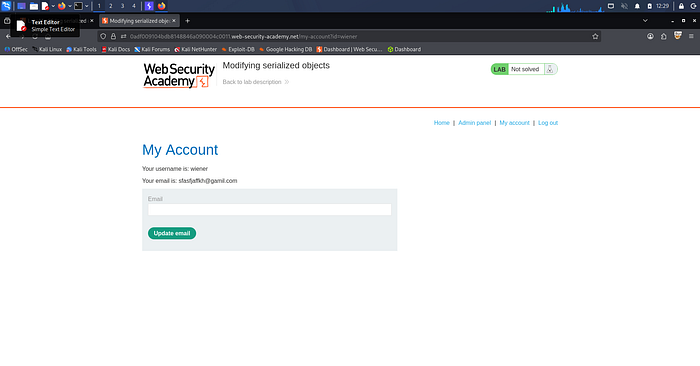
The lab provides test credentials: username: wiener / password: peter. After logging in, I navigated to the account page at /my-account. Here I could see my profile information and an option to update my email. Everything looked normal. But when I looked at the request in Burp Suite, something caught my attention.
Step 2 — Looking at the Session Cookie
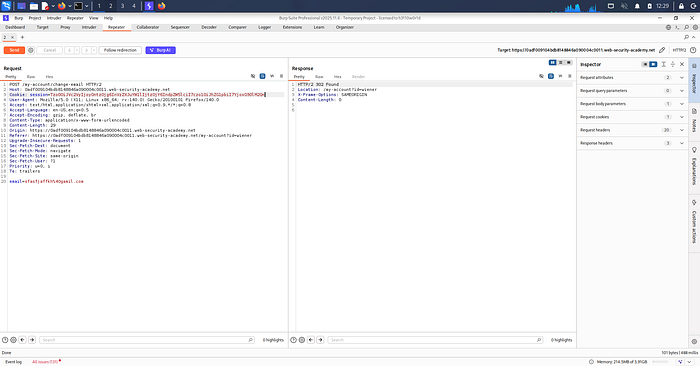
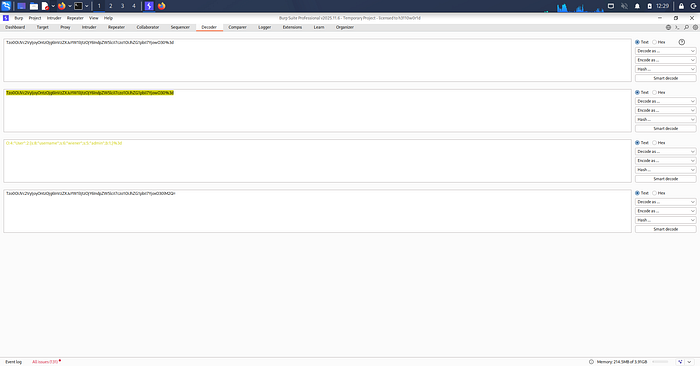
When I intercepted the request in Burp Suite, I noticed the session cookie contained encoded data. Whenever I see encoded values in cookies, I try decoding them because sometimes applications store important information inside them. So I copied the cookie value and sent it to Burp Decoder, then performed URL Decode → Base64 Decode. After decoding, I got this:
O:4:"User":2:{s:8:"username";s:6:"wiener";s:5:"admin";b:0;}
This is a serialized PHP object. Breaking it down: User Object, username = wiener, admin = false. That last part was very interesting. The application was storing the admin status inside the cookie, which means if the server trusts this cookie without verifying it, we might be able to change it.
Step 3 — Modifying the Serialized Object
Inside the serialized object, I saw b:0. In PHP serialization:
b:0 = false b:1 = true
So I simply changed it — b:0 → b:1. Now the serialized object looked like this:
O:4:"User":2:{s:8:"username";s:6:"wiener";s:5:"admin";b:1;}
Which basically means admin = true. After modifying it, I re-encoded the cookie and replaced the original value.
Step 4 — Sending the Request Again
I sent the modified request using Burp Repeater, then refreshed the page. And something new appeared — an Admin Panel link in the navigation. That's when I knew the exploit worked.
Step 5 — Accessing the Admin Panel
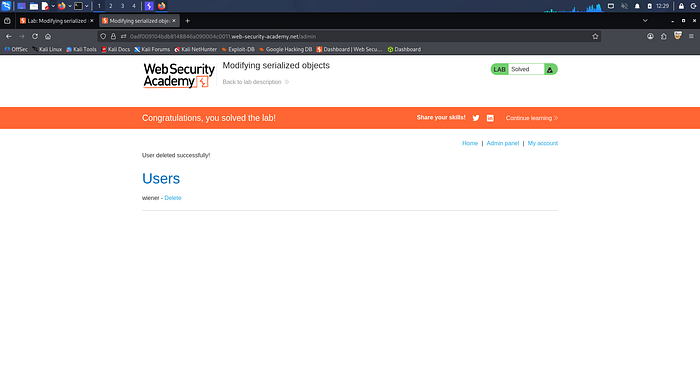
Now I navigated to /admin and had full administrator access. Inside the admin panel there was an option to delete users. The lab required deleting the user carlos, so I sent the request:
/admin/delete?username=carlos
And just like that, the lab was solved.
Why This Vulnerability Exists
The root cause is simple. The application trusted user-controlled serialized data stored in the cookie. There was no integrity check, digital signature, or server-side validation. So when I changed admin = false → admin = true, the server accepted it without verification.
Why This Is Dangerous
Insecure deserialization vulnerabilities can be very serious. In real-world applications they can lead to privilege escalation, authentication bypass, remote code execution, and full system compromise. Sometimes attackers can even run arbitrary code on the server. That's why deserialization vulnerabilities are considered high-impact security issues. In fact, insecure deserialization is part of the OWASP Top 10 — a list of the most critical web application security risks.
What Developers Should Do Instead
To prevent this issue, developers should never trust serialized objects from user input, store session data on the server side, use signed or encrypted cookies, and validate data before deserialization.
Final Thoughts
What I liked about this lab is how simple the exploit was. There was no complicated payload and no advanced exploit chain. Just changing a single value — b:0 → b:1 — and suddenly the application treated me as an admin. Sometimes in cybersecurity, small mistakes create huge vulnerabilities. And this lab is a perfect example of that.
If you're learning Web Security or Bug Bounty, I highly recommend practicing the PortSwigger deserialization labs. They are one of the best ways to understand how these vulnerabilities work in real applications.
Screenshots / Proof of Concept
About the Author
This blog was written by me as part of my hands-on learning journey in Web Application Security and Ethical Hacking. I practice labs on PortSwigger Web Security Academy to build real-world penetration testing skills and document my findings to help others learn.
If you found this helpful, feel free to clap for this article on Medium, leave a comment with your thoughts or questions, and follow me for more security write-ups and lab walkthroughs.
This write-up is strictly for educational purposes. All techniques demonstrated here were performed in a controlled lab environment. Always practice ethical hacking responsibly and only on systems you have permission to test.
Happy Hacking and Keep Learning!