🧠 Why This Matters
Modern attackers don't guess — they scan, fingerprint, and exploit known weaknesses. A default or misconfigured Apache Tomcat server can be compromised in minutes using:
- Public CVEs
- Automated scanners
- Exploit frameworks
👉 below article shows how to move from:
"Exposed Tomcat instance" → "Hardened, resilient production server"
🧱 Architecture Overview
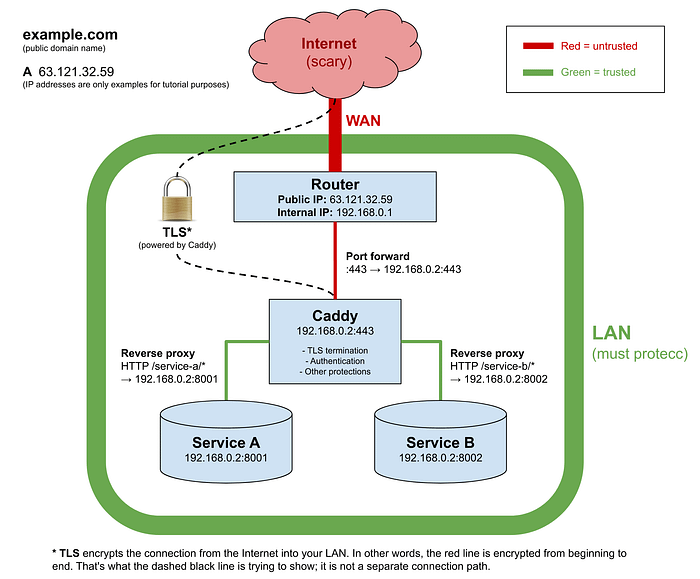
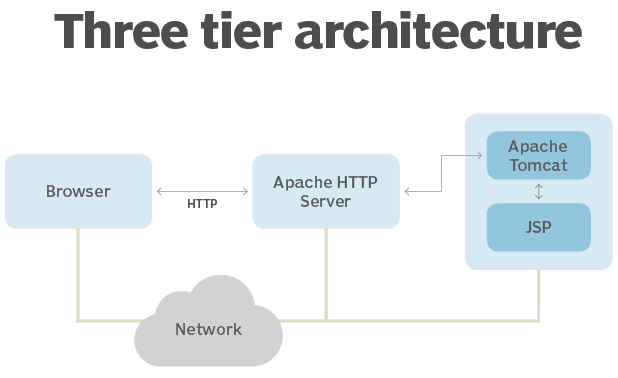
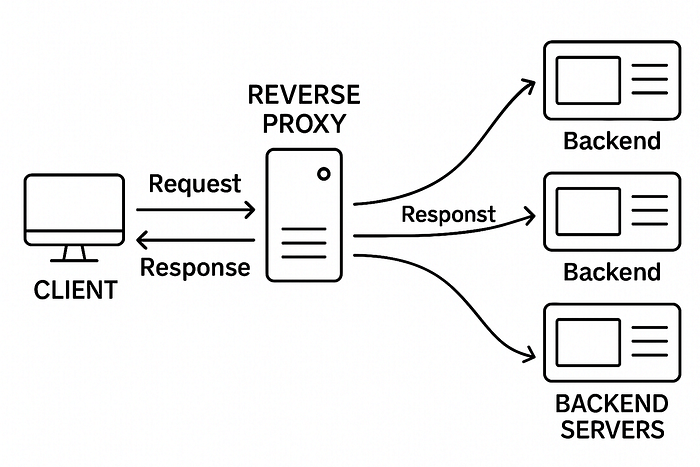
🔍 Components
- Client / Attacker Machine
- Nmap / Nikto → Reconnaissance
- Firewall (UFW / iptables) → Access control
- Reverse Proxy (Recommended: Caddy/Nginx) → TLS + filtering
- Apache Tomcat (Ubuntu 22.04) → Application server
⚙️ Step 1: Secure Tomcat Setup (Baseline)
Install Tomcat
sudo apt update
sudo apt install tomcat9 -y
🔥 Immediately Remove Default Attack Surface
sudo rm -rf /var/lib/tomcat9/webapps/examples
sudo rm -rf /var/lib/tomcat9/webapps/docs
sudo rm -rf /var/lib/tomcat9/webapps/ROOT
sudo rm -rf /var/lib/tomcat9/webapps/manager
sudo rm -rf /var/lib/tomcat9/webapps/host-manager
👉 These apps are frequently exploited for RCE.
Deploy Minimal Test App
sudo mkdir -p /var/lib/tomcat9/webapps/ROOT
echo "<h1>Secure Tomcat Running</h1>" | sudo tee /var/lib/tomcat9/webapps/ROOT/index.html
Start Service
sudo systemctl enable tomcat9
sudo systemctl start tomcat9
🔍 Step 2: Reconnaissance (Attacker View)
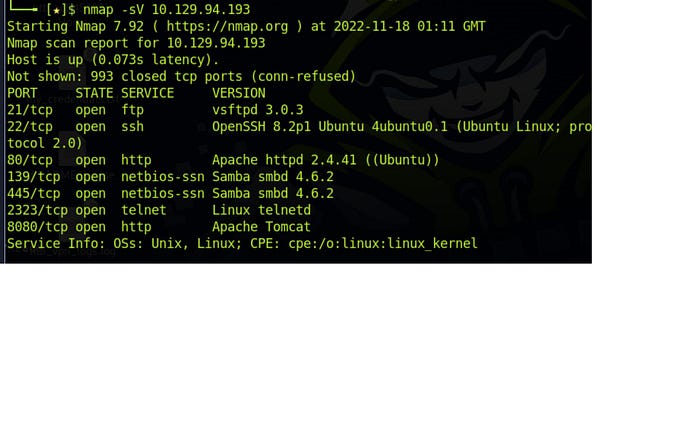
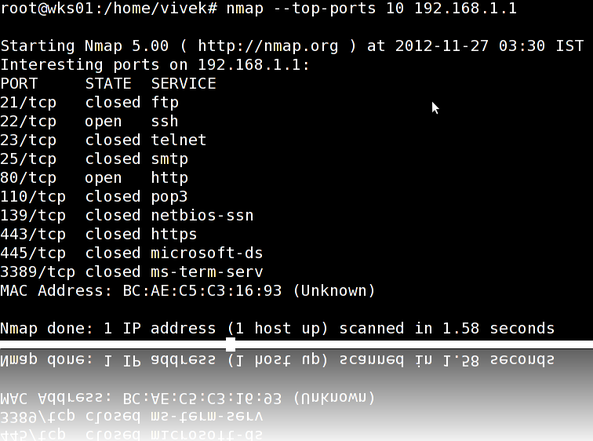
Run Scan
nmap -sV -O -Pn <server-ip>What Attackers See
- Open Port: 8080
- Service: Apache Tomcat
- Version Info: Visible
- OS Fingerprint: Linux
⚠️ Risk
👉 Version exposure allows:
- Direct CVE mapping
- Automated exploit usage
💣 Step 3: Exploit Mapping
searchsploit tomcatReal-World Attack Vectors
- 🔥 WAR file upload → Remote Code Execution
- 📂 Path traversal → Read sensitive files
- 💥 DoS → Crash server
- 🧠 Deserialization attacks
⚔️ How Attackers Actually Break Tomcat
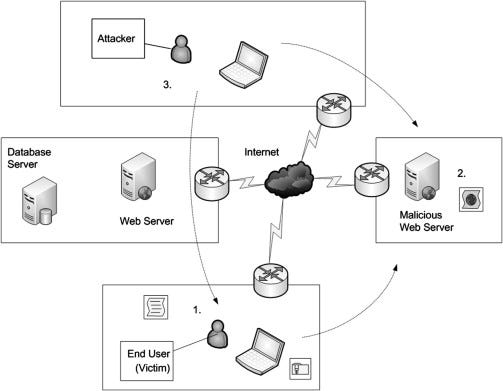
- Scan → Identify open ports
- Fingerprint → Detect Tomcat version
- Map → Find CVEs
- Exploit → Upload payload / trigger bug
🛡️ Step 4: Foolproof Tomcat Hardening
✅ 1. Keep Tomcat Updated
sudo apt update && sudo apt upgrade -y✔ Patch frequently ✔ Track CVEs
🔐 2. Enforce Least Privilege
sudo chown -R tomcat:tomcat /var/lib/tomcat9
sudo chmod -R 750 /var/lib/tomcat9
🔒 3. Disable Auto Deployment (CRITICAL)
Prevents WAR-based attacks:
Edit
/etc/tomcat9/server.xml
<Host autoDeploy="false" deployOnStartup="false">
🔐 4. Enable HTTPS (Correct Tomcat Way)
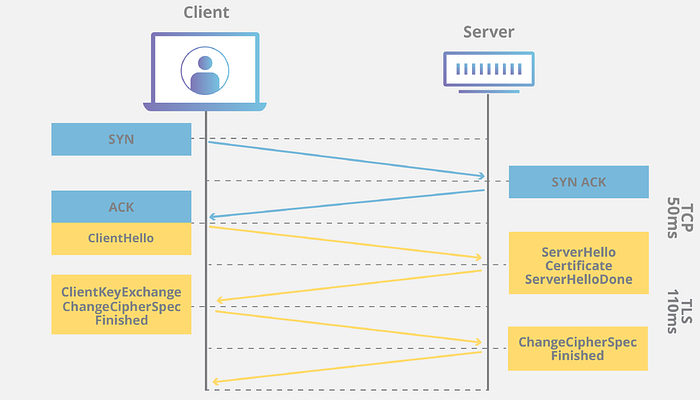
Configure SSL Connector
<Connector port="8443"
           protocol="org.apache.coyote.http11.Http11NioProtocol"
           SSLEnabled="true">
    <SSLHostConfig>
        <Certificate certificateKeystoreFile="conf/keystore.jks"
                     certificateKeystorePassword="changeit" />
    </SSLHostConfig>
</Connector>
Force HTTPS (Tomcat Equivalent of RewriteRule)
<security-constraint>
    <web-resource-collection>
        <url-pattern>/*</url-pattern>
    </web-resource-collection>
    <user-data-constraint>
        <transport-guarantee>CONFIDENTIAL</transport-guarantee>
    </user-data-constraint>
</security-constraint>
Link HTTP → HTTPS
<Connector port="8080" redirectPort="8443" /🧱 5. Hide Server Identity
<Connector port="8080" server="SecureServer" />✔ Removes version leaks
🧠 6. Add Security Headers (Tomcat Filter)
<filter>
  <filter-name>securityHeadersFilter</filter-name>
  <filter-class>org.apache.catalina.filters.HttpHeaderSecurityFilter</filter-class>
</filter>
<filter-mapping>
  <filter-name>securityHeadersFilter</filter-name>
  <url-pattern>/*</url-pattern>
</filter-mapping>
🚧 7. Firewall + Rate Limiting
sudo ufw allow 22
sudo ufw allow 443
sudo ufw deny 8080
sudo ufw enable
👉 Never expose 8080 publicly in production.
🔥 8. Reverse Proxy (BEST PRACTICE)
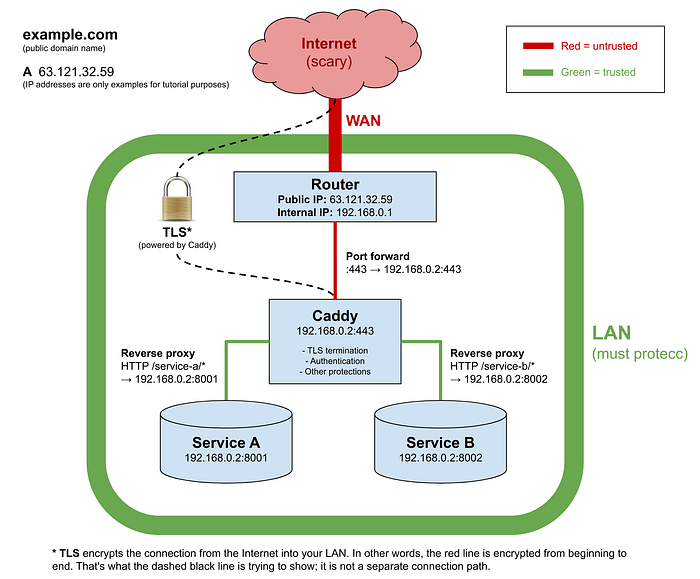
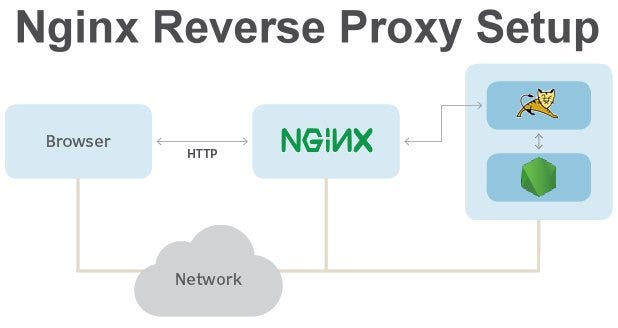
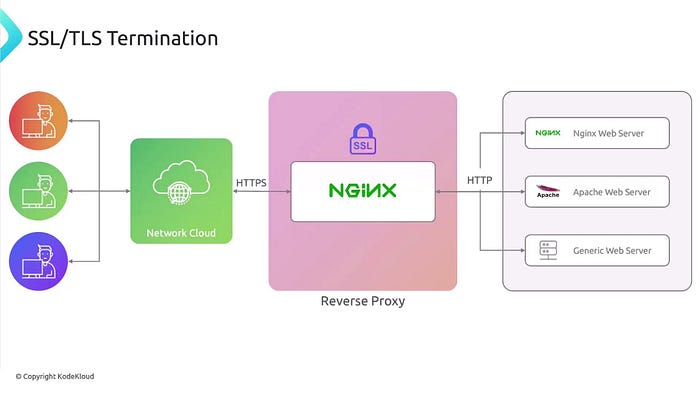
Why?
- Handles HTTPS
- Hides backend ports
- Enables rate limiting
Example (Caddy)
yourdomain.com {
    reverse_proxy localhost:8080
}
Fix Tomcat Behind Proxy
<Connector port="8080"
           proxyName="yourdomain.com"
           proxyPort="443"
           scheme="https"
           secure="true" />
📊 9. Monitoring & Detection
Logs:
- /var/log/tomcat9/catalina.out
Tools:
- Nmap
- Nikto
- OpenVAS
🔥 Final Secure Architecture
Client (HTTPS)
   ↓
Reverse Proxy (Caddy/Nginx)
   ↓
Tomcat (Internal only, 8080)
   ↓
Web Application
📌 Key Takeaways
✔ Remove default apps ✔ Never expose port 8080 publicly ✔ Always use HTTPS ✔ Disable auto-deploy ✔ Hide server version ✔ Use reverse proxy ✔ Monitor continuously
🧠 Final Thought
"A default Tomcat server is a target. A hardened Tomcat server is a fortress."
Security is not a one-time setup — it's a continuous lifecycle of:
- Scanning
- Fixing
- Monitoring