
Challenge Overview
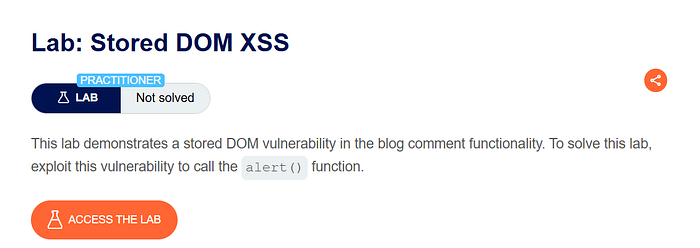
This lab demonstrates a stored DOM-based Cross-Site Scripting (XSS) vulnerability in the blog comment functionality. In this scenario, user input is stored by the server and later inserted into the DOM in an unsafe manner. Because the application fails to properly sanitize HTML content, it allows execution of malicious JavaScript.
The objective of this lab is to exploit the stored DOM vulnerability to execute the alert() function.

Step-by-Step Solution
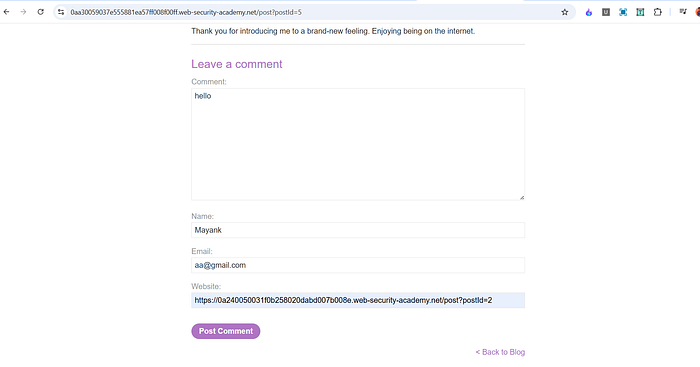
After opening the lab, I explored the application interface. I clicked on the "View post" option and scrolled down to the comment section. The form allowed users to submit:
- Name
- Comment
- Website
1. Initial Testing
To understand how comments were handled, I submitted a simple test comment:
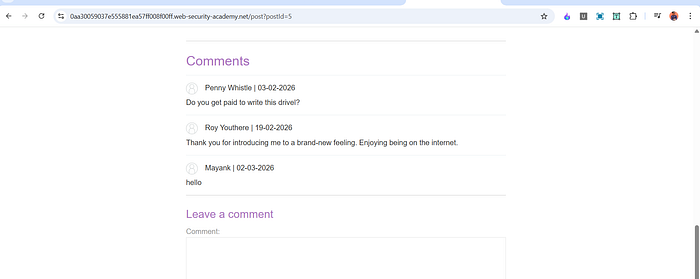
helloAfter submission, I returned to the blog post and scrolled down. The comment appeared correctly.
I then opened Developer Tools and inspected the DOM. The word hello appeared once inside a paragraph element:
<p>hello</p>This confirmed that user input was being dynamically inserted into the page.
2. Testing Script Injection
Next, I attempted a basic script injection by submitting:
<script>alert(1)</script>After submitting the comment and viewing it again, I observed that it rendered as:
<script>alert(1)The script did not execute.
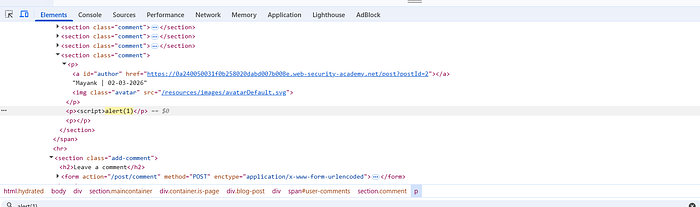
This indicated that the application was partially filtering <script> tags, likely removing or breaking the closing tag to prevent direct script execution.
3. Bypassing the Filter
Since direct <script> injection was blocked, I tried an alternative payload:
<><img src=x onerror=alert(1)>After submitting this payload and revisiting the blog post, the alert box appeared. The lab was successfully solved.

How and Why This Works
The vulnerability exists because user comments are inserted into the DOM in a way that allows HTML to be interpreted rather than treated as plain text.
Although the backend attempts to filter <script> tags, it does not properly sanitize other HTML elements or event handler attributes.
Let's analyze the working payload:
<><img src=x onerror=alert(1)>- The
<img>tag is valid HTML and is not blocked. - The
src=xattribute points to an invalid resource. - When the browser fails to load the image, the
onerrorevent is triggered. - The
onerrorhandler executesalert(1).
Even though <script> tags are filtered, dangerous event attributes like onerror are not removed. This allows JavaScript execution through alternative HTML elements.
The leading <> helps bypass simplistic filtering mechanisms that may only look for specific tag patterns. Since the application inserts the comment directly into the DOM without strict sanitization, the browser parses the <img> element and executes the embedded event handler.
This is classified as stored DOM XSS because:
- The malicious payload is stored on the server.
- It executes when the page renders the stored content.
- The execution happens client-side in the browser.
- The vulnerability lies in unsafe DOM insertion.
Impact
If this vulnerability existed in a real-world application, an attacker could:
- Execute arbitrary JavaScript in every visitor's browser.
- Steal session cookies.
- Perform actions on behalf of authenticated users.
- Inject phishing scripts.
- Deface content or modify page behavior.
Because the payload is stored, every user who views the affected page becomes a victim. This makes stored XSS more severe than reflected XSS.
Mitigation
To prevent this vulnerability, the application should:
- Properly sanitize and validate all user input before storing it.
- Remove dangerous HTML elements and event attributes such as
onerror,onclick, etc. - Avoid inserting untrusted content using unsafe DOM methods like
innerHTML. - Use a well-tested HTML sanitization library.
- Implement a strict Content Security Policy (CSP) to reduce script execution risk.
Filtering only <script> tags is not sufficient. All executable contexts, including event handlers, must be handled securely.
Stay Connected
If you found this helpful and want to learn more about web security, hands-on labs, feel free to follow me for upcoming posts.
✍️ Follow me for more cybersecurity write-ups 🔗 LinkedIn — codermayank 📸 Instagram — @mayhack_
Tags: #BugBounty #EthicalHacking #ChatGPT #CyberSecurity #AIforSecurity #PenetrationTesting #HackerOne #Bugcrowd #WebSecurity #InfoSec