
In Part 1, we explored Reflected Cross-Site Scripting (XSS) and how unsanitized user input can be immediately reflected and executed in a user's browser. While reflected XSS often relies on social engineering, other XSS variants can have a much wider and more severe impact.
This part focuses on Stored XSS, DOM-based XSS, and Blind XSS, using practical lab scenarios to explain how these vulnerabilities work, why they are more dangerous, and how they can be mitigated in real-world applications.
2. Stored Cross-Site Scripting (Stored XSS) — Stored Cross-Site Scripting is a type of XSS vulnerability where malicious user input is permanently stored on the server, such as in a database, and later rendered to other users without proper encoding or sanitization. When users access the affected page, the stored script executes automatically in their browsers.
How Stored XSS Works (Attack Flow)
- An attacker identifies an input field where user data is stored (e.g., comments, feedback, posts).
- The application stores the input without sanitization or encoding.
- The stored data is later displayed to other users.
- The browser executes the injected JavaScript whenever the affected page is loaded.
- Every user who views the page becomes a victim.
Key point: Stored XSS impacts multiple users and is generally more severe than reflected XSS.
Lab: Stored XSS into HTML Context (Nothing Encoded)
Lab Overview
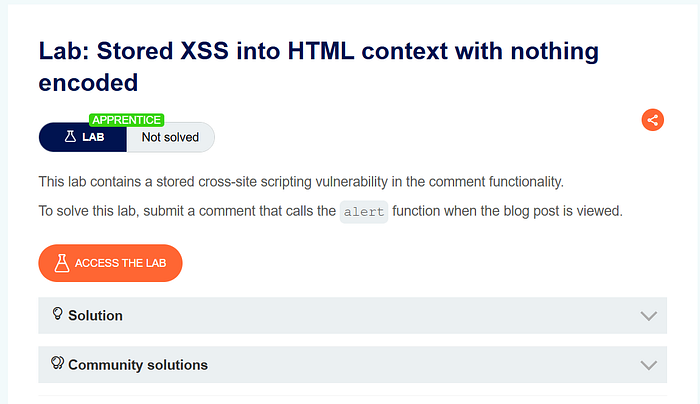
This lab demonstrates a stored XSS vulnerability where user input is saved on the server and later rendered directly into the HTML response without any encoding. As a result, injected JavaScript executes automatically when the page is viewed.
The lab is provided by PortSwigger Academy.
Methodology
- Identified a feature that allows users to submit input which is stored server-side.
- Observed that submitted content is displayed to all users.
- Checked whether HTML special characters are encoded.
- Confirmed that the stored input is rendered directly into the HTML context.
- Tested JavaScript execution through stored input.
Steps to Reproduce:
- Open the lab and review the lab objective.
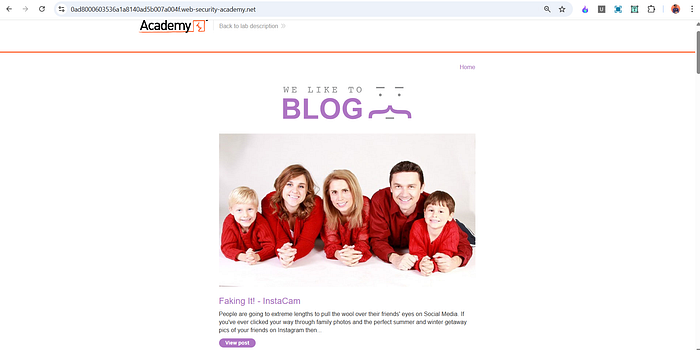
2.Navigate to the input feature (e.g., comment or post submission).
3. Submit the following payload in the input field:
<script>alert(1)</script>
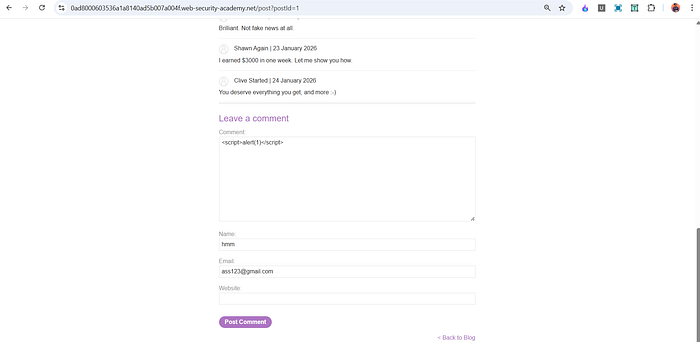
4. Reload or revisit the page where the stored content is displayed.
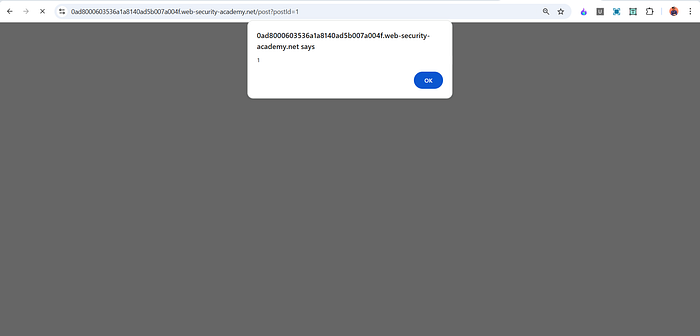
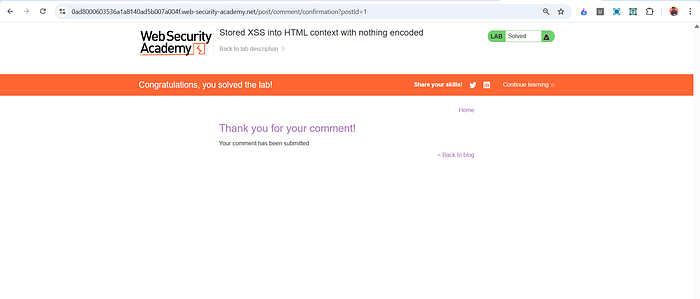
5. Observe that the JavaScript executes automatically, solving the lab.
Proof of Concept (PoC)
<script>alert(1)</script>This payload executes because the application stores user input and renders it in an HTML context without output encoding.
Impact
In a real-world scenario, a stored XSS vulnerability can allow an attacker to:
- Execute malicious scripts for every user who visits the page
- Steal session cookies and sensitive data
- Compromise administrator accounts
- Inject persistent phishing or malware content
Root Cause
- User input is stored without validation or sanitization
- Stored content is rendered directly into HTML
- No context-aware output encoding is applied
Mitigation
- Apply strict output encoding before rendering stored data
- Sanitize and validate all stored user input
- Use frameworks with built-in XSS protection
- Implement a strong Content Security Policy (CSP)
DOM-Based Cross-Site Scripting (DOM XSS) — DOM-based Cross-Site Scripting is a type of XSS vulnerability where the attack payload is never sent to the server. Instead, the vulnerability exists entirely in client-side JavaScript, which processes untrusted input from the browser and writes it to the Document Object Model (DOM) in an unsafe way.
In DOM XSS, the malicious script executes due to insecure JavaScript logic, not server-side reflection or storage.
How DOM-Based XSS Works (General Workflow)
- A web page reads user-controlled data from the browser (such as URL parameters, fragments, or user input).
- This data is treated as trusted by client-side JavaScript.
- The JavaScript inserts this data into the page without validation or sanitization.
- The browser parses the inserted content as HTML or JavaScript.
- Any malicious script included in the input is executed in the user's browser.
Key point: The vulnerability is caused by unsafe client-side JavaScript, not by server-side reflection or storage.
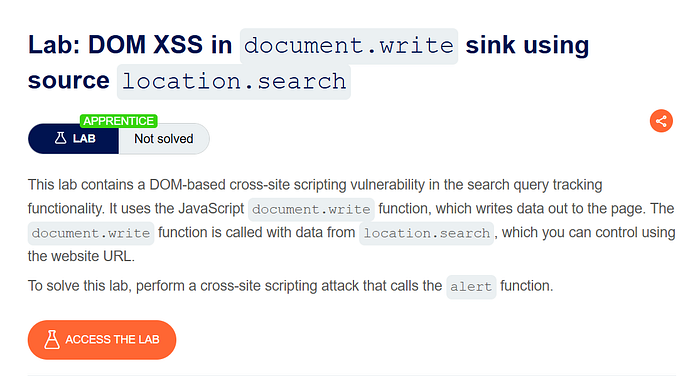
Lab: DOM XSS in document.write sink using source location.search
Lab Overview
This lab demonstrates a DOM-based XSS vulnerability where input taken from the URL query string is written directly into the page using document.write(), allowing arbitrary JavaScript execution.
The lab is provided by PortSwigger Academy.
Methodology
- Identified client-side JavaScript that reads data from the URL.
- Traced the flow of user-controlled input to a DOM sink.
- Observed that no validation or encoding is applied before writing to the page.
- Confirmed JavaScript execution through payload injection.
Steps to Reproduce
- Open the lab and observe the page behavior.
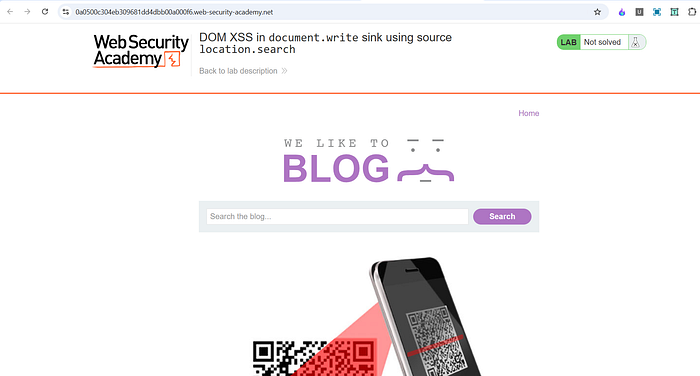
2. Modify the URL query string parameter used by the application.
3. Insert a random test value to confirm reflection in the page.
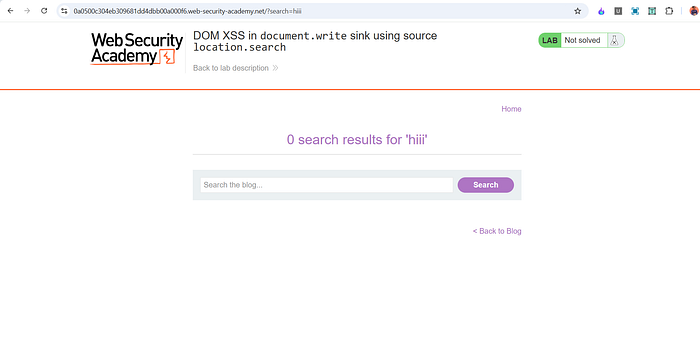
4.Replace the value with the following payload:
mayank" onload="alert()
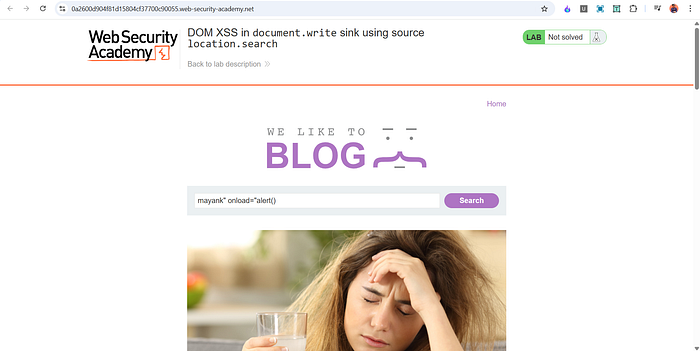
5. Load the modified URL.
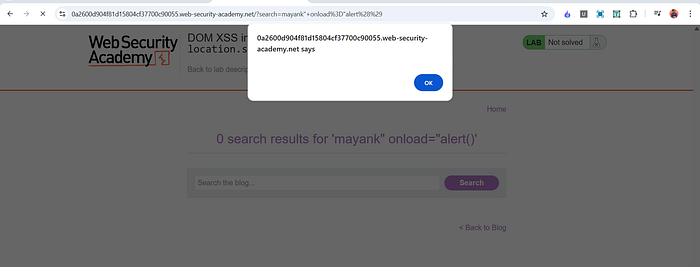
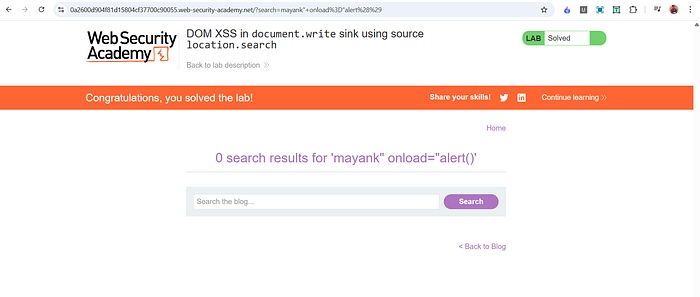
6. challenge solved .
Impact
A DOM-based XSS vulnerability can allow attackers to:
- Execute arbitrary JavaScript in users' browsers
- Bypass server-side security mechanisms
- Steal sensitive client-side data
- Perform actions on behalf of authenticated users
Mitigation
- Avoid unsafe JavaScript sinks such as
document.write() - Use safe APIs like
textContent - Validate and sanitize client-side input
- Implement Content Security Policy (CSP)
Blind Cross-Site Scripting (Blind XSS) -Blind Cross-Site Scripting (Blind XSS) is a type of XSS vulnerability where the injected payload does not execute immediately or visibly for the attacker. Instead, the malicious script executes later in a different user's browser, such as an administrator or support staff, often in a backend or internal interface.
The attacker is "blind" because they cannot directly see the execution result, and must rely on out-of-band interactions (such as callbacks) to confirm exploitation.
How Blind XSS Works (General Workflow)
- An attacker injects a malicious payload into an input field (e.g., feedback, contact form, user-agent, headers).
- The application stores or processes this input without proper sanitization.
- The payload is later rendered in an internal or restricted interface.
- A privileged user (admin, moderator, support staff) views the affected page.
- The browser executes the injected script in that user's context.
- The script sends data or a callback to the attacker-controlled server, revealing successful execution.
Key point: Blind XSS is often discovered after exploitation, not during initial testing.
Why Blind XSS Is Dangerous
- Often executes in high-privilege contexts
- Can lead to admin account takeover
- Hard to detect with normal testing
- Frequently missed in security assessments
Impact
If exploited in a real-world application, Blind XSS can allow attackers to:
- Execute JavaScript in admin or internal panels
- Steal sensitive data or session tokens
- Perform privileged actions
- Escalate privileges within the application
Root Cause
- User input is stored or logged without sanitization
- Internal interfaces trust stored data
- No output encoding in admin or backend views
Mitigation
- Apply output encoding in all interfaces, including admin panels
- Sanitize input before storage
- Treat logs and internal tools as untrusted data sinks
- Implement strict Content Security Policy (CSP)
This part covered Stored XSS, DOM-based XSS, and an introduction to Blind XSS, focusing on how these vulnerabilities work in real-world scenarios and why they are more impactful than basic reflected XSS.
I'll be adding a practical Blind XSS lab soon to demonstrate real exploitation using delayed execution and out-of-band interaction.
A Part 3 is also planned, where I'll solve and explain more advanced XSS labs, including tricky cases and bypass scenarios.
💬 Feel free to comment below and let me know:
- What topics you want next
- Which labs you'd like to see solved
- Or any concepts you want explained in more depth
📬 Stay Connected
If you found this helpful and want to learn more about web security, XSS, and hands-on labs, feel free to follow me for upcoming posts.
✍️ Medium — Follow me for more cybersecurity write-ups 🔗 LinkedIn — codermayank 📸 Instagram — @mayhack_