
I'm Sagar Kirola, and in this writeup I'll share an interesting business logic vulnerability I discovered in a communication and collaboration platform used for workplace management.
Because of NDA restrictions, I can't disclose the actual company name, so throughout this writeup I'll refer to the target as target.com.
The issue allowed a low-privileged admin account to permanently delete the entire workspace admin panel without owner approval or password confirmation.
What made this bug interesting was that the application looked properly protected from the frontend, but the backend was not enforcing the same security checks.
About the Application
target.com is a communication and collaboration platform designed for workplace usage. Organizations can create workspaces, manage employees, communicate internally, and handle administrative operations through a dedicated admin panel.
The application had three different administrative roles:
Super Admin
This role had full privileges over the workspace, including:
- Managing all users
- Managing admin roles
- Workspace-level configuration
- Deleting the workspace
Sub Admin
This role had limited administrative privileges compared to the Super Admin. For example:
- Could manage some administrative functions
- Could not delete the workspace
- Could not invite or create another Super Admin
Operational Admin
This was a lower-privileged admin role with very restricted permissions. This role mainly allowed:
- Inviting users
- Basic operational tasks
The Operational Admin was not supposed to make sensitive changes to the admin panel or workspace configuration.
Overview
Deleting a workspace was supposed to be a highly restricted action.
Normally, the platform required:
- Super Admin privileges
- Removal of all members before deletion
- Password confirmation before the final action
However, the backend API failed to validate those requirements correctly.
By replaying a request with a lower-privileged account, it was possible to bypass all restrictions and permanently delete the workspace.
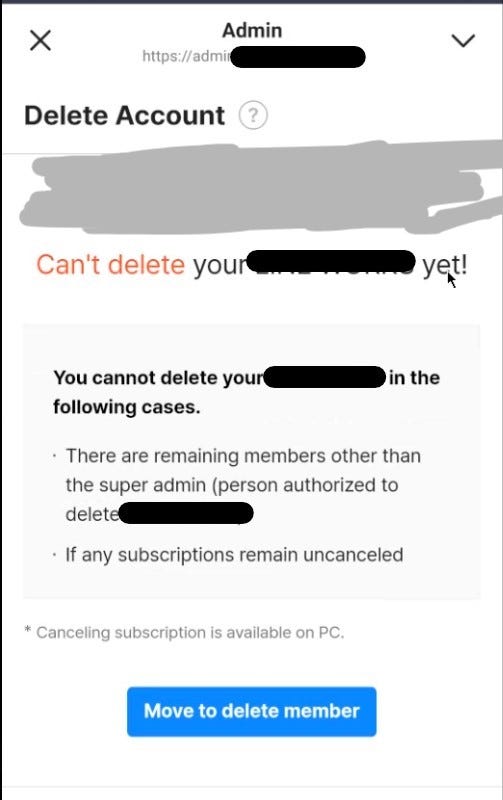
Intercepting the Request
While initiating the deletion process from the Super Admin account, I intercepted the request using Burp Suite.
The following endpoint handled workspace deletion:
DELETE /api/REDACTED/customer HTTP/2
Host: admin.target.com
The request body was minimal:
{}That immediately stood out.
Even though the application requested password confirmation in the UI, the actual API request contained no password parameter at all.
This suggested the backend might not be validating the confirmation step.
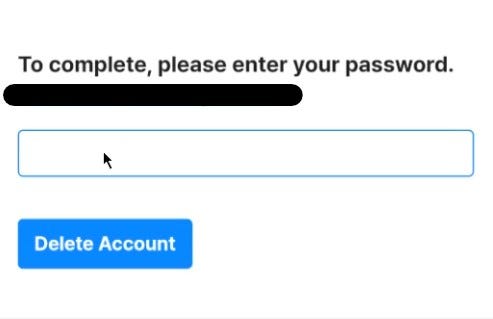
Moment Of Truth
Next, I wanted to verify whether the endpoint properly enforced RBAC permissions.
I created another test account and assigned it the Operational Admin role.
Then I:
- logged in as the Operational Admin
- captured the session cookies
- replaced the original Super Admin session with the Operational Admin session
- replayed the same deletion request
The request was accepted successfully.
The workspace was deleted immediately.
No password confirmation was required. No Super Admin approval was required. Existing members did not need to be removed beforehand.
Why This Was a Problem
This effectively allowed a low-privileged administrator to perform one of the most sensitive actions in the entire platform.
The impact included:
- Permanent workspace deletion
- Organization-wide denial of service
- Loss of administrative access
- Potential loss of business data
- Complete RBAC bypass
Root Cause
The issue appeared to come from backend authorization and validation failures.
The application relied on frontend restrictions, but the API itself did not properly verify:
- the user's role
- password confirmation
- prerequisite conditions before deletion
Lessons Learned
This was a good reminder that sensitive actions should never rely on frontend validation alone.
Even when a workflow appears protected in the UI, every critical check must also be enforced server-side.
For high-impact actions like workspace deletion, applications should always validate:
- exact user role
- recent authentication/password confirmation
- ownership requirements
- business logic prerequisites