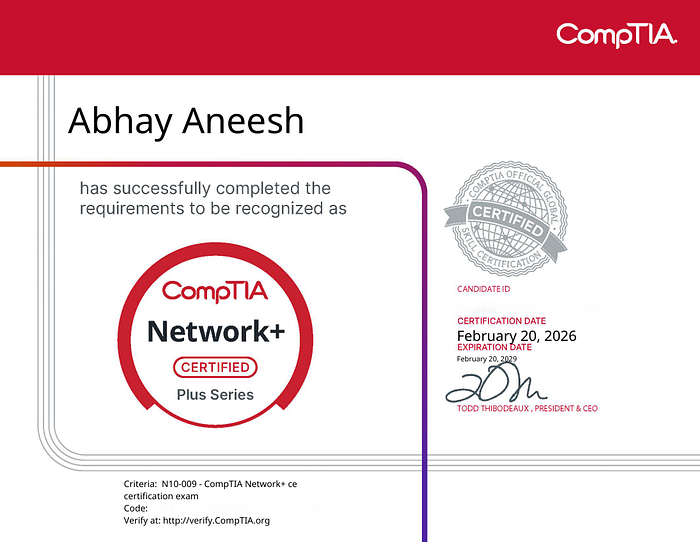

"Take at least 2–3 months."
I gave myself 7 days.
And I passed.
This isn't a "genius story." It's a focus story.
Why I Did This:
I'm building my path toward SOC and cybersecurity. After Network+, I knew I needed structured fundamentals, not random YouTube knowledge.
Instead of stretching preparation for months, I decided:
No distractions. No overthinking. Just one week of focused execution.
My Background:
I wasn't completely new to tech. I had:
- 7.8/10 proficiency in Networking Fundamentals. (IP Configuration, hands-on knowledge on IDS/IPS, Firewall Configuration, Regex etc)
- Some hands-on from labs. (TryHackme Top 1% with more than 150 rooms solved and documented, solved more than 200 CTF problems in PicoCTF, took part in CTFs held in College and Secured a position under Top 10)
- Interest in cybersecurity (Splunk SIEM (SPL, Log Correlation, Alert Engineering), IDS/IPS, Threat Detection & Log Analysis, Wireshark, Tshark, Linux Hardening (UFW, SSH), AWS EC2 Monitoring, Python & Bash Automation, Regex, SQL, KQL, JSON Parsing)
If you're starting from zero, you might need more than 7 days. But if you already know basics, one week is possible.
Understanding the Network+ Exam Structure
The Network+ exam (N10–009) tests:
- Networking Fundamentals
- Network Implementations
- Network Operations
- Network Security
- Network Troubleshooting
The key insight:
This is not a memorization exam. It tests applied understanding.
My 7-Day Technical Study Plan
I studied 6–8 focused hours daily.
No passive watching. Active recall + problem solving.
Day 1 — Core Networking Models & Protocols
Focused deeply on:
- OSI vs TCP/IP model mapping
- Encapsulation process
- ARP process
- TCP vs UDP behavior
- Common port numbers
I didn't just memorize ports, I asked:
- Why does DNS use UDP mostly?
- Why is TCP required for HTTP/HTTPS?
Understanding protocol behavior helped in scenario questions.
Day 2 — IP Addressing & Subnetting
I practiced:
- Binary conversion
- CIDR notation
- Calculating number of hosts
- Subnet mask identification
- Classful vs classless networking
- Private vs public ranges
- APIPA addressing
I memorized:
- /24, /25, /26, /27 breakdowns
- 2^n logic for host counts
Subnetting must be automatic. No calculator. No hesitation.
Day 3 — Switching & Routing Concepts
I focused on:
- VLAN tagging
- Trunk vs Access ports
- STP basics
- Router vs Layer 3 switch
- Default gateway role
- Static vs dynamic routing
- Routing protocols (RIP, OSPF basics)
Understanding traffic flow is critical for PBQs.
Day 4 — Wireless & Network Infrastructure
Topics covered:
- 802.11 standards (a/b/g/n/ac/ax)
- 2.4GHz vs 5GHz differences
- WPA2 vs WPA3
- Infrastructure vs Ad-hoc mode
- PoE standards
- Cable types (Cat5e, Cat6, Fiber types)
Expect questions mixing wireless security with troubleshooting.
Day 5 — Network Security (High-Scoring Domain)
As someone aiming for cybersecurity, this part was strong for me.
Covered:
- Firewalls (stateless vs stateful)
- IDS vs IPS
- ACL logic
- VPN types (Site-to-Site vs Remote Access)
- Basic concepts of Zero Trust
- Segmentation
- DMZ architecture
This domain overlaps with Security+, so understanding helps long term.
Day 6 — Troubleshooting Methodology + PBQ Practice
Very important.
I memorized CompTIA's troubleshooting steps:
- Identify the problem
- Establish theory
- Test theory
- Establish plan
- Implement solution
- Verify functionality
- Document findings
PBQs require logical sequencing.
You must think like:
- Where is the failure happening? Layer 1? 2? 3?
- Is it DNS?
- Is it routing?
- Is it ACL blocking?
Many issues in scenario questions are DNS or misconfigured subnet masks.
Day 7 — Practice Exams + Weak Area Revision
I did multiple timed practice tests.
Key strategy:
- Review every incorrect answer.
- Understand why other options are wrong.
Repeated mistakes = gold.
How I Approached Performance-Based Questions (PBQs)
PBQs test:
- Configuring IP addresses
- Matching ports to services
- Identifying misconfigured networks
- Drag-and-drop troubleshooting
Strategy:
- Skip initially.
- Finish MCQs.
- Return with remaining time.
- Eliminate logically.
Don't panic if the interface looks complex. The logic is usually simple.
What I Ignored (On Purpose)
I didn't over-focus on:
- Extremely deep routing protocol details
- Obscure legacy technologies
- Memorizing every single acronym blindly
Network+ tests breadth with moderate depth, not CCNA-level depth.
Most Tested High-Yield Topics (In My Experience)
- Subnetting
- DNS troubleshooting
- Port numbers
- Wireless security
- VLAN concepts
- Firewall logic
- Troubleshooting methodology
If these are strong, passing becomes realistic.
Time Management Strategy During Exam
- 90 minutes total
- Skip PBQs initially
- Flag long scenario questions
- Never spend more than 1.5 minutes on one MCQ
Time pressure is real.
Was 7 Days Enough?
Yes, because:
- I studied actively.
- I avoided distractions.
- I treated it like a sprint, not a casual prep.
If you're completely new to networking, 7 days may not be enough.
But if you already have fundamentals and can study intensely, it's possible.
Final Advice for Future SOC / Cybersecurity Aspirants
Network+ builds:
- Traffic flow understanding
- Protocol behavior awareness
- Infrastructure-level thinking
Without networking fundamentals, cybersecurity becomes guesswork.
If you're serious about blue team or SOC roles, don't just pass Network+.
Understand it.