
Working Safely with Sizes in Kotlin
A step-by-step guide to using datasize — a lightweight Kotlin library that brings clarity, type safety, and clean formatting to everything involving bytes.
The Problem
At some point in your career as a Kotlin developer, you have written something like this:
val maxUploadSize = 1024 * 1024 * 10And maybe, just for a moment, you paused and asked yourself: Is that actually right? Is this 10 megabytes or 10 mebibytes? Should this be 1000 or 1024? Then you moved on, because there were bigger things to worry about.
This is a surprisingly common source of bugs and inconsistencies in software. File upload limits that quietly reject valid files. Storage bars that show the wrong percentage. Quota logic that breaks at edge cases because someone, somewhere, confused KB with KiB or forgot to multiply the base one more time to get the correct unit size.
The root of the problem is that there is no standard way to work with data sizes in Kotlin. You end up with raw Long values passed around, magic multiplications scattered across the codebase, and formatting code copy-pasted between features.
There is a better way.
What is DataSize?
The datasize is a lightweight Kotlin library built around a single value class — DataSize. It represents a quantity of digital information that gives you expressive extension properties for creating sizes, arithmetic operators, comparisons, and a flexible formatting system.
It is designed for exactly the scenarios you deal with every day:
- Validating file sizes before upload or download
- Rendering quota bars and storage progress indicators
- Displaying human-readable sizes in your UI
- Enforcing storage limits cleanly and safely
It is available on Maven Central and takes about 20 seconds to add to any project.
Step 1: Add the Dependency
Add datasize to your Gradle build file. The latest version is always listed on the Maven Central page or on the README file.
Kotlin DSL:
repositories {
    mavenCentral()
}

dependencies {
    implementation("io.github.ardiien.datasize:datasize:<version>")
}
Groovy DSL:
repositories {
    mavenCentral()
}

dependencies {
    implementation 'io.github.ardiien.datasize:datasize:<version>'
}
That is it. You are ready to go.
Step 2: Understand the Basics
The core of the library is the DataSize value class. You create instances using extension properties on numeric types:
import io.github.ardiien.datasize.*

fun main() {
    val fromInt: DataSize = 1.kibibytes
    println(fromInt.inBytes)    // 1024

    val fromDouble: DataSize = 1.0.kilobytes
    println(fromDouble.inBytes) // 1000

    val fromLong: DataSize = 1L.kibibytes
    println(fromLong.inBytes)   // 1024
}
Notice the distinction between kilobytes (SI-base 1000) and kibibytes (IEC-base 1024). This is not a minor detail. The library makes this choice explicit, so you are always in control of what your numbers actually mean.
All values are stored internally as bytes. This gives you one canonical representation to work with, no matter how the value was created.
Step 3: Use Arithmetic and Comparisons
The DataSize supports the full set of arithmetic operators, which makes it easy to calculate remaining space, check thresholds, or split limits across multiple resources.
import io.github.ardiien.datasize.*

fun main() {
    // Arithmetic
    val total: DataSize = 100.megabytes
    val used: DataSize = 35.megabytes
    val remaining: DataSize = total - used
    println(remaining.inMegabytes) // 65.0

    // Comparisons
    val warningThreshold: DataSize = 80.megabytes
    if (used > warningThreshold) {
        println("Storage running low")
    }

    // Utilities
    val peak: DataSize = max(used, 40.megabytes)
    println(peak.inMegabytes) // 40.0
}
One design choice worth calling out: DataSize never goes negative. If a subtraction would produce a value below zero, it is clamped to DataSize.Zero, or if a multiplication would produce a value above Long.MAX_VALUE, it is coerced to DataSize.MaxValue . This reflects a physical reality — you cannot have a negative amount of stored data — and it means you do not need defensive checks after every arithmetic operation.
Sorting a list of DataSize values also works out of the box because the class implements Comparable:
val sizes = listOf(1.kibibytes, 1.mebibytes, 20.kibibytes).sorted()
println(sizes) // [1024, 20480, 1048576]
Use Case: Validate File Sizes for Upload
This is one of the most common needs in any app that handles user-generated content — enforcing a maximum file size before an upload begins.
Without datasizeYou might write:
if (file.length() > 10 * 1024 * 1024) {
    throw IllegalArgumentException("File too large")
}
With datasize, the intent is immediately clear:
import io.github.ardiien.datasize.*

val limit: DataSize = 10.mebibytes

fun validateUpload(fileSize: DataSize): Result<Unit> {
    return if (fileSize <= limit) {
        Result.success(Unit)
    } else {
        val formatted = fileSize.toIecString(fractionDigits = 2)
        Result.failure(IllegalArgumentException("File too large: $formatted (max 10 MB)"))
    }
}

fun main() {
    val fileSize: DataSize = getFile().length().bytes
    val result: Result<Unit> = validateUpload(fileSize)
}
The comparison fileSize <= limit reads like plain English. The error message uses the library's built-in formatting to tell the user exactly how large their file was, so no extra code is required.
Use Case: Build a Quota UI Bar
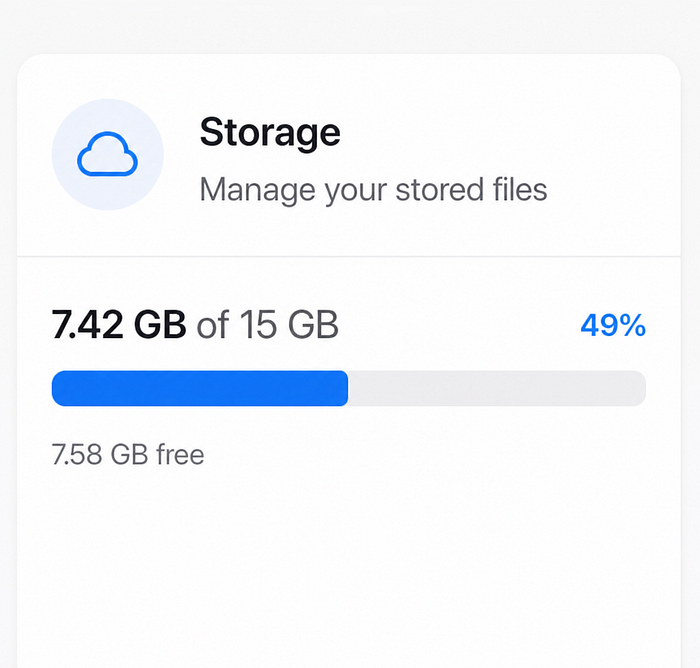
Storage quota indicators are a staple of cloud apps, file managers, and dashboards. Calculating the fill percentage sounds simple, but it gets messy fast when you are juggling raw Long values across different units.
Here is a clean approach using datasize:
import io.github.ardiien.datasize.*

data class QuotaState(
    val used: DataSize,
    val total: DataSize,
) {
    val percentUsed: Float
        get() = (used.inBytes.toFloat() / total.inBytes.toFloat()).coerceIn(0f, 1f)

    val isNearLimit: Boolean
        get() = percentUsed >= 0.90f
}

fun main() {
    val quota = QuotaState(
        used = 4.5.gibibytes,
        total = 5.gibibytes,
    )

    println("Used: ${quota.percentUsed * 100}%")    // Used: 90%
    println("Near limit: ${quota.isNearLimit}")     // Near limit: true
}
Both used and total are DataSize values — they share a common representation in bytes, so the percentage calculation is always correct regardless of what unit each value was originally expressed in. You can pass used as gibibytes and total as terabytes, and the math will still work.
For consistency, stick to a single unit throughout your codebase and avoid mixing them.
Use Case: Format Sizes for Display
Showing raw bytes to users is not useful. Showing 1073741824 when you mean 1 GB is a UI failure. The DataSizeFormatter class handles this cleanly.
import io.github.ardiien.datasize.*

// Created inline for simplicity. In production, inject this via
// your DI framework or use default formatter.
val format = SimpleDataSizeFormatter.createFormat()
val localizer = SimpleDataSizeUnitLocalizer()
val formatter = SimpleDataSizeFormatter(format, localizer)

fun format(size: DataSize): String {
    return formatter.binaryFormat(size, fractionDigits = 1)
}

fun main() {
    println(format(512.bytes))       // 512 B
    println(format(1.5.kibibytes))   // 1,5 KB
    println(format(20.mebibytes))    // 20 MB
    println(format(1.6.tebibytes))   // 1,6 TB
}
The library supports both binary (binaryFormat, base 1024 / IEC) and decimal (decimalFormat, base 1000 / SI) formatting. The fractionDigits parameter controls precision, capped at 2 decimal places with the default formatter.
You can create the formatter once and reuse it across your whole project wherever you need display-ready size strings.
Why Not Just Use a Long?
This is a fair question. A Long is simple, fast, and universally understood.
The problem is that a Long carries no meaning on its own. When you see a function signature like:
fun setStorageLimit(limit: Long)You have to read the documentation (or the implementation) to know what unit is expected.
With datasize, the same function becomes:
fun setStorageLimit(limit: DataSize)The type tells you everything. The caller uses 10.mebibytes or 500.megabytes, and there is no ambiguity at the call site. It is self-documenting code that is also harder to misuse.
Beyond type safety, the library also eliminates repeated formatting logic. Instead of writing a formatBytes() utility function in every project (and getting it subtly wrong each time), you have a well-tested, locale-aware formatter ready to use.
Wrapping Up
If your app deals with file sizes, storage limits, upload validation, any kind of quota logic, or any size UI, thedatasize is worth adding to your toolbox.
It is a small library with a focused purpose, and it replaces a category of boilerplate that you probably did not realize was adding up.
Getting started:
- Repository: github.com/ardiien/datasize
- More usage examples:
samples/src/main/kotlin - Available on Maven Central:
io.github.ardiien.datasize:datasize
If you try it out, drop a star on the repo — and if you run into a use case the library does not handle well yet, open an issue. Feedback from real-world usage is the best way to make a library better ;)