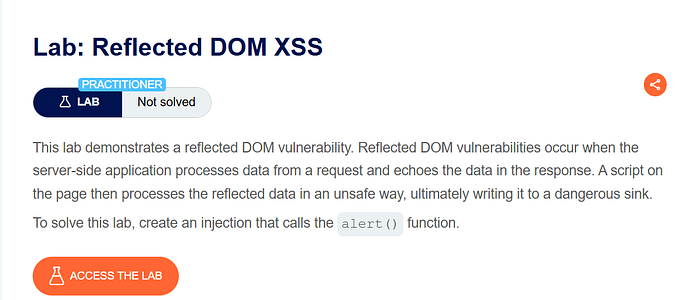

Lab Overview
This lab demonstrates a reflected DOM-based Cross-Site Scripting vulnerability. In this type of vulnerability, the server reflects user input in the response, and client-side JavaScript processes that data in an unsafe way. The dangerous part is not only the reflection, but how the reflected data is handled in the browser.
In this lab, the application uses the JavaScript eval() function to process search results. Because eval() executes strings as JavaScript code, improper handling of data leads to code execution.
The goal of the lab is to inject a payload that calls the alert() function.
Step 1 — Exploring the Application
After opening the lab, I observed the search feature.

To understand how it worked, I searched for:
hello
The page displayed search results normally.
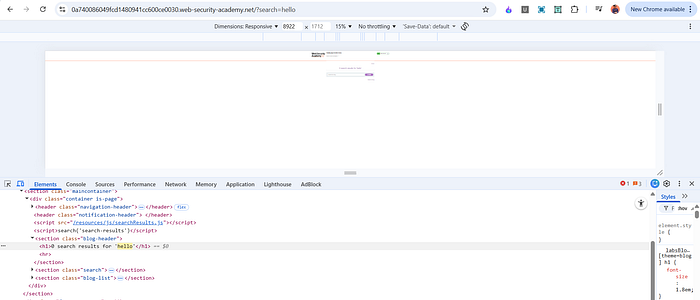
Next, I opened Developer Tools and inspected the page resources. I noticed a script file:
/resources/js/searchResults.js
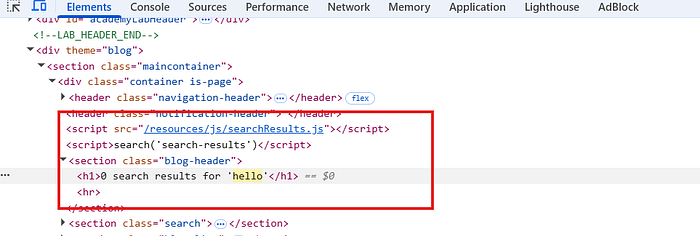
Since the vulnerability was likely in client-side JavaScript, I opened that file to analyze how the search functionality worked.
Step 2 — Analyzing the JavaScript
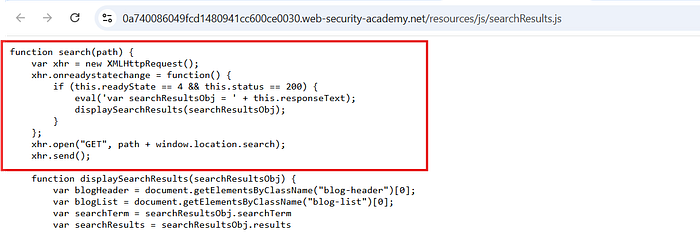
Inside searchResults.js, I found the following function:
function search(path) { var xhr = new XMLHttpRequest(); xhr.onreadystatechange = function() { if (this.readyState == 4 && this.status == 200) { eval('var searchResultsObj = ' + this.responseText); displaySearchResults(searchResultsObj);
The critical line is:
eval('var searchResultsObj = ' + this.responseText);
This is the source of the vulnerability.
Understanding eval()
The eval() function in JavaScript takes a string and executes it as JavaScript code.
For example:
eval("alert(1)");
This immediately runs alert(1).
Developers sometimes use eval() to convert JSON text into JavaScript objects. However, this is dangerous if the input is not strictly controlled.
In this lab, the application takes the server's response (which includes user-controlled data) and directly passes it into eval().
This means if we can inject JavaScript into the response, it will be executed.
Step 3 — Crafting the Payload
Since the server reflects the search term and the response is passed into eval(), we need to break the expected structure and inject our own JavaScript.
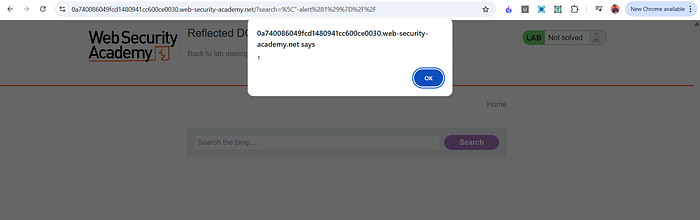
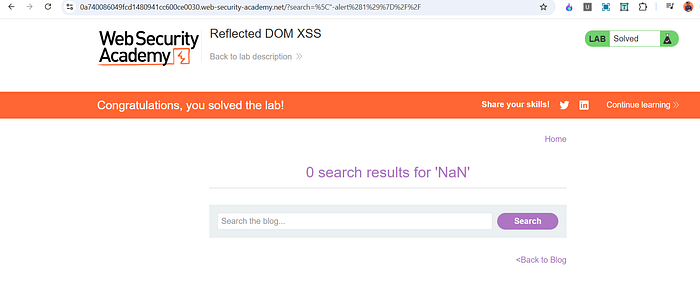
I used the following payload in the search field:
"-alert(1)}//
After submitting the search, the alert box appeared, confirming successful exploitation.
Why This Payload Works
Let's understand how this works with the eval() line.
The application builds a string like:
eval('var searchResultsObj = ' + this.responseText);
The responseText is expected to contain valid JSON-like data. However, since our input is reflected inside that response, we can break the structure.
The payload:
"-alert(1)}//
Breakdown:
- " This escapes the existing string structure in the JSON response.
- -alert(1) This injects JavaScript code that calls alert(1). The minus sign simply ensures valid syntax continuation.
- } Closes the object structure that the script expects.
- // Comments out the rest of the line to prevent syntax errors.
Because eval() executes the entire constructed string as JavaScript, our injected alert(1) becomes part of the executed code.
Why the Backslash Does Not Create a New String
The backslash () is used as an escape character inside strings. It does not create a new string by itself. Instead, it escapes the following character so that it is treated literally rather than as syntax.
In this context, it helps manipulate how the response text is interpreted when eval() processes it.
The key idea is that we are breaking out of the intended JSON structure and inserting executable JavaScript before the rest of the code is evaluated.
Why This Is Reflected DOM XSS
This is called reflected DOM XSS because:
- The input is sent to the server.
- The server reflects it in the response.
- Client-side JavaScript processes the response using eval().
- The vulnerability exists in the way the browser handles the data.
The dangerous sink here is eval().
Impact
If this vulnerability existed in a real-world application, an attacker could:
- Execute arbitrary JavaScript in a victim's browser.
- Steal session cookies.
- Perform actions as the victim.
- Inject malicious content.
- Redirect users to phishing pages.
Using eval() with user-controlled data is extremely dangerous and should always be avoided.
Mitigation
To prevent this vulnerability:
- Never use eval() to parse JSON. Use JSON.parse() instead.
- Do not execute user-controlled input as code.
- Properly validate and sanitize all user input.
- Use strict Content Security Policy to reduce script execution risks.
Replacing: eval('var searchResultsObj = ' + this.responseText);
With: var searchResultsObj = JSON.parse(this.responseText);
Would eliminate this issue.
📬 Stay Connected
If you found this helpful and want to learn more about web security, hands-on labs, feel free to follow me for upcoming posts.
✍️ Follow me for more cybersecurity write-ups 🔗 LinkedIn — codermayank 📸 Instagram — @mayhack_
Tags: #BugBounty #EthicalHacking #ChatGPT #CyberSecurity #AIforSecurity #PenetrationTesting #HackerOne #Bugcrowd #WebSecurity #InfoSec