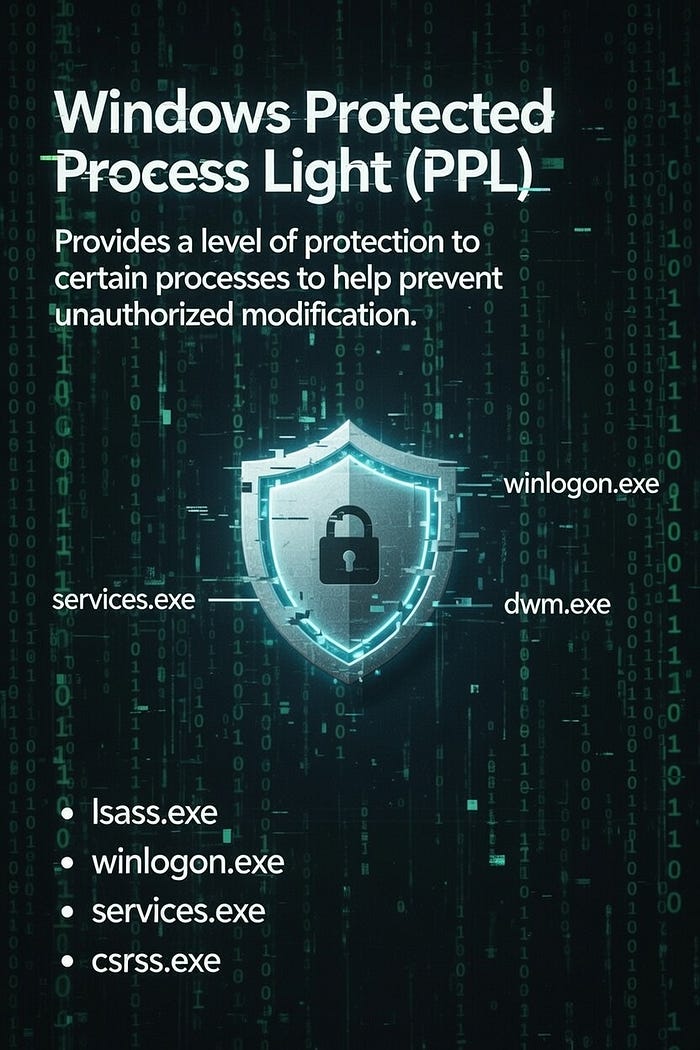

Windows Protected Process Light (PPL) is a security feature introduced by Microsoft in Windows 8.1 (2013) and still actively used in modern Windows versions (including Windows 11 and Windows Server 2025/2026).
It protects certain critical processes from tampering, memory reading, code injection, handle duplication, and termination by non-privileged or lower-privileged code, even from administrators or system in many cases
Courses: Learn how real malware works on Windows OS from beginner to advanced taking our courses, all explained in C++.
Technique Database: Access 50+ real malware techniques with weekly updates, complete with code, PoCs, and AV scan results:
Malware Techniques Database
Explore an ever-growing collection of malware techniques
0x12darkdev.net
Modules: Dive deep into essential malware topics with our modular training program! Get a new module every 14 days. Start at just $1.99 per module, or unlock lifetime access to all modules for $100.
Key purposes of PPL
- Protect anti-malware / EDR / security product processes from being killed or manipulated by malware
- Prevent credential theft (especially from lsass.exe, Local Security Authority Subsystem Service)
- Make it much harder for attackers to disable or bypass security software
How PPL works
A process becomes "protected" only if:
- It is digitally signed with a special Microsoft-issued code-signing certificate that includes the right Enhanced Key Usage (EKU) for PPL
- The signer level is high enough (Microsoft controls the hierarchy)
PPL Types and Levels
The protection level is defined by a combination of the Type (Light vs. Full) and the Signer (the trust level)
- The Structure (
PS_PROTECTION)
In the Windows kernel, the protection level is stored in the _EPROCESS structure as a single byte. This byte is split into three parts:
- Bits 0–2: Defines the "heaviness" of the protection (Light vs. Full)
- Bit 2: If set, the system logs attempts to tamper rather than blocking them (used for testing)
- Bits 4–7: Defines the category of the signer (e.g., Antimalware, WinTcb). This establishes the hierarchy
Protection Types (Bits 0–2)
- 0:
None(Normal process) - 1:
ProtectedLight(PPL - Most common for AV/LSA) - 2:
Protected(PP - "Full" protection, originally for DRM, very restrictive)
Signer Levels (Bits 4–7)
The Signer determines the hierarchy. A protected process can generally open/access another protected process only if its own signer level is greater than or equal to the target's.
Here are the specific levels ordered by value (hierarchy):
- 0 (None): Standard processes
- 1 (Authenticode): Processes signed by a standard trusted root (rarely used for PPL)
- 2 (CodeGen): Dynamic Code Generation (JIT) scenarios
- 3 (Antimalware): Antivirus & EDR services (e.g., MsMpEng.exe, CrowdStrike)
- 4 (Lsa): LSASS.exe (when LSA Protection is enabled) to prevent credential dumping
- 5 (Windows): Core Windows OS components that are not TCB critical
- 6 (WinTcb): Trusted Computing Base. The highest standard level. Used by CSRSS, Wininit
- 7 (WinSystem): Similar to WinTcb, used for critical system components
- 8 (App): Packaged Store Apps (UWP/AppContainer)
Common PPL Combinations (Hex Values)
When debugging or inspecting processes (e.g., using Process Explorer or a kernel debugger), you will often see the combined byte value
- PPL-Antimalware
Signer: Antimalware (3) Protection type: Light (1) Hex value: 0x31 Example process: MsMpEng.exe (Windows Defender)
- PPL-Lsa
Signer: Lsa (4)
Protection type: Light (1)
Hex value: 0x41
Example process: lsass.exe (only if RunAsPPL = 1)
- PPL-Windows
Signer: Windows (5) Protection type: Light (1) Hex value: 0x51 Example processes: smss.exe, services.exe
- PPL-WinTcb
Signer: WinTcb (6) Protection type: Light (1) Hex value: 0x61 Example process: wininit.exe
- PP-WinTcb
Signer: WinTcb (6) Protection type: Full (2) Hex value: 0x62 Example process: csrss.exe
Example in Win11 fully patched with Process Explorer

Hierarchy & Dominance Rules
The security boundary enforces that a process cannot access another process with a higher dominance
- WinTcb (6) is the "God mode" of PPL. A process running as
PPL-WinTcbcan access processes running asPPL-Antimalware,PPL-Lsa, etc. - Antimalware (3) is lower than Lsa (4). This prevents a compromised antivirus driver/service from easily dumping LSASS memory, even though both are "Protected."
- PPL vs PP: A
Protected(Full) process is more restrictive thanProtectedLight. Even if the signer is high, a Light process cannot usually inject into a Full process
While WinTcb is higher in the trust hierarchy than Antimalware, the Antimalware level is often more restrictive in practice. This is because hierarchy (dominance) only dictates which processes can manage others. However, the Antimalware level triggers additional kernel-side hardening (such as strict code integrity checks) that may block operations like VirtualAllocEx even if you hold a PROCESS_ALL_ACCESS handle. In contrast, WinTcb processes are trusted so implicitly by the OS that they are often allowed more flexibility in their operations
Even SYSTEM or Administrator privileges cannot bypass PPL protections unless the code runs with an equal or higher signer level
PPL Evasion
To evade or bypass PPL, you must understand that the protection is enforced at the Kernel level. Because the PS_PROTECTION byte resides in the EPROCESS structure (kernel memory), the Windows API ("Userland") is intentionally limited to prevent unauthorized modifications
- The Kernel-Space Boundary
In Userland, even if you are NT AUTHORITY\SYSTEM, the kernel filters your requests. When you call an API like OpenProcess, the kernel's Access Check routine looks at the PPL level of the target:
- Access Denied: If your process level is lower than the target (e.g., a standard Admin process trying to access an
AntimalwarePPL process), the kernel returnsSTATUS_ACCESS_DENIED - Handle Stripping: Even if you get a handle, the kernel "strips" the permissions. You might ask for
PROCESS_ALL_ACCESS, but the kernel only grants youPROCESS_QUERY_LIMITED_INFORMATION
Because the "lock" is inside the kernel, the only way to turn it off is to write directly to kernel memory
2. The BYOVD Attack (Bring Your Own Vulnerable Driver)
Since modern Windows versions require Driver Signature Enforcement (DSE), you cannot simply load a malicious "Memory Editor" driver. Instead, attackers use a BYOVD strategy:
- Drop a Legitimate Driver: You drop a driver that is digitally signed by a valid (but perhaps revoked or obscure) vendor (e.g., an old motherboard utility, a thermal monitoring tool, or an old anti-cheat driver)
- Exploit the Driver: This driver has a known vulnerabilityusually an arbitrary memory read/write primitive via an IOCTL (Input/Output Control)
- Locate
EPROCESS: You use the driver to find the_EPROCESSstructure for your target process (likelsass.exeor an EDR agent) - Patch the Protection Byte: You use the driver's write primitive to overwrite the
PS_PROTECTIONbyte to0x00
3. The Result of the Bypass
Once the byte is overwritten to 0, the process is no longer "Protected."
- The kernel no longer filters your
OpenProcesscalls - Standard Userland tools (like Mimikatz or a debugger) can now obtain a
PROCESS_ALL_ACCESShandle - You can now perform "forbidden" actions like
VirtualAllocExorReadProcessMemory
Conclusions
In summary, Windows Protected Process Light (PPL) serves as a vital kernel-level boundary that prevents unauthorized tampering with security-critical processes, effectively neutralizing even high-privileged administrative accounts. By utilizing the PS_PROTECTION hierarchy (from Antimalware to WinTcb) the OS ensures that processes like lsass.exe and EDR agents remain isolated from external interference.
While this model provides a robust defense against standard userland attacks, it shifts the battleground to the kernel; as long as the protection resides within the _EPROCESS structure, BYOVD (Bring Your Own Vulnerable Driver) remains the primary vector for attackers seeking to manipulate kernel memory and manually patch protection bytes to zero
📌 Follow me: YouTube | 🐦 X | 💬 Discord Server | 📸 Instagram | Newsletter
We help security teams enhance offensive capabilities with precision-built tooling and expert guidance, from custom malware to advanced evasion strategies
S12.