

It it time to once again put my mind to paper and walk through some Insecure Direct Object Reference (IDOR) hunting in the Jan 13, 2025 daily challenge from BugForge.io. This lab took place in the Tanuki web application, which is a flash card study type application. Those that attempted the lab solely based on the hint right away, were in for a rough time, as the wrong hint was posted. Thanks to some awesome people on the Discord, the actual hint was given and knowing this saved sooooooo much time.
The initial hint given was 'WebSockets are fun', but the real hint was 'IDOR'
As much fun as WebSockets are (thank you Burp for making it easier), going down a rabbit hole in that world would not have been fun especially for a daily challenge. BUT now we know there is probably a WebSocket challenge on the Tanuki web app coming at some point. Loading into Tanuki, we are once again met with a simple username/password login form with an option to sign up.
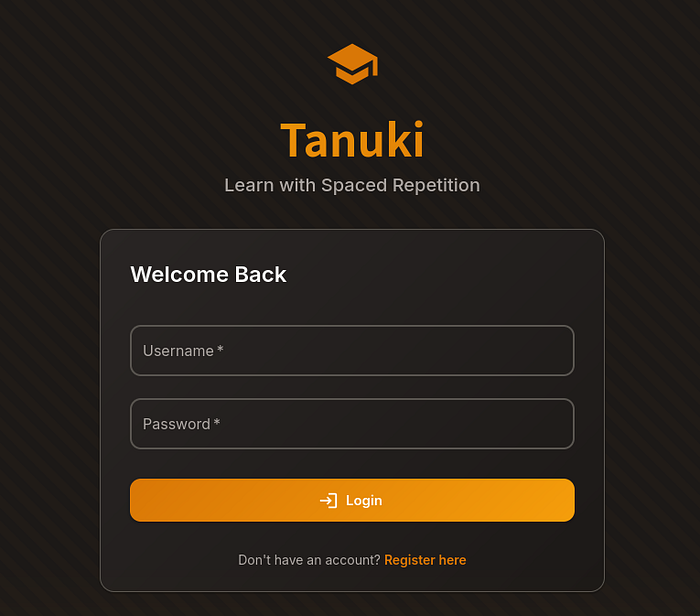
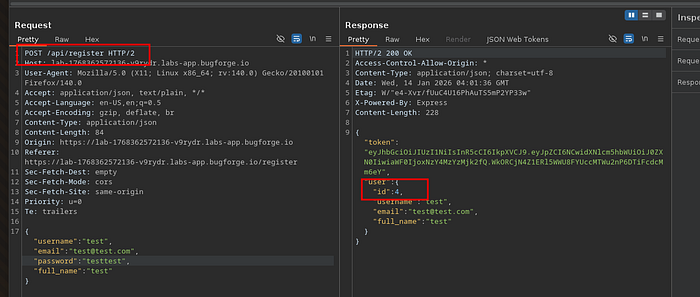
With IDOR being our goal in this lab we can skip playing around with the login area and just register a test account. Honestly, not sure what and IDOR on a login form would even look like theoretically. Creating a test user account just asked for normal user information and did not give us an option for roles. Regardless of the type of hint we give, I'm going to make it a point to look at the registration request/response. I think most of the time this gives us some gold level information that could be utilized during recon or exploit.
This /api/register call gave us a few cool things to add to the notes as far as registration pages go: 1) The POST request hit an API endpoint, so API's in play. 2) We were given an ID of 4, which shows there are at least 3 other users on the platform. 3) Roles setting was not passed in the request or response. This could most likely eliminate the need to change roles through a request just based on other CTF's so I make this a low priority check at this point.
Once we are logged in, we are met with a a dashboard welcoming us reflecting our name. Additionally there is a Linux Trivia study deck of cards available for us to click through. The navigation panel on the top right also includes links to My Decks (current page), Browse Decks, Stats and logout.
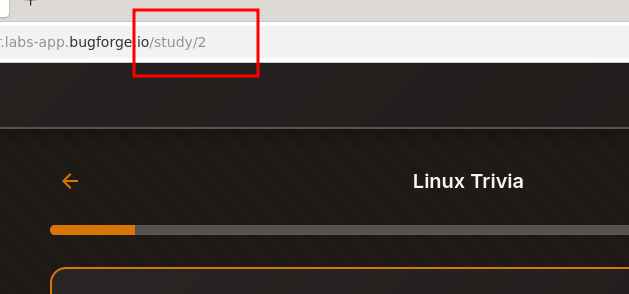
Look like we now need to start hunting for our IDOR endpoint. Again here I am going to be looking for some form of endpoint that clearly identifies a returned set of data. Clicking the 'Start Studying' button to load the Linux deck gives us our first candidate for IDOR. The URL endpoint for this deck is '/study/2'.
Now just seeing the number doesn't guarantee we can look around other endpoints by changing the number so always good to check. Luckily here I was able to change it to 1 and was able to see a study deck for 'Planets & Moons'. This is a good sign, so decided to send on of these requests to Burp Intruder to see if we can enumerate all of the decks in the study endpoint.
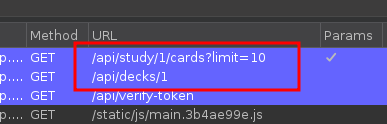
When looking at the request history in Burp though I noticed a couple of other things. When clicking on the study button, two calls were made. One to a /deck/1 endpoint, but the study one we say had an additional parameter showing /study/1&limit=10. This means that we may have a couple of other possible options to check if this doesn't work. Additionally, the limit=10 seems to be the number of card added to the deck.
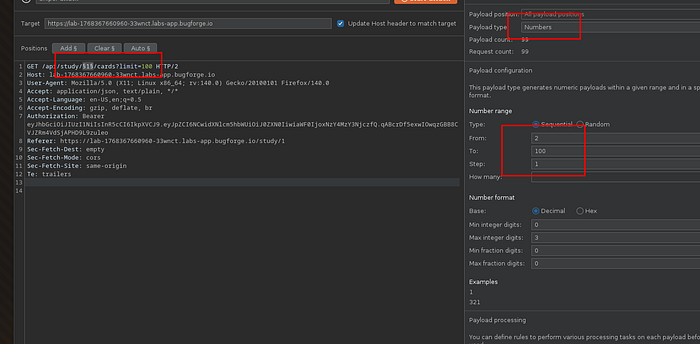
Lets continue checking out the /study/ endpoint, but to cover everything in in I'll be setting the limit and deck number to 100. Surely the flag has to be in one of those. For those not familiar with Burp Intruder, you are able to set a position on any character/parameter you want, and then inject items from a list. Burp does offer different kinds of attacks for multi-parameter, but not necessary here. We can keep a simple 'Sniper Attack' that injects same payload wherever you set it. In this case the Ƈ'. The payload is going to be a simple 'Numbers' where we are checking everything from 1–100. Notice I have the 'From' in payloads starting at two, and that is because the request sent to intruder will also run. For good measure, I unchecked 'URL encode everything'.
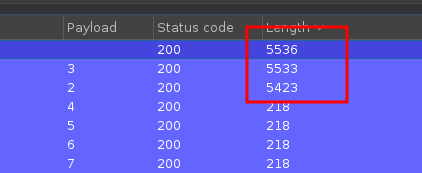
The best part of the pro version of Burp is how fast intruder goes. Community has a throttled down version, once you go pro the community Intruder will make you flip tables in anger). After a second or two, all 100 requests were complete and we were left with a total of 3 available options ids 1,2 and 3.
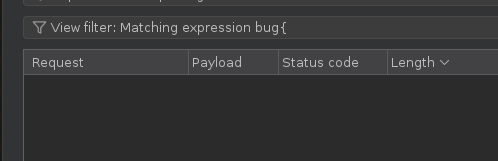
Since we know the flag syntax is 'bug{FLAG}', I decided to add a filter searching for the expression 'bug{'. This resulted in none of those payloads having the expression in them. This was a bummer and means we have to do another check.
Good thing earlier we found the /decks/1 endpoint. Not sure why that call was also made as the numbers in /study/# correlated to decks as well. I did the same steps we just did with the /study endpoint and had 3 decks return with no matching expression of 'bug{' in them.
Well shoot that was a bummer. I then thought to myself "HEY WE'RE NERDS, AND COUNTING STARTS AT 0"…Sneaky Sneaky BugForg.
I then went back to manually check the endpoints /study/0 and /decks 0.
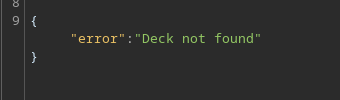
Well that's not fun. But you know that's just how web app testing works, hunting for endpoints is life. Time to get back to looking for another avenue.
As I mentioned in the beginning, there were a couple of other links on the menu board (Browse Decks and Stats), but 'Browse Decks' ended up just being the /decks endpoint.
Last option 'Stats'…..This was a static page with just stats for your studying. No identifiable URL for users or decks. Nothing to click on and continue.

We're screwed at this point. We've seen it all right? WRONG. This is a key lesson and one that took some failure from me in previous experiences to drive in memory. ALWAYS check your HTTP(S) traffic logs in the proxy. Just because you don't see it in the browser's URL doesn't mean its not there. Especially if your app is making API calls. This is going to be normal in Single Page Applications (SPA).
FOUND IT! When navigating to 'Stats', a call to /api/stats/4 was called. You know what, if you recall from the registration traffic, we were assigned 'id=4'.
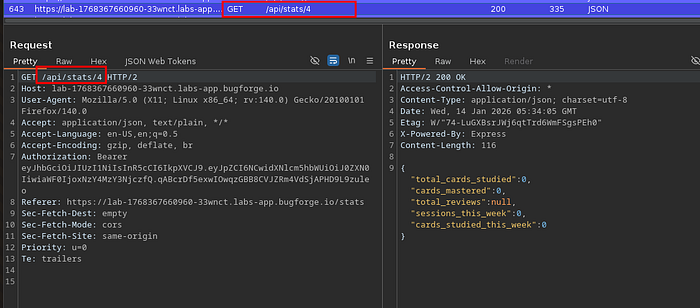
I then sent that badboy to repeater and began checking other id's. Since we knew there were 3 id's before us, I decided to just check in repeater instead of a whole intruder run just in case it's that simple.
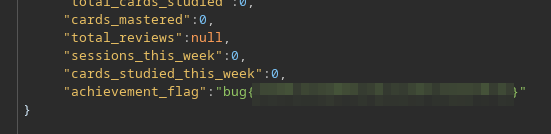
Sure enough, id 1 had the flag as an achievement.
I really enjoyed this IDOR exercise so much. The fact that I went that deep into checking the first two endpoints I saw and then have a 3rd not as obvious one, really made this lab that much better. It really drove in the importance of the recon phase which I tend to kind of skip a bit in these labs going in with the hints. Well done BugForge, and I cannot wait for the next daily!
OK BYEEEEEEEE!