

☠️Warning: Don't Hack or Bruteforce or Entering Default Creds or Trying To Bypass Auth, Steal Data or Share Vulnerable Assets Identified From Shodan on the Public. All IPs and Assets are Hided, I'm Doing This For Your Education Only !
Bug Bounty Uses :
1- Some Programs Make the Scope Open and Say Any Asset Belongs To the Company is InScope [OPENSCOPE], So We Use it For Mapping IPs and Domains To a Specific Organization

2- Information Exposures, Some Companies May Left Exposed Data Like Root Pages That Serve Directory Listing, Admin Login Pages, Router Config Pages, etc.
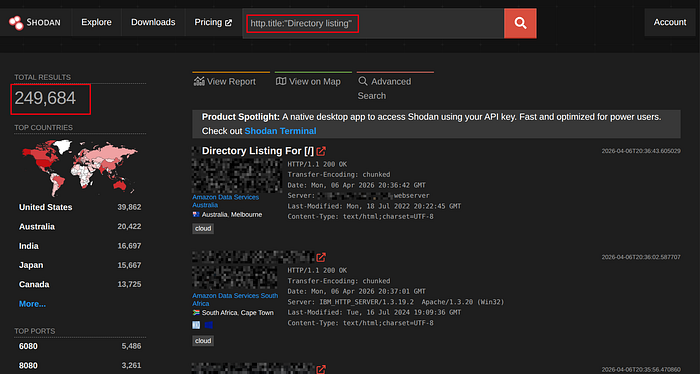

3- Fast and Passive Scan With CVEs and Banners Info
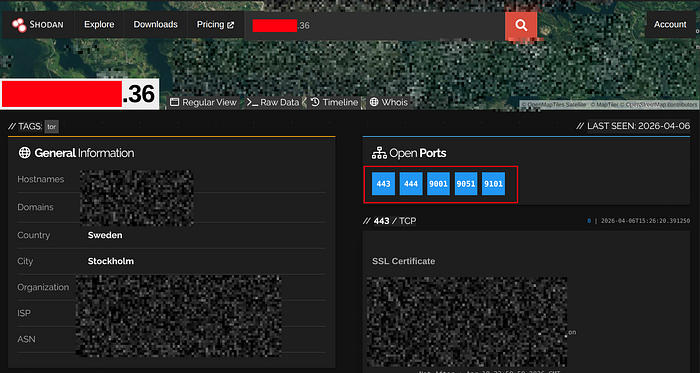

Note: CVEs That Shodan Shows Can Be Patched from the Target, Shodan Only Show CVEs of Software Versions. He Doesn't Check If it Was Patched or Not
Important Filters :
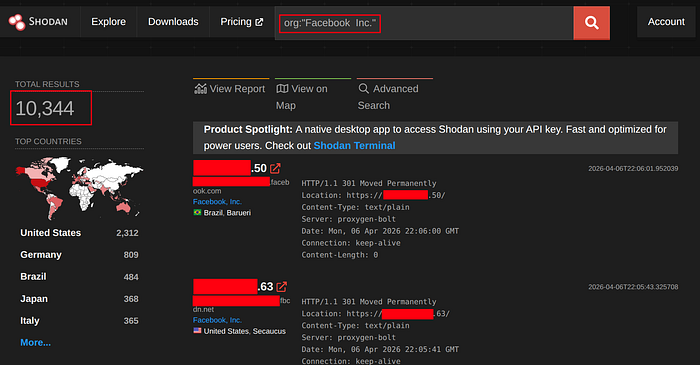
Filter → org:"Organization_Name"
Use-Case → Map Any Asset Belongs To a Specific Org
Example → org:"Facebook Inc."

— — — — — — — — — — — — — — — — —
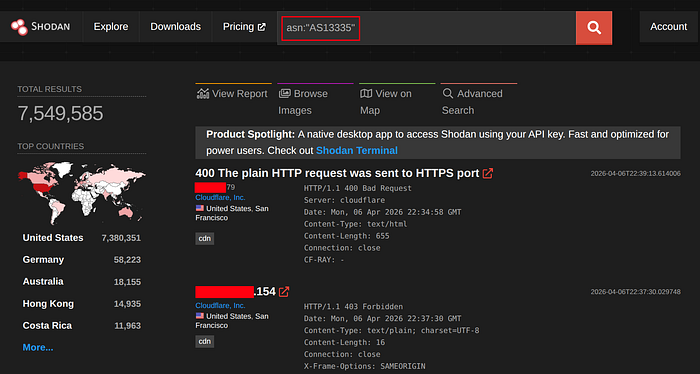
Filter → asn:"ASxx"
Use-Case → List Any Asset Belongs To a Specific ASN
Example → asn:"AS13335"
— — — — — — — — — — — — — — — — —
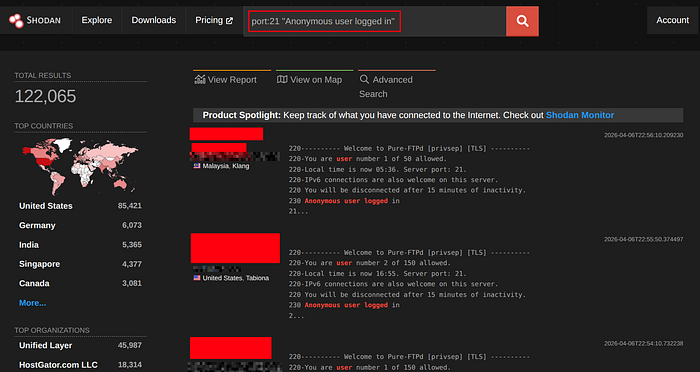
Filter → port:number(int)
Use-Case → List Assets That Have That Port Opened
Example → port:3306
— — — — — — — — — — — — — — — — —
Filter → http.title:"<title></title>"
Use-Case → List Assets That Have The Same Web Pages Title
Example → http.title:"admin dashboard"

— — — — — — — — — — — — — — — — —
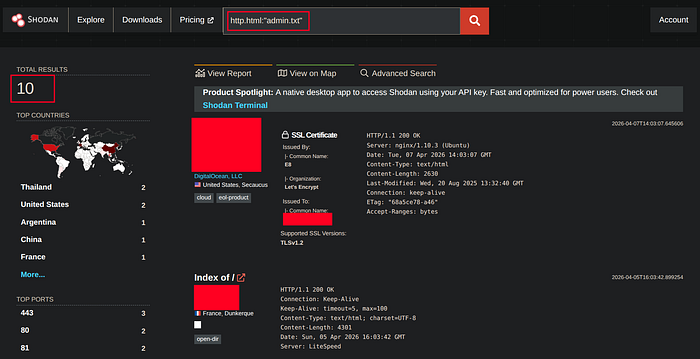
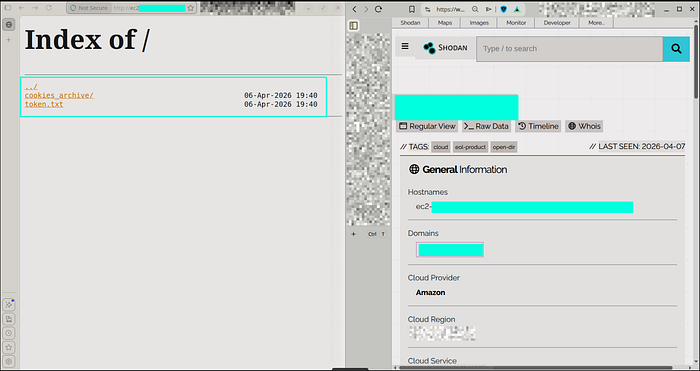
Filter → http.html:"Keyword in the HTML"
Use-Case → List Assets That Have a Specific Keyword or Phrase on it's HTML Body
Example → http.html:"admin.txt"
— — — — — — — — — — — — — — — — —
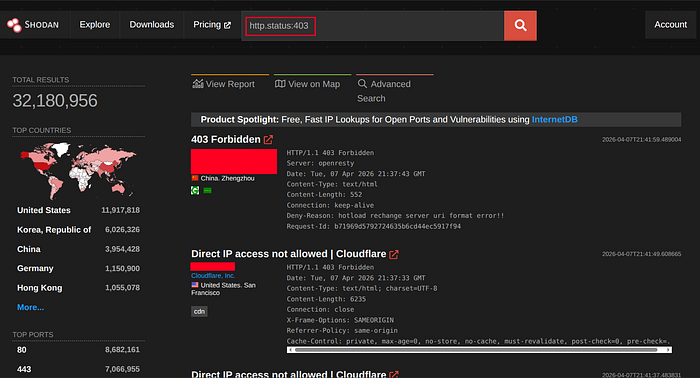
Filter → http.status:<status-code> (int)
Use-Case → List Assets That Responsed With the Same Status Code
Example → http.status:403
— — — — — — — — — — — — — — — — —
Search With Site Icon :
Search in Shodan, For the Same Web Pages That Have the Same Site Icon
Icon-Url (Mostly): http://<site-domain>/favicon.ico

Convert-Hash: MurMur3 (mmh3)
#### Python :
pip install mmh3
#!/usr/bin/env python3

from sys import exit
from hashlib import md5
from termcolor import colored
from requests import get
from argparse import ArgumentParser
import mmh3
import codecs

AP= ArgumentParser(prog= "Convert Favicon Images To MumMurhash3, MD5")
AP.add_argument("-url", "--favicon_url", required= True, type= str)
PARSER= AP.parse_args()
try :
 get_image= get(PARSER.favicon_url.strip(), headers= {"User-Agent": "Mozilla/5.0 (Windows NT 10.0; Win64; x64) AppleWebKit/537.36 (KHTML, like Gecko) Chrome/135.0.0.0 Safari/537.36 Edg/135.0.0.0"}, allow_redirects= False)
 if get_image.status_code == 200 :
  murmur3_hash= mmh3.hash(codecs.encode(get_image.content, "base64"))
  md5_hash= md5(get_image.content).hexdigest()
  print(f"{colored('Bytes-Length', 'green')}: {len(get_image.content):,}\n{colored('MMH3', 'green')}: {murmur3_hash}\n{colored('MD5', 'green')}: {md5_hash}\n{colored('Shodan', 'green')}: https://www.shodan.io/search?query=http.favicon.hash%3A{murmur3_hash}")
 else :
  print(f"[{colored('-', 'blue')}] {colored(get_image.status_code, 'magenta')} Invalid Status code")
  exit(1)
except Exception as Error :
 print(f"[{colored('-', 'red')}] Error Happend: {str(Error).strip()}")
 exit(1)
exit(0)
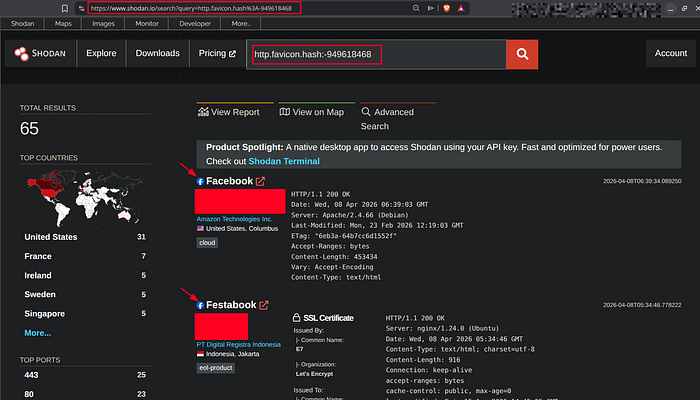
#### Online Sites :
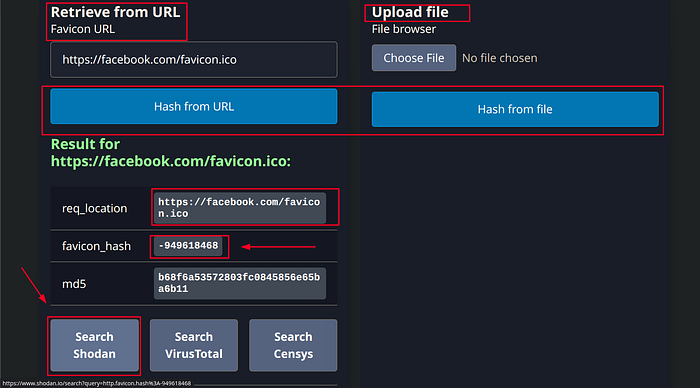
Filter → http.favicon.hash:<MMH3>(int)
Use-Case → List Assets That have the Same ICON MURMUR3 Hash
Example → http.favicon.hash:-1156496750

— — — — — — — — — — — — — — — — —
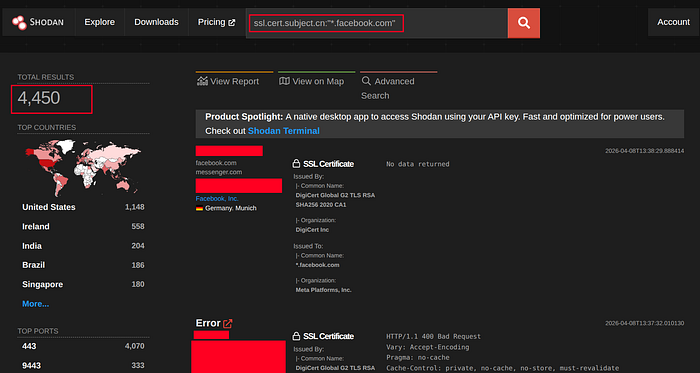
Filter → ssl.cert.subject.cn:"*.example.com"
Use-Case → List Assets That Have the Same SSL Certificate
Example → ssl.cert.subject.cn:"*.facebook.com"
— — — — — — — — — — — — — — — — —
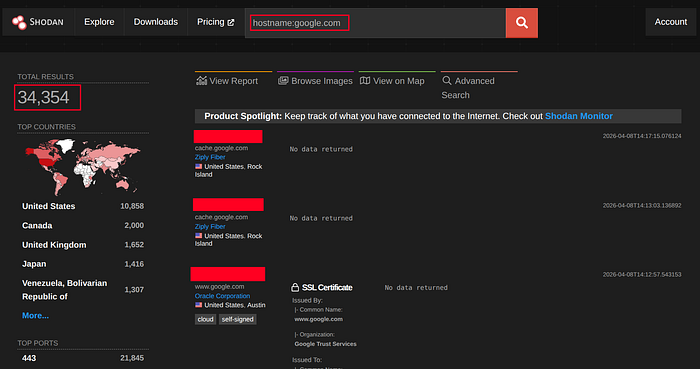
Filter → hostname:example.com
Use-Case → List Assets That Have DNS Records That Point to This Hostname or Any Subdomain of It
Example → hostname:google.com
— — — — — — — — — — — — — — — — —
Good Shodan Filters List Repo :
git clone https://github.com/JavierOlmedo/shodan-filtersCLI :
To Use Shodan Via the Terminal and In Your Tools, You Will Need to Get an API Key . So, Register First and Access The Account-Section Then Copy the KEY .
cURL :
## Searching Query :
curl -s "https://api.shodan.io/shodan/host/search?key=<API-KEY>&query=$(echo '<QUERY>' | jq -rR @uri)" | jq ; echo
## Searching Host : (IP)
curl -s "https://api.shodan.io/shodan/host/<IP>?key=<API-KEY>" | jq ; echo
## Return Count of Query Output :
curl -s "https://api.shodan.io/shodan/host/count?key=<API-KEY>&query=$(echo '<QUERY>' | jq -rR @uri)" | jq ; echo
Extracting Info Using :
### Python JSON : (Tools) [JSON → Python Dictionary]
Simple Example :
#! /usr/bin/env python3

from argparse import ArgumentParser
from termcolor import colored
from requests import get

AP= ArgumentParser()
AP.add_argument("-host", "--host_ip", required= True, type= str)
PARSER= AP.parse_args()
KEY= "<API-KEY>"
SHODAN_REQUEST= get(f"https://api.shodan.io/shodan/host/{PARSER.host_ip.strip()}?key={KEY}").json()
PORTS= SHODAN_REQUEST["ports"]
ISP= SHODAN_REQUEST["isp"]

print(f"{colored('Ports-Opened', 'green')}: {PORTS}\n{colored('ISP', 'green')}: {ISP}")
### jq : (Fast & Easy)
If you Want To Get Specific Values From the JSON Output in the Terminal , jq is a Great Tool For That :
Syntax :
command | jq '.key'
Array Index :
command | jq '.key[index]'
4 Hackerone Reports : (Researchers Used Shodan Clearly)
I Hope You Got Any Useful Information From this Write-up .
Goodbye Friend !