
If you've been bug hunting for more than a few weeks, you've been there. You find a promising endpoint, chain it with a parameter you discovered last week, and then — panic. Where did you save that curl command? Was it in the ~/target/recon/ folder or somewhere in the ~/Downloads/bugbounty-stuff/ disaster? What about that screenshot of the admin panel you stumbled onto?
Stop losing findings. Start using Git.
Git isn't just for developers shipping production code. It's a forensic-grade tracking system for your entire bug bounty workflow — and the best hunters already use it. Here's exactly how.
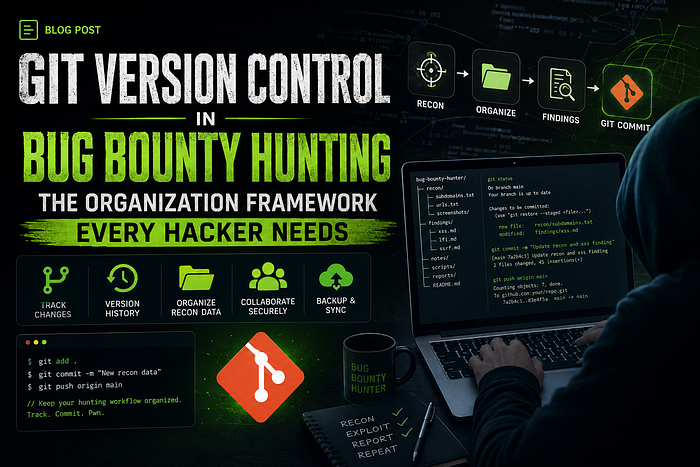
Why Git Belongs in Your Bug Bounty Toolkit
Most hunters organize their work like this:
~/bugbounty/target.com/
    recon.txt
    notes.txt
    poc.sh
    final_report.txt
This works until you have 15 targets, 30 subdomain lists, and a dozen findings in various states of completion. Then it collapses.
Git gives you:
- Immutable evidence — every finding is timestamped and cannot be silently lost
- Branch isolation — chase rabbit holes without contaminating your main workflow
- Diff tracking — see exactly what changed between recon passes
- Report assembly — cherry-pick confirmed findings into a clean report
- Cloud backup — push to GitHub/GitLab and access from any machine
The Structure: One Repository, Many Branches
Here's the directory structure I use for every target:
~/bugbounty/target.com/
├── recon/
│   ├── subdomains/
│   ├── endpoints/
│   ├── parameters/
│   └── javascript/
├── exploits/
│   ├── sqli/
│   ├── xss/
│   ├── idor/
│   └── ssrf/
├── report/
├── payloads/
└── .gitignore
Initialize it with one command:
mkdir -p ~/bugbounty/target.com && cd $_
git init
mkdir -p recon/{subdomains,endpoints,parameters,javascript} \
         exploits/{sqli,xss,idor,ssrf} \
         report payloads
echo "*.pdf\n*.png\n*.jpg\nnode_modules/" > .gitignore
git add . && git commit -m "init: scaffold target directory"
Branch Strategy: The Heart of the Workflow
Every major activity gets its own branch. This is non-negotiable.
Recon Branches
git checkout -b recon/passive
# Run sublist3r, amass, etc.
sublist3r -d target.com -o recon/subdomains/passive.txt
git add recon/subdomains/passive.txt
git commit -m "recon: passive subdomain enumeration via sublist3r"

git checkout -b recon/active
# Run httpx, nuclei, ffuf
httpx -l recon/subdomains/passive.txt -o recon/endpoints/alive.txt
git add recon/endpoints/
git commit -m "recon: httpx probe - $(wc -l < recon/endpoints/alive.txt) live hosts"
Finding Branches
Each vulnerability gets its own isolated branch:
git checkout -b finding/sqli-orderId
curl "https://target.com/api/orders?orderId=1' OR '1'='1" > exploits/sqli/response.txt
# Add PoC, screenshots, notes
git add exploits/sqli/
git commit -m "finding: SQLi on GET /api/orders?orderId=1"
The Report Branch
When you're ready to submit, assemble only confirmed findings:
git checkout -b report/v1
mkdir -p report/{critical,high,medium,low}
cp -r ../finding/sqli-orderId report/critical/
cp -r ../finding/xss-profile report/high/
git add report/
git commit -m "report: initial findings for submission"
Automating Recon with Git
This is where it gets powerful. Set up a cron job that runs nightly recon and auto-commits changes:
#!/bin/bash
# ~/scripts/nightly_recon.sh
PROJECT="$1"
cd ~/bugbounty/$PROJECT

git checkout recon/active 2>/dev/null || git checkout -b recon/active

# Fresh scan
subfinder -d $PROJECT -o recon/subdomains/fresh.txt 2>/dev/null
httpx -l recon/subdomains/fresh.txt -o recon/endpoints/alive.txt 2>/dev/null

# Commit with timestamp
git add recon/
git commit -m "recon: nightly scan $(date +%Y-%m-%d)"
git push origin recon/active 2>/dev/null
Now you can diff between last night and tonight:
git diff recon/active@{1.day.ago}..recon/active -- recon/subdomains/New subdomains discovered overnight? Plain as day.
Git Diff for Live Changes
This is one of the most underused features. When you're testing an API and the target changes their response structure, Git can catch it:
# Save API responses in commits
curl -s "https://api.target.com/v2/users" > responses/users.json
git add responses/users.json
git commit -m "snapshot: /v2/users response 2026-05-09"

# A week later
curl -s "https://api.target.com/v2/users" > responses/users_new.json
git diff --no-index responses/users.json responses/users_new.json
Make it executable:
chmod +x .git/hooks/post-commitPush to GitHub for Remote Access
Hunt from your VPS during the day, review findings from your laptop at night:
# Create private repo on GitHub first, then:
git remote add origin https://github.com/yourname/target.com.git
git push -u origin --all  # Pushes ALL branches
Rollback When You Go Down a Rabbit Hole
We all do it. Spend four hours chasing a weird SSRF angle that goes nowhere.
# Before exploring: commit or stash
git add -A && git stash save "ssrf rabbit hole attempt #3"
# Or just hard reset
git checkout finding/ssrf-headers
git reset --hard HEAD~1  # Undo last commit if it was a waste
No data loss. No regret. Just a clean slate.
Real-World Example: Full Session
# === SETUP ===
mkdir -p ~/bugbounty/redteam.com && cd $_
git init
mkdir -p recon exploits report
git add . && git commit -m "init: fresh target"

# === PHASE 1: RECON ===
git checkout -b recon/subdomains
subfinder -d redteam.com | tee recon/subdomains/passive.txt
git add . && git commit -m "recon: subfinder passive enumeration"
git checkout -b recon/httpx
cat ../recon/subdomains/passive.txt | httpx -o recon/endpoints/alive.txt
git add . && git commit -m "recon: $(wc -l < recon/endpoints/alive.txt) live hosts"
# === PHASE 2: FINDING ===
git checkout -b finding/xss-search
echo "PoC: <script>alert(1)</script> in /search?q=" > exploits/xss/poc.txt
curl "https://redteam.com/search?q=%3Cscript%3Ealert(1)%3C/script%3E" \
     > exploits/xss/response.txt
git add . && git commit -m "finding: reflected XSS on /search endpoint"
# === PHASE 3: REPORT ===
git checkout main
git merge finding/xss-search --no-ff -m "merge: XSS finding into report"
Pro Tips from the Trenches
- Commit small, commit often. Every recon scan, every parameter discovery, every failed attempt — commit. You can always squash later.
- Use
.gitignorewisely. Ignore large binaries, compiled tools, andnode_modules/. Track only text: results, PoCs, requests, responses. - Write meaningful commit messages. Bad:
"update"— Good:"finding: IDOR on PUT /api/users/1337/profile discloses email" - Tag critical findings.
git tag critical-sqli-may2026makes them easy to find later. - Never commit API keys or tokens. Even in private repos. Use environment variables or a
.envfile in.gitignore. - Git is not just for code. It's for any text — and most of bug bounty is text (URLs, payloads, responses, notes).
What About Large Files?
Screenshots, videos, and PCAPs are important evidence. There are two approaches:
Option 1: Track references, not files
echo "screenshot_2026-05-09.png - SQLi error-based on /order?id=" >> evidence_manifest.txt
git add evidence_manifest.txt
Option 2: Git LFS (Large File Storage)
git lfs track "*.png" "*.mp4" "*.pcap"
git add .gitattributes
The Bottom Line
Bug bounty hunting generates a lot of data. Subdomains, endpoints, parameters, payloads, responses, PoCs, notes — it accumulates fast. Without a system, you're one rm -rf away from losing a critical finding, or worse, submitting an incomplete report.
Git isn't extra overhead. It's insurance. Five seconds to commit vs. five hours to rediscover a finding you already had.
Start your next target with git init. Your future self — staring at a triage team asking for "more evidence" — will thank you.
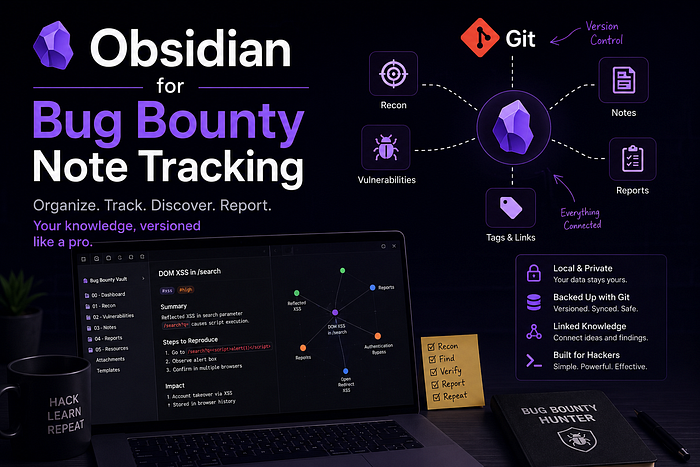
Obsidian for Bug Bounty Note Tracking
Git handles version control. But where do you store ideas, attack chains, methodology notes, endpoint relationships, and random observations that don't belong inside commits?
That's where Obsidian becomes a game changer.
I treat Obsidian as the intelligence layer of my bug bounty workflow. Git tracks files. Obsidian tracks thinking.
For every target, I maintain a dedicated vault structure like this:
BugBountyVault/
├── Targets/
│   ├── target.com.md
│   ├── scope.md
│   ├── recon-notes.md
│   ├── findings.md
│   └── attack-paths.md
├── Payloads/
├── Methodology/
├── Cheatsheets/
└── Research/
Inside the notes, I link related discoveries together:
[[api.target.com]]
[[XSS Payloads]]
[[JWT Misconfigurations]]
[[Interesting Parameters]]
Over time, this creates a searchable knowledge graph of targets, vulnerabilities, payloads, bypasses, and research patterns.
One useful workflow is combining Obsidian with Git:
- Obsidian → for structured notes, relationships, and methodology
- Git → for version control, recon data, PoCs, and evidence
Example workflow:
Recon → Git Commit → Finding → Obsidian Analysis → ReportWhen hunting across multiple programs, this becomes incredibly powerful. You stop relying on memory and start building a long-term offensive knowledge base.
A few practical Obsidian plugins worth using:
- Dataview → searchable recon databases
- Kanban → finding tracking
- Excalidraw → attack flow diagrams
- Git Plugin → automatic note versioning
- Templates → reusable methodology notes
Pro tip: Treat your notes like intelligence reports, not temporary scratchpads. The payload bypass you discovered six months ago might become the key to your next critical finding.
GitHub: SecurityTalent | Medium: Security Talent | Twitter: Securi3yTalent
#BugBounty #WebSecurity #EthicalHacking #Hinglish #InfoSec #securityTalent #CyberSecurity #Obsidian #Git