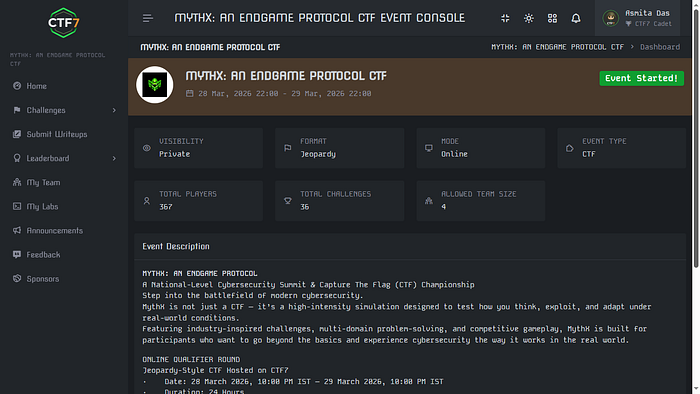
Four web challenges, a browser, and the humbling experience of learning that the most dangerous vulnerabilities are often the most obvious ones.
I went into the MythX CTF online qualifier having never captured a flag before. I was on a point where I just participated in other CTFs and came out with more confusion, so naturally I did not have many expectations but at the same time, I wasn't just going to give up.
MythX: An Endgame Protocol was a national-level cybersecurity summit CTF, hosted on CTF7, running for a full 24 hours in a jeopardy-style format. Domains ranged from cryptography to reverse engineering to OSINT. I stuck almost entirely to the Web category, partly because it felt most accessible, and partly because I had a browser and enough curiosity to do damage.
I solved four challenges. All web. No heavy tooling, just DevTools, page source, and an embarrassing amount of time staring at things that turned out to be obvious in hindsight. Here is how it went.
Source Dive
This was one of the first challenges I attempted, and looking back, it was probably designed to be a warm-up — the kind that rewards you for knowing where to look rather than how to exploit something complex.
The premise was simple: a web page, some JavaScript, and a secret somewhere inside it. The hint was in the name. "Source Dive." You dive into the source.
Most beginners (myself included, before I started this CTF) think of "the source" as just the HTML you get when you hit Ctrl+U. But modern web apps bundle and minify their JavaScript, and when developers forget to clean up after themselves, they sometimes ship something far more revealing: a source map.
Source maps are .js.map files that map minified, bundled JavaScript back to the original, readable source code. They exist to help developers debug production issues. When left publicly accessible, they hand anyone with a browser the original, unminified codebase — comments, variable names, logic, and sometimes secrets included.
The key insight: Check for
.js.mapfiles on any JavaScript bundle you find in a web app. If the bundle is at/static/app.js, try/static/app.js.map. It is one of the most overlooked misconfigurations in production deployments.
Opening the source map in this challenge revealed the flag.
Clicked on the /static/app.bundle.js, from there, added a ".map" to the url (/app.bundle.js.map). Got the flag directly here. It was the kind of thing that makes you think: developers who care deeply about security in their code sometimes forget that the code itself is shipped to the client.
PS: I dont have screenshots of the full process but here is the ending part of the source code that gave away the js bundle.
<div class="card"><span class="badge">Security</span><h3>Zero-Trust Mesh</h3><p>mTLS everywhere, RBAC at every layer. SOC2 Type II certified infrastructure.</p></div>
</div>
<div class="footer">© 2026 CTF7 Labs. All rights reserved. | Powered by NexusCloud v3.8.1</div>
<script src="/static/app.bundle.js"></script>
</body>
</html>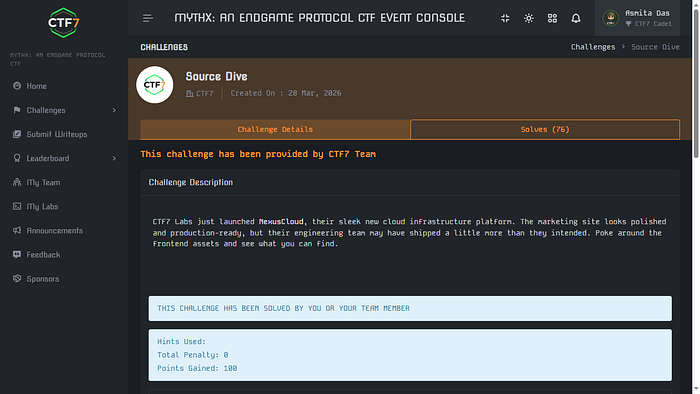
Disallowed Path
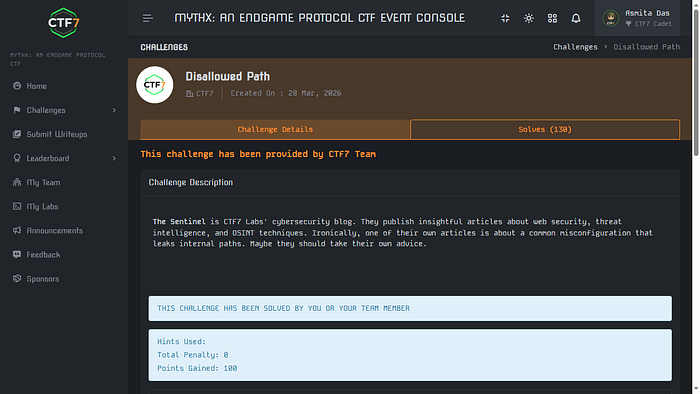
The challenge description introduced a fictional cybersecurity blog called The Sentinel, run by CTF7 Labs. It published articles about web security and OSINT. The description noted, with some irony, that one of their own posts was about a common misconfiguration that leaks internal paths. "Maybe they should take their own advice," it said.
I spun up the lab and was greeted with a clean blog listing four posts. One of them, dated March 18, was titled: "Why Your robots.txt Might Be Your Biggest Leak." The hint could not have been more on the nose.
- Navigated to /robots.txt on the challenge URL. The file listed several disallowed paths:
/admin,/wp-admin,/tmp,/internal,/api/debug. None of these had the flag — robots.txt tells crawlers where not to go, but it does not actually block humans. More importantly, it listed a sitemap.
CTF7 Sentinel Blog - Crawler Directives
User-agent: *
Allow: /
Disallow: /admin
Disallow: /wp-admin
Disallow: /tmp
Disallow: /internal
Disallow: /api/debug

# Indexing directives
Sitemap: /sitemap.xml
2. Opened /sitemap.xml. The file listed standard paths like /about, /categories, and /rss. But buried at the bottom, after a HTML comment reading "staging content — remove before go-live", was a path: /c7f8-staging-panel. Contents is shown below:
<urlset xmlns="http://www.sitemaps.org/schemas/sitemap/0.9">
<url>
<loc>/</loc>
<lastmod>2026-03-22</lastmod>
<priority>1.0</priority>
</url>
<url>
<loc>/about</loc>
<lastmod>2026-03-01</lastmod>
<priority>0.8</priority>
</url>
<url>
<loc>/categories</loc>
<lastmod>2026-03-15</lastmod>
<priority>0.7</priority>
</url>
<url>
<loc>/rss</loc>
<lastmod>2026-03-22</lastmod>
<priority>0.5</priority>
</url>
<!--  staging content - remove before go-live  -->
<url>
<loc>/c7f8-staging-panel</loc>
<lastmod>2026-03-20</lastmod>
<priority>0.1</priority>
</url>
</urlset>
Navigated to /c7f8-staging-panel. Flag was there. The developer had planned to remove the staging path from the sitemap but never did — a very real mistake that happens in production deployments all the time.
I did get briefly sidetracked by the
/rssfeed, which referenced a domain calledsentinel.ctf7.io. I spent some time trying to access it as a separate domain, got DNS errors, then tried using it as a path. None of it worked — it was the intended mislead of the challenge, designed to pull you away from the actual trail. The lesson there: follow the methodology, not the rabbit hole.
JS Vault
The setup here was a product called KeyForge — a vault that claimed to be ultra-secure, protecting a stored secret behind a mysterious access code. The "About" page proudly described their "cutting-edge security architecture." The description asked: can you retrieve the secret?
The About page itself gave it away if you read carefully. It mentioned three things about how the vault works: client-side access code verification, JavaScript obfuscation, and some kind of secure JavaScript engine. The phrase client-side verification is a red flag in any security context. If the verification logic runs in the browser, the browser has the logic — and so does anyone who knows where to look.
I opened the source of the access code submission page and found a script tag pointing to static/vault.js.
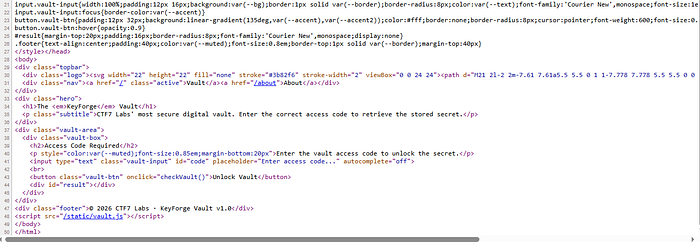
Clicking /static/vault.js gave me this:
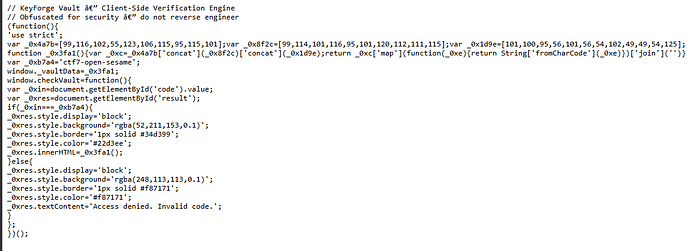
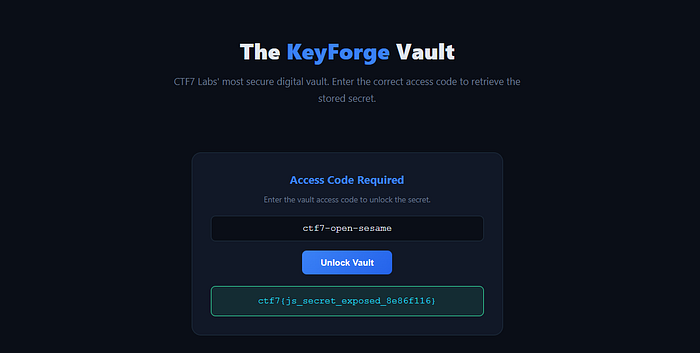
I put it on copilot to analyze the code. The obfuscation technique used here is straightforward: three arrays of ASCII character codes are concatenated and mapped through String.fromCharCode() to produce the hidden string. The code is not actually encrypted — it is just inconvenient to read at a glance. Once you understand what the arrays represent, you can decode the flag without even running the code. But there was also a much lazier path: the access code ctf7-open-sesame was sitting in plain sight as a variable. Entering it in the form made the page call _0x3fa1() and display the decoded flag directly.
SQL Injection Login Bypass
The premise: a company login portal protected by a Web Application Firewall. Management was confident no one could get past it. The admin account had a randomly generated password, so brute force was off the table. Find another way in.
I opened the challenge and entered random values in the username and password fields. Invalid credentials. As expected. Then I tried a single apostrophe (') in the username field and got back an error processing query message. SQL injection confirmed — the input was not being sanitized and was hitting a database query directly.
From here it got interesting. I tried the classic payload ' OR 1=1 -- and got a WAF block. The firewall was catching it. So I started mapping what was and wasn't being filtered — a process called WAF fingerprinting. Through trial and error, I found that OR (uppercase) was blocked, comment sequences like -- were blocked, but certain alternatives slipped through.
- WAF fingerprinting: Tested individual characters and keywords to identify what the firewall was catching. Found that
ORand--were blocked. - WAF bypass: Switched to lowercase, dropped comments, and used balanced quote logic. The key insight was that the WAF was doing simple string matching — not semantic analysis of the SQL.
- Multi-field injection: The winning payload was applied to both the username and password fields simultaneously. Using
' or 2>1 or 'in both fields caused the query logic to evaluate to true without triggering the WAF's blocked patterns. The flag appeared on login.
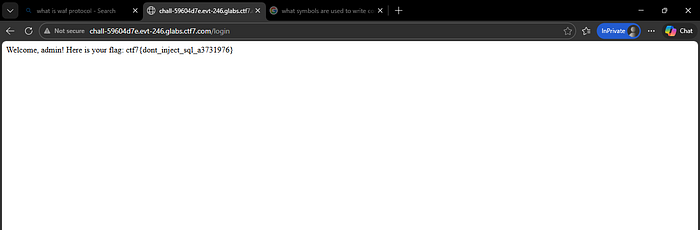
This challenge was a good reminder that WAFs are not a silver bullet. They inspect traffic for known patterns, but a determined attacker with enough time to probe the filter can usually find payloads that slip through. The real fix is parameterized queries at the database layer — input never touches the SQL string.
Four challenges, four flags, and a lot more respect for how quietly dangerous simple misconfigurations can be. The tools I used were mostly just a browser — no scripts, no scanners, no exotic tooling. Just curiosity and a willingness to look one layer deeper than the surface.
If you've done CTFs before and have thoughts on approach, payloads, or anything I missed — I'd genuinely love to hear it in the comments. Everyone started somewhere.
This is my second blog on Medium. If you are curious then feel free to give my first blog a quick read — https://medium.com/@das.asmita142/first-time-ctfs-are-a-harsh-reality-check-65bf68def189
Signing off here, have a nice day!
Thanks for Reading!