
In the modern cloud era, Azure Functions are hailed as the gold standard for agility. We write our code, push it to the cloud, and let Microsoft handle the scaling, patching, and infrastructure. It's "Serverless" a term that often gives developers a false sense of immunity.
But as a Cloud Security Engineer, I've realized one thing: The server might be abstracted, but the vulnerability remains.
Today, I'm taking you on a deep dive into a recent investigation where a simple image-upload feature in an Azure Function became a gateway for a Server-Side Request Forgery (SSRF) attack.

The Architecture: What is an Azure Function?
Before we talk about the "break-in," we need to understand the "house." An Azure Function is an event-driven, compute-on-demand platform. It's designed to run a specific piece of logic (like processing an image or updating a database) whenever a "Trigger" occurs.
In our scenario, we have a web application that allows users to provide a URL of an image. The Azure Function then:
- Triggers via an HTTP request.
- Fetches the image from the provided URL.
- Saves that image to Azure Blob Storage.
It's an elegant, scalable solution. But it hides a dangerous assumption: That the user will only provide a URL to a harmless image.
The Threat: What is SSRF?
Server-Side Request Forgery (SSRF) is a vulnerability where an attacker "tricks" the server into making a request to a destination it wasn't supposed to visit.
Think of it this way: Imagine a security guard who is authorized to access any room in a building. If you ask the guard to grab a coffee from the breakroom, that's fine. But if you ask the guard to go into the locked server room and tell you what's on the monitors, and they do it because they have the badge that's SSRF. You don't have the badge, but you're 'borrowing' the guard's identity to bypass the locks.
In the cloud, the Azure Function is "inside the building." It has access to internal files and networks that the public should never see.
The Setup: A Simple Function with a Hidden Flaw
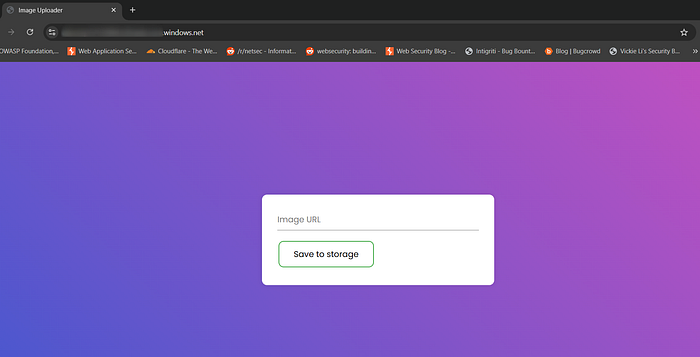
Imagine a common use case: A web application that allows users to upload images via a URL. The backend logic is powered by an Azure Function. When a user submits a link, the Function wakes up, fetches the image data from that URL, and saves it to an Azure Storage account.
Phase 1: The "Normal" Path
To understand the exploit, we first have to understand the intended use. I started my investigation by acting as a legitimate user. I provided a standard URL to a .jpg file hosted on a public server.
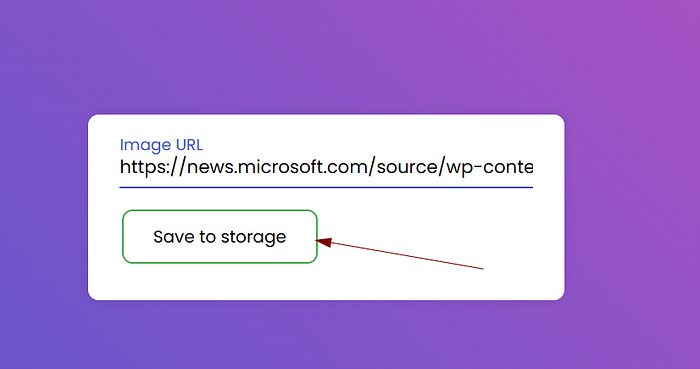
The Azure Function worked exactly as advertised:
- It received the URL.
- It made an outbound request to fetch the image.
- It processed the bits and generated a successful download link at the bottom of the page.
At this point, the application looks secure. It's doing exactly what the developer intended. But the security flaw lies in untrustworthy input. The application assumes that the URL provided will always point to an external, harmless image file.

The Investigation: Breaking the File Barrier
Once I confirmed the "happy path," it was time to test the boundaries. This is where we move into the realm of Server-Side Request Forgery (SSRF). SSRF occurs when we trick a server into making requests to locations it shouldn't access in this case, its own internal file system.
Phase 2: Breaking the "File" Barrier
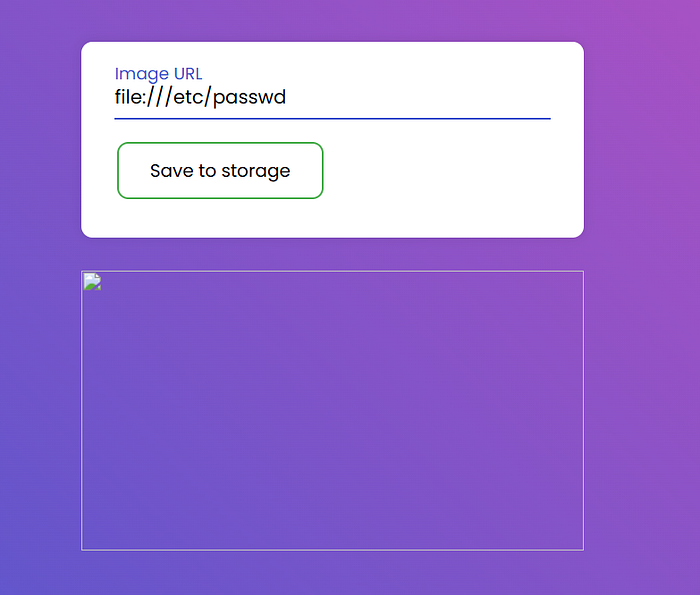
My first goal was to see if the Azure Function's fetch logic was restricted to web protocols (http/https). I decided to test the file:// scheme, which directs the operating system to look at its own local files.
I submitted the following payload into the URL field:
file:///etc/passwd
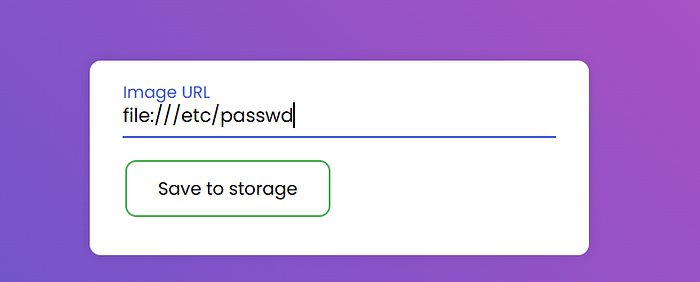
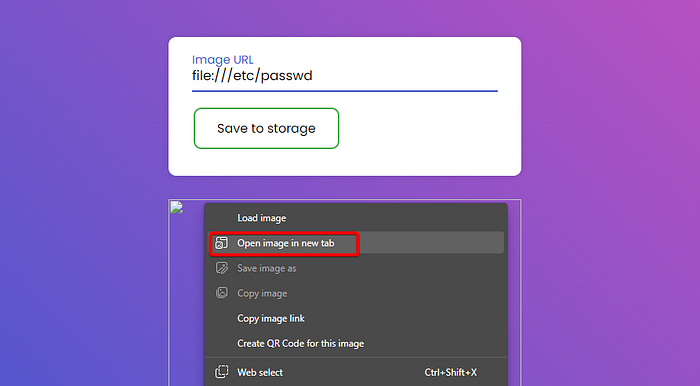
The Discovery: The web interface responded with a broken image icon. To a casual observer, it looks like a failed upload. But to a researcher, a broken image is often a sign of success.
I right-clicked the broken icon and chose "Open image in new tab." A file downloaded to my machine.
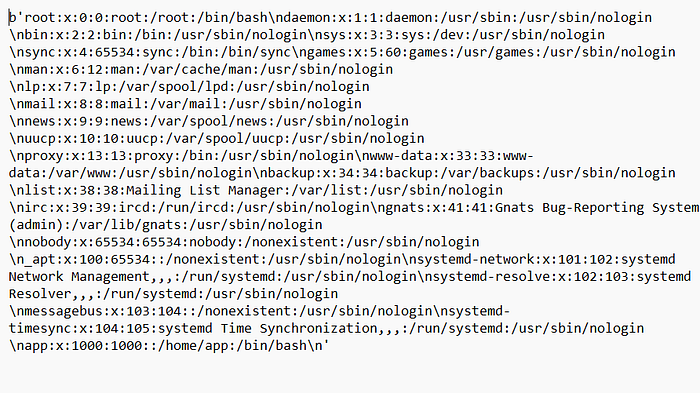
When I opened it in a text editor, I wasn't looking at image data. I was looking at the /etc/passwd file the heart of Linux user management retrieved directly from the container running the Azure Function.
Phase 3: Exposing the Runtime Environment
With the local file system now "talking" to me, I wanted to map out the environment. In Azure, the container's state is often reflected in its environment variables. I targeted the process environment file:
file:///proc/self/environ
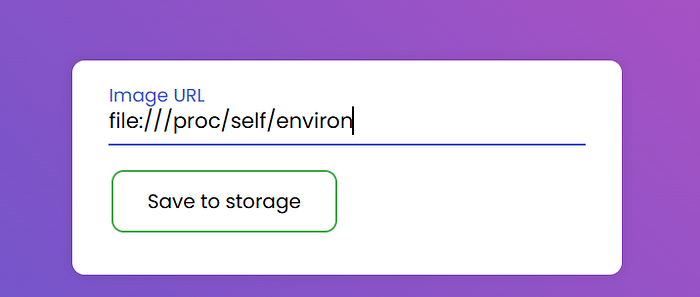
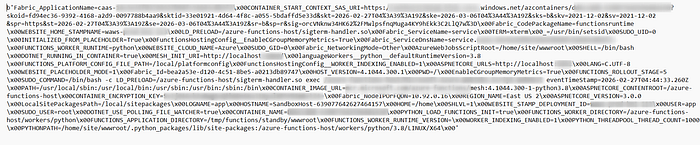
The Discovery: This was a breakthrough. The resulting file was packed with granular details that should never be exposed to the public. It revealed the Function Worker Runtime, the Container Image URLs, and specific internal paths.

By analyzing these variables, I gained a blueprint of the application's internal structure. I wasn't just guessing anymore I had clear information about the specific versions of the software running behind the scenes, which is exactly the kind of intelligence an attacker uses to find further exploits.
Phase 4: The Jackpot — The local.settings.json Leak
Many developers accidentally deploy local.settings.json (which holds local API keys and secrets) to production. I targeted the path:
Payload: file:///home/site/wwwroot/local.settings.json
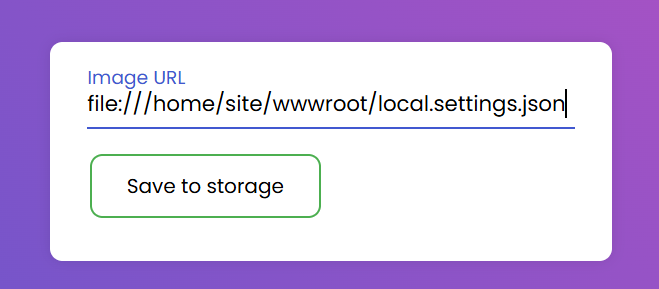
The Result: The file was retrieved. Within seconds, I had the Connection Strings for the application's storage account. This is the "game over" moment where an attacker gains full data access.

Moving Beyond the Exploit
Finding a vulnerability is one thing; managing the risk across an enterprise environment with thousands of Azure Functions is another. As a Cloud Security Engineer, my role isn't just to "patch a bug" it's to implement Guardrails that make these vulnerabilities impossible to reach.
How a Cloud Security Engineer Deals with This
If I discovered this SSRF in a production environment today, my response wouldn't stop at the code. I would implement a multi-layered defense:
- Automated Secret Scanning: Integrate tools into the CI/CD pipeline that automatically scan for sensitive files like
local.settings.json. If a developer commits a secret, the build is killed before it ever reaches the cloud. - Infrastructure as Code (IaC) Scanning: Use Bicep or Terraform scanning tools to ensure that functions are never deployed to the public internet without proper network controls (like VNet Integration).
- Egress Filtering: By using an Azure Firewall or a Network Virtual Appliance (NVA), we can restrict where the Azure Function can "talk." Even if an attacker finds an SSRF, if the firewall only allows outbound traffic to
api.trustedpartner.com, thefile://or internal metadata requests will simply time out.
Conclusions
Organizations often fall into the trap of thinking "Serverless = Secure." To stay resilient, leadership and architecture teams must internalize these three realities:
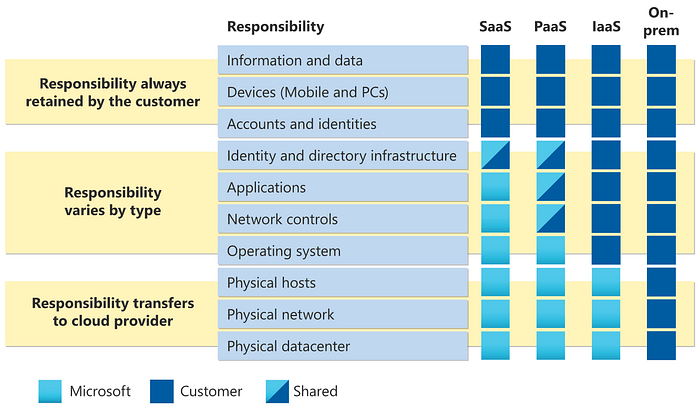
- The Shared Responsibility Model Still Applies: Microsoft secures the fabric; you secure the logic. SSRF is a logic flaw, not a platform flaw. No amount of cloud-native magic can fix a Function that blindly trusts user input.
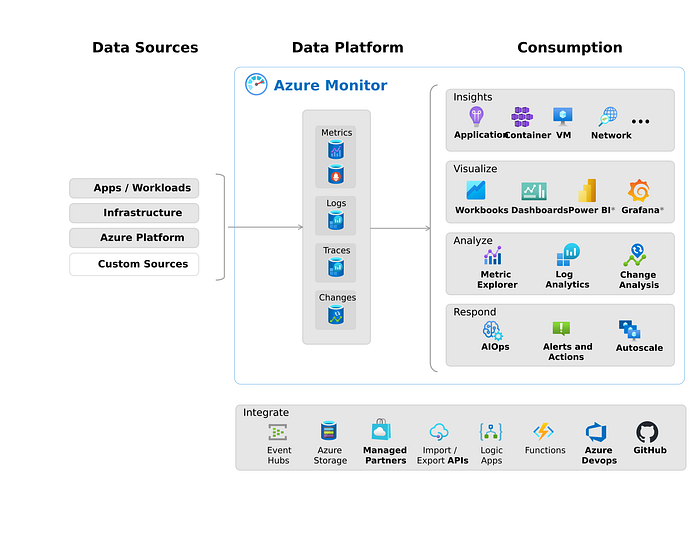
- Observability is Your Best Friend: You cannot defend what you cannot see. Organizations must enable Azure Monitor and Application Insights. If a Function suddenly starts making requests to
localhostor internal IP ranges, your SOC should receive an automated alert immediately.
- Developer Education is the Greatest ROI: We can buy a million dollars' worth of security tools, but a briefing for developers on Input Validation and Secure Deployment is often more effective. Security must be a "Shift Left" priority, not an afterthought.
Final Thoughts
The "Serverless Illusion" is only dangerous if we stop looking under the hood. By combining secure coding practices with robust cloud governance, we can harness the power of Azure Functions without leaving the back door wide open.
The cloud is a powerful tool, let's make sure we're the ones holding the keys.