
Modern web applications rely heavily on client-side JavaScript to create dynamic and interactive user experiences. While this improves usability and responsiveness, it also introduces new security risks when user-controlled data is processed directly in the browser. One of the most common vulnerabilities that arises from this behavior is DOM-based Cross-Site Scripting (DOM XSS), where malicious input is executed by manipulating the Document Object Model (DOM) without necessarily involving the server.
Lab 6 : DOM XSS in jQuery selector sink using a hashchange event
In this lab, the vulnerability appears on the home page of the application. The page uses jQuery's $() selector function to automatically scroll to a specific post based on a value taken from the location.hash portion of the URL. Because the value from location.hash is directly processed by the JavaScript code without proper validation or sanitization, an attacker can craft a malicious URL that injects executable code into the page. When the victim opens this specially crafted link, the browser executes the injected script.
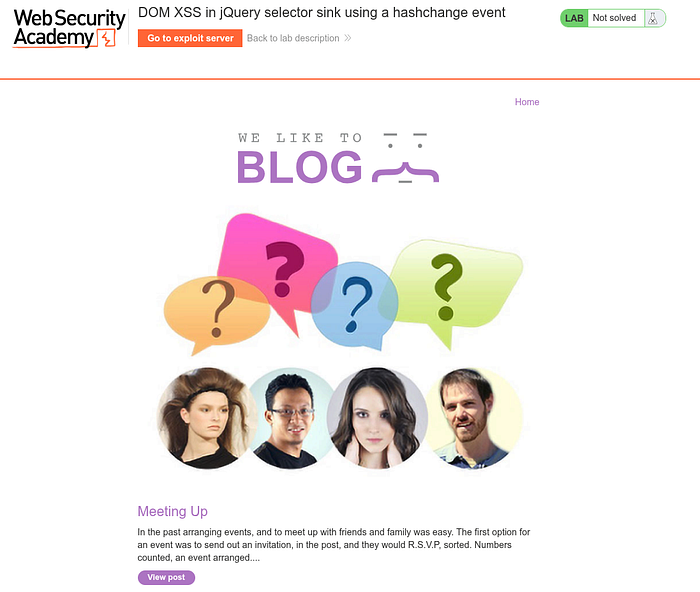
and this lab provides an exploit server. The server is used to host and send exploits to victims so that the XSS payload can be executed.

and in this lab, the vuln script is this:

<script> $(window).on('hashchange', function(){ var post = $('section.blog-list h2:contains(' + decodeURIComponent(window.location.hash.slice(1)) + ')'); if (post) post.get(0).scrollIntoView(); }); </script>
The script has a DOM-based Cross-Site Scripting vulnerability because it processes input from the URL (window.location.hash) directly into the jQuery selector without secure validation or sanitization.
location.hash retrieves the fragment part of the URL after the # sign.
for example try to scroll to bottom of the web and look for the last blog
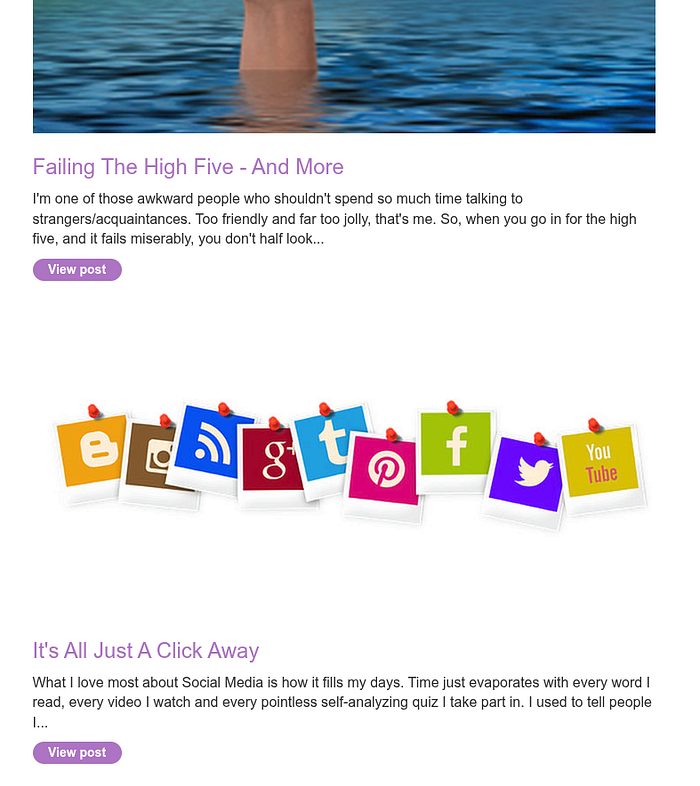
here we see "It's All Just A Click Away" in the bottom of the blog, now we try changing the url into:

it will direct you to the bottom of the web and show the "It's All Just A Click Away" blog
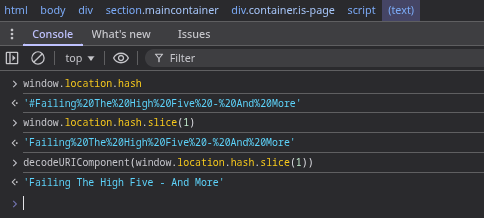
now we try go to console and see how the script work, and for the output, we can see from the script decodeURIComponent(window.location.hash.slice(1)) and from the script:

This selector means Find the <h2> element within the section.blog-list that contains that text. If the element is found, jQuery will return it.
Its relationship with DOM XSS Because the value of window.location.hash is directly entered into the selector :
:contains(userInput)
Attackers can manipulate input to break the selector, insert HTML, and trigger JavaScript
This is what causes DOM-based XSS vulnerabilities.
and if we try a simple payload,
{url}/#<img src=1 onerror=print()>
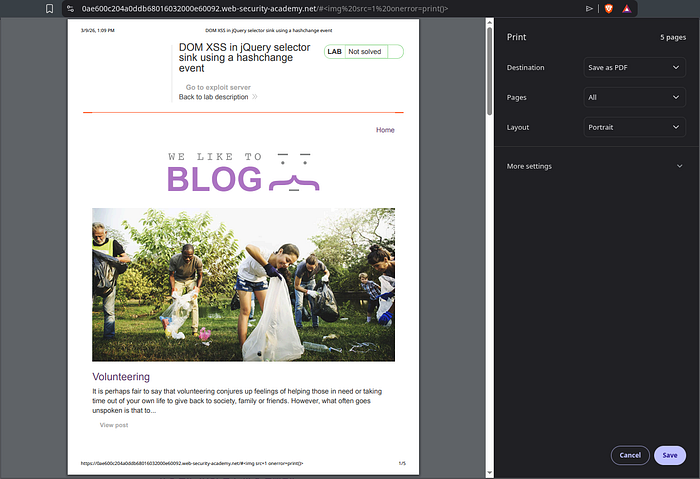
the output will look like this and it run the payload and print() here is a built-in JavaScript function that calls the browser's print dialog (usually to print the page or save it as a PDF).
However, this alone is not enough, because after triggering the script once, the payload will no longer work after we reload the page or reopen it, unless we use a new payload.
now we go to exploit server and for the body, we fill it with
<iframe src="https://{ID}.web-security-academy.net//#" onload="this.src+='<img src=x onerror=print()>'"></iframe>
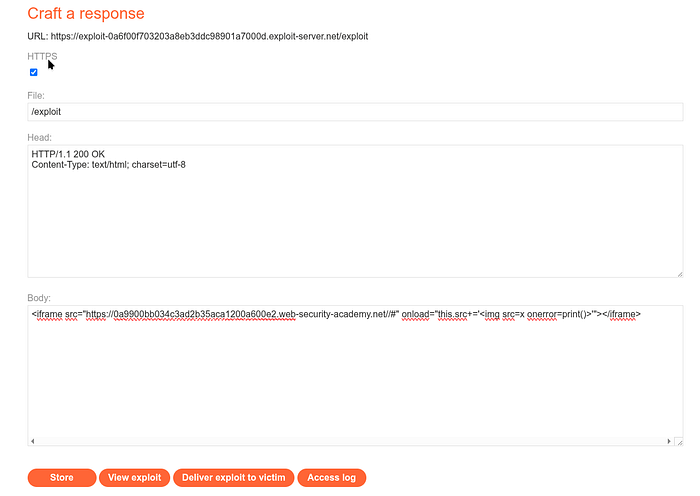
and if we see the view exploit, the view will look like this
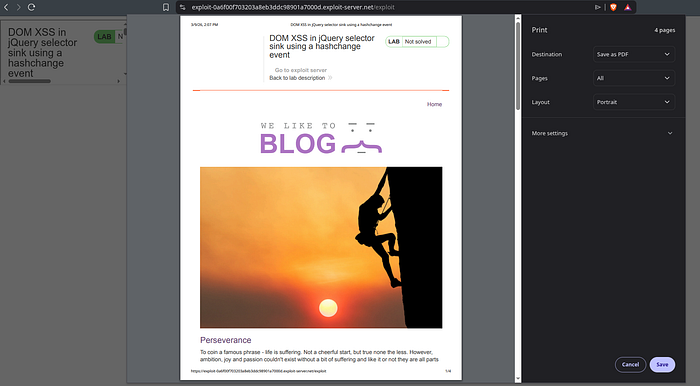
here we can see in /exploit its always doing the print() command even when we try to close it
and whe we see the Access log
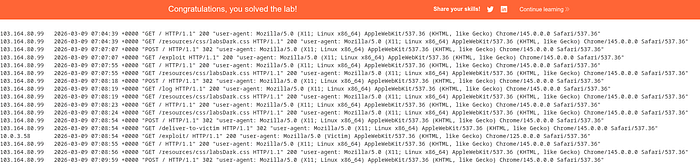
The sequence of events from the log is: 1. You open the exploit server 2. You save the exploit (POST /) 3. You view the exploit (GET /exploit) 4. You press Deliver to victim 5. Victim (10.0.3.58) opens /exploit 6. Iframe loads the target website 7. Payload enters location.hash 8. DOM XSS occurs 9. print() is executed in the victim's browser
The payload continues to run even in an iframe. Because DOM XSS occurs in client-side JavaScript and iframes continue to run the target page's JavaScript, the exploit remains successful.
Conclusion
The Exploit Server has been provided specifically to simplify the attack demonstration process. In the real world, attackers do not have access to such servers, but they will use their own servers. When I create an exploit page on the exploit server, you are actually creating a web page hosted by the attacker's server.

When you click Store, the server saves it as:
So /exploit is actually just the URL of the exploit page you created.
When you click "Deliver to victim" In the lab, the system opens the URL:
/exploit
The victim's browser visits the page, then the exploit page runs the payload, and finally the payload attacks the target website. and for the example:
<iframe src="https://target-site.com//#" onload="this.src+='<img src=x onerror=print()>'"> </iframe>
This is only a simulation of the victim opening the attacker's link.
In a real-world scenario, attackers do not have access to the PortSwigger Exploit Server, so they create their own website. There, attackers host exploit pages.
Example: https://evil-site.com/exploit.html
The attacker will attempt to get the victim to open the page through phishing emails, chat messages, forums, etc.
When the victim opens the link, the flow will be as follows: Victim Browser -> evil-site.com/exploit.html -> iframe load -> target-site.com -> DOM XSS triggered
The payload is then executed on the target-site.com domain, not on the attacker's domain.
In the lab, only run: print()
But in the real world, attackers usually:
- steal session cookies
- steal CSRF tokens
- perform account takeovers
- run malicious actions on behalf of users
What are your thoughts of this? Feel free to share your insights or questions! I'd love to hear from you!