
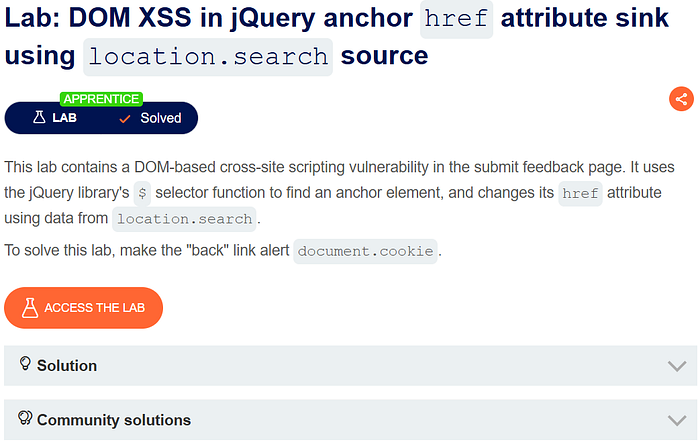
When I first opened this lab, I made the same mistake most beginners make:
I tried to inject <script>alert(1)</script> and waited for magic.
Nothing happened.
That's when I realised this lab isn't about breaking HTML. It's about understanding how browsers treat URLs.
Step 1: Understand What the Page Is Doing (Not the Payload)
The vulnerable page has a Submit Feedback form and a Back link.
At first glance, nothing looks dangerous. No input is printed on the page. No obvious reflection.
So instead of testing payloads, the first question should be:
"Where does the page get the Back link URL from?"
Step 2: Trace the Input Source
By observing the URL, you notice a parameter like:
?returnPath=/homeThis is the source.
Now inspect the Back link in the browser.
You'll see something like:
<a href="/home">Back</a>That's the moment everything clicks.
Your input from the URL is being placed directly inside the href attribute.
Step 3: Identify the Sink (This Is the Core Skill)
The page uses JavaScript (via jQuery) to do something like:
- Read
location.search - Extract
returnPath - Assign it to an anchor's
href
This is the sink:
Anchor href attributeImportant realization:
hrefis not just text — it's an instruction to the browser.
Step 4: Why <script> Payloads Fail Here
Many beginners get stuck here.
If you try:
<script>alert(1)</script>It doesn't work. Why?
Because:
- Your input is not going into HTML markup
- It's going into an attribute
- Browsers do not execute
<script>insidehref
So this is not an HTML injection problem.
This is a browser behavior problem.
Step 5: Think Like the Browser, Not Like HTML
At this point, stop thinking about tags.
Ask one question:
"What values does a browser execute inside
href?"
The answer:
http://https://mailto:tel:javascript:
That's the breakthrough.
Step 6: Exploit the Browser's URL Handling
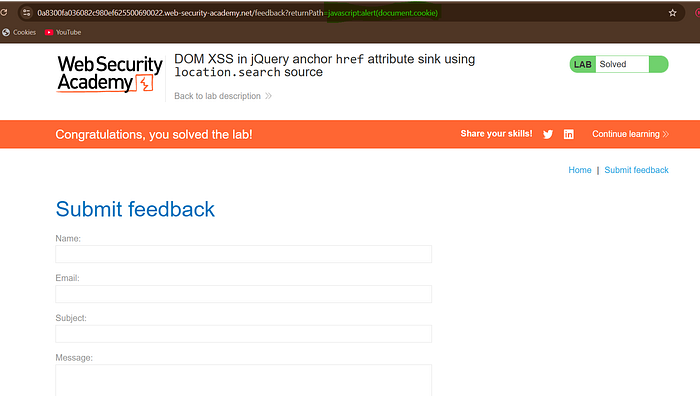
Now instead of injecting HTML, you inject a JavaScript URL scheme:
javascript:alert(document.cookie)This value is placed directly into:
<a href="javascript:alert(document.cookie)">Back</a>When the user clicks Back, the browser executes JavaScript.
No <script> tag.
No DOM breaking.
No reflection.
Just pure DOM XSS.
Step 7: Why This Is DOM XSS (And Why It's Dangerous)
This attack:
- Never touches server-side HTML
- Happens entirely in the browser
- Uses JavaScript logic to modify the DOM
That's why scanners miss it. That's why developers overlook it. That's why attackers love it.
Step 8: Why This Lab Matters in the Real World
Modern applications (2026):
- Use React, Vue, jQuery
- Dynamically modify the DOM
- Trust URL parameters for navigation
Developers often assume.
"It's just a link."
But browsers don't see links as text. They see them as commands.
Any time user input controls:
hreflocation.hrefwindow.open()
You should smell XSS.
Step 8: Why This Lab Matters in the Real World
Modern applications (2026):
- Use React, Vue, jQuery
- Dynamically modify the DOM
- Trust URL parameters for navigation
Developers often assume:
"It's just a link."
But browsers don't see links as text. They see them as commands.
Any time user input controls:
hreflocation.hrefwindow.open()
You should smell XSS.
Final Learning Takeaway
This lab teaches a brutal but important lesson:
XSS is not about injecting tags. XSS is about controlling execution paths.
Once you understand:
- Source → Sink → Browser behavior
- Attribute context vs HTML context
- Why
javascript:is dangerous
You stop guessing and start seeing vulnerabilities.
That's the shift from solving labs to thinking like a real bug bounty hunter.