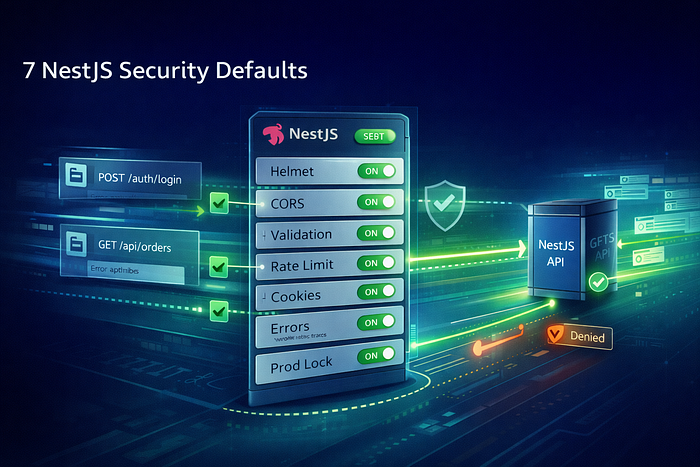

Top 7 NestJS security defaults to enable today: Helmet headers, strict CORS, ValidationPipe, rate limiting, CSRF-safe cookies, logging hygiene, and prod hardening.
NestJS makes it easy to ship a clean API. That's the good news.
The other news? A "clean" API can still be surprisingly open by default — open to oversized payloads, noisy error leaks, cross-origin weirdness, brute-force attempts, and the classic "oops, we exposed docs in prod."
And let's be real: security work rarely gets a dedicated sprint. So the best strategy is to bake it into defaults — things you enable once and stop thinking about every day.
Below are 7 NestJS security defaults I'd enable on almost every production service. Not because they're trendy. Because they prevent the kinds of issues that show up at 2 AM.
The secure-default blueprint in NestJS
Before the list, here's the mental model. You want protection at four layers:
- Edge rules (CORS, headers, proxies)
- Request shaping (validation, payload limits)
- Abuse control (rate limits, auth throttles)
- Safe output (error hygiene, logging hygiene)
If you cover these, your API becomes harder to misuse — by attackers and by accident.
1) Enable security headers (Helmet)
Security headers are cheap insurance. They don't replace auth, but they do reduce "free" browser attack surface like clickjacking and MIME sniffing.
In NestJS (Express):
import helmet from 'helmet';
import { NestFactory } from '@nestjs/core';
import { AppModule } from './app.module';

async function bootstrap() {
  const app = await NestFactory.create(AppModule);

  app.use(
    helmet({
      // Start with defaults. Add CSP once you know your frontend needs.
      contentSecurityPolicy: false,
    }),
  );

  await app.listen(3000);
}
bootstrap();
Why this is a "default": you don't want every service team remembering which headers matter. Put it in the bootstrap, and move on.
2) Set strict CORS with an allowlist (not "*")
CORS is one of those things people "temporarily open" and then forget. Six months later, it's still wide open.
A practical NestJS default:
app.enableCors({
  origin: (origin, cb) => {
    const allowlist = new Set([
      'https://app.example.com',
      'https://admin.example.com',
    ]);

    // server-to-server requests often have no Origin header
    if (!origin) return cb(null, true);

    return allowlist.has(origin) ? cb(null, true) : cb(new Error('CORS blocked'), false);
  },
  credentials: true,
  methods: ['GET', 'POST', 'PUT', 'PATCH', 'DELETE'],
  allowedHeaders: ['Content-Type', 'Authorization'],
  maxAge: 600,
});
Two rules you should treat as non-negotiable defaults:
- Don't use
origin: *if you use cookies/credentials. - Prefer explicit allowlists over regex "magic."
3) Turn on ValidationPipe globally (and make it strict)
This one is huge. Input validation is where many real-world bugs and security issues begin: unexpected shapes, extra fields, type confusion, and "why did that query param become an object?"
Enable it globally:
import { ValidationPipe } from '@nestjs/common';

app.useGlobalPipes(
  new ValidationPipe({
    whitelist: true,            // strips unknown properties
    forbidNonWhitelisted: true, // throws if extra fields appear
    transform: true,            // transforms payloads to DTO types
    transformOptions: { enableImplicitConversion: false },
  }),
);
Why this is security: strict DTO validation prevents mass-assignment style issues and reduces attack surface from weird payloads. It also makes your API behavior predictable (which is underrated).
4) Add rate limiting (especially on auth + side effects)
You don't need to rate limit everything aggressively. But you do need defaults for endpoints that are magnets for abuse:
- login / OTP / password reset
- search endpoints (expensive queries)
- exports, emails, webhooks triggers
In Nest, the common approach is the Throttler module, enabled globally with route overrides.
Conceptually:
- Global baseline limit (moderate)
- Stricter limits for
/auth/* - Maybe higher limits for internal traffic (based on network/keys)
If your service has public endpoints, skipping rate limiting is basically leaving the door unlocked "because we have alarms."
5) Make cookies safe by default (HttpOnly, Secure, SameSite)
Even if you mostly use bearer tokens, cookie defaults matter the moment you add refresh tokens, sessions, or admin panels.
The secure cookie defaults most teams should start from:
HttpOnly: true(JS can't read it)Secure: true(HTTPS only)SameSite: Lax(good baseline vs CSRF)- short, intentional
Path
In NestJS, this typically sits where you set cookies (controller/interceptor) and in your proxy config.
Let's be real: the difference between "token got stolen via XSS" and "XSS happened but tokens were protected" is often one cookie flag.
6) Production-safe errors (no stack traces, no internal details)
Nest's exception system is great, but many apps still leak too much by accident — especially when developers return raw errors or log request bodies.
A secure default here is:
- In prod: return generic
500messages - Log full error internally (structured logs)
- Never leak secrets in logs or error payloads
A simple global exception filter helps enforce the rule consistently across teams.
Also: don't return different error messages for "user exists" vs "wrong password." That's free account enumeration.
7) Lock down "developer conveniences" in production
This is the "it wasn't supposed to be public" category:
- Swagger docs exposed on prod
/metricsopen to the world- debug endpoints
- verbose request logging
- permissive proxy trust settings
Default rule:
- Swagger only in non-prod, or behind auth + IP allowlist
- Metrics behind auth / internal network
- Debug features require explicit enablement
If you've never seen a production outage caused by a "temporary debug route," you will. Eventually.
Architecture flow: how these defaults fit together
Here's the clean request lifecycle you're aiming for:
Client
  ↓
CORS allowlist + security headers (global)
  ↓
Body limits + parsing
  ↓
DTO validation (whitelist + forbid extras)
  ↓
Auth guards / session checks
  ↓
Rate limits (global + stricter on sensitive routes)
  ↓
Controllers / Services
  ↓
Exception filter (safe responses, structured logs)
The theme is consistent: reject bad requests early, and never let "surprising input" reach business logic.
A quick "secure bootstrap" starter for main.ts
If you want one place to start, it's your main.ts.
import { NestFactory } from '@nestjs/core';
import { ValidationPipe } from '@nestjs/common';
import helmet from 'helmet';
import { AppModule } from './app.module';

async function bootstrap() {
  const app = await NestFactory.create(AppModule);

  app.use(helmet({ contentSecurityPolicy: false }));

  app.enableCors({
    origin: (origin, cb) => {
      const allowlist = new Set(['https://app.example.com']);
      if (!origin) return cb(null, true);
      return allowlist.has(origin) ? cb(null, true) : cb(new Error('CORS blocked'), false);
    },
    credentials: true,
    methods: ['GET', 'POST', 'PUT', 'PATCH', 'DELETE'],
    allowedHeaders: ['Content-Type', 'Authorization'],
    maxAge: 600,
  });

  app.useGlobalPipes(
    new ValidationPipe({
      whitelist: true,
      forbidNonWhitelisted: true,
      transform: true,
    }),
  );

  await app.listen(3000);
}
bootstrap();
This isn't "complete security." But it's a strong set of defaults that prevents the most common footguns.
Conclusion: the best security wins are boring
If your NestJS service depends on engineers remembering security details on every new controller, it will drift. People are busy. Deadlines are loud.
Secure defaults are how you win anyway.
Enable the headers. Tighten CORS. Validate inputs strictly. Rate limit the obvious abuse points. Keep cookies safe. Sanitize errors. Hide dev tools in prod. Then build features with fewer surprises.
CTA: Want a tailored "secure defaults" checklist for your NestJS app? Comment with: (1) Express or Fastify, (2) JWT vs cookies, (3) frontend domains, and (4) whether it's public or internal — and I'll suggest the cleanest baseline config.