Hello, in this article I will demonstrate the integration of Gitleaks, Njsscan, Semgrep, and DefectDojo into a CI/CD pipeline for automated security scanning and vulnerability management.
I have used OWASP Juice Shop to demonstrate the workflow, but the same process can be applied to any application.
I will also attach the .gitlab-ci.yml configuration file for reference.
First, fork the OWASP Juice Shop repository into your GitLab account and create a new file named .gitlab-ci.yml.
This is the primary configuration file used to define and customize the CI/CD pipeline. In a typical scenario, a software engineer or DevOps engineer would push configuration changes. For demonstration purposes, we can add a simple configuration change and commit it to trigger the pipeline.
Next, navigate to Build → Pipeline Editor, add a simple configuration change as shown in the image, and click on "Commit changes" to trigger the pipeline.
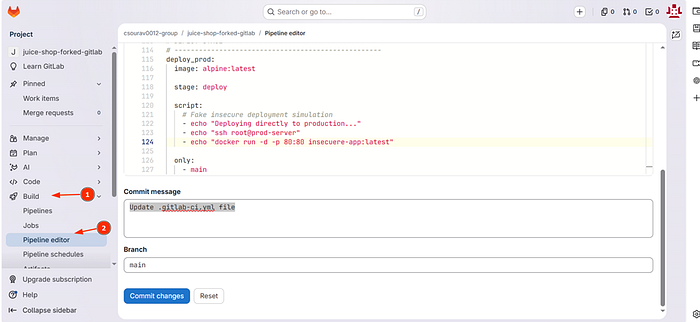
Allow the pipeline to execute successfully before proceeding to the next step.
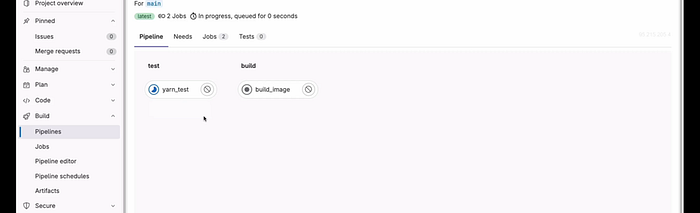
Next, we will integrate Gitleaks, a secrets-detection tool used to identify sensitive information such as API keys, passwords, tokens, and credentials in source code repositories.
Add the following configuration to the GitLab pipeline. The configuration can also be found in the official GitLab documentation.
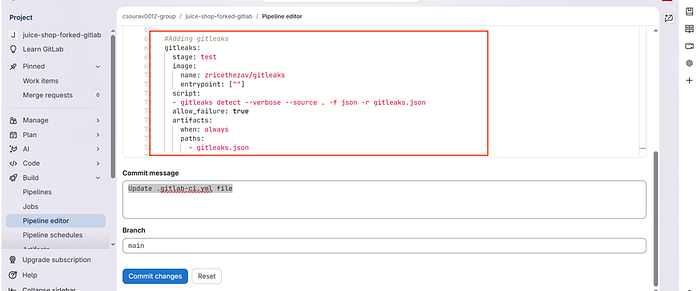
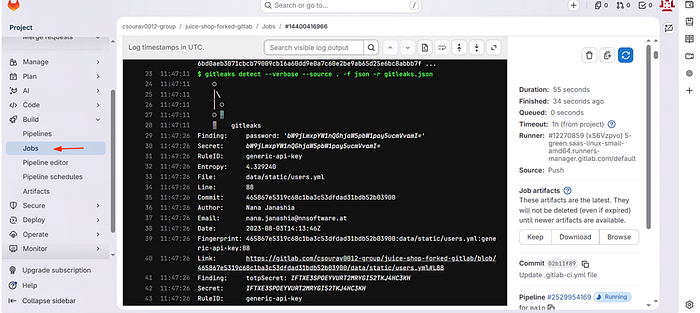
After adding the configuration, commit the changes and wait for the build process to complete. Once the pipeline finishes, navigate to the Jobs section to review the results.
The scan identifies multiple exposed secrets and potential security issues within the repository.
Relying on a single scanning tool is inefficient, so we will integrate additional tools such as Semgrep and Njsscan, especially since the application is built using Node.js.
In real-world environments, multiple developers work on different features simultaneously. Managing vulnerabilities manually becomes difficult, making a centralized vulnerability management platform is necessary. DefectDojo helps solve this problem by providing a centralized dashboard for end-to-end vulnerability management.
DefectDojo also supports role-based access control (RBAC), allowing organizations to implement the principle of least privilege. Developers can be assigned limited permissions for managing findings, while managers or security leads can be granted higher administrative privileges.
Once Gitleaks has been integrated successfully, the next step is to integrate Njsscan and Semgrep and commit the changes.
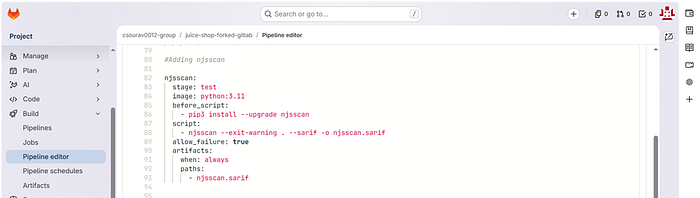
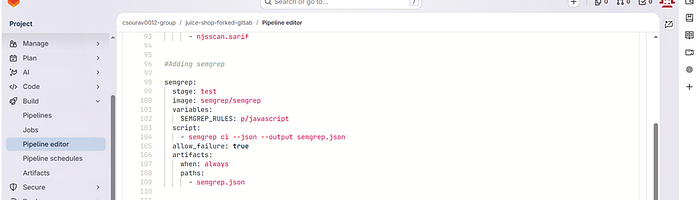
Next, we will integrate DefectDojo. In production environments, DefectDojo can be hosted on an EC2 instance or a private server. For this demonstration, we will use the public preview available on the official DefectDojo website.
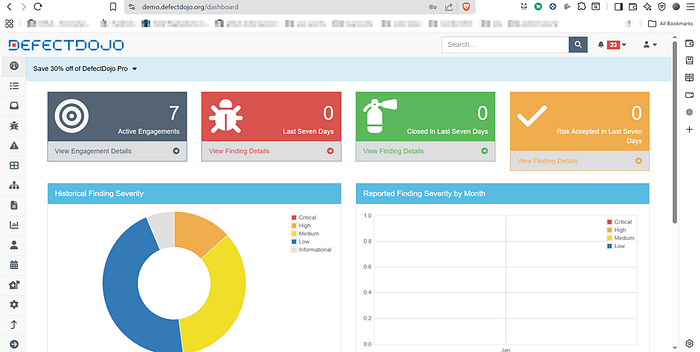
Next, we will import the findings into DefectDojo. Before importing the results, we must first download the scan reports generated by the pipeline.
Navigate to the Jobs section and download the scan reports from the pipeline artifacts.
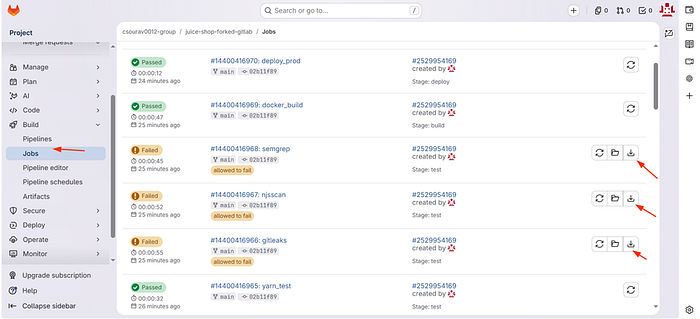
The next step is to create a Product Type in DefectDojo.
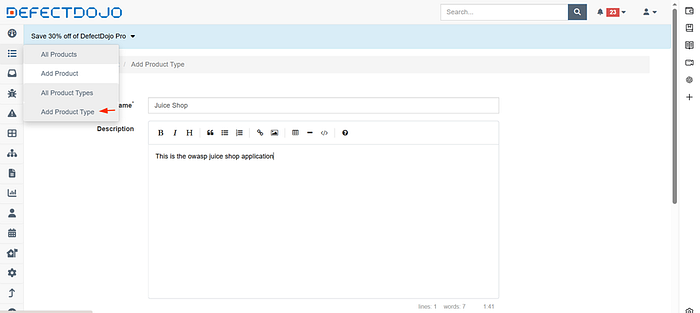
After creating the Product Type, create a Product and fill in the required details.
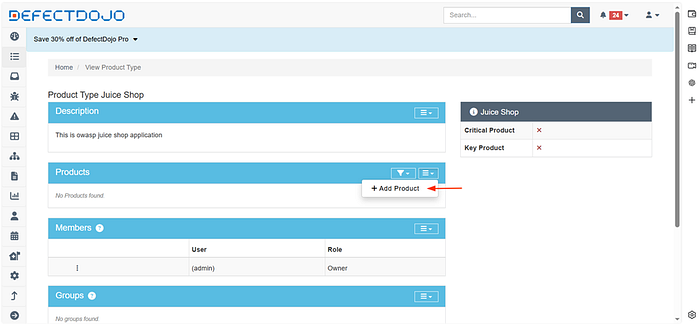
Next, import the scan results into DefectDojo.
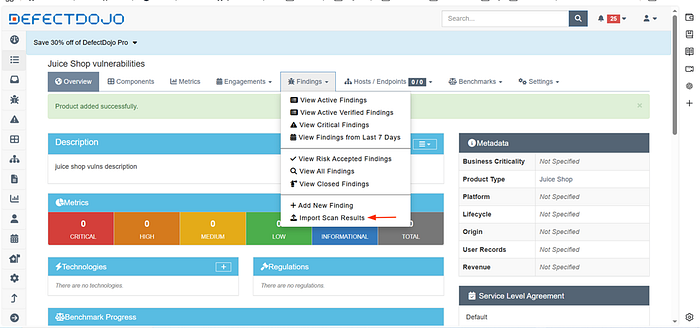
Each scan report must be uploaded individually while specifying the correct scan type so that the findings are categorized properly.
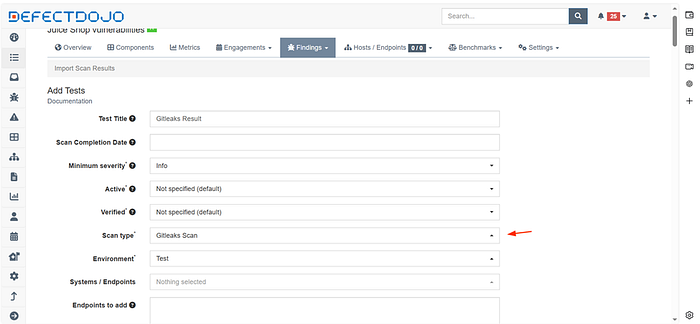
After importing the reports successfully, the findings become visible in the DefectDojo dashboard.
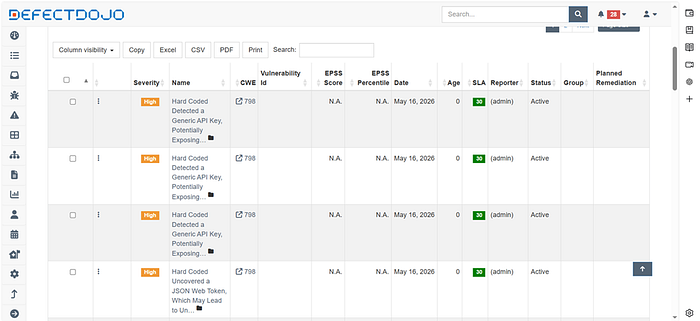
However, manually importing scan reports is inefficient and does not scale well in real-world DevSecOps environments. In the next writeup, we will integrate additional DAST tools and automate the workflow using Python scripts to automatically upload findings and improve visibility into the overall security posture.
If you are looking for a security engineer who has expertise in Web/API Security, Android Security, iOS Security, Cloud Security, Thick Client Security, and DevSecOps feel free to reach out to me at: csourav0012@gmail.com