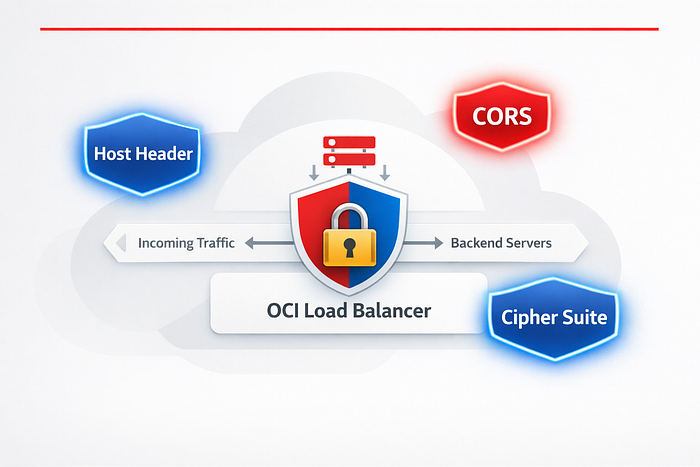

How I resolved three critical security audit findings directly from the OCI Console — no code changes, no backend deployments, just smart Load Balancer configuration.
Background
After fixing ORDS-level VAPT findings in my previous post, the security audit wasn't done with us. The penetration testers came back with a second round of findings — this time targeting our infrastructure layer. Three findings stood out:
- Host Header Injection — the application blindly trusted the incoming
Hostheader - CORS Misconfiguration — overly permissive
Access-Control-Allow-Originsettings - Weak Cipher Suites — outdated TLS algorithms still being negotiated
What was great about all three findings is that they could be resolved entirely at the OCI Application Load Balancer (Layer 7) level — without touching a single line of application code or redeploying ORDS/APEX. Everything lives in the OCI Console.
In this post I'll walk through each finding, explain why it matters, and show you exactly how to fix it step by step in the OCI Console.
Setup: OCI Application Load Balancer (Layer 7 / Flexible). All steps use the OCI Console UI.
Understanding the Key Concept: Rule Sets
Before diving into the fixes, you need to understand one OCI concept that powers two of the three fixes: Rule Sets.
A Rule Set in OCI Load Balancer is a named collection of rules that is attached to one or more listeners. Rules define actions the load balancer takes on HTTP requests or responses — such as adding, removing, or overriding headers.
Think of it as middleware that sits between your clients and your backend, silently enforcing security policies on every request and response.
Key facts about Rule Sets:
- A single Rule Set can contain up to 20 rules
- A load balancer can have up to 50 rules associated in total
- Rule Sets apply only to HTTP/HTTPS listeners (not TCP)
- The same Rule Set can be applied to multiple listeners on the same load balancer
- Rule Sets are not shared between load balancers — each LB needs its own copy
Finding 1 — Host Header Injection
What is the issue?
The VAPT report flagged something like:
"The application uses the HTTP Host header to generate links (password reset emails, redirects). An attacker can manipulate the Host header to redirect victims to a malicious domain."
The Host header in an HTTP request tells the server which website the client wants to reach. Applications that blindly trust this header and use it to generate URLs — like password reset links — are vulnerable. An attacker can craft a request with a forged Host header value such as evil.com, causing the application to send the victim a password reset link pointing to the attacker's domain.
The correct fix is to strip the incoming Host header from client requests and replace it with your application's known, trusted hostname at the load balancer level — so the backend application always sees the correct, trusted value, regardless of what the client sent.
How to fix it in OCI Console
We use a Rule Set with a Request Header rule that overrides the Host header with your trusted hostname.
Step 1 — Navigate to your Load Balancer:
OCI Console → Networking → Load Balancers → [Your Load Balancer]Step 2 — Open Rule Sets:
On the Load Balancer details page, scroll down to the Resources section in the left panel and click Rule Sets.
Step 3 — Create a new Rule Set:
Click Create Rule Set and fill in the following:
- Name:
vapt-security-rules(you'll reuse this for other findings too)
Step 4 — Add a Request Header Rule:
Under Specify Request Header Rules, click Add Rule and configure:
Field Value Action Add HTTP Request Header Header Name Host Header Value your-app-domain.com (your actual trusted hostname)
The Add action in OCI replaces the header if it already exists — so if a client sends a manipulated
Host: evil.com, the load balancer will overwrite it with your trusted value before forwarding to the backend. This neutralises the injection.
Step 5 — Save the Rule Set:
Click Create Rule Set.
Step 6 — Attach the Rule Set to your Listener:
Load Balancer → Listeners → [Your Listener] → EditScroll down to Rule Sets in the Edit Listener panel. Select vapt-security-rules from the dropdown and click Save Changes.
Verify the fix:
Send a request with a manipulated Host header and confirm your application now always receives the trusted hostname:
curl -H "Host: evil.com" https://your-load-balancer-ip/ -v 2>&1 | grep "Host:"
# The backend should receive your trusted domain, not evil.com
⚠️ Important: Make sure the hostname you set matches exactly what your application expects. If your APEX application uses the hostname for URL generation, this value must match your configured Application Express Instance Settings.
Finding 2 — CORS Misconfiguration / CORS Vulnerability
What is the issue?
The VAPT report flagged:
"The application returns Access-Control-Allow-Origin: * which allows any external website to make authenticated cross-origin requests to this API, potentially leaking sensitive data."
CORS (Cross-Origin Resource Sharing) is a browser-enforced mechanism that controls which origins (domains) can make requests to your API from JavaScript running on a web page. The same-origin policy normally blocks cross-origin requests — CORS is the standard way to selectively relax that policy.
The vulnerability arises when CORS is configured too permissively:
Misconfiguration Risk Access-Control-Allow-Origin: * with credentials Any malicious site can make authenticated requests using the user's session cookies Access-Control-Allow-Origin: * Any external site can read API responses Missing Vary: Origin header Caching proxies may serve wrong origin responses
The correct fix is to return the specific trusted origin in Access-Control-Allow-Origin instead of a wildcard, and to add Vary: Origin so caches handle it correctly.
How to fix it in OCI Console
We add Response Header rules to our existing Rule Set (vapt-security-rules).
Step 1 — Edit your existing Rule Set:
Load Balancer → Rule Sets → vapt-security-rules → EditStep 2 — Add Response Header Rules for CORS:
Under Specify Response Header Rules, click Add Rule for each of the following headers:
Rule 1 — Restrict allowed origin:
Field Value Action Add HTTP Response Header Header Name Access-Control-Allow-Origin Header Value https://your-trusted-domain.com
Replace
https://your-trusted-domain.comwith the actual origin that needs cross-origin access. If you have multiple trusted origins, you'll need backend logic to echo the correct one — the Load Balancer can only set a static value.
Rule 2 — Restrict allowed methods:
Field Value Action Add HTTP Response Header Header Name Access-Control-Allow-Methods Header Value GET, POST, OPTIONS
Rule 3 — Restrict allowed headers:
Field Value Action Add HTTP Response Header Header Name Access-Control-Allow-Headers Header Value Content-Type, Authorization
Rule 4 — Add Vary header (prevents cache poisoning):
Field Value Action Add HTTP Response Header Header Name Vary Header Value Origin
Rule 5 — Set preflight cache duration:
Field Value Action Add HTTP Response Header Header Name Access-Control-Max-Age Header Value 86400
Step 3 — Save the Rule Set:
Click Save Changes.
Verify the fix:
curl -H "Origin: https://evil.com" -I https://your-load-balancer-ip/ords/
# You should see:
# Access-Control-Allow-Origin: https://your-trusted-domain.com
# (NOT: Access-Control-Allow-Origin: *)
⚠️ Critical note: Never combine
Access-Control-Allow-Origin: *withAccess-Control-Allow-Credentials: true. Browsers block this combination specifically because it would allow any malicious website to make authenticated requests using the user's cookies or tokens. Always use a specific origin when credentials are involved.
💡 Tip: If your APEX application needs to handle CORS preflight (
OPTIONS) requests, make sure your ORDS configuration also handles OPTIONS method requests — the Load Balancer header rules handle the response headers, but the backend still needs to respond to the preflight request itself.
Finding 3 — Weak Cipher Suites in Use
What is the issue?
The VAPT report flagged:
"The server supports weak or deprecated TLS cipher suites including RC4, 3DES, and TLS 1.0/1.1. These can be exploited via BEAST, SWEET32, and POODLE attacks to decrypt encrypted traffic."
A cipher suite is the combination of cryptographic algorithms used to establish and secure a TLS connection. When your load balancer still supports old, weak cipher suites, an attacker performing a man-in-the-middle attack can attempt to downgrade the TLS negotiation to force the use of a weaker cipher — and then exploit known vulnerabilities in that cipher to decrypt traffic.
Common weak ciphers flagged by VAPT tools:
RC4variants — broken, vulnerable to statistical attacks3DES/DES— vulnerable to SWEET32 birthday attackCBCciphers — vulnerable to BEAST and POODLE attacksDHEciphers — vulnerable to Logjam attack (weak DH key exchange)NULLciphers — no encryption at allEXPORTciphers — intentionally weakened (legacy US export law era)- Anything negotiating only TLS 1.0 or TLS 1.1 — deprecated by RFC 8996
OCI provides predefined cipher suite profiles. The key question during a VAPT audit is not just "is it TLS 1.2?" but also "does it include CBC or DHE ciphers?" — because many suites that support TLS 1.2 still include these weaker algorithm types.
OCI Predefined Cipher Suite Comparison:
Suite Name TLS Support CBC Ciphers DHE Ciphers VAPT Safe oci-wider-compatible-ssl-cipher-suite-v1 TLS 1.0, 1.1, 1.2 ✅ Included ✅ Included ❌ No oci-default-ssl-cipher-suite-v1 TLS 1.2 ✅ Included ✅ Included ❌ No oci-modern-ssl-cipher-suite-v1 TLS 1.2, 1.3 ✅ Included ❌ Excluded ⚠️ Partial oci-tls-12-ssl-cipher-suite-v3 TLS 1.2 ❌ Excluded ❌ Excluded ✅ Yes
Why oci-tls-12-ssl-cipher-suite-v3 is the right choice
After reviewing all predefined OCI cipher suites, oci-tls-12-ssl-cipher-suite-v3 is the best pick for VAPT remediation because it is the only predefined suite that:
- Enforces TLS 1.2 exclusively
- Contains only ECDHE + AES-GCM ciphers — Perfect Forward Secrecy with authenticated encryption
- Excludes all CBC ciphers — eliminating BEAST and POODLE attack surface
- Excludes all DHE ciphers — eliminating the Logjam vulnerability
- Leaves no room for cipher downgrade negotiation
The ciphers included are essentially:
ECDHE-RSA-AES128-GCM-SHA256
ECDHE-RSA-AES256-GCM-SHA384
ECDHE-ECDSA-AES128-GCM-SHA256
ECDHE-ECDSA-AES256-GCM-SHA384
All four are ECDHE-based (elliptic curve key exchange) with GCM (Galois/Counter Mode) — the gold standard for authenticated encryption. No CBC, no DHE, no legacy algorithms.
Why not
oci-modern-ssl-cipher-suite-v1? Despite its name, the modern suite still includes some CBC-based ciphers for broader compatibility. In a post-VAPT remediation context where the auditors specifically flagged CBC and DHE,oci-tls-12-ssl-cipher-suite-v3is the cleaner, more defensible choice.
How to fix it in OCI Console
Step 1 — Navigate to your Listener:
Load Balancer → Listeners → [Your HTTPS Listener] → EditStep 2 — Expand SSL/TLS Settings:
In the Edit Listener panel, scroll down to the SSL section and click to expand it.
Step 3 — Change the Cipher Suite:
In the Cipher Suite Name dropdown, select:
oci-tls-12-ssl-cipher-suite-v3Step 4 — Set minimum TLS version:
While in the SSL section, ensure the following:
- SSL Protocol:
TLSv1.2— make sure TLS 1.0 and TLS 1.1 are not selected
Step 5 — Save Changes:
Click Save Changes. The listener updates in a few seconds — non-disruptive to existing connections.
💡 Tip: Apply the same cipher suite to your Backend Set SSL configuration too if your load balancer communicates with backends over HTTPS (SSL termination re-encryption). Navigate to
Backend Sets → [Your Backend Set] → Edit → SSL → Cipher Suite Nameand set the same value.
Verify the fix:
Use nmap or testssl.sh to confirm weak ciphers are no longer negotiated:
# Using nmap
nmap --script ssl-enum-ciphers -p 443 your-load-balancer-ip
# Look for: No weak ciphers listed, TLS 1.0/1.1 not supported
# Using testssl.sh
./testssl.sh https://your-load-balancer-ip/
# Check the "Testing cipher suites" and "Testing protocols" sections
You can also use online tools like SSL Labs for a VAPT-friendly report — aim for Grade A or A+.
⚠️ Compatibility note: Switching to
oci-modern-ssl-cipher-suite-v1or disabling TLS 1.0/1.1 may break very old clients (IE8 on Windows XP, Android 4.x). If you have known legacy client requirements, verify with your VAPT team which specific weak ciphers need to be disabled vs which must remain for business reasons — document any exceptions.
Complete Security Rule Set — Summary
Here's a consolidated view of all the Response Header rules you should have in your Rule Set after implementing all findings:
Request Header Rules (applied to incoming client requests):
Header Action Value Finding Fixed Host Add (Override) your-trusted-domain.com Host Header Injection
Response Header Rules (applied to outgoing responses):
Header Action Value Finding Fixed Access-Control-Allow-Origin Add https://your-trusted-domain.com CORS Access-Control-Allow-Methods Add GET, POST, OPTIONS CORS Access-Control-Allow-Headers Add Content-Type, Authorization CORS Vary Add Origin CORS Access-Control-Max-Age Add 86400 CORS
Listener SSL Configuration:
Setting Recommended Value Finding Fixed Cipher Suite oci-tls-12-ssl-cipher-suite-v3 Weak Ciphers (no CBC, no DHE) Minimum TLS TLS 1.2 Weak Ciphers
Quick Navigation Reference
Here are all the OCI Console paths used in this post — bookmark these:
# Rule Sets
Networking → Load Balancers → [LB Name] → Resources → Rule Sets
# Listeners (to attach rule sets or change cipher suite)
Networking → Load Balancers → [LB Name] → Resources → Listeners
# Cipher Suites
Networking → Load Balancers → [LB Name] → Resources → Cipher Suites
# Backend Sets (if cipher suite also needs to be set for backend SSL)
Networking → Load Balancers → [LB Name] → Resources → Backend Sets
Closing Thoughts
Security findings at the infrastructure level can feel intimidating — but OCI's Application Load Balancer gives you surprisingly fine-grained control over HTTP headers and TLS configuration right from the Console, without any code deployments.
A few reminders as you implement these:
- Host Header fix: Double-check the trusted hostname value — a typo here can break your entire application.
- CORS fix: The Load Balancer sets static header values. If you need dynamic CORS logic (different allowed origins per request), that logic needs to live in the backend application — the Load Balancer handles the common case well.
- Cipher Suite fix: Use
oci-tls-12-ssl-cipher-suite-v3— it's the only OCI predefined suite that eliminates both CBC and DHE ciphers entirely. After switching, always verify with SSL Labs before closing the VAPT finding — auditors re-verify with external tools and will specifically look for CBC and DHE in the scan results. - Combine with your ORDS fixes: If you implemented the ORDS-level security headers from the previous blog post, these OCI Load Balancer rules complement them perfectly — the Load Balancer handles the infrastructure layer, ORDS handles the application layer.
Together, these two layers give you defence in depth — the way security is supposed to work. 🔐