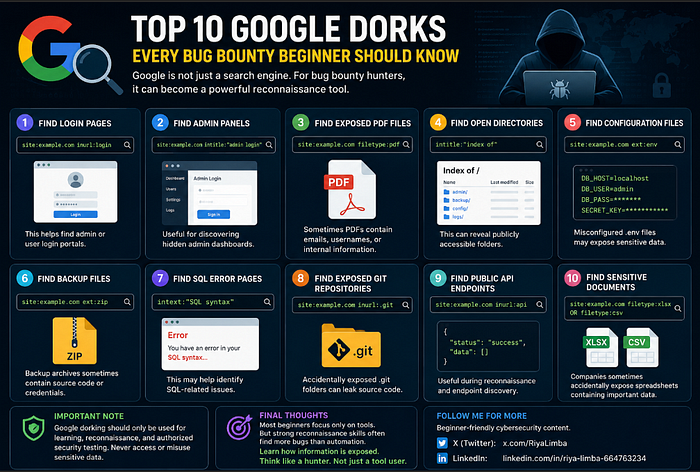

For bug bounty hunters, it can become a powerful recon tool.
Using the right Google dorks, you can discover:
- Login panels
- Exposed files
- Sensitive documents
- Backup files
- Hidden directories
- Publicly indexed data
In this guide, I'll share 10 useful Google dorks every beginner should know.
1. Find Login Pages
site:example.com inurl:loginThis helps find admin or user login portals.
2. Find Admin Panels
site:example.com intitle:"admin login"Useful for discovering hidden admin dashboards.
3. Find Exposed PDF Files
site:example.com filetype:pdfSometimes PDFs contain:
- emails
- usernames
- internal information
4. Find Open Directories
intitle:"index of"This can reveal publicly accessible folders.
5. Find Configuration Files
site:example.com ext:envMisconfigured .env files may expose sensitive data.
6. Find Backup Files
site:example.com ext:zipBackup archives sometimes contain source code or credentials.
7. Find SQL Error Pages
intext:"SQL syntax"This may help identify SQL-related issues.
8. Find Exposed Git Repositories
site:example.com inurl:.gitAccidentally exposed .git folders can leak source code.
9. Find Public API Endpoints
site:example.com inurl:apiUseful during reconnaissance and endpoint discovery.
10. Find Sensitive Documents
site:example.com filetype:xlsx OR filetype:csvSometimes companies accidentally expose spreadsheets containing important data.
Important Note
Google dorking should only be used for:
- learning
- reconnaissance
- authorized security testing
Never access or misuse sensitive data.
Final Thoughts
Most beginners focus only on tools.
But strong reconnaissance skills often find more bugs than automation.
Learn how information is exposed. Think like a hunter. Not just a tool user.
Follow me for more beginner-friendly cybersecurity content.