
- Go to https://aistudio.google.com/
- Click the Get Started button
- On the bottom left corner choose your Gmail account
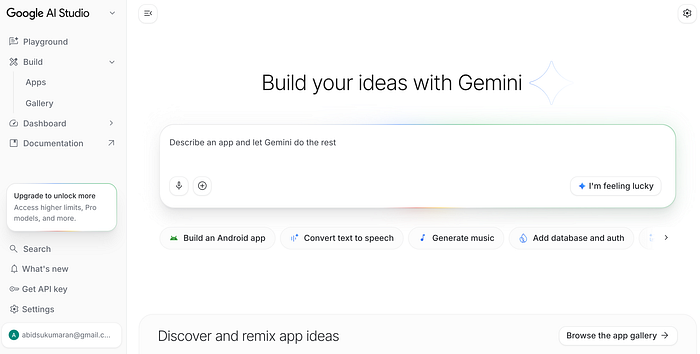
4. Click the Get API Key button on the left pane, it is towards the end of the list on the left pane in the screenshot above.
5. Click Create API Key on the top right corner of your API Keys page.
6. It will prompt you with a dialog to import a Google Cloud project, select your Google Cloud project to import (it doesn't need to have a billing account).
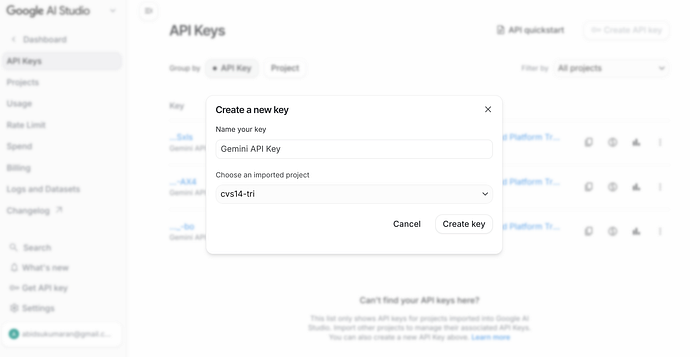
7. Finally, click the Create Key button from the pop up and copy the API Key to your application! It is recommended that you restrict API Key usage to specific applications.
So what did you build???