

Take flight toward your dreams with FutureLens.
In the today's powerful this session, we're going on explore How to Handle Large File Uploads in Spring Boot like a pro.
If you're a building real-world with applications and the struggling with a large file uploads, memory issues, or performance bottlenecks — this blog is exactly what you need.
We'll be cover streaming, async processing, chunk uploads, and production-ready best the practices step by step.
So get ready to new level up with your backend skills… Let's dive into a master large file handling together!
Maven Dependencies
<dependencies>
    <dependency>
        <groupId>org.springframework.boot</groupId>
        <artifactId>spring-boot-starter-web</artifactId>
    </dependency>

    <dependency>
        <groupId>org.springframework.boot</groupId>
        <artifactId>spring-boot-starter-validation</artifactId>
    </dependency>

    <!-- Optional: For Streaming -->
    <dependency>
        <groupId>commons-io</groupId>
        <artifactId>commons-io</artifactId>
        <version>2.15.1</version>
    </dependency>
</dependencies>
application.yml (Large File Config)
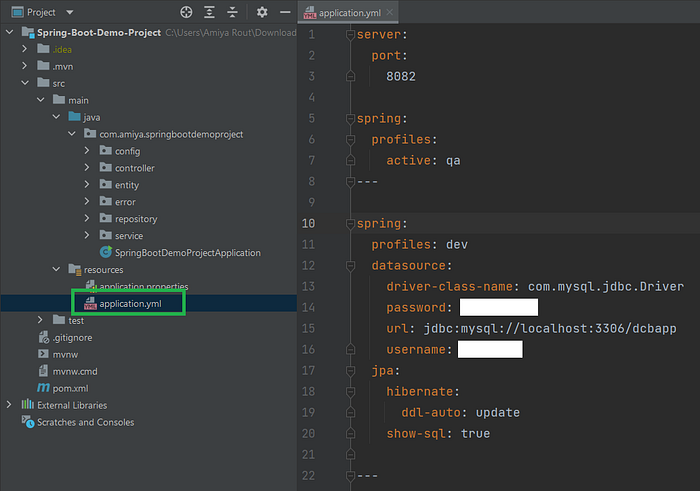
spring:
  servlet:
    multipart:
      enabled: true
      max-file-size: 2GB
      max-request-size: 2GB
      file-size-threshold: 2MB
Basic Upload (Disk Storage)
@RestController
@RequestMapping("/files")
public class FileUploadController {

    private final String UPLOAD_DIR = "uploads/";

    @PostMapping("/upload")
    public ResponseEntity<String> uploadFile(@RequestParam("file") MultipartFile file) throws IOException {

        if (file.isEmpty()) {
            return ResponseEntity.badRequest().body("File is empty");
        }

        File directory = new File(UPLOAD_DIR);
        if (!directory.exists()) {
            directory.mkdirs();
        }

        Path path = Paths.get(UPLOAD_DIR + file.getOriginalFilename());
        Files.copy(file.getInputStream(), path, StandardCopyOption.REPLACE_EXISTING);

        return ResponseEntity.ok("File uploaded successfully");
    }
}
Streaming Large File (Memory Efficient)

@PostMapping("/stream-upload")
public ResponseEntity<String> streamUpload(@RequestParam("file") MultipartFile file) throws IOException {

    Path path = Paths.get("uploads/" + file.getOriginalFilename());

    try (InputStream inputStream = file.getInputStream();
         OutputStream outputStream = Files.newOutputStream(path)) {

        byte[] buffer = new byte[1024 * 1024]; // 1MB buffer
        int bytesRead;

        while ((bytesRead = inputStream.read(buffer)) != -1) {
            outputStream.write(buffer, 0, bytesRead);
        }
    }

    return ResponseEntity.ok("Large file uploaded using streaming");
}
Async Upload (Non-Blocking)
@SpringBootApplication
@EnableAsync
public class Application {
    public static void main(String[] args) {
        SpringApplication.run(Application.class, args);
    }
}
@Service
public class FileStorageService {

    @Async
    public CompletableFuture<String> saveFile(MultipartFile file) throws IOException {
        Path path = Paths.get("uploads/" + file.getOriginalFilename());
        Files.copy(file.getInputStream(), path, StandardCopyOption.REPLACE_EXISTING);
        return CompletableFuture.completedFuture("Uploaded");
    }
}
@PostMapping("/async-upload")
public CompletableFuture<ResponseEntity<String>> asyncUpload(@RequestParam("file") MultipartFile file) throws IOException {

    return fileStorageService.saveFile(file)
            .thenApply(result -> ResponseEntity.ok("Async upload complete"));
}
Global Exception Handling
@RestControllerAdvice
public class GlobalExceptionHandler {

    @ExceptionHandler(MaxUploadSizeExceededException.class)
    public ResponseEntity<String> handleMaxSizeException(MaxUploadSizeExceededException ex) {
        return ResponseEntity.status(HttpStatus.PAYLOAD_TOO_LARGE)
                .body("File size exceeds configured limit!");
    }

    @ExceptionHandler(Exception.class)
    public ResponseEntity<String> handleGeneralException(Exception ex) {
        return ResponseEntity.status(HttpStatus.INTERNAL_SERVER_ERROR)
                .body("Something went wrong!");
    }
}
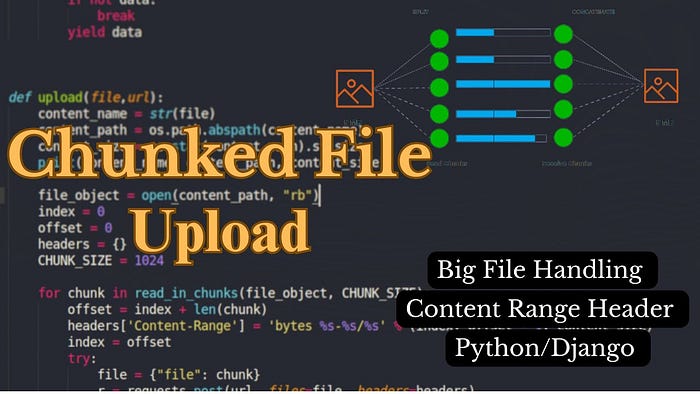
Chunked Upload (Frontend + Backend Ready)
Controller
@PostMapping("/chunk")
public ResponseEntity<String> uploadChunk(
        @RequestParam("file") MultipartFile file,
        @RequestParam("chunkNumber") int chunkNumber,
        @RequestParam("totalChunks") int totalChunks,
        @RequestParam("fileName") String fileName
) throws IOException {

    Path chunkDir = Paths.get("uploads/chunks/");
    Files.createDirectories(chunkDir);

    Path chunkFile = chunkDir.resolve(fileName + ".part" + chunkNumber);
    Files.write(chunkFile, file.getBytes());

    if (chunkNumber == totalChunks - 1) {
        mergeChunks(fileName, totalChunks);
    }

    return ResponseEntity.ok("Chunk uploaded: " + chunkNumber);
}

Merge Logic
private void mergeChunks(String fileName, int totalChunks) throws IOException {

    Path mergedFile = Paths.get("uploads/" + fileName);
    try (OutputStream os = Files.newOutputStream(mergedFile)) {

        for (int i = 0; i < totalChunks; i++) {
            Path chunkFile = Paths.get("uploads/chunks/" + fileName + ".part" + i);
            Files.copy(chunkFile, os);
            Files.delete(chunkFile);
        }
    }
}
Optional: Upload to Cloud (S3 Example)
@Autowired
private AmazonS3 amazonS3;

@PostMapping("/s3-upload")
public ResponseEntity<String> uploadToS3(@RequestParam("file") MultipartFile file) throws IOException {

    File convertedFile = new File(file.getOriginalFilename());
    file.transferTo(convertedFile);

    amazonS3.putObject("your-bucket-name", file.getOriginalFilename(), convertedFile);

    convertedFile.delete();

    return ResponseEntity.ok("Uploaded to S3 successfully");
}
✅ Production Tips (Minimal Text)
- Use Streaming
- Validate File Type
- Scan for Viruses
- Store Metadata in DB
- Use CDN for large media
- Enable HTTPS
- Monitor Disk Space
- Use Cloud Storage for scalability
🚀 Large files handling in Spring Boot = Config + Streaming + Async + Chunking + Cloud.
Microservices, BackendDevelopment, FileUpload, JavaDevelopment, SpringBoot