Imagine this: You receive a message offering a huge discount or a warning that your account is about to be locked. You click the link, land on a professional-looking website, and within minutes — you've entered your login details.
Everything looked real.
But it wasn't.
Welcome to the world of fake websites — one of the most dangerous and fastest-growing cyber threats in 2026.
In this guide, you'll learn how to instantly spot a fake website, even if it looks 100% legitimate. Whether you're shopping online, logging into your bank, or downloading files, these techniques will help you stay safe.
Why Fake Websites Are So Dangerous
Fake websites (also called phishing or spoofed sites) are designed to:
- Steal your passwords
- Capture your bank details
- Install malware on your device
- Trick you into making payments
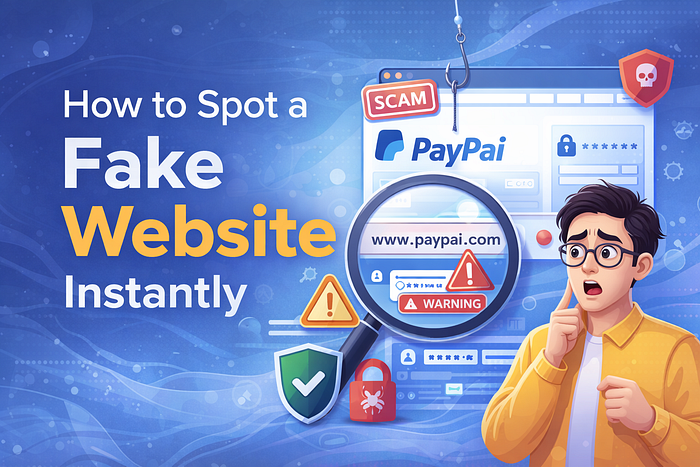
What makes them dangerous is how real they look. Hackers copy entire websites — logos, design, layout — everything.
👉 Even experienced users get fooled.
1. Check the URL Carefully (This Is the #1 Trick)
Most people ignore the URL. That's exactly what scammers want.
What to look for:
- Misspellings:
faceb00k.cominstead offacebook.comamaz0n.netinstead ofamazon.in- Extra words:
secure-login-amazon.combank-update-alert.net- Wrong domain endings:
.xyz,.top,.infoinstead of.comor official domains
👉 A fake website often hides in plain sight — with a slightly altered URL.
2. Look for HTTPS (But Don't Trust It Blindly)
You've probably heard that secure websites use HTTPS.
Yes, HTTPS is important — but here's the truth:
👉 Even fake websites can have HTTPS now.
So instead of just checking for the padlock:
- Click the padlock icon
- View the certificate details
- See who owns the website
If it looks suspicious or unknown — leave immediately.
3. Poor Design, Grammar, and Layout Issues
Fake websites often rush their design.

Watch out for:
- Spelling mistakes
- Broken images
- Misaligned text
- Strange fonts or colors
- Low-quality logos
Example: 👉 "Your account has been suspend. Click here to verify now."
Legitimate companies rarely make such errors.
4. Urgency and Fear Tactics
Fake websites often pressure you into acting fast.

Common messages include:
- "Your account will be blocked in 24 hours"
- "Limited offer — only 5 minutes left!"
- "Immediate action required!"
👉 These are psychological tricks.
Real companies don't force you into panic decisions.
5. Too Good to Be True Offers
If a deal looks unbelievable — it probably is.

Examples:
- iPhone for ₹999
- 90% discounts on branded products
- Free gifts for clicking a link
👉 Scammers use attractive offers to lure victims.
Always verify before purchasing.
6. Check Contact Information
A genuine website will always have:
- Contact page
- Customer support email
- Phone number
- Physical address
Fake websites often:
- Provide fake contact details
- Use generic emails like Gmail/Yahoo
- Have no contact info at all
👉 No contact = No trust.
7. Look at the Domain Age

Most fake websites are newly created.
You can use tools like:
- WHOIS lookup
- Domain checker websites
If the domain was created just days or weeks ago — be cautious.
8. Avoid Clicking Links from Messages
Many fake websites are accessed through:
- WhatsApp messages
- SMS links
- Emails
- Social media ads
👉 Instead of clicking links:
- Open your browser
- Type the official website manually
This simple habit can save you from scams.
9. Check for Payment Red Flags

When shopping online, watch for:
- Only prepaid options (no COD)
- Requests for direct bank transfer
- No trusted payment gateways
👉 Legit websites use secure payment systems.
10. Use Google Search for Verification
Before trusting a website:
- Search its name on Google
- Add keywords like "scam", "review", or "fake"
Example: 👉 "XYZ shopping site scam"
You'll often find warnings from other users.
11. No Social Media Presence
Legitimate businesses usually have:
- Instagram pages
- Facebook accounts
- Customer reviews
Fake websites often have:
- No social media
- Fake followers
- No engagement
12. Pop-Ups and Suspicious Downloads

Be cautious if a site:
- Shows too many pop-ups
- Forces you to download files
- Redirects you to unknown pages
👉 These could install malware on your device.
13. Trust Your Instincts

Sometimes, something just feels off.
- The design feels "cheap"
- The offer feels unrealistic
- The message feels forced
👉 Don't ignore that feeling.
If you're unsure — leave the site.
Bonus Tip: Use Security Tools
To stay extra safe, use:
- Antivirus software
- Browser security extensions
- Password managers
These tools can warn you about suspicious websites.
Real-Life Example
Let's say you receive a WhatsApp message:
"🔥 Flipkart Mega Sale — 80% OFF! Limited Time 👉 Click Now"
You click and see a perfect Flipkart-like website.
But if you check closely:
- URL is
flipkart-offers-deal.xyz❌ - No proper contact details ❌
- Only prepaid payment ❌
👉 That's a fake website.
What To Do If You Entered Details on a Fake Site
Act immediately:
- Change your passwords
- Enable 2-factor authentication
- Contact your bank (if payment details entered)
- Scan your device for malware
- Report the website
Final Thoughts

In 2026, fake websites are smarter, faster, and more convincing than ever. But the good news is — you can outsmart them.
By paying attention to small details like URLs, design, and behavior, you can instantly identify a fake website and protect yourself.
Remember:
👉 Hackers rely on your carelessness 👉 Your awareness is your best defense