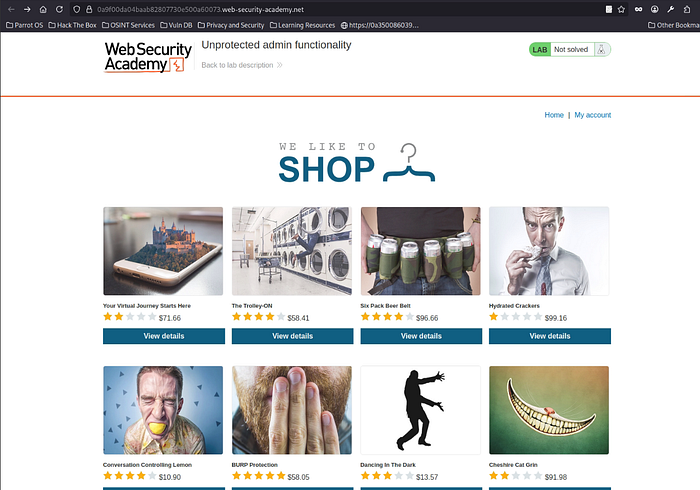

Hello there :)) Today am gonna walk through all Apprentice labs that relate to Broken access control on port swigger , Lets go for it fellas 😎 .
First Lab : Unprotected admin functionality:
As we can see , The lab title says ( Unprotected admin functionality ) which means there's a specific functionality isn't well protected , this happens often in real life scenarios , It's a mistake that some developers can leave behind , which can lead to broken access control vulnerabilities .
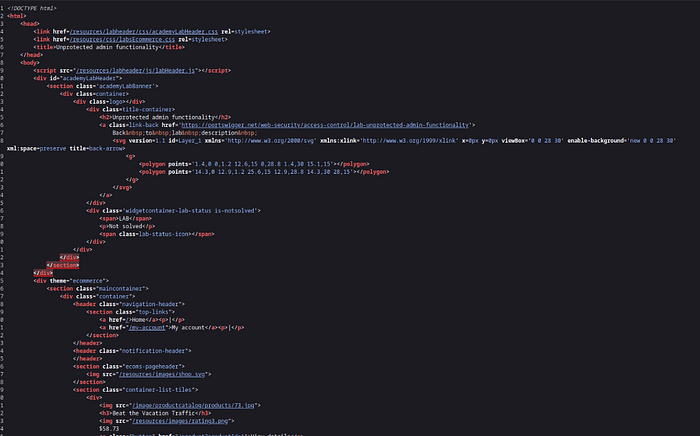
As I mentioned previously in my labs and machines, I usually check the client-side source code, because some developers might leave mistakes behind, which can lead to the disclosure of sensitive information. But here, I found nothing interesting frankly :( so let's move to the next step.

Not bad at all , The second step was to brute-force the directories which's can reveal , where's that functionality could be , we found robots.txt was there , let's check it out :)
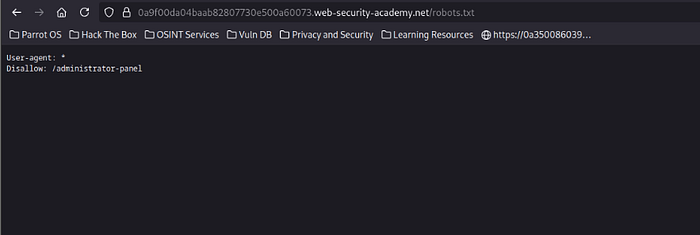
Boom , I guess we found that broken functionality , now let's see what can we do about it :)
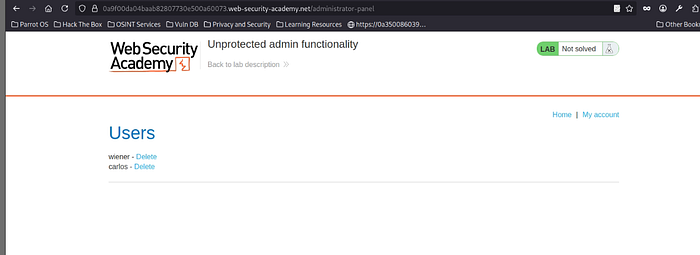
Well, that was easy :) We found the broken and unprotected functionality, which can also be found in real environments. So never forget to enumerate well, because just by enumerating, you can find lots of sensitive data before even exploiting anything. In some cases like this, you can control a critical function just by looking around :) Now let's delete our usual targeted user > Carlos 😂

First lab , Done :))
— — — — — — — — — — — — — — — — — — — — — — — — — — — — — — — — — — — — — —
Second Lab : Unprotected admin functionality with unpredictable URL
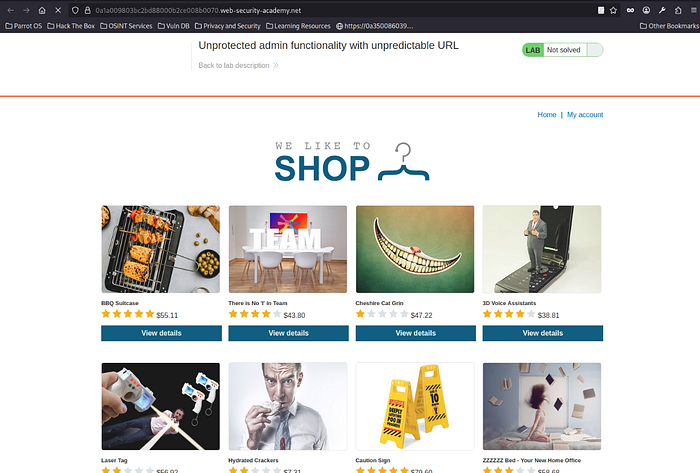
Well , normal page as usual :)) now lets preform our usual first step , which is checking the client-side source code
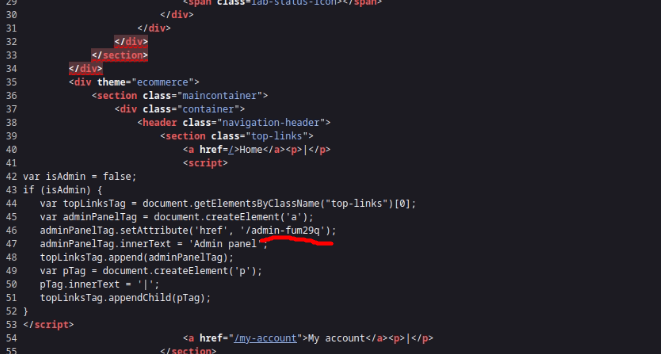
Wow , this time was fast , our usual look to the source code brought some results :)) we could find the admin panel functionality inside the source code :)) now let's check , what's inside
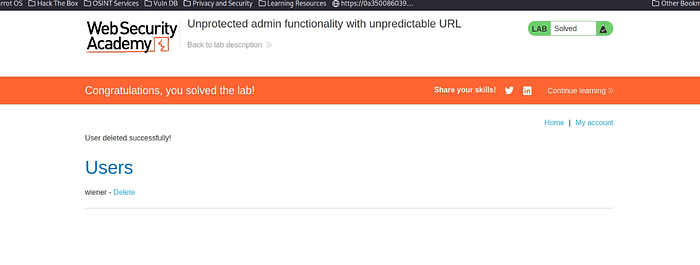
Well , that was fine :) never forget to check the client-side source code , cuz it might be a disaster , if it contains a sensitive data .
— — — — — — — — — — — — — — — — — — — — — — — — — — — — — — — — — — — — — -
Third Lab : User role controlled by request parameter
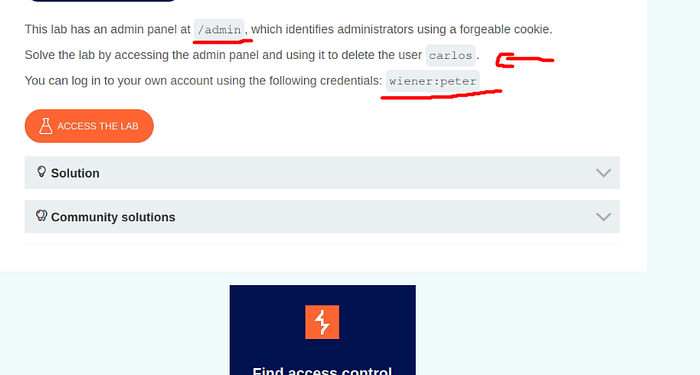
Now , This time the lab is different , cuz the lab provided us already with the directory , that includes the admin functionality , and the lab provided us with ( wiener & peter ) credentials as well .
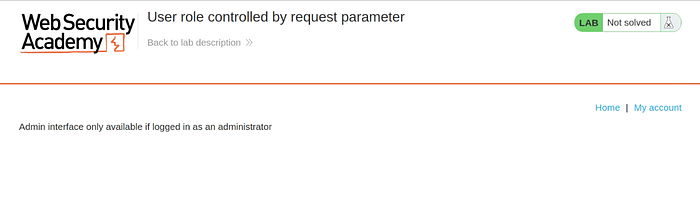
Here's the trick XD the Lab did provide us , with the directory , but of course it won't be that easy lol , they enforced a protection on this directory ,so the administrator only can access it , therefore , we gonna try to figure out , how can we change our current user to the administrator , so we can access this directory and controlling it .

Let's try to log in with our current credentials , that belongs to wiener .
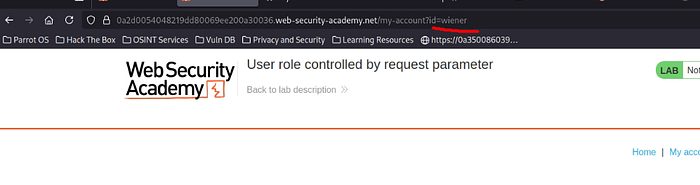
First step , let's give it a try to replace > wiener with carlos , it might lead to horizontal privilege escalation in some real cases :)
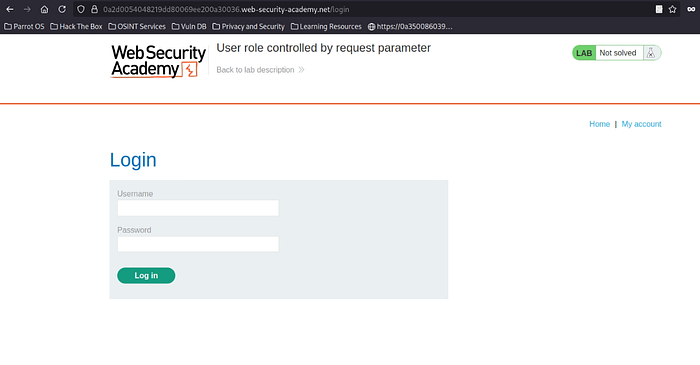
It didn't work XD , no problem , it redirected us again to the login page , no problem , let's try harder :)
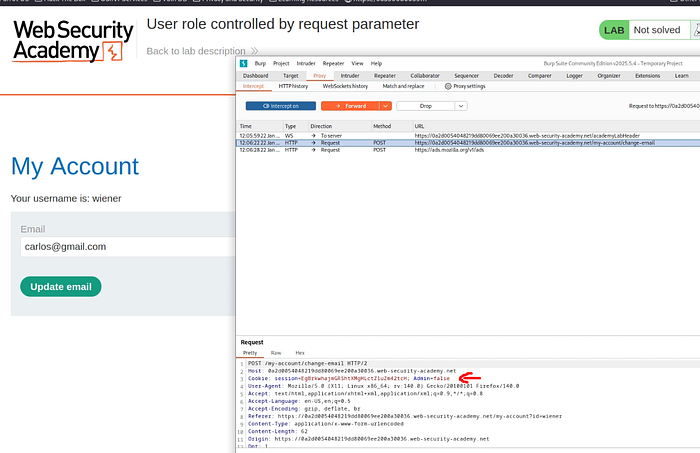
I have tried to intercept the update email functionality , to check , if it gonna show something interesting , but I got something wasn't excepted , which's a parameter , that controls the user role :)
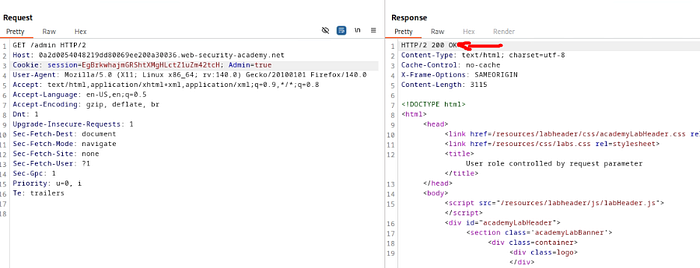
Now , since we found the Admin=false > parameter , so It makes sense , that we gonna change it into Admin=True :) so with each request we send on this web app , the Admin parameter will be there in each request , so the server here , identify the user role based on this parameter only > that's why the lab was named as ( User role controlled by request parameter ) cuz this parameter controls the user role :)
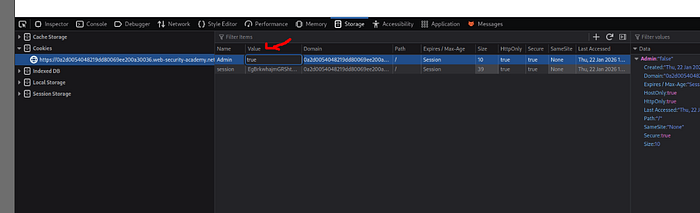
Now , let's grab the storage section from dev tools , in order to change the parameter from False to True , So we can gain the administrator's privilege , and also there's another approach to delete carlos direcly without needing to grab the stroage , simply we can use /admin/delete?username=carlos > of course after changing the parameter from Admin=false to Admin=True within the request itself , that we intercepted on burpsuite .

Third lab > Mission accomplished 😎😎
— — — — — — — — — — — — — — — — — — — — — — — — — — — — — — — — — — — — — —
Fourth Lab : User role can be modified in user profile
Here we go :) let's give it a crack , we got the admin functionality panel inside /admin , and of course , we need to gain administrator's privilege in order to access it .
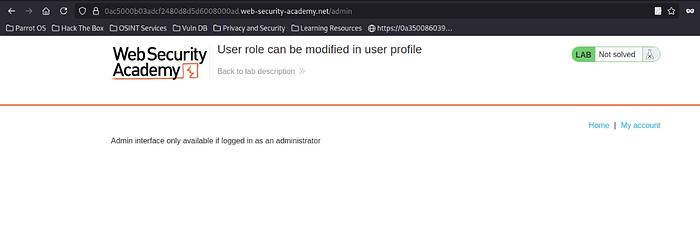
yeap , as I mentioned previously , it's inaccessible by the normal users .
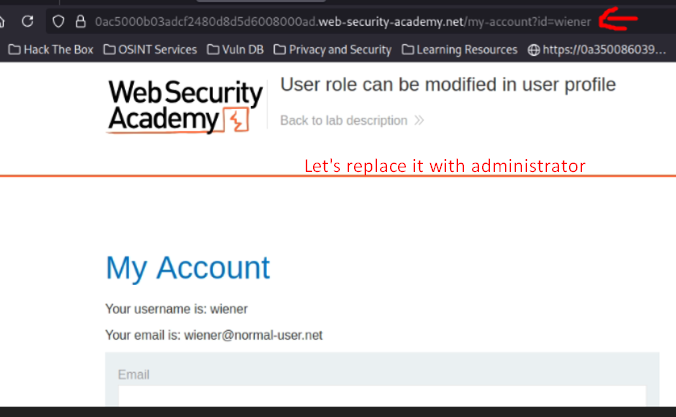
The usual step , always change the Id parameter , cuz if that parameter was vulnerable already , it will save you lots of time.
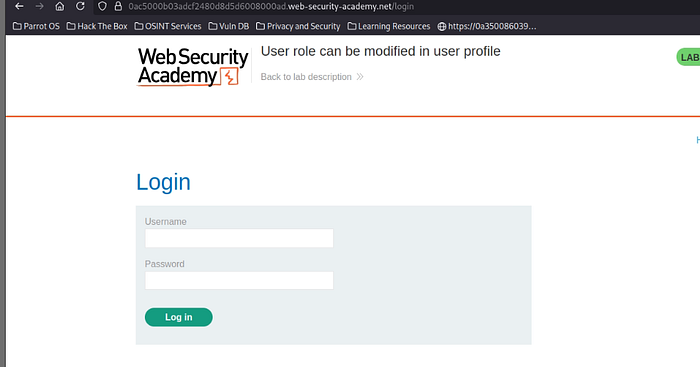
It didn't work XD no problem , I didn't expect much from , this step 😂, but its still mandatory to check , it from own perspective :) let's try harder 💪
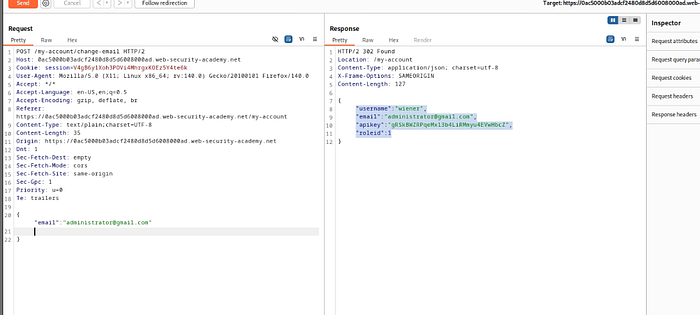
Here we go , I have tried to use the change-email functionality as an ordinary step , to see what will happen , and now all clear , the lab says (User role can be modified in user profile) , which means , that the Role-ID that we got from the server's response controls the user role , therefore , we can exploit it to gain the vertical escalation .
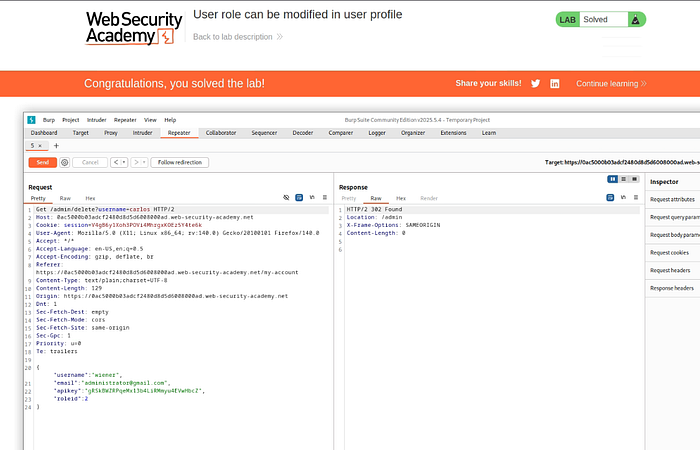
Boom , we got there already :) all we did , we just used the RoleId parameter in order to gain the vertical escalation by modifying it to number 2 as the lab requested then we've tried to access the admin page and it worked , then we typed ( /admin/delete?username=carlos) and eventually > mission accomplished 😎
— — — — — — — — — — — — — — — — — — — — — — — — — — — — — — — — — — — — — —
5th Lab : User ID controlled by request parameter
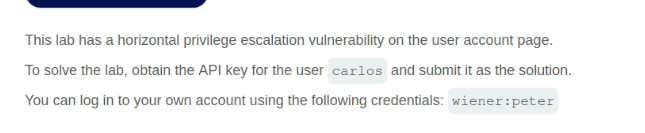
This lab says , that we need to perform a horizontal privilege escalation to solve it , let's try to see what we can do about it :))
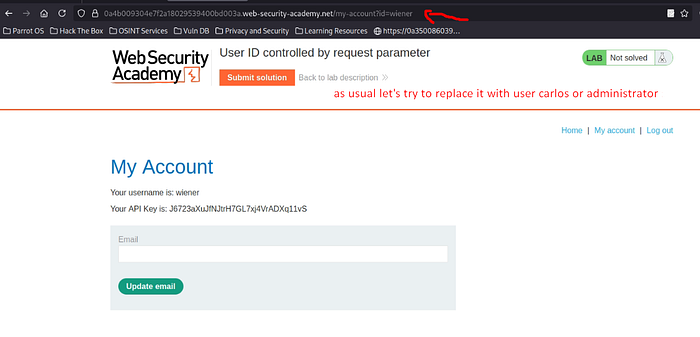
As , we can see here , we logged in using wiener:peter credentials as usual , but this time , we need to perform the horizontal escalation in order to get the Api , that belongs to carlos , and of course our usual step :) > changing ?Id parameter to carlos or administrator , to check whether this parameter is vulnerable or not .
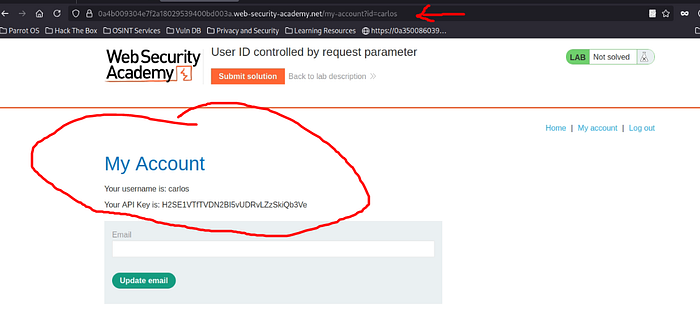
Boom , Finally lol our usual step , made it this time , and the ?Id parameter was vulnerable , and we could perform the horizontal escalation by exploiting this vulnerable , that's why as I mentioned previously , we have to check and targeting these mistakes , that can lead to a full control in some cases .
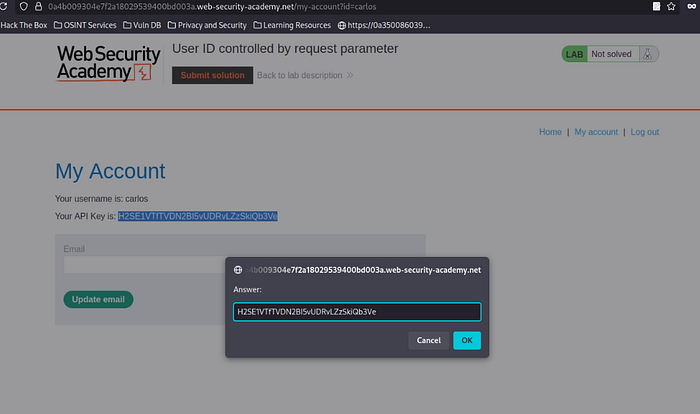
Let's submit the Api that belongs to carlos :)
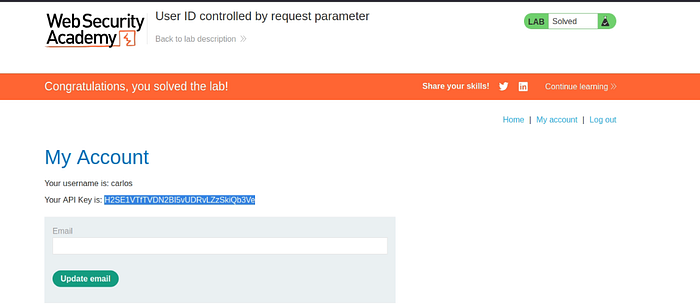
This is how we do it 😎💪
— — — — — — — — — — — — — — — — — — — — — — — — — — — — — — — — — — — — —
The sixth Lab : User ID controlled by request parameter, with unpredictable user IDs

This lab simply says , that this time you won't deal with names like the previous lab , not obvious names inside the parameter such as : wiener , administrator , carlos , etc….. , so it will be GUID , let's give it a crack.
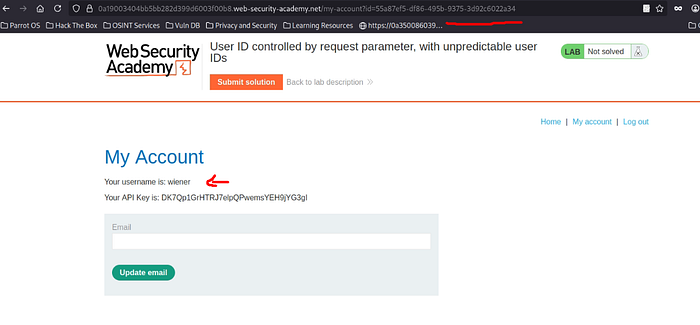
Yeap , as the lab says in the description , we are dealing now with GUIDS not names , which's hard to predict , so we need to find a way to grab the other GUIDS , that belongs to the other users .
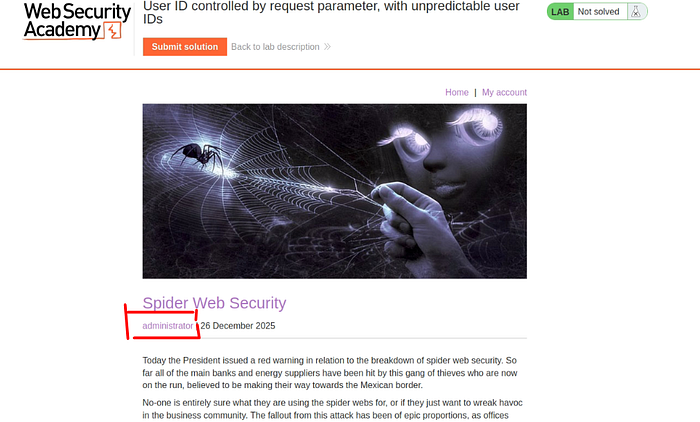
Nice , I was trying to check the blogs , that inside the main page , and I have noticed , that each blog contains the name of the author , which might be a hint that the GUID of the administrator could be existed here , now let's check the blog , that belongs to user carlos .
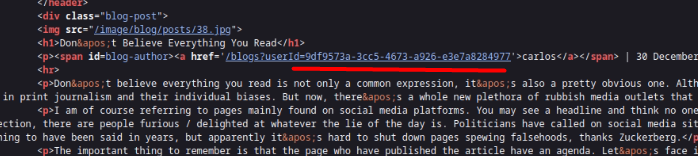
Boom , we caught it :)) I checked the client-side source code , and I figured out , that each blog contains the author name + his GUID , which's critical and dangerous , cuz some real cases can leave such a mistake , which can lead to horizontal or privilege escalation in some cases , now lets try grab this GUID , and replace it with wiener's GUID .
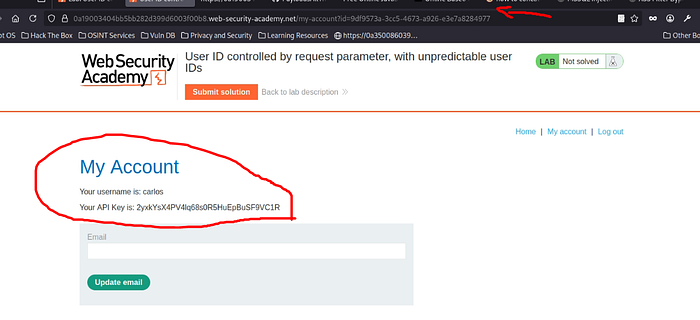
Boom , we nailed it :)) now let's submit our solution
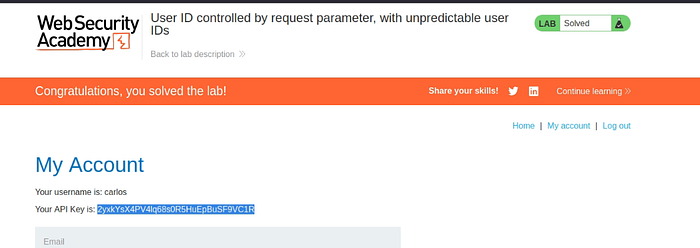
Annnnd ( Mission accomplished 💪)
— — — — — — — — — — — — — — — — — — — — — — — — — — — — — — — — — — — — — —
LAB 7# : User ID controlled by request parameter with data leakage in redirect
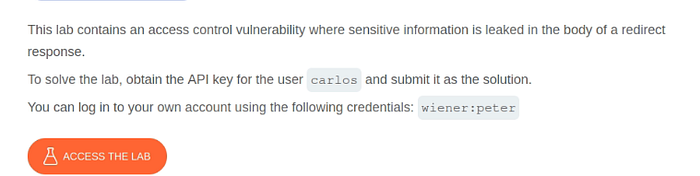
As the lab says , there's a data leakage in the redirect , which means we gonna find , a specific response from the server contains the data leakage , we need to figure out which response or which functionality might give us the vulnerable response.
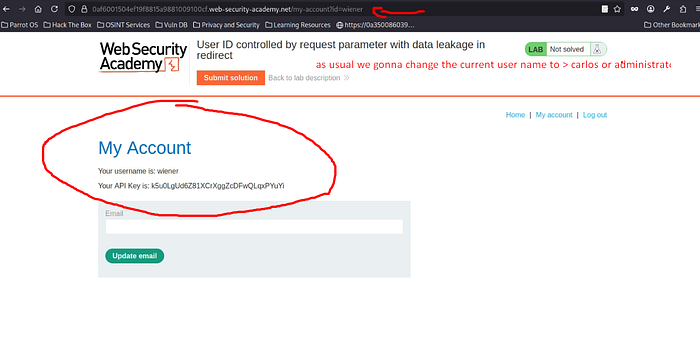
I have mentioned this step previously almost in every single broken access control lab 😂 , ( We need to replace IDS or user names in such places folks 😈 cuz it might be vulnerable to the IDOR vuln :))
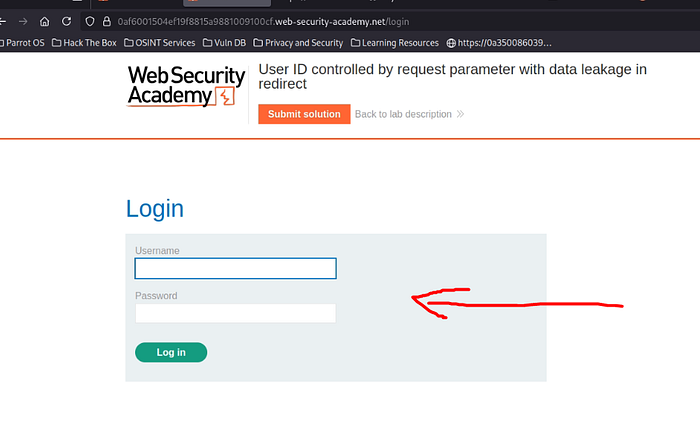
Not surprised tho 😂 it redirected us the login page again like most of the previous labs :)
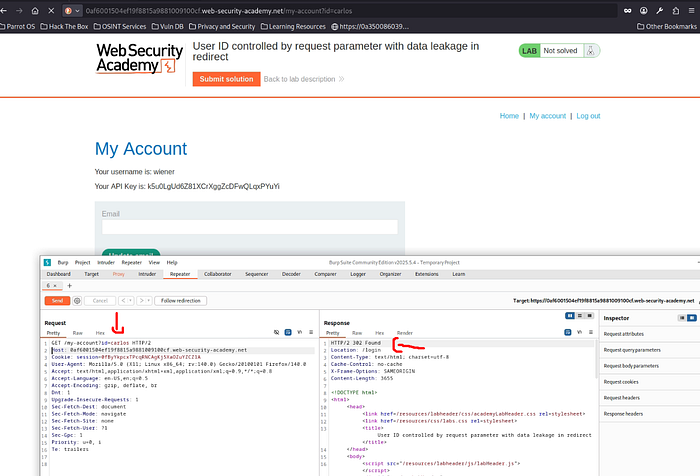
Despite the fact that changing the usernames redirected us to the login page, just like in the previous labs, we should focus on something important here. The lab is titled "User ID controlled by request parameter with data leakage in redirect," which clearly indicates that sensitive data is leaked during a redirect.
Even though replacing usernames or IDs results in a redirection, the response still contains leaked data. By changing the username from wiener to carlos and intercepting the request, I noticed that although the application redirected me to the login page, sensitive information was exposed in the response.
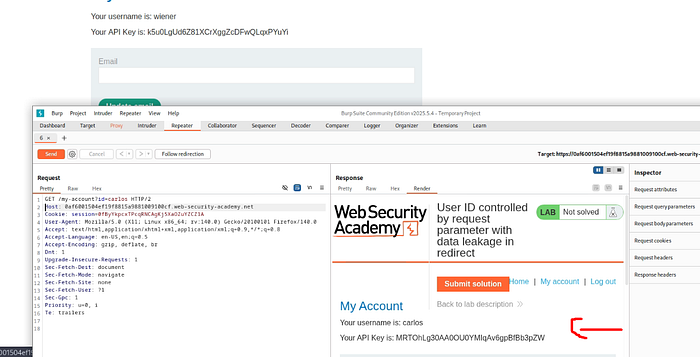
Boom :)) I chose render to clarify everything and clarifying the response itself , we caught user Carlos API already in 4K 😂
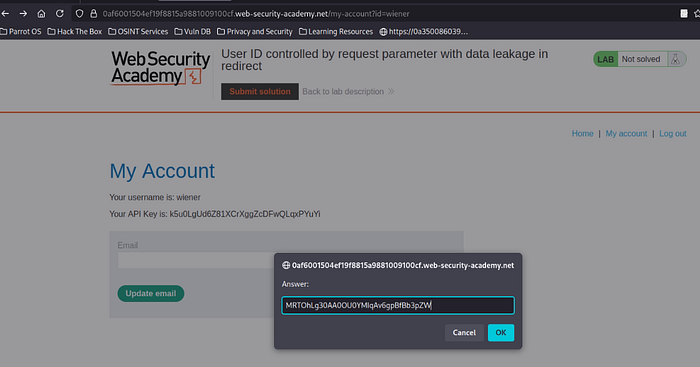
Now lets submit the solution already 😎💪
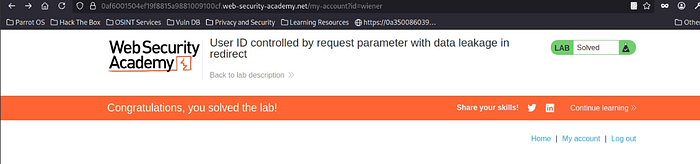
Done , and that was fun :) XD Mission accomplished 😈
— — — — — — — — — — — — — — — — — — — — — — — — — — — — — — — — — — — — —
Lab 8# : User ID controlled by request parameter with password disclosure
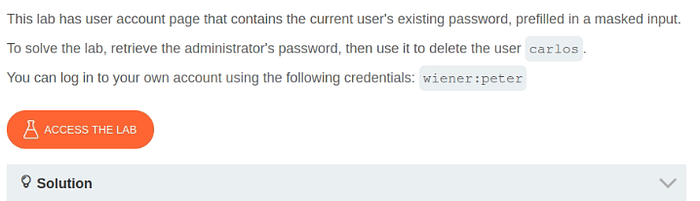
Here we go 💪 the lab says , that the user ID controlled by request parameter with password disclosure , lets try to figure which parameter is controlling the the Used ID , and gonna lead it password disclosure .
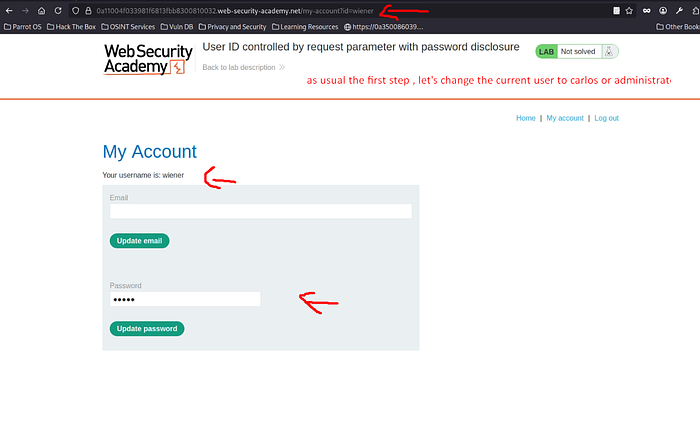
annnd , as usual folks our beloved step XD replacing the ID parameter with another user like carlos or administrator , to check if this parameter is vulnerable to IDOR or not .
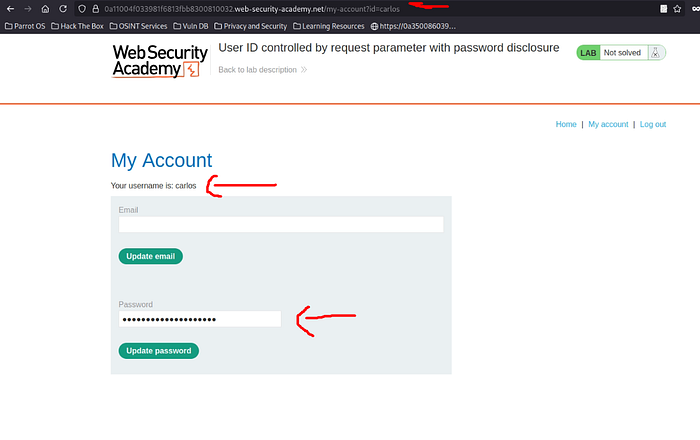
Suiiiiiii 😂 our usual step brought us some good stuff again XD , but the lab says , that we need to find the administrator's password , but since it worked on carlos , so pretty sure it will work now on the administrator , cuz the parameter was vulnerable to IDOR .
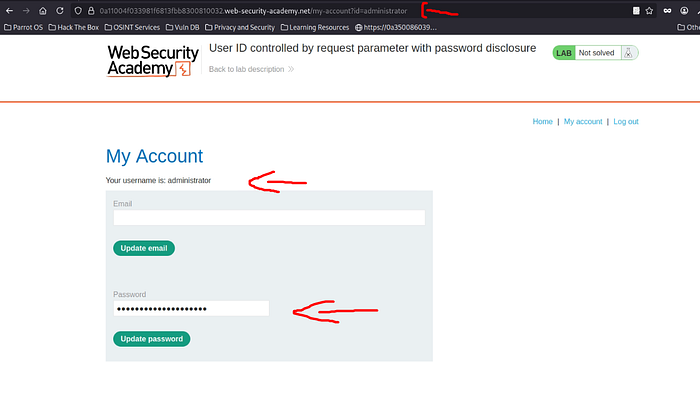
Yeap , It worked :)) now we got both ( administrator and carlos ) passwords , all we need now to display administrator's password in order to login with the administrator's password , so we can delete our poor user carlos as usual 😢
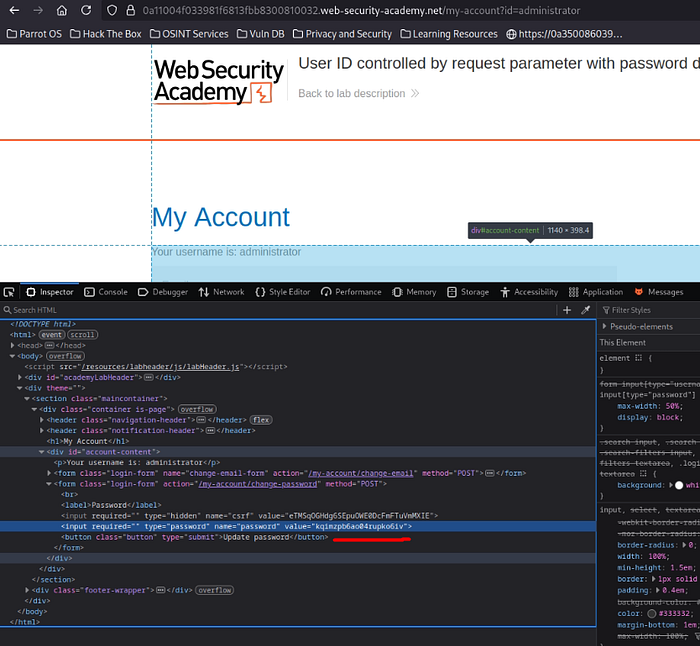
We could've easily grabbed the password via Burp intercept , but I like exploring different approaches instead of relying on one tool only — flexibility matters.
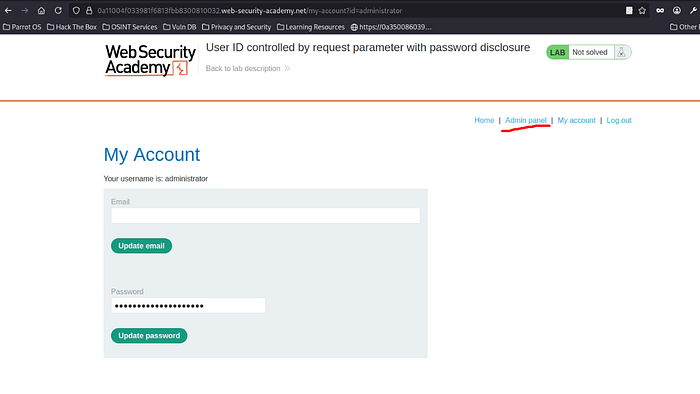
Boom , successfully logged in , as an admin :)
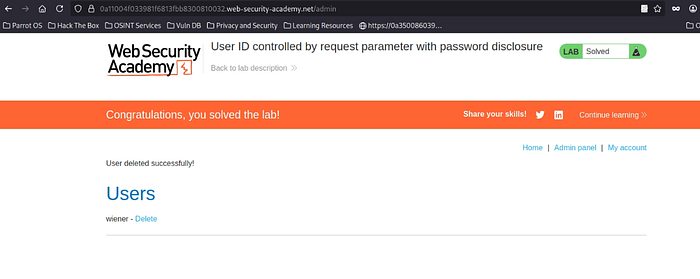
And , Mission accomplished 😎💪
— — — — — — — — — — — — — — — — — — — — — — — — — — — — — — — — — — — — — —
Lab 9# : Insecure direct object references
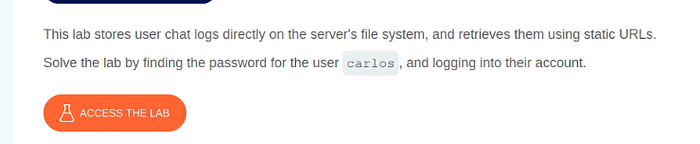
The lab says here , it stores chat logs directly on the server's file system , and retrieves them using static URLS , lets try to check where exactly the vulnerable place , that leads to IDOR
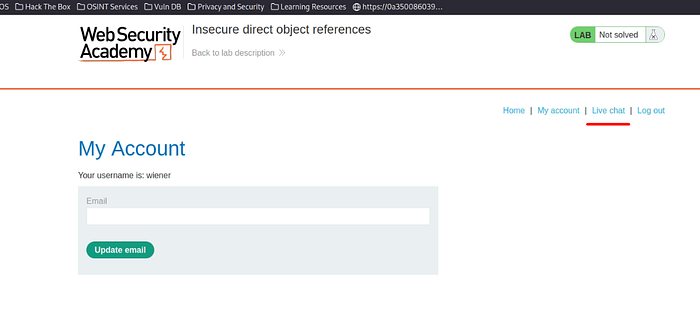
We have logged in , using ( wiener:peter) credentials , but there's an extra section , this time LiveChat , Lets try to investigated what's inside it , so we can perform our IDOR
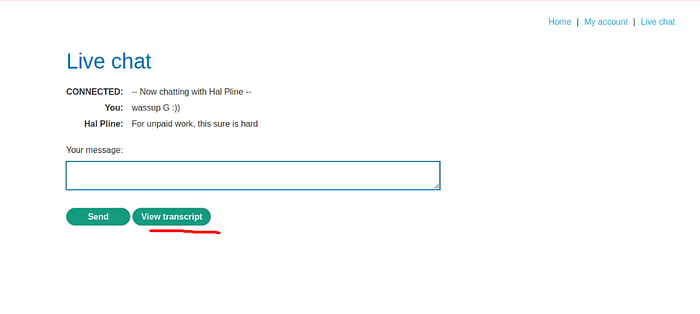
There's a feature here called ( View Transcript ) it displays our chat session with Hal Pline user or whoever XD .
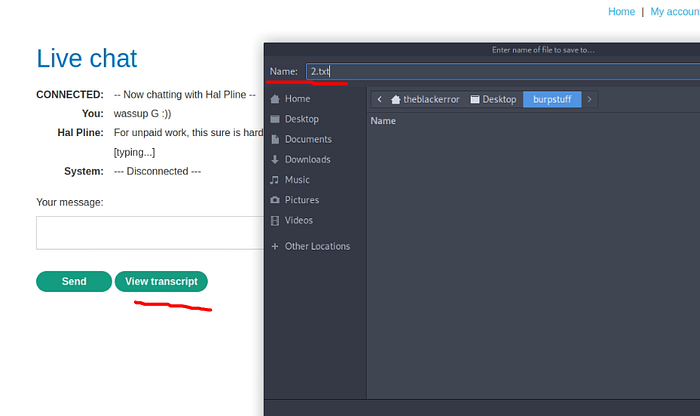
I clicked on the View Transcript button , and I have noticed that its about to download our chat session as 2.txt , which means the server stores the chat sessions using numbers as an identifier to the chat session .
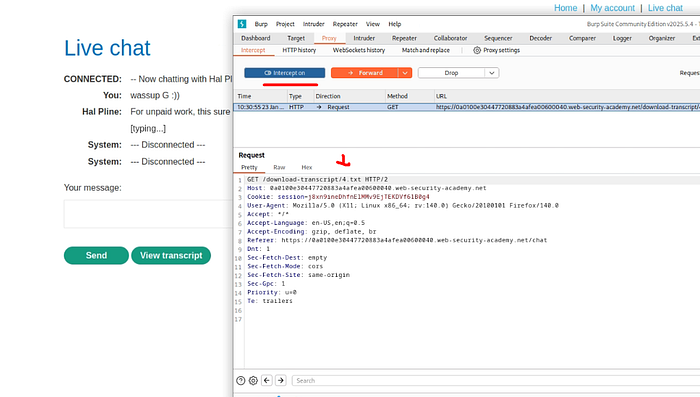
I have tried to intercept , this request in order to modify the number from 4.txt to another number , that leads to accessing other users' chats , lets try to perform this IDOR attempt here .
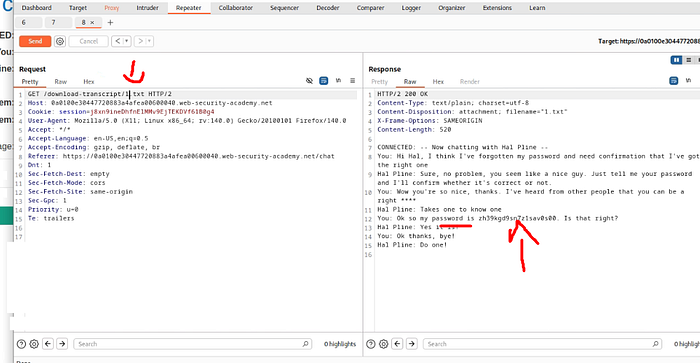
Booom , successfully figured out the vulnerable request , that leads to IDOR , I told myself start from 1 to 10 maybe , but good thing , the chat session , that includes Carlos's password showed up at 1.txt , it saved us some attempts XD , now lets log in using carlos's password.
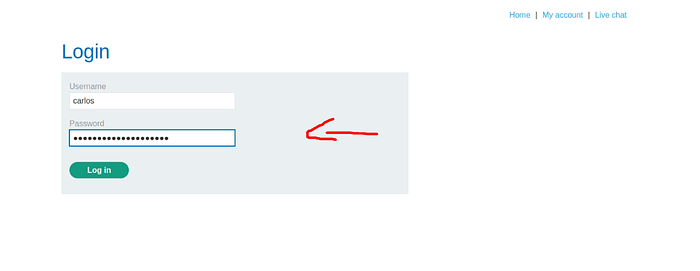
logging into carlos account ……
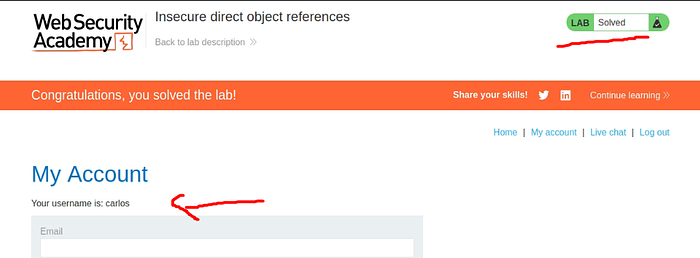
Mission accomplished as usual 😎💪
Now , we have already covered all Broken Access Control Apprentice labs. See you folks in the next walkthrough 😈.