
As this lab is for a reflected XSS, the server will process input on its side then return back the result without any storage. The landing page looks as follows:
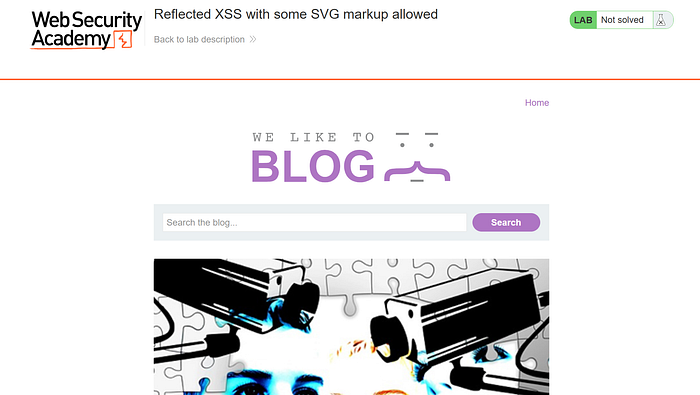
The vulnerable input field is likely the search bar as it's the only input field that gets processed by the server without storage in the app.
Analyzing Firewall
Analyzing the firewall is all about figuring out what is allowed or forbidden and to find out how the firewall matches for these allowed or forbidden entities.
I've started analyzing the firewall by determining which tags are allowed by fuzzing different tags in /?search=<FUZZ></FUZZ> in Battering Ram Attack mode in burp suite. The wordlist can be found at SecLists repo which is a very useful collection of wordlists and one of them contained all of the html tags.

- <AnimateTransform> is responsible for animating an SVG element by changing one of its attributes either an XML or CSS attribute.
- <discard> hides an element, discards it from being rendered.
- <image> renders an image retrieved via the href attribute or xlink:href attribute
- <title> improves accessibility by giving the element a title.
All attributes were allowed except for those that start with on (Event Handlers).
At first, I thought that the previous information were everything that I could know so I started constructing my payload
Failed Exploitation
I first tried out to use an SVG element with an image that classically takes javascript:alert(1) as a value for the href attribute as follows:
<svg><image href="javascript:alert(1)"></image></svg>Basically, it didn't work (no alert message but no firewall issues) so I tried to do a walkaround and render from an html page but this also didn't work. It appeared to be only accepting image responses/mime types then I tried to use an image/svg+xml data link instead of text/html. The link was as follows:
data:image/svg+xml,<svg xmlns='http://www.w3.org/2000/svg' width='100' height='100'><circle cx='50' cy='50' r='40' stroke='black' stroke-width='3' fill='red' /><script>alert(1)</script></svg>The link would be blocked because of <script> so I've done base64 encoding and constructed my payload:
<svg><image href="data:image/svg+xml;base64,PHN2ZyB4bWxucz0naHR0cDovL3d3dy53My5vcmcvMjAwMC9zdmcnIHdpZHRoPScxMDAnIGhlaWdodD0nMTAwJz48Y2lyY2xlIGN4PSc1MCcgY3k9JzUwJyByPSc0MCcgc3Ryb2tlPSdibGFjaycgc3Ryb2tlLXdpZHRoPSczJyBmaWxsPSdyZWQnIC8+PHNjcmlwdD5hbGVydCgxKTwvc2NyaXB0Pjwvc3ZnPg=="></image></svg>This also didn't work although the image gets rendered:
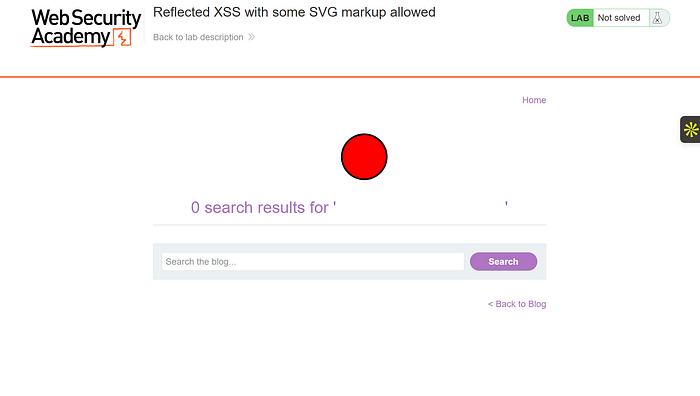
That indicates that <image> renders the image before previewing it and doesn't directly request the url as a normal <img> would do. I had to find another approach🤔!
Reanalyzing the firewall
I looked up the lab description as it sometimes contains hints and information that I may be missing. It states that the firewall misses some SVG markup tags and events. Before looking for those events, I had to understand how the firewall matches patterns.
The firewall looks for text between <> the first text it sees inside the tags is considered the tag and is blocked except for a certain white list which are the previously mentioned tags, the second piece of text is usually considered as attribute if in correct attribute syntax and the firewall matches for attributes that start with "on" then blocks those except for some events. Now let's find out which events are allowed, using the html-events wordlist the results are as follows:

The only allowed event is onbegin which is fired when the timeline of the animation starts.
Exploitation
Using all of that information and noting that onbegin is used on animate tags (<animatetransform> in our case).
<svg><image href="data:image/svg+xml;base64,PHN2ZyB4bWxucz0naHR0cDovL3d3dy53My5vcmcvMjAwMC9zdmcnIHdpZHRoPScxMDAnIGhlaWdodD0nMTAwJz48Y2lyY2xlIGN4PSc1MCcgY3k9JzUwJyByPSc0MCcgc3Ryb2tlPSdibGFjaycgc3Ryb2tlLXdpZHRoPSczJyBmaWxsPSdyZWQnIC8+PHNjcmlwdD5hbGVydCgxKTwvc2NyaXB0Pjwvc3ZnPg=="><animateTransform onbegin="alert(1)" attributeName="transform" attributeType="XML" type="rotate" from="0 60 70" to="360 60 70" dur="10s" repeatCount="indefinite" /></image></svg>href attribute doesn't matter it's just used as an indicator for the animation. Once the animation starts to play it will fire the function alert(1).
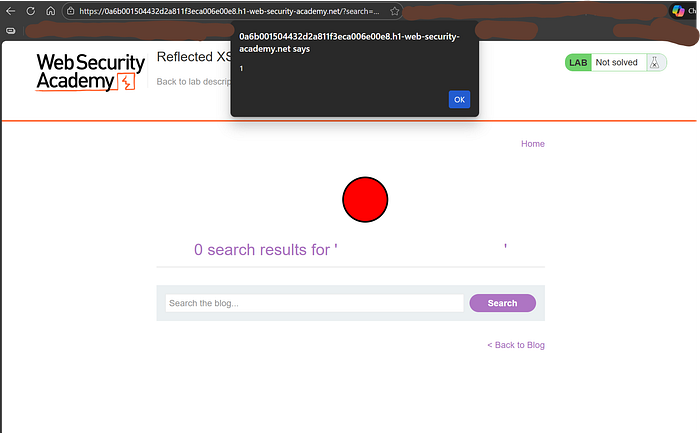
That's how I solved the lab if there's any confusion reach out to me on instagram @amrloksha151. Take care!!